Claude (Anthropic) service status — always visible in your VS Code status bar. Know about an outage or incident without ever leaving the editor.



⚠️ Unofficial — This extension is not affiliated with Anthropic in any way. "Claude" and "Anthropic" are trademarks of Anthropic PBC. The names are used solely to indicate the publicly available Statuspage being displayed.
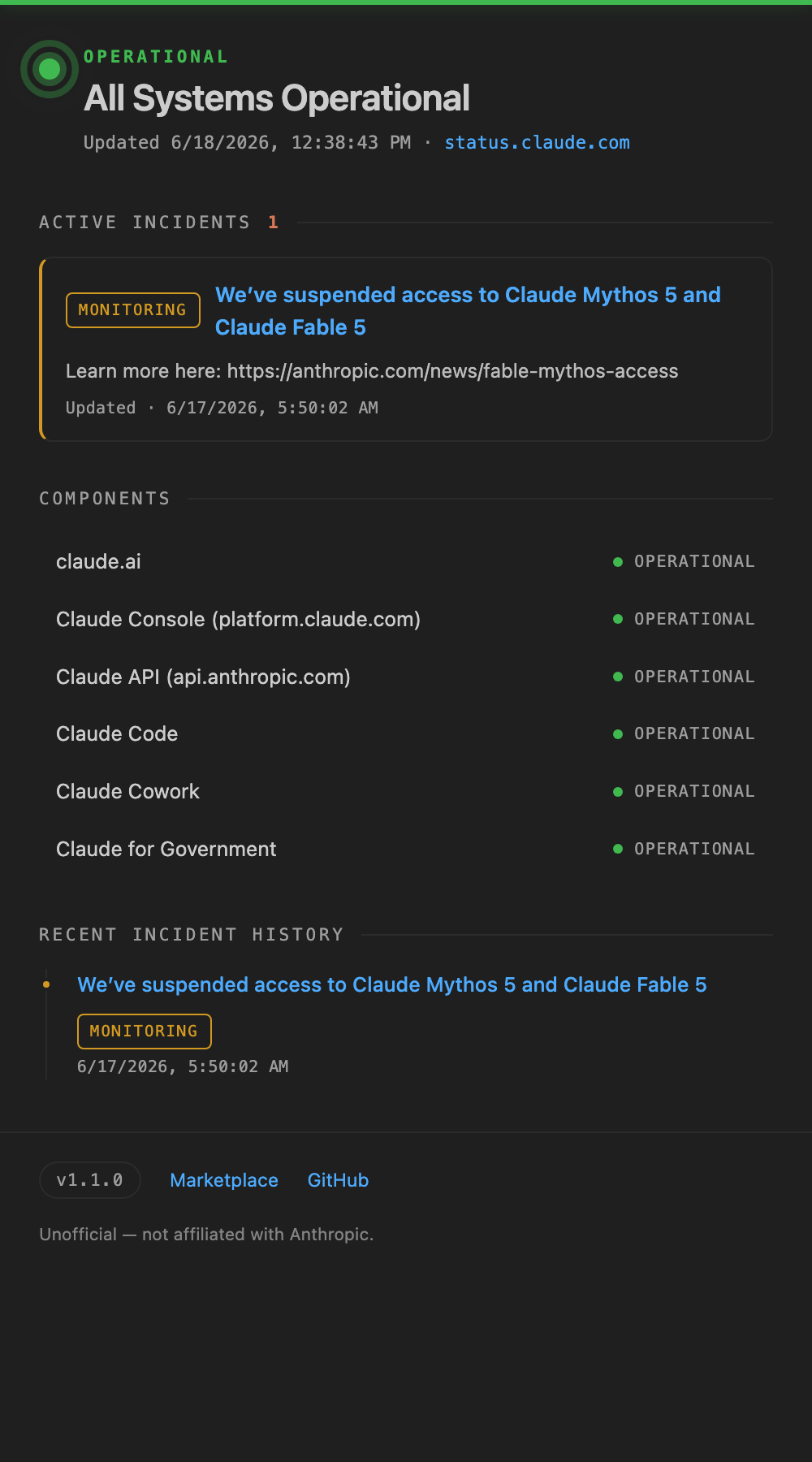
Features
- Always on the status bar — See the current service status at a glance, shown as
$(pass-filled) Claude. - Color-coded incidents — Minor issues are highlighted in yellow, major / critical in red. Ongoing incidents show a count like
Claude (2). - Hover for details — A tooltip shows the overall status, ongoing incidents, and the state of each component.
- Details panel — Click to open incident history and the component list.
- Auto-refresh — Fetches the latest status automatically at a configurable interval (manual refresh is also available).
- Official data source — Uses the v2 JSON API of Anthropic's official Atlassian Statuspage (
status.claude.com).
Installation
- Open the Extensions view in VS Code (
Cmd/Ctrl + Shift + X) - Search for "Claude Service Status"
- Click Install
After installation, Claude's status appears in the status bar automatically.
Usage
- Status bar — Check the current status via the
Claudeitem on the right. Click it to open the details panel. - Command Palette (
Cmd/Ctrl + Shift + P):Claude Status: Refresh Now— Fetch the latest status immediatelyClaude Status: Show Details— Open the details panel
Status icon meanings
| Display | Meaning |
|---|---|
| ✅ Check icon | Operational |
| ⚠️ Warning icon (yellow background) | Minor issue (minor) |
| ❌ Error icon (red background) | Major issue (major / critical) |
Claude (2) |
Number of ongoing incidents |
Settings
| Setting key | Default | Description |
|---|---|---|
claudeStatus.language |
auto |
Display language: auto (follows VS Code), en, or ja. When set to ja, status text and labels are shown in Japanese. |
claudeStatus.statusPageUrl |
https://status.claude.com |
Base URL of the Statuspage to monitor |
claudeStatus.refreshInterval |
60 |
Polling interval (seconds, minimum 15) |
The Statuspage v2 API is rate-limited to 1 request per second per IP, so a refresh interval of 15 seconds or more is recommended.
Privacy
This extension communicates only with the public Statuspage API at status.claude.com. It never collects or transmits your code, input, or any personal information.
Feedback
Please report bugs and feature requests at GitHub Issues.
License
日本語 (Japanese)
Claude (Anthropic) のサービス状態を VS Code のステータスバーに常時表示する拡張機能です。障害やインシデントが起きていないか、エディタから離れずに確認できます。
⚠️ 非公式 (Unofficial) — 本拡張機能は Anthropic 公式のものではなく、Anthropic とは一切関係ありません。"Claude" および "Anthropic" は Anthropic PBC の商標です。公開されている Statuspage の状態を表示する目的でのみ名称を使用しています。
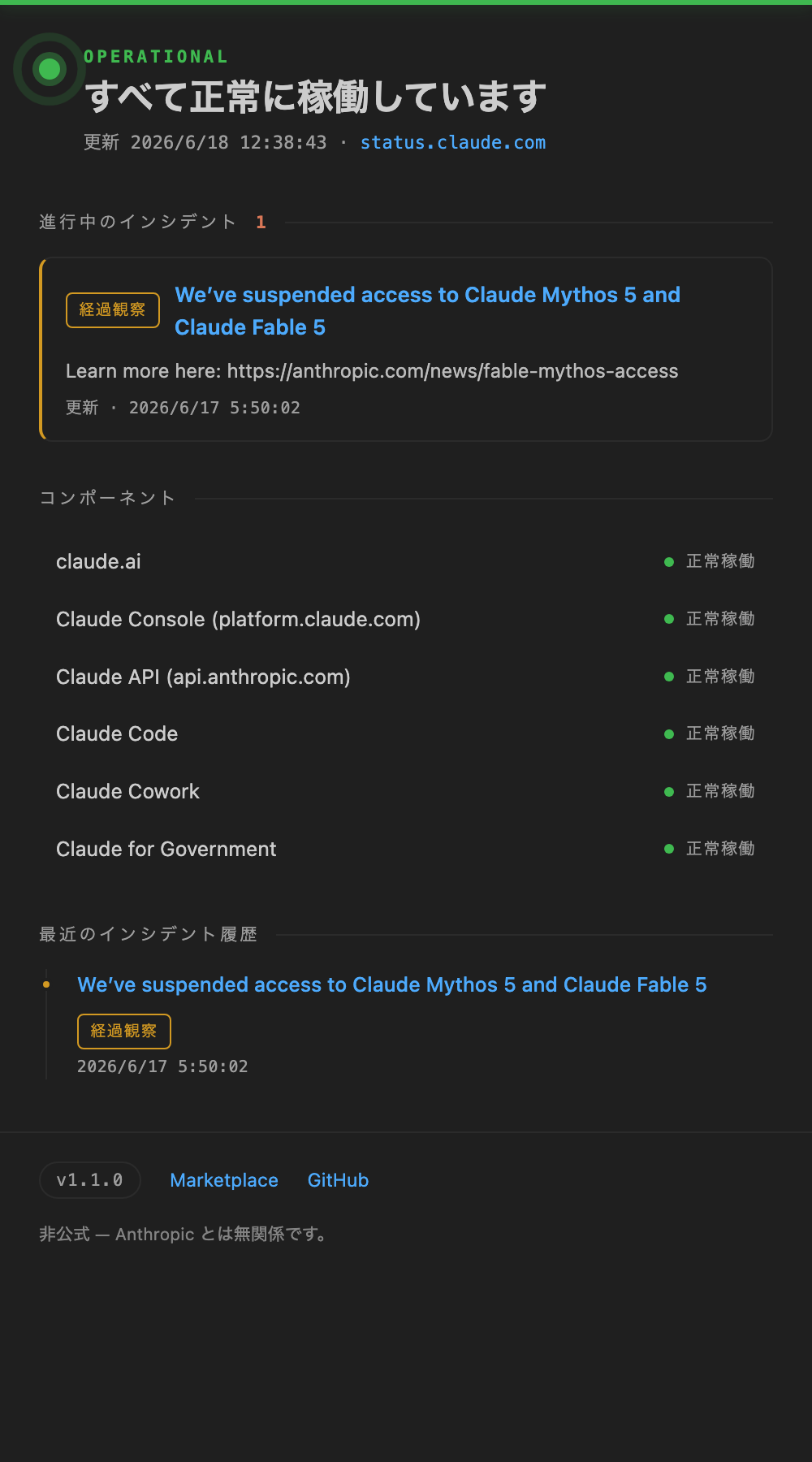
特長
- ステータスバーに常時表示 —
$(pass-filled) Claudeのように、現在のサービス状態をいつでも一目で確認。 - 障害を色で即把握 — minor は黄色、major / critical は赤背景でハイライト。進行中インシデントは
Claude (2)のように件数を表示。 - ホバーで詳細 — 全体状態・進行中インシデント・各コンポーネントの状態をツールチップで確認。
- 詳細パネル — クリックでインシデント履歴とコンポーネント一覧を表示。
- 自動更新 — 設定した間隔で自動的に最新状態を取得(手動更新も可能)。
- 公式データ元 — Anthropic 公式の Atlassian Statuspage (
status.claude.com) の v2 JSON API を利用。
インストール
- VS Code の拡張機能ビュー(
Cmd/Ctrl + Shift + X)を開く - 「Claude Service Status」 を検索
- Install をクリック
インストール後、自動的にステータスバーへ Claude の状態が表示されます。
使い方
- ステータスバー — 右側の
Claude表示で現在の状態を確認。クリックで詳細パネルを開く。 - コマンドパレット(
Cmd/Ctrl + Shift + P)から以下を実行:Claude Status: Refresh Now— 今すぐ最新状態を取得Claude Status: Show Details— 詳細パネルを開く
状態アイコンの意味
| 表示 | 意味 |
|---|---|
| ✅ チェックアイコン | 正常稼働 |
| ⚠️ 警告アイコン(黄背景) | 軽微な障害 (minor) |
| ❌ エラーアイコン(赤背景) | 重大な障害 (major / critical) |
Claude (2) |
進行中インシデントの件数 |
設定
| 設定キー | 既定値 | 説明 |
|---|---|---|
claudeStatus.language |
auto |
表示言語:auto(VS Code に追従)・en・ja。ja を選ぶと状態表示やラベルが日本語になります。 |
claudeStatus.statusPageUrl |
https://status.claude.com |
監視対象の Statuspage ベース URL |
claudeStatus.refreshInterval |
60 |
ポーリング間隔(秒・最小 15) |
Statuspage の v2 API は IP ごとに毎秒 1 リクエストのレート制限があるため、更新間隔は 15 秒以上を推奨します。
プライバシー
本拡張機能は status.claude.com の公開 Statuspage API に対してのみ通信します。ユーザーのコード・入力内容・個人情報を収集したり外部送信したりすることは一切ありません。
フィードバック
バグ報告・機能要望は GitHub Issues までお願いします。
ライセンス
開発者向け情報 (For developers)
ビルド・実行
npm install
npm run compile     # もしくは npm run watch
VS Code でこのフォルダを開き、F5 を押すと拡張機能開発ホストが起動します。
パッケージ化
npm install -g @vscode/vsce
vsce package        # claude-service-status-x.y.z.vsix が生成される
利用エンドポイント
GET /api/v2/summary.json— 全体状態 + コンポーネント + 未解決インシデントGET /api/v2/status.json— 全体インジケーターのみ(軽量)GET /api/v2/incidents/unresolved.json— 進行中インシデントのみ