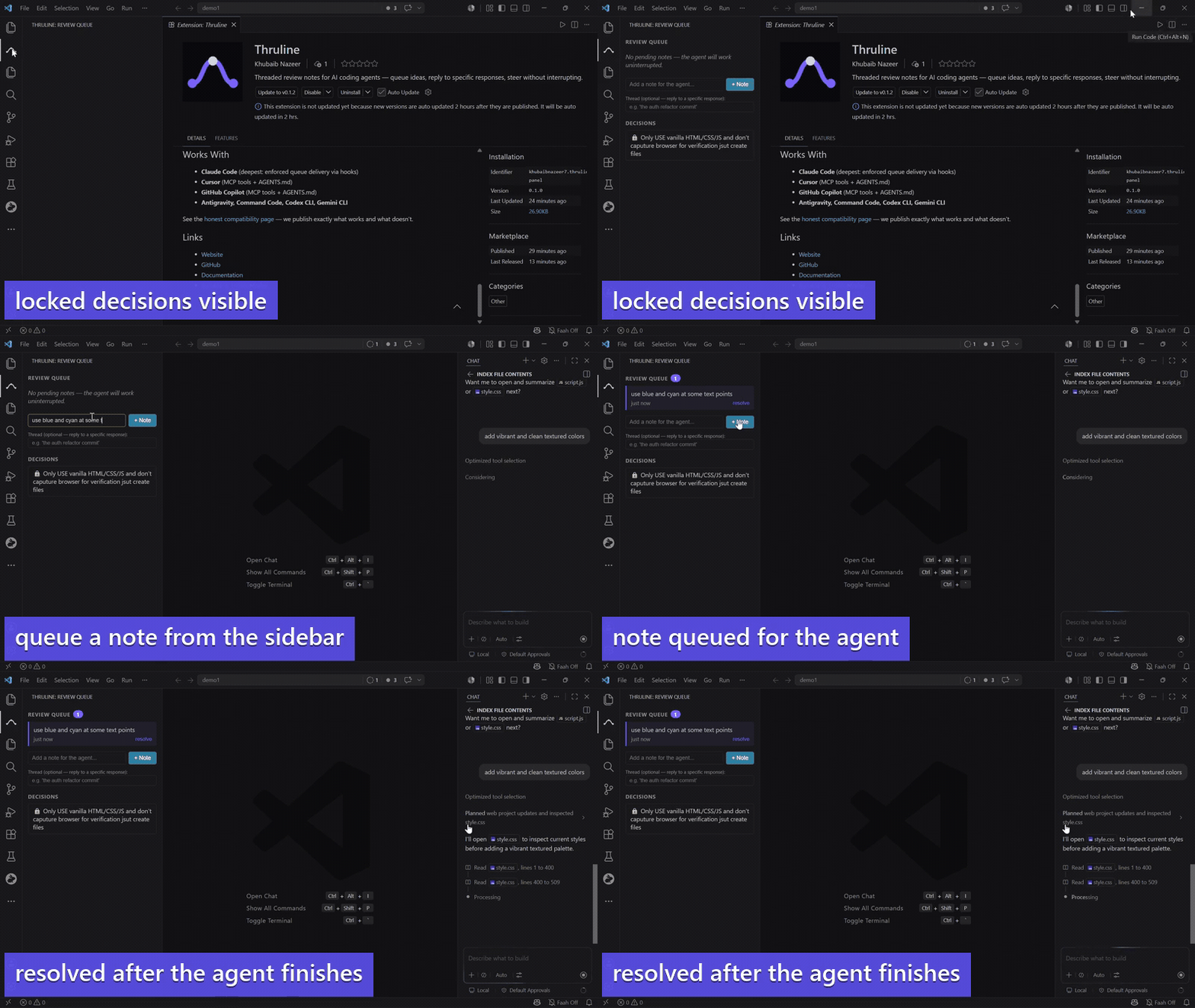
Your AI coding agent is deep in a task. You have an idea. Today your options are: interrupt it, or forget. Thruline adds a third: queue the note — the agent gets it when it finishes.
The VS Code panel gives you a persistent sidebar alongside any agent — Cursor, Copilot, Claude Code desktop — with threaded replies to specific agent responses.
Features
Live Review Queue
See pending notes in real time. The panel auto-refreshes via file watcher — no polling, no tokens.
Threaded Replies
Reply to a specific agent response (like WhatsApp reply-to-message). Your note arrives with context about which output you're reacting to.
One-Click Resolve
Mark notes as addressed from the sidebar without touching the terminal.
Decision Viewer
See all locked project decisions and their rationale at a glance. The agent sees them too — and gets warned if it tries to deviate.
Graceful Pause
Command palette → "Thruline: Pause" — the agent finishes the current atom, snapshots state, and stops. Distinct from the emergency Esc.
Getting Started
- Install the thruline CLI:
npm install -g thruline - Run
thruline initin your project - Open the project in VS Code — the Thruline icon appears in the activity bar
How It Works
The panel reads and writes to .thruline/queue.json and .thruline/decisions.json — the same files every agent uses. Notes you add from the panel are identical to notes from thruline note "..." in the terminal. Both paths are interchangeable.
Commands
| Command | What it does |
|---|---|
| Thruline: Add Review Note | Queue a note for the agent |
| Thruline: Refresh Panel | Force-refresh the sidebar |
| Thruline: Pause | Snapshot and stop gracefully |
Works With
- Claude Code (deepest: enforced queue delivery via hooks)
- Cursor (MCP tools + AGENTS.md)
- GitHub Copilot (MCP tools + AGENTS.md)
- Antigravity, Command Code, Codex CLI, Gemini CLI
See the honest compatibility page — we publish exactly what works and what doesn't.