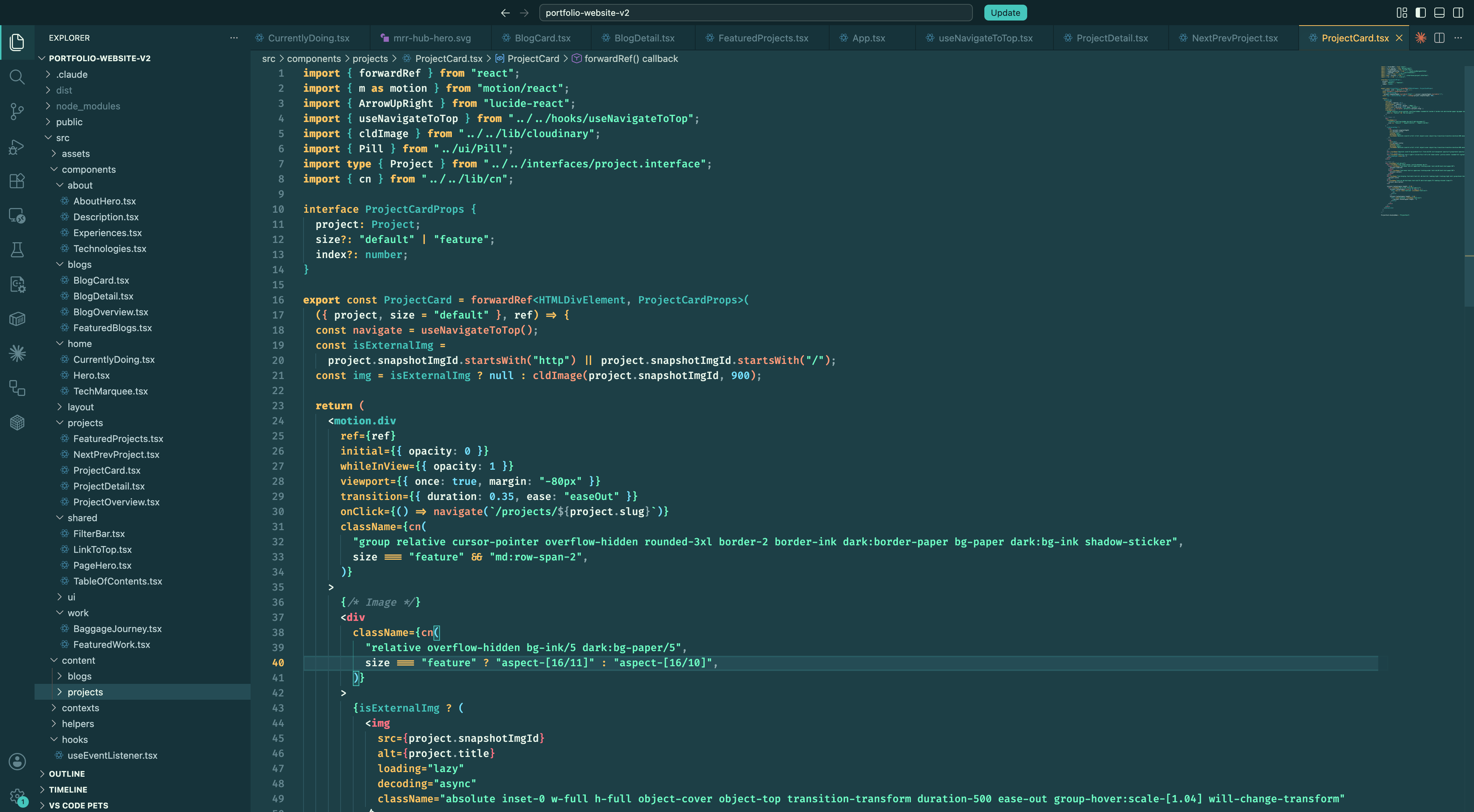
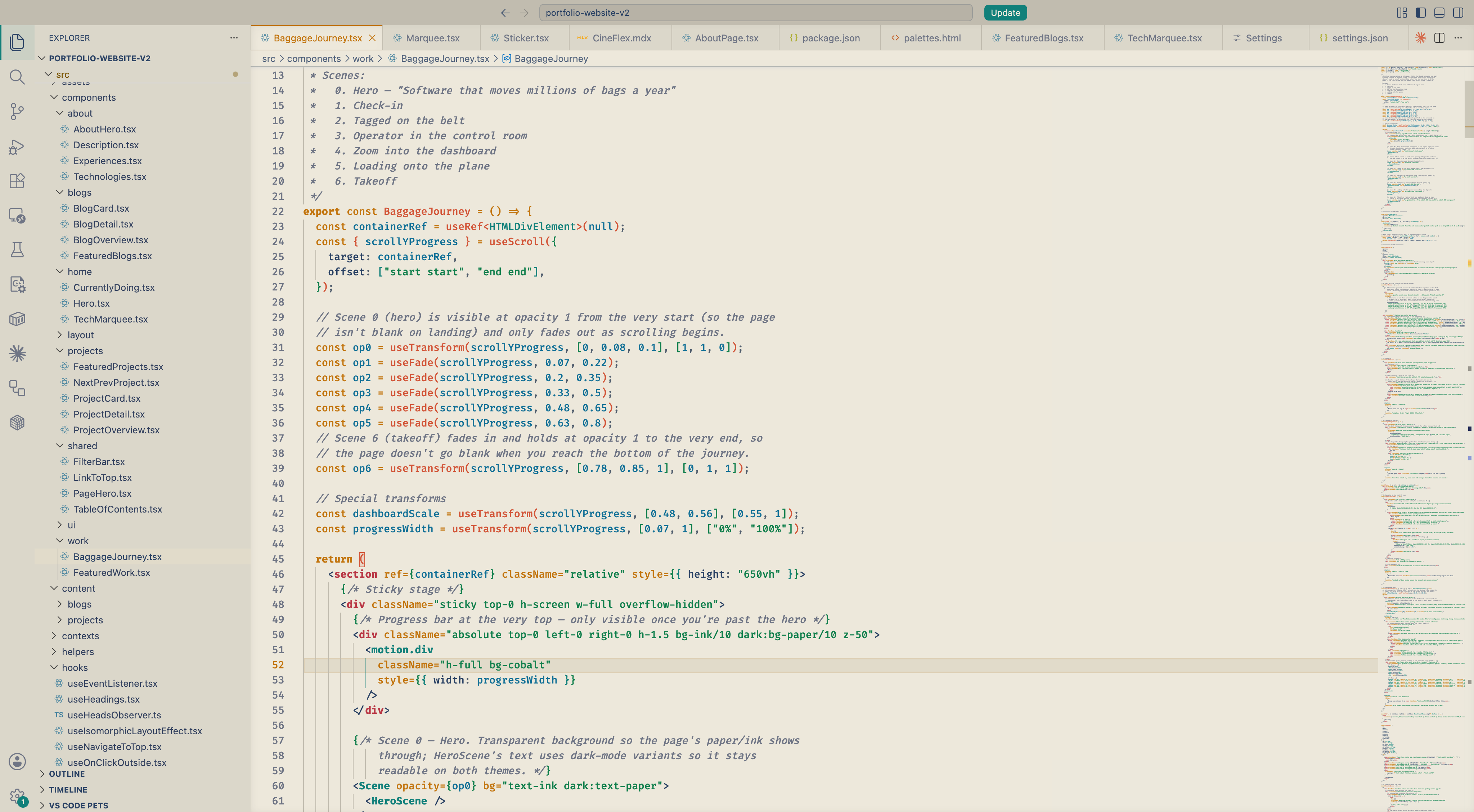
Hi there! 🌊 I made Lagoon in two variants so you can pick whichever fits your day. Lagoon (dark) feels like quiet mornings by warm tropical water — gold keywords, coral functions, biolum strings, and turquoise types drifting across atmospheric teal. Lagoon Light keeps the same palette on warm cream paper, for brighter desks. Hope you like it ^^
Installation
- Open the Extensions panel in VS Code
- Search for Lagoon Theme and click Install
- Open the Color Theme picker and choose Lagoon (dark) or Lagoon Light
Screenshots
Lagoon (dark)
Lagoon Light
Feedback
Lagoon is continuously being updated. If a color feels off, a token needs better separation, or you'd like to see a tweak — please open an issue on GitHub. Suggestions are very welcome.
Repo: github.com/DNT-Khoa/lagoon-theme
Releases
See the GitHub Releases page for version history and per-release changelogs.