
Conflict Resolution Diff is a Visual Studio Code extension for viewing Git conflict resolution diffs.
It helps you review only the changes made while resolving merge conflicts, without manually typing Git commands.
Features
-
Show changes made while resolving an ongoing merge conflict.
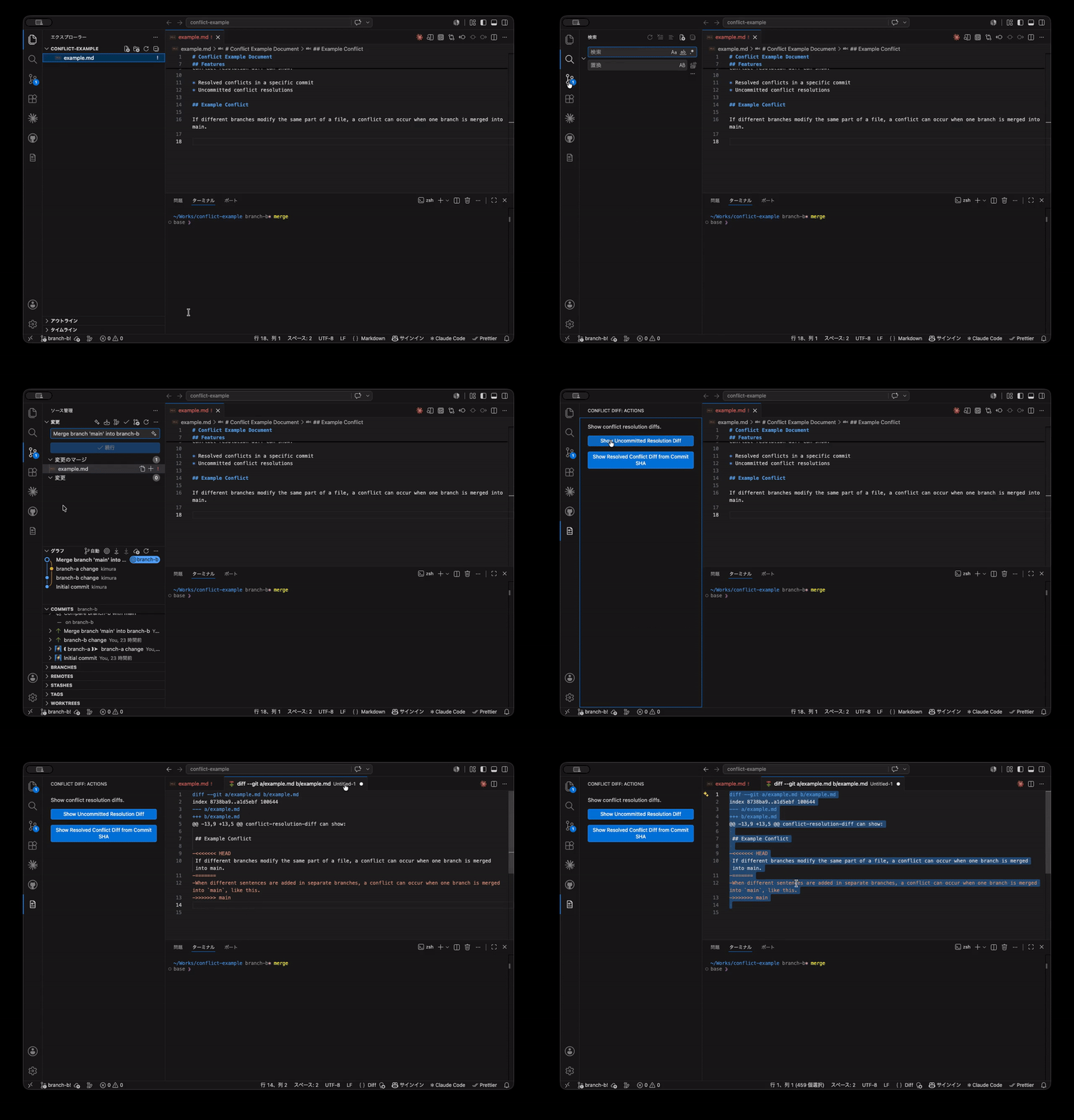
-
Show the conflict resolution diff for an existing merge commit by pasting its commit SHA.
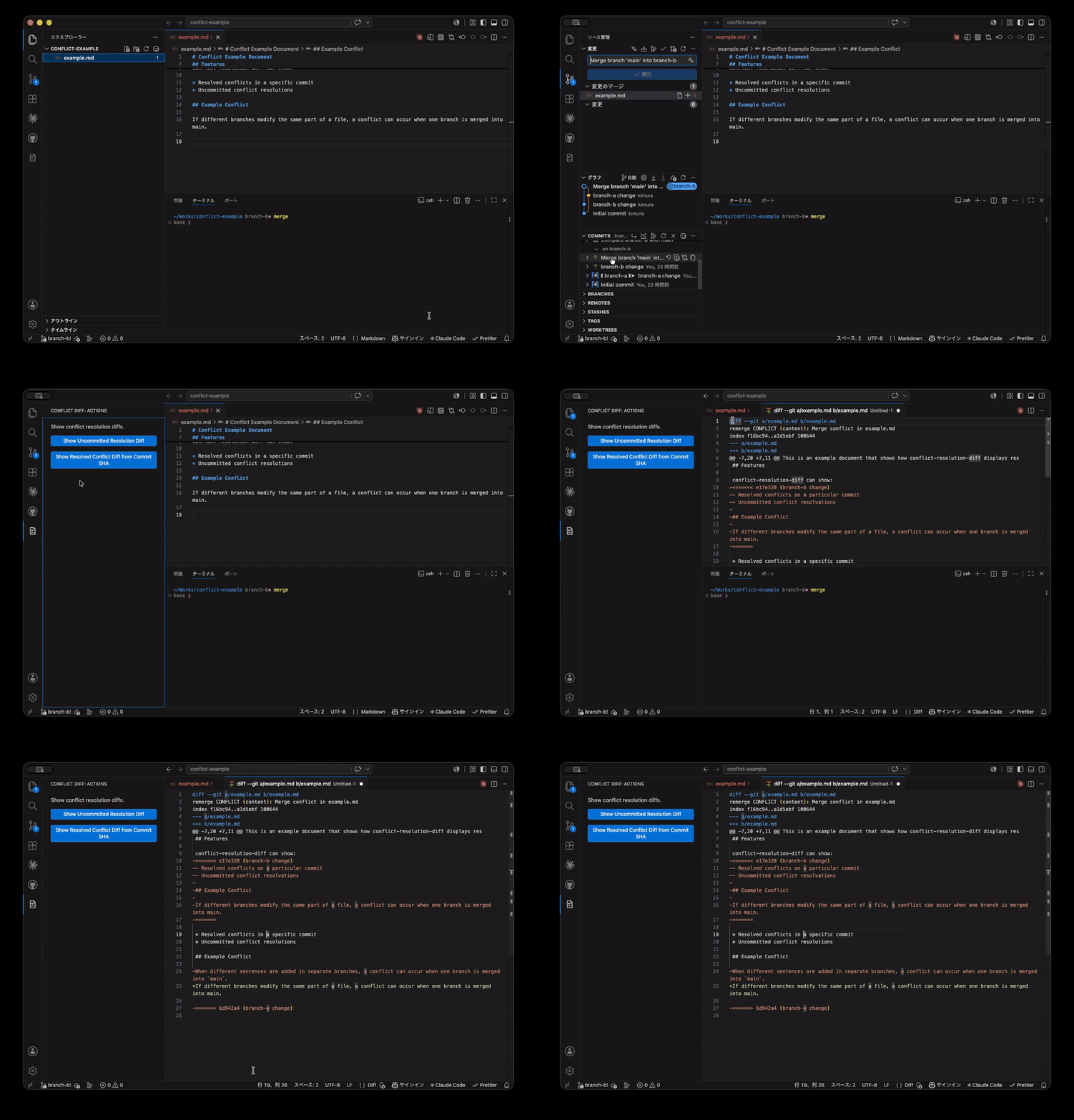
-
Open the result in Visual Studio Code as a diff-formatted document.
-
Run actions from the Conflict Diff view in the Activity Bar.
This extension is intended for developers who want to review conflict resolution changes separately from the full branch diff.
How it works
When you are resolving a merge conflict, the extension uses Git's AUTO_MERGE reference.
git diff AUTO_MERGE
For an already-created merge commit, the extension uses Git's remerge diff output.
git show --remerge-diff --format= --no-color <merge-commit-sha>
Usage
Open the Conflict Diff view from the Activity Bar and choose one of the available actions.
You can also run the commands from the Command Palette.
Commands
Conflict Resolution Diff: Show Uncommitted Resolution Diff
Use this while you are in the middle of resolving a merge conflict.
The extension shows the diff between your current working tree and Git's AUTO_MERGE reference.
This is useful when you want to check what you changed during conflict resolution before committing the merge.
Conflict Resolution Diff: Show Resolved Conflict Diff
Use this after a merge commit has already been created.
Paste the target merge commit SHA when prompted. The extension shows Git's remerge diff output for that commit.
This is useful when you want to review or explain how conflicts were resolved in an existing merge commit.
Requirements
- Visual Studio Code
- Git
- A Git repository
For uncommitted resolution diffs, the repository must be in a merge conflict resolution state.
For resolved conflict diffs, the target commit must be a merge commit.
Limitations
The extension currently opens the result as unified diff text inside Visual Studio Code.
The following features are not included yet:
- Side-by-side split diff editor view
- Selecting merge commits from a list
- Advanced filtering by file
Why this extension?
During code review, it is often useful to check only the changes that were introduced while resolving a conflict.
Git already provides commands for this, but they are not easy to discover or run repeatedly from inside the editor. This extension makes that workflow available from Visual Studio Code.
Development
Install dependencies:
pnpm install
Compile the extension:
pnpm run compile
Run tests:
pnpm test