Affirmations, focus audio, and a supportive community inside your code editor.
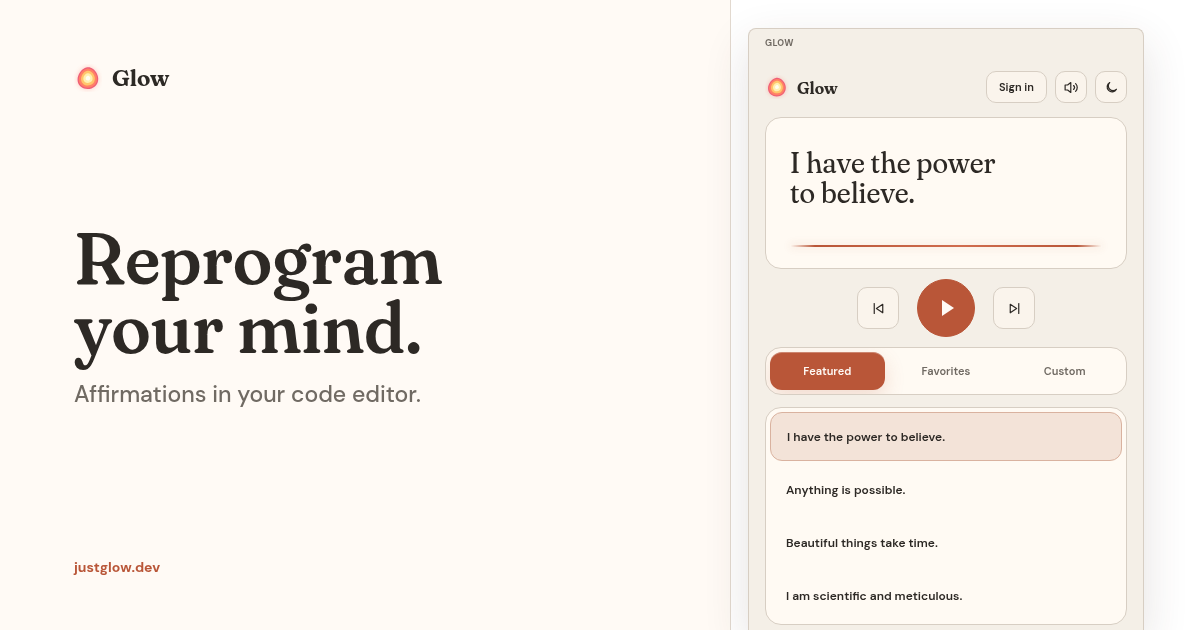
Glow brings a focused affirmation practice into Visual Studio Code. Choose a thought, press play, and let it repeat while you work. You can also add a subtle binaural beat, follow your listening progress, and connect with other people in the Glow community without leaving the editor.
Included in Glow
Affirmation player
- Listen to five included affirmations immediately, without creating an account.
- Browse Featured, Favorites, and Custom libraries.
- Keep playback running while moving between editor views.
- Adjust volume and the pause between repetitions.
- Favorite affirmations and restore the last selected track.
- Continue using included and previously cached audio during temporary network interruptions.
Binaural beats
Layer optional focus audio underneath an affirmation:
- Calm — 6 Hz
- Focus — 40 Hz
- White noise
- Brown noise
The binaural presets are designed for headphone listening. Their selected mode and volume are remembered between sessions.
Personal affirmations
Premium members can create a personal affirmation, preview two recordings, and choose which version enters their library. Regeneration is non-destructive: the current recording remains available until a replacement is selected.
Glow community
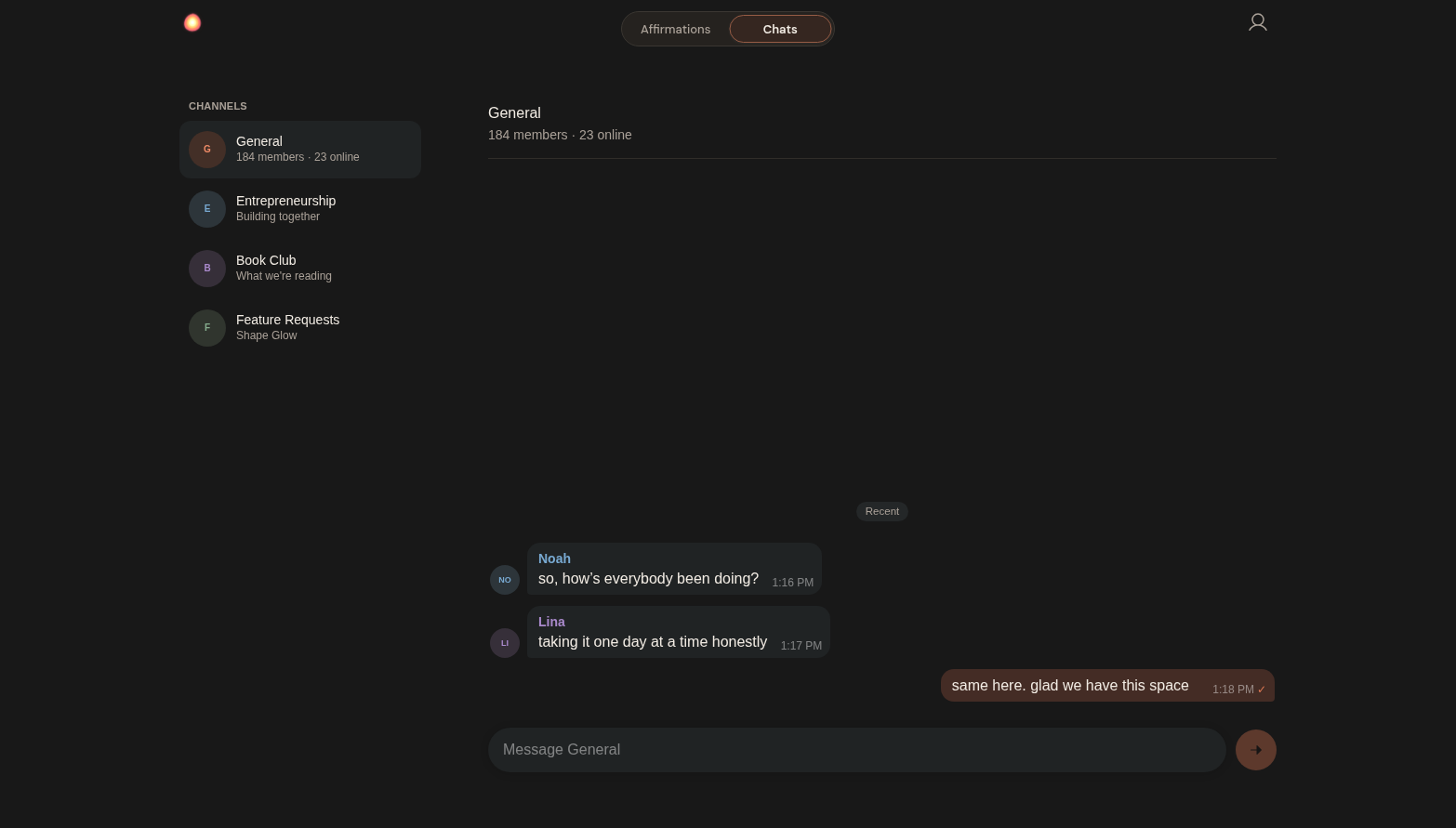
The native Community tab includes two connected spaces:
- Affirmations for discovering, playing, and supporting affirmations shared by community members.
- Chats for realtime conversations across community channels.
Chats include replies, unread-reply navigation, date separators, message selection, confirmed bulk deletion for your own messages, and compact Telegram-style double checks after at least one other member has seen a sent message. Channels are loaded from Glow so new conversations can appear without requiring an extension update.
Native dashboard
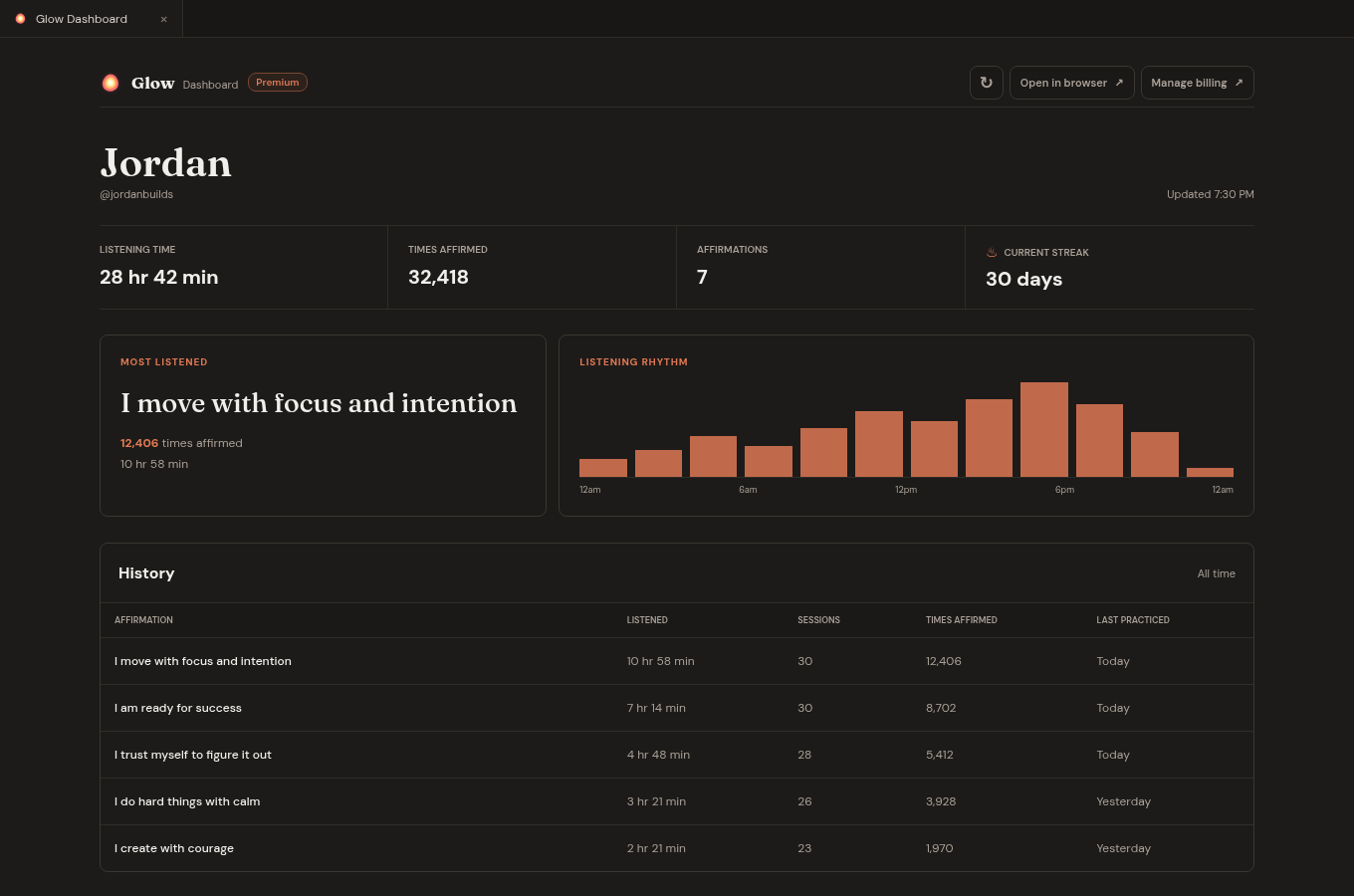
Open the Dashboard beside your editor to review your listening time, repetitions, streak, library, and account state. Listening progress and library changes synchronize across supported editor windows and signed-in devices.
Share your progress
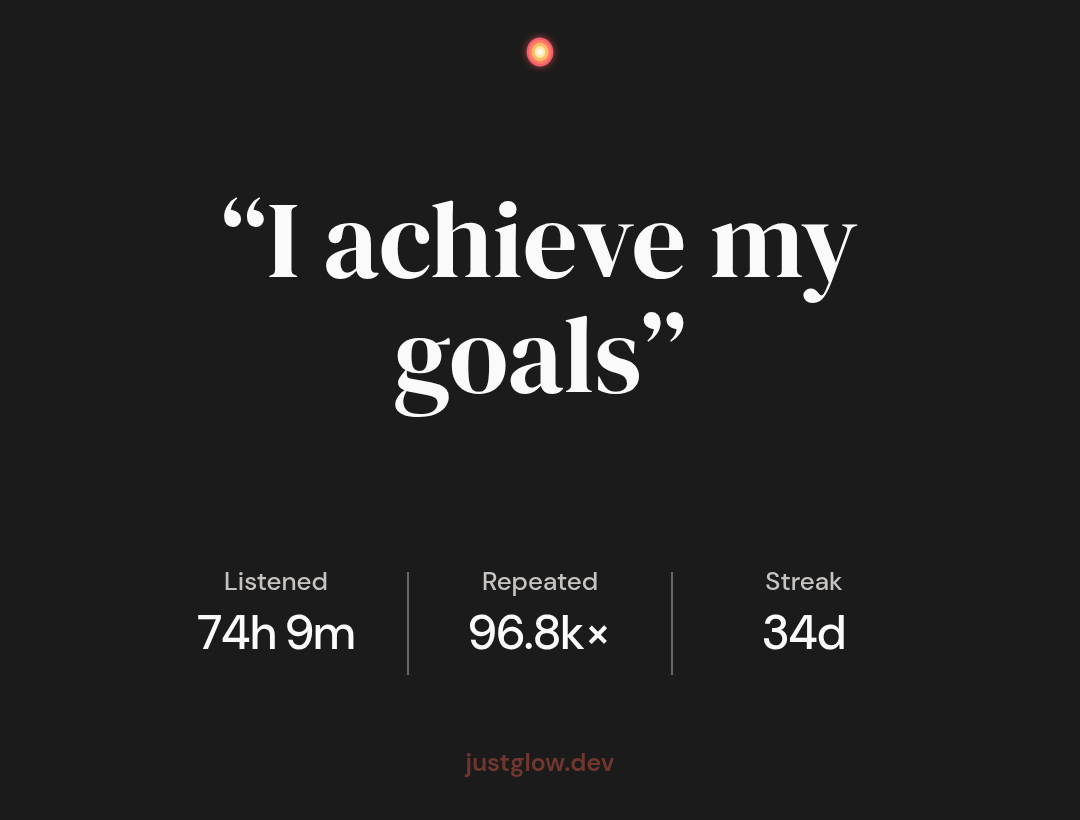
Turn an affirmation's listening time and repetitions, along with your overall practice streak, into a card you can share.
Get started
- Install Glow Affirmations.
- Select the Glow icon in the Activity Bar.
- Choose an affirmation and press play.
No account is required for the included affirmation library. GitHub sign-in is required for personal affirmations, account synchronization, community account features, and the complete dashboard experience.
Glow uses a short browser pairing flow: open the sign-in page, authenticate with GitHub, and paste the six-digit code into the extension. The extension stores the resulting session in VS Code's secure secret storage.
Free and Premium
Glow can be installed and used for free. Premium unlocks continued personal affirmation creation and the complete connected practice experience. Eligible Free or signed-out users may also see a lifetime-offer card in the extension; its button opens Glow's first-party checkout handoff in the browser.
Manage your account, subscription, and listening progress at justglow.dev/dashboard.
Offline and data behavior
Included audio and local preferences remain available without an internet connection. When a network request cannot complete, Glow keeps the usable local experience visible and quietly reconciles supported changes after connectivity returns instead of replacing the interface with a server error.
Local preferences and playback state stay in VS Code storage. When you sign in, Glow connects to your account to synchronize your affirmation library, entitlement, community state, and listening progress. Authentication and authorization are enforced by Glow's services; the extension never contains a privileged backend key.
Development
This repository contains the device-side VS Code extension and its Svelte webviews. It intentionally does not contain Glow's backend implementation, database migrations, private operational configuration, or content-generation pipeline.
bun install --frozen-lockfile
bun test
bun run check
bun run build
Release artifacts are built once from a reviewed tag. The GitHub release provides a SHA-256 checksum and build-provenance attestation so the downloadable VSIX can be compared with the copies distributed through extension registries.
sha256sum -c SHA256SUMS
gh attestation verify glow-affirmations.vsix \
  --repo glow-affirmations/glow-extension
The public-client trust model and server authorization boundary are documented in the public client security boundary.
Licensing and branding
The device-side extension code is licensed under GPL-3.0-or-later. The five bundled affirmation recordings and designated non-logo artwork are reusable under CC BY 4.0. Third-party components retain their respective licenses as documented in THIRD_PARTY_NOTICES.md.
The Glow name, logos, icons, marketplace identity, and designated brand assets are not licensed for use in modified or third-party distributions. Forks must use their own name, publisher identity, and branding. See the trademark policy, asset license, and rebranding guide.
Support
For account help and product support, email [email protected].