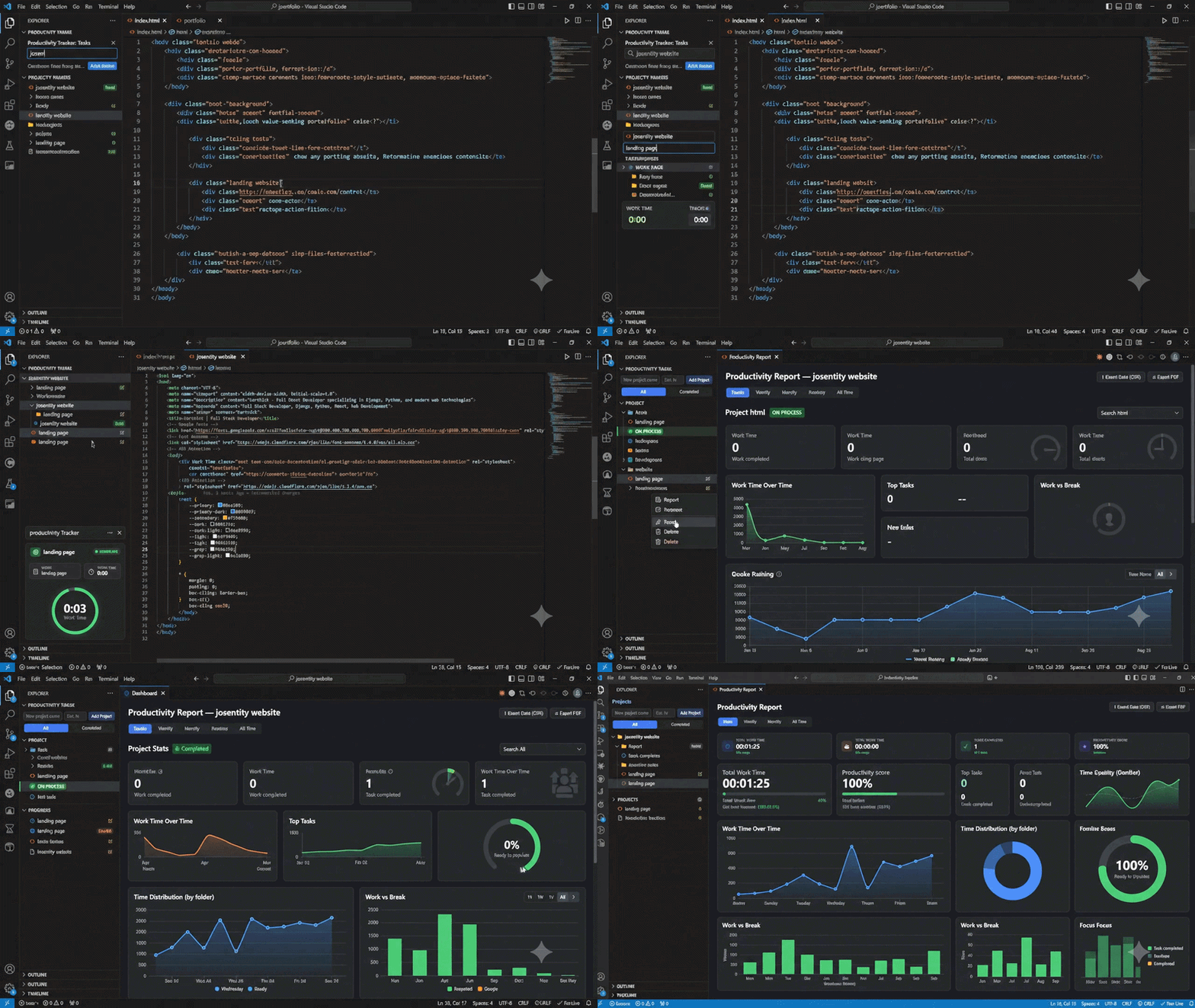
Track daily tasks and the time spent on each one, right from the VS Code sidebar — no external app or browser tab required.
Features
- Projects & Tasks — group tasks into projects, each optionally with an estimated-hours budget.
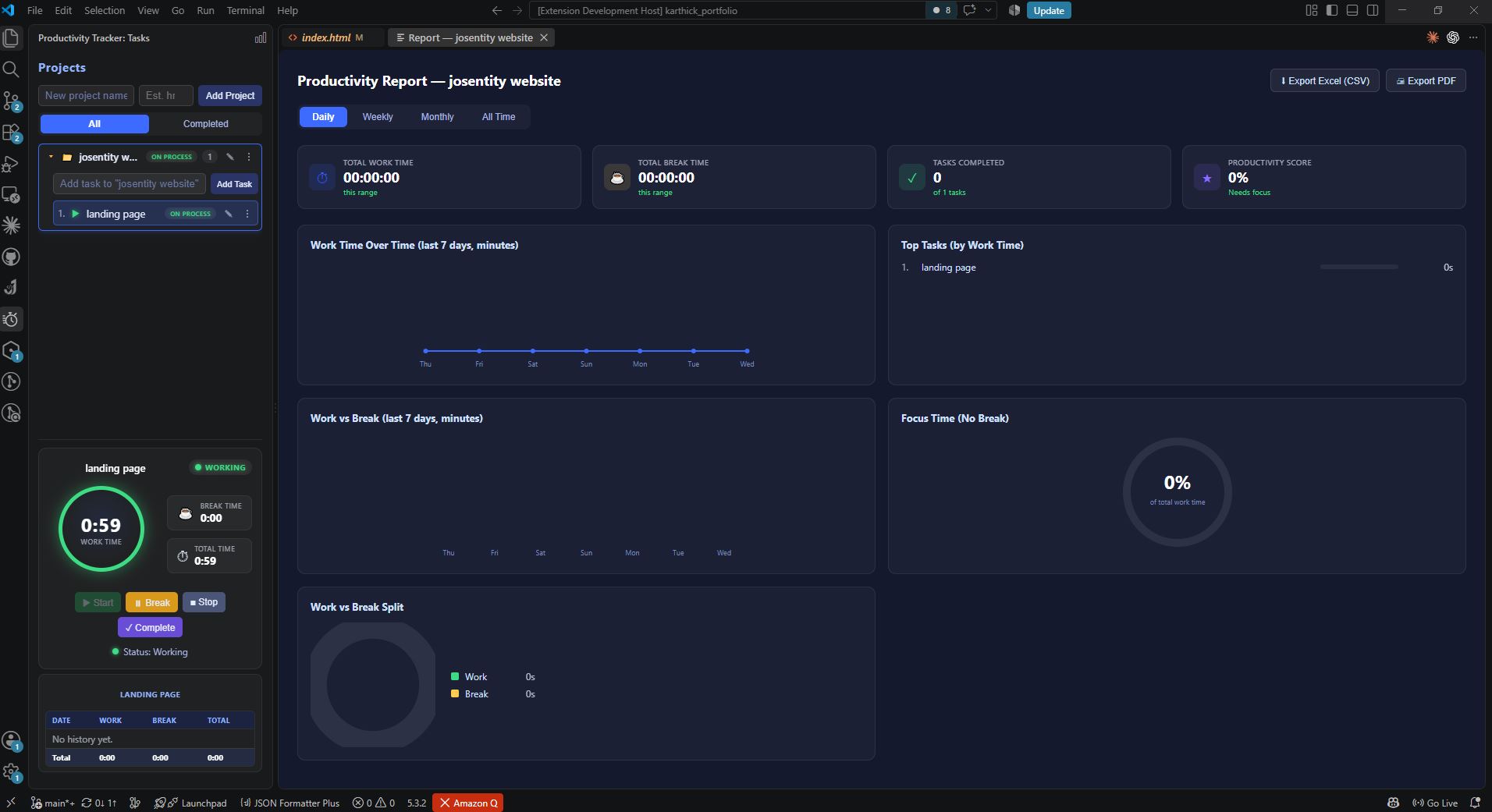
- Work / Break timer — Start, Break, Stop, and Complete a task's timer with one click; work time and break time are tracked separately.
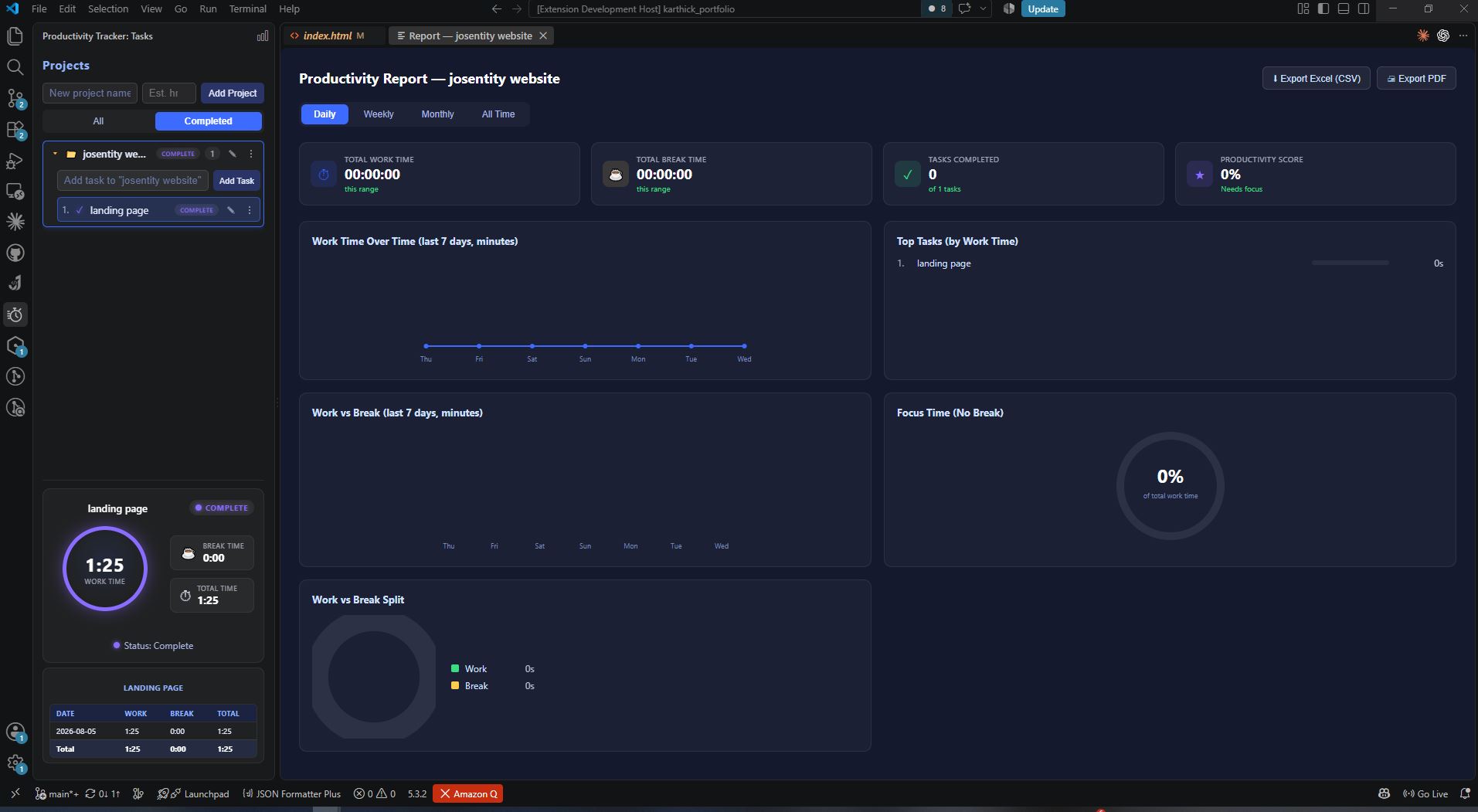
- Status at a glance — tasks and projects show a live status badge (Todo / Hold / On Process / Complete).
- Per-day history — every task keeps a date-by-date breakdown of work and break time.
- Productivity Report — a report panel (for all projects, or scoped to one) with Daily/Weekly/Monthly/All-Time ranges, charts (work over time, work vs break, time by project, top tasks, focus %), and a productivity score.
- Export — export the report as CSV (Excel-compatible) or as a PDF (via a locally installed Chrome/Edge).
- Persistent — all data is stored locally in VS Code's global state and survives restarts.
Usage
- Open the Productivity Track icon in the activity bar.
- Add a project, then add tasks inside it.
- Select a task to see its timer; click Start to begin tracking work time, Break to switch to break time, Stop to pause, or Complete to finish it.
- Click the report icon (graph) in the view title bar for an overall report, or use a project's ⋮ → Report for a project-scoped one.
Requirements
- VS Code
^1.85.0. - PDF export requires a locally installed Google Chrome or Microsoft Edge.
Data & Privacy
All data stays on your machine (VS Code globalState) — there is no cloud sync, telemetry, or external network access.
Known Limitations
- Only one task can run at a time.
- No status bar indicator for a running task left active in the background.
- No reminders/notifications for idle or long-running tasks.
See PRD.md (in this repository) for the full product spec.
Enjoy!
Powered by Josentity · [email protected]