Add multiple search terms, find every file containing all of them, and jump straight to the matching lines.
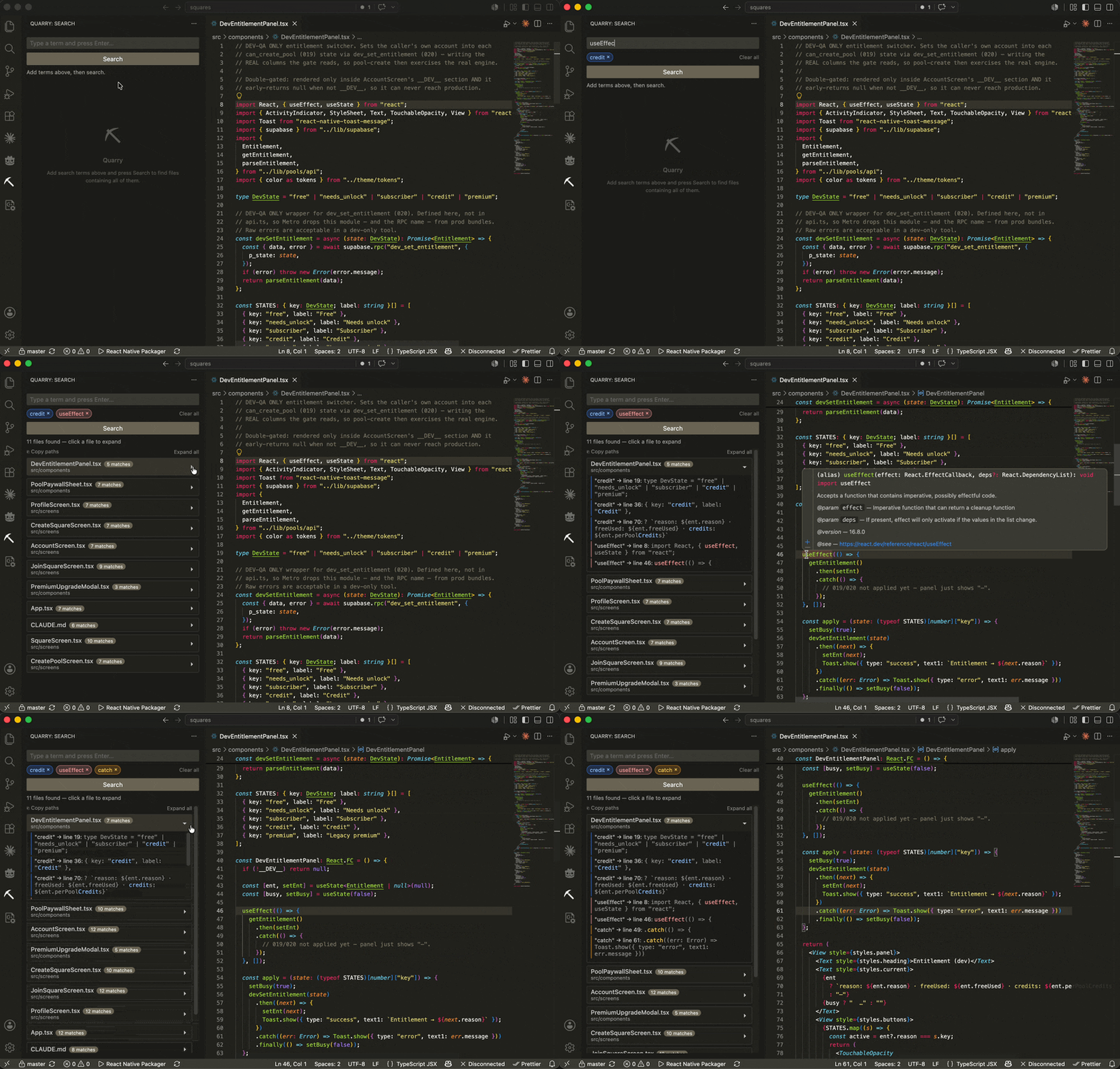
Type a term, press Enter to turn it into a chip, add a few more, and run one search. Every result shows snippet previews so you can see where each term appears, and clicking a snippet opens the file at that line.
Why Quarry?
VS Code's built-in search works great for one pattern at a time. But when you need to find where multiple concepts overlap, like files that mention both "auth" and "token" and "expiry", you end up running searches one at a time and cross-referencing manually. Quarry does it in one shot.
Features
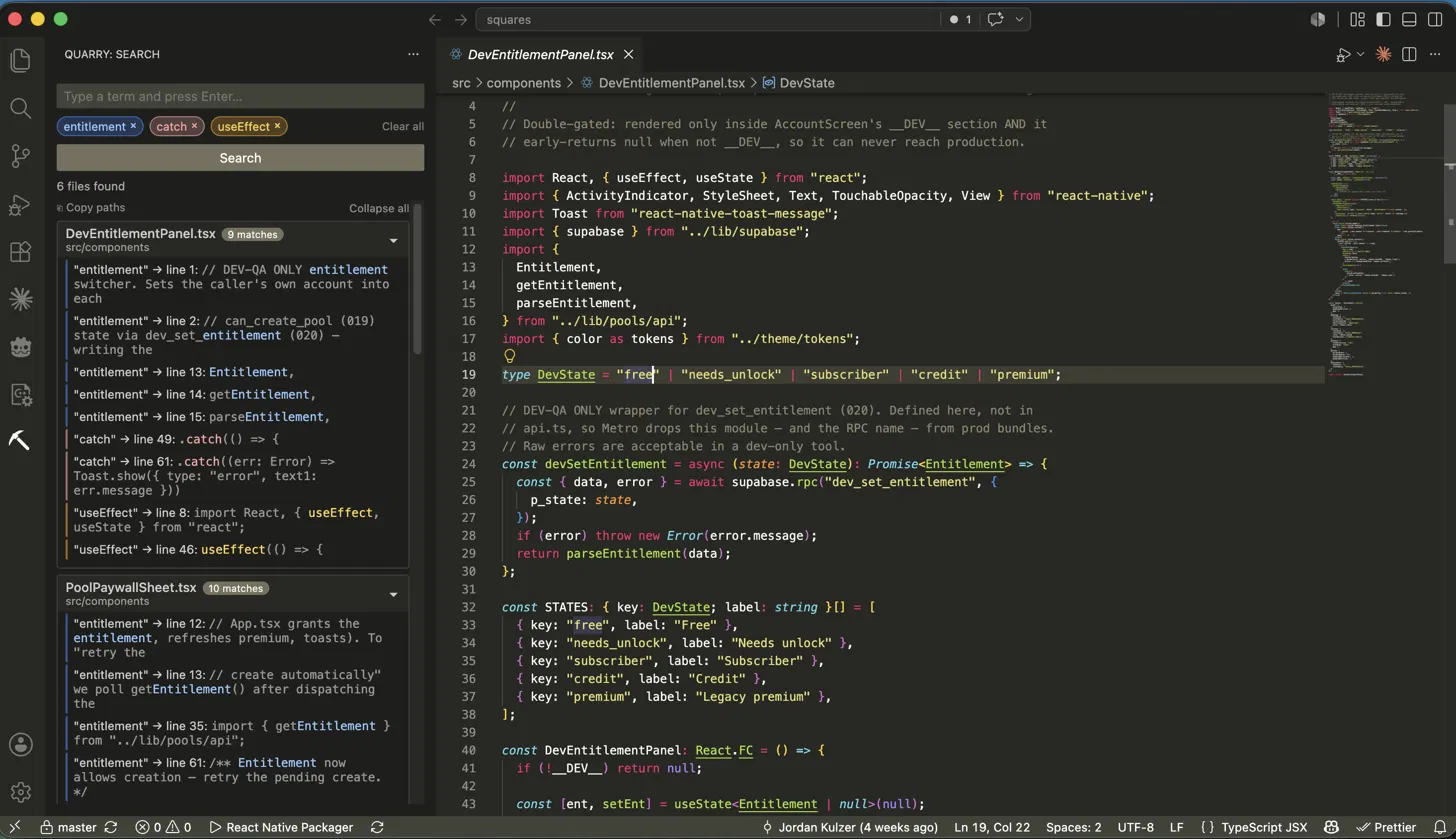
- Add multiple search terms as color-coded chips
- Powered by ripgrep, so search stays fast even on huge repos
- See up to 5 matches per term per file, with snippet previews
- Click any match to open the file at that exact line
- Matched word highlights in the editor for a few seconds
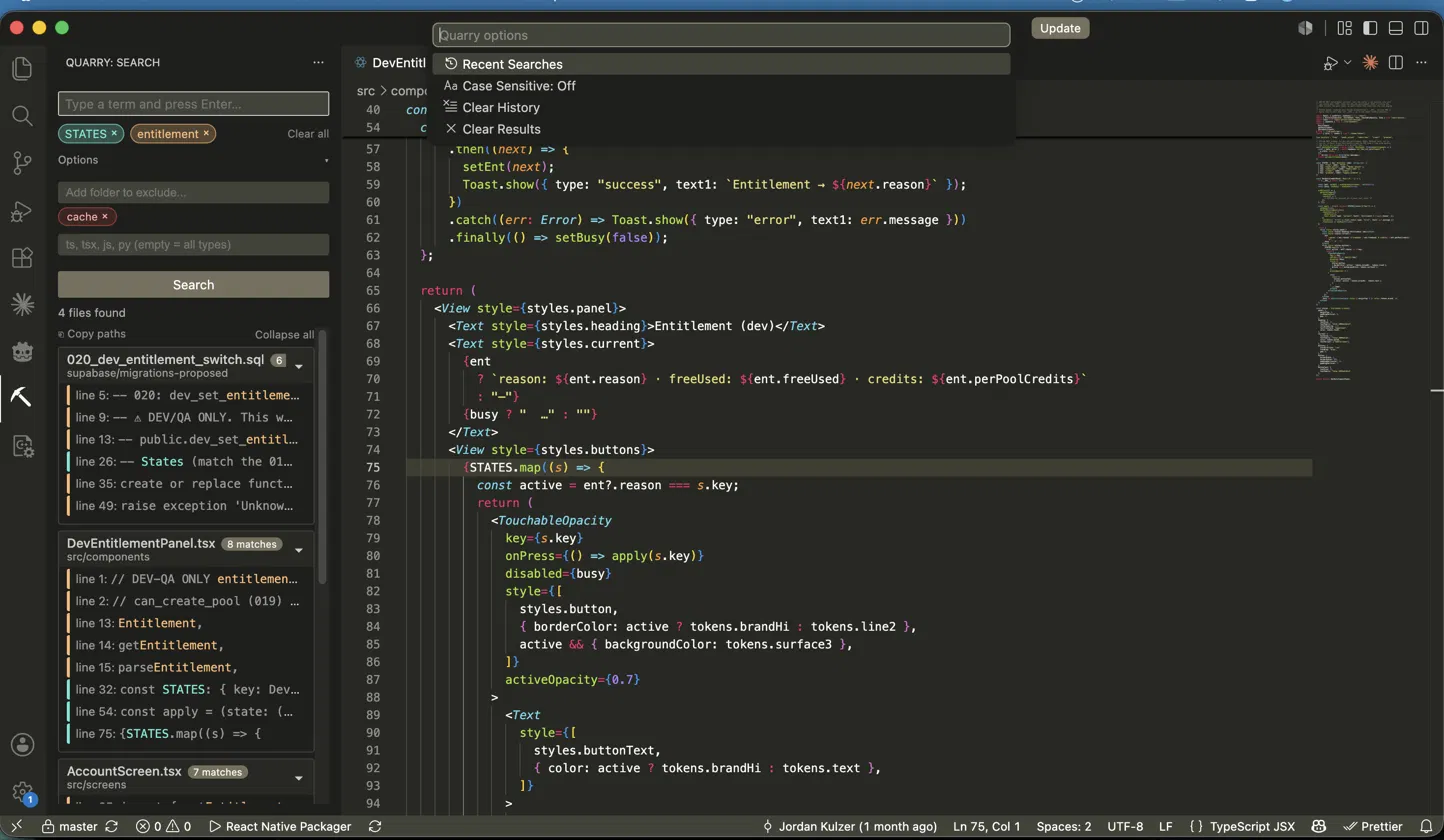
- Filter by file type (ts, tsx, py, and so on) via the Options section
- Exclude folders with red chips so large directories get skipped
- In multi-root workspaces, search one folder or all of them
- Stop a slow search anytime and keep the partial results
- Search history saved across sessions, one click to re-run
- Case sensitive search via the options menu
- Results capped at 150 files to keep things fast
How to use it
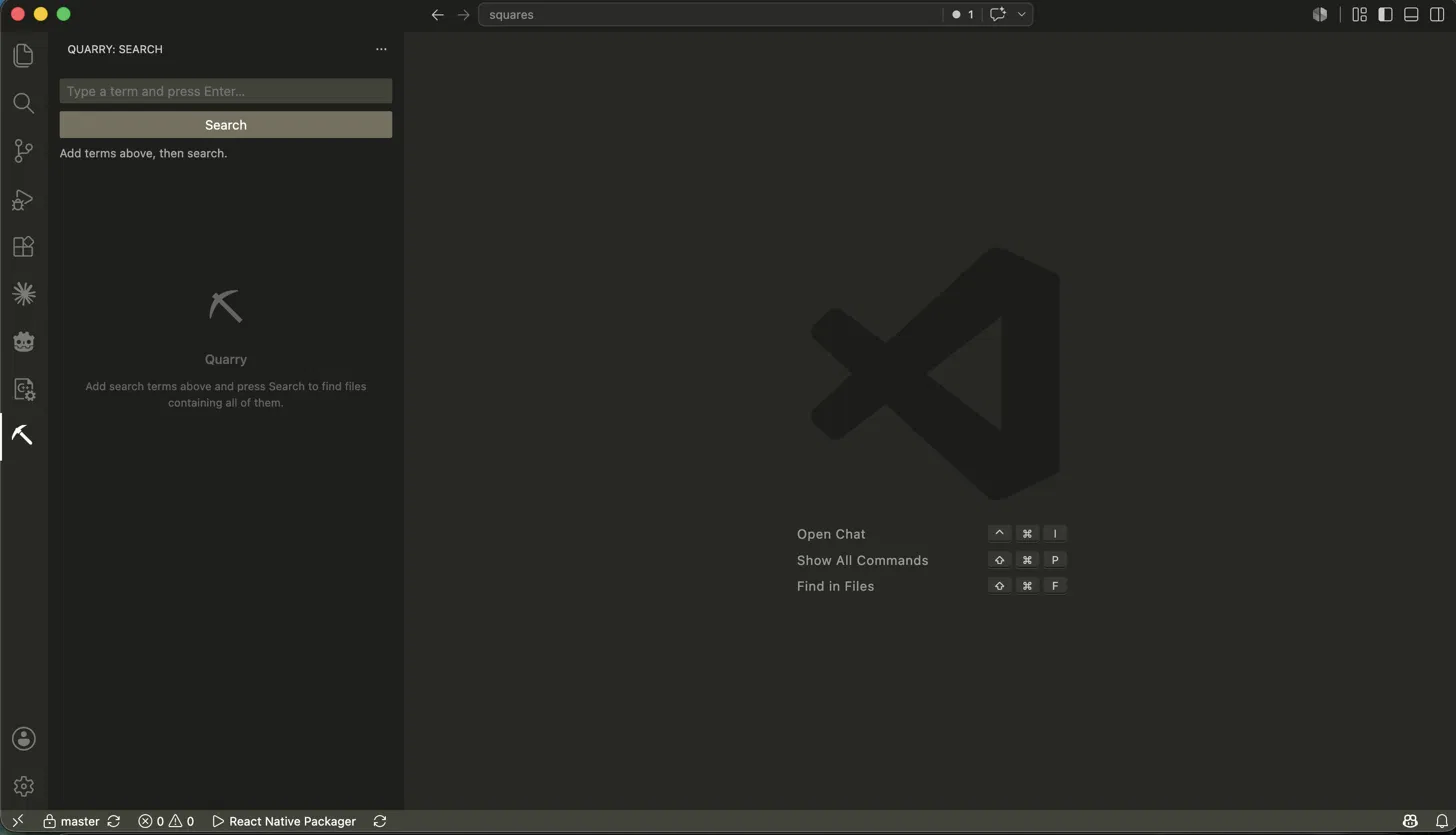
- Click the Quarry pickaxe icon in the Activity Bar
- Type a term and press Enter
- Add more terms the same way
- Click Search
- Click any result to jump to that line
Tips
- Too many results? Add another term to narrow it down
- Use the options menu to re-run recent searches or toggle case sensitivity
- Terms need to be at least 2 characters
Issues
Report bugs at github.com/JordanKulzer/quarry/issues
Release Notes
0.3.0
- File type filter to restrict search to specific extensions
- Workspace folder filter for multi-root workspaces
- Empty state with suggestions when a search finds nothing
- Exclude and file type inputs moved into a collapsible Options section
- Stop button is now a full width labeled button
- Snippet rows dropped the term label and truncate with an ellipsis instead of wrapping
0.2.3
- Removed diagnostic logging from ripgrep binary discovery
0.2.2
- Ripgrep discovery now checks all known binary locations across Mac, Windows, and Linux
0.2.1
- Added diagnostic logging to ripgrep binary discovery
0.2.0
- Rewrote the search engine to use ripgrep for much faster search on large workspaces
- Search terms run in parallel and results are intersected
- Falls back to the previous file scanner if ripgrep is not available
0.1.7
- Exclude patterns now use red chips so they read as exclusions at a glance
- Stop button uses a larger outlined square icon
- Term color palette updated: teal, orange, purple, amber, pink, blue
0.1.6
- Stop button restyled to a small square icon next to the Search button instead of a large red button
- Exclude input now full width with a permanent hint showing comma-separated format
0.1.5
- Added a Stop button to cancel an in-progress search and return partial results
0.1.4
- Match results within each file now sorted by line number instead of grouped by term
- Exclude patterns moved to a permanent inline sidebar input
- Search status now shows the total file count being scanned
- Slow search tip appears after 5 seconds suggesting exclude patterns
0.1.3
- README images now use absolute GitHub URLs so they render everywhere
0.1.2
- Rewrote README with clearer copy and better structure
0.1.1
- Added demo GIF to README
- Fixed term color coding to be consistent across all matches
0.1.0
- Initial release