Copy a compact reference to the code you are looking at in Visual Studio Code.
CodeWhere captures the current file path, enclosing symbol, selected or current line range, and a short anchor line, then copies that context to your clipboard in a format that is easy to paste into AI assistants, code reviews, bug reports, and team chat.
Screenshot
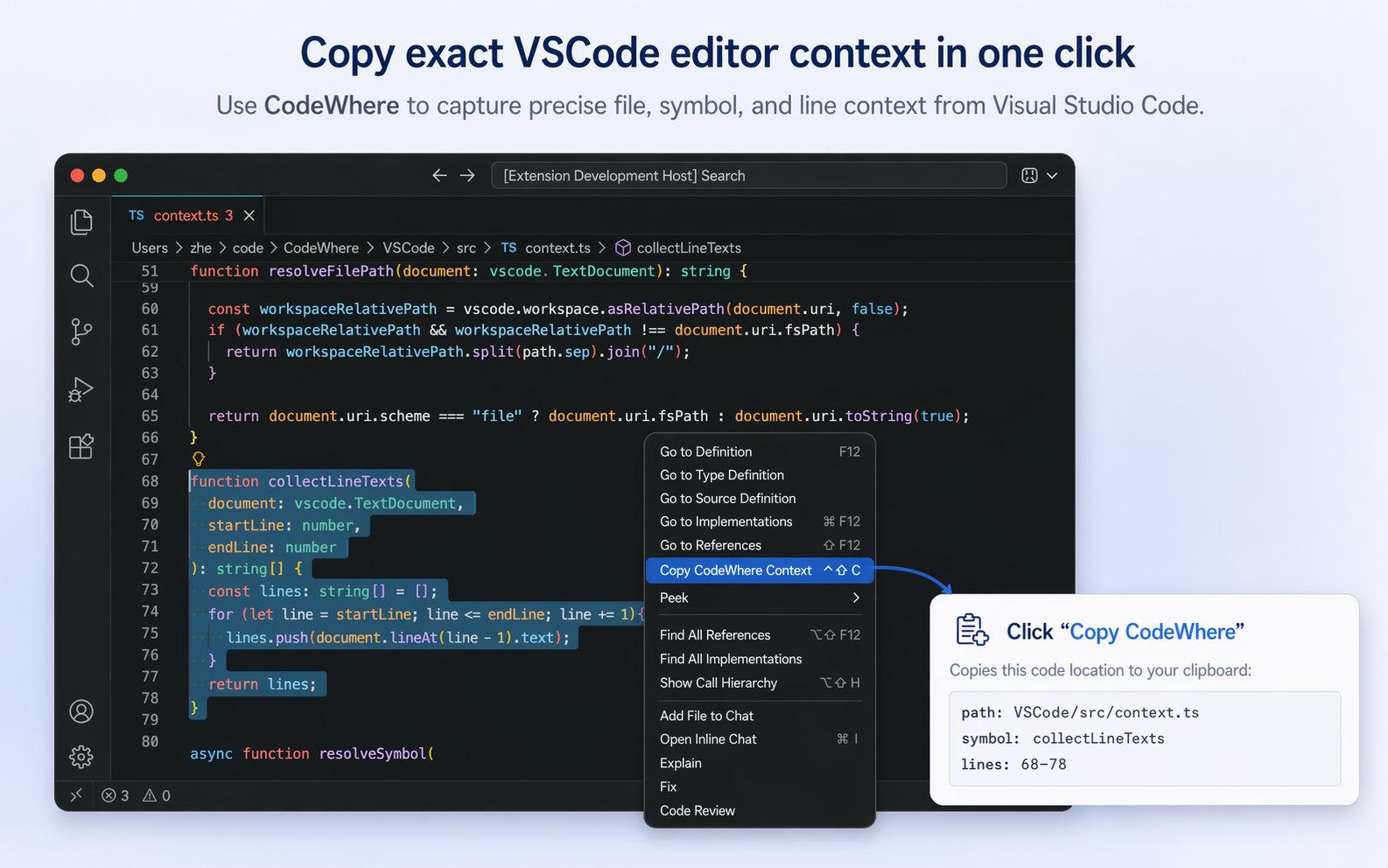
Example Output
path: VSCode/src/context.ts
symbol: collectLineTexts
lines: 68-78
How To Use
- Open a file in the editor.
- Place your cursor on a line, or select a range of lines.
- Run
Copy CodeWhere Contextfrom the editor context menu or Command Palette.
Default shortcut:
- Linux and Windows:
Alt+Shift+C - macOS:
Ctrl+Shift+C
What CodeWhere Captures
- Workspace-relative file path when available
- Enclosing symbol path when VS Code can resolve document symbols
- Current line number or selected line range
- A short anchor line when it helps disambiguate the location
Why It Is Useful
- Give AI coding assistants precise context without pasting large code blocks
- Share exact locations in code review comments, issues, and chat
- Keep references compact, readable, and easy to paste
- Stay local: the extension only copies text to your clipboard
Notes
- The
symbolfield is included only when VS Code can resolve document symbols for the current file. - For multi-line selections with a resolved symbol, the
anchorfield is usually omitted to keep the output concise. - Paths are workspace-relative when possible and fall back to the file path when needed.