Professional Dark Themes for Visual Studio Code
Sizdah Theme Collection - Special Edition delivers 25 premium-grade dark themes designed to transform your Visual Studio Code environment. Each theme is meticulously crafted with color science and ergonomics in mind, offering:
Key Features
- 🎨 Professional-grade color schemes optimized for readability
- 👀 Reduced eye strain with carefully balanced contrast levels
- 🌙 True dark mode experience across all UI elements
- 🎯 Enhanced syntax highlighting for better code comprehension
- ⚡ Optimized for long coding sessions
- 🎮 Perfect for both day and night programming
- 🔧 Support for major programming languages and frameworks
- 🎯 Consistent UI elements across the entire editor
Language Support
Optimized syntax highlighting for:
- JavaScript/TypeScript
- Python
- Java
- C/C++
- HTML/CSS
- React/Vue/Angular
- PHP
- Ruby
- Go
- And many more...
Available Themes
- DreamFyre (Special Edition) - Mystical dark theme with ethereal highlights
- Eggplant (Special Edition) - Rich purple-based dark theme
- Exclusive (Special Edition) - Premium dark theme with balanced contrasts
- Exelion (Special Edition) - Futuristic dark theme with vibrant accents
- Green Lantern (Special Edition) - Emerald-inspired dark theme
- Hacker (Special Edition) - Matrix-inspired cyberpunk theme
- Hacker Pro (Special Edition) - Enhanced cyberpunk experience
- Moon Lander (Special Edition) - Space-inspired dark theme
- Night Flyer (Special Edition) - Sleek midnight dark theme
- Obsidian (Special Edition) - Deep dark theme with volcanic accents
- Odyssey (Special Edition) - Space exploration inspired theme
- PaleNight (Special Edition) - Subtle and sophisticated dark theme
- Pink Panda (Special Edition) - Playful dark theme with pink accents
- Pink Panther (Special Edition) - Bold pink-focused dark theme
- SilverWing (Special Edition) - Metallic-inspired dark theme
- Valkyrie (Special Edition) - Nordic-inspired dark theme
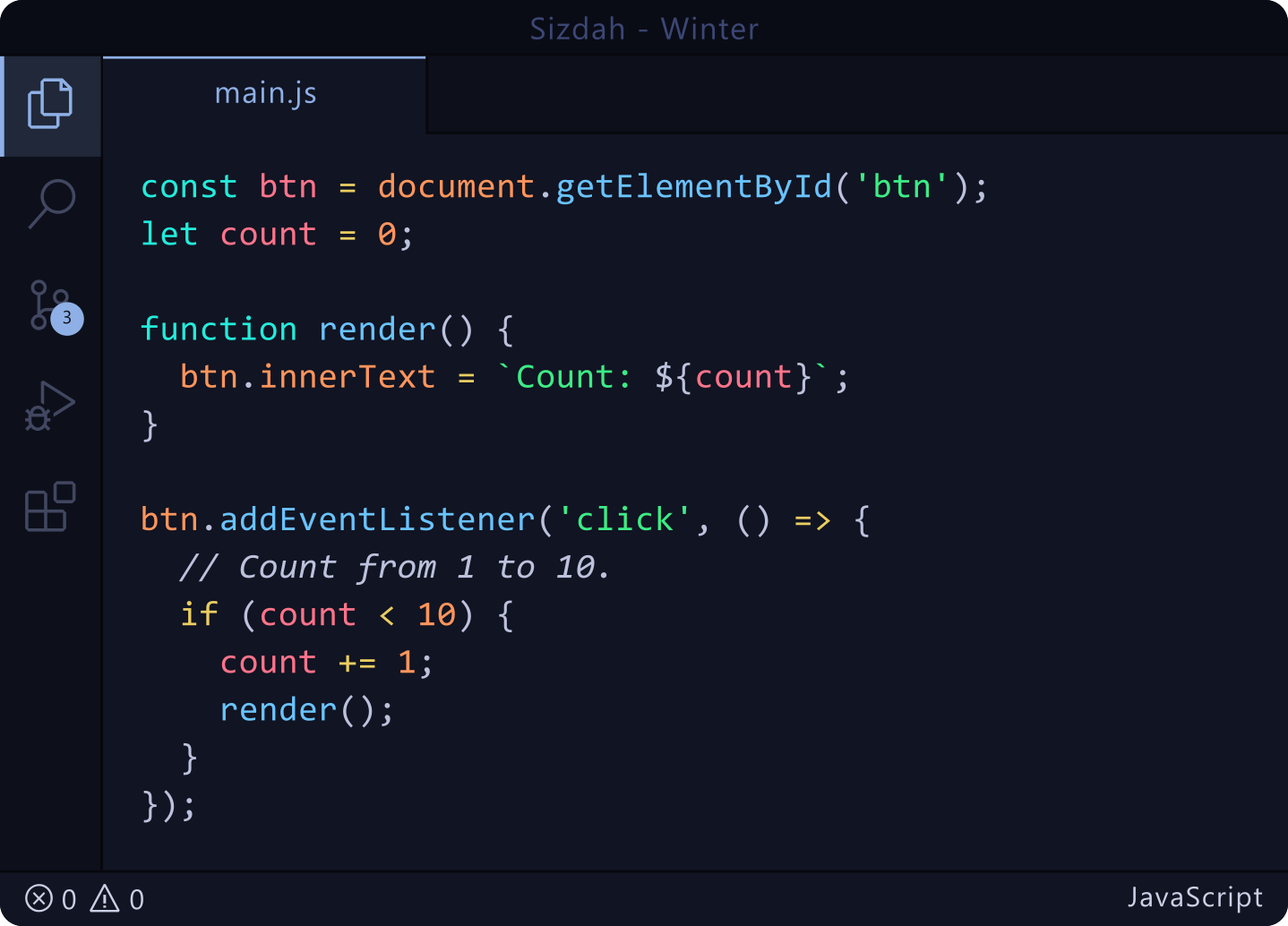
- Winter (Special Edition) - Cool-toned dark theme
- Aurora (Special Edition) - Aurora Borealis inspired theme with neon teal and violet highlights
- Eclipse (Special Edition) - Solar eclipse inspired theme with near-black base and amber/gold accents
- Nebula (Special Edition) - Cosmic violet and magenta theme with nebula cloud tones
- Crimson (Special Edition) - Dark maroon-charcoal theme with vibrant crimson red accents
- Cyberpunk (Special Edition) - Retro-futuristic theme featuring high-voltage neon highlights
- Gold Rush (Special Edition) - Premium gold, brass, and champagne tones on a deep gold-black base
- Aqua (Special Edition) - Refreshing deep sea teal, aqua, and cyan accents
- Tokyo Drift (Special Edition) - Neon Tokyo Night theme with hot pink and vaporwave cyan accents
Perfect for:
- 💻 Professional developers
- 🎮 Game developers
- 🎨 Web designers
- 📱 App developers
- 🔧 System administrators
- 📊 Data scientists
Screenshots
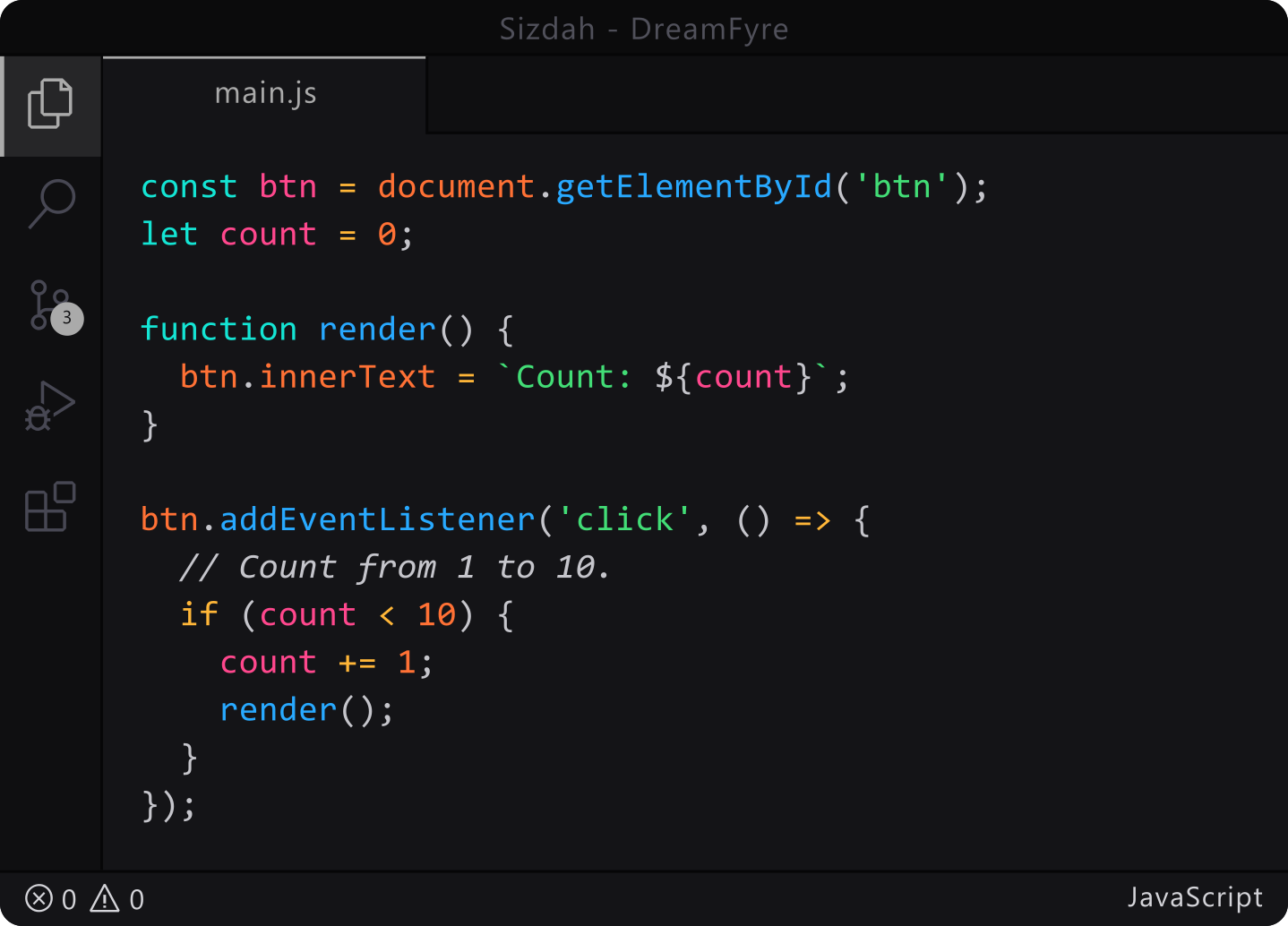
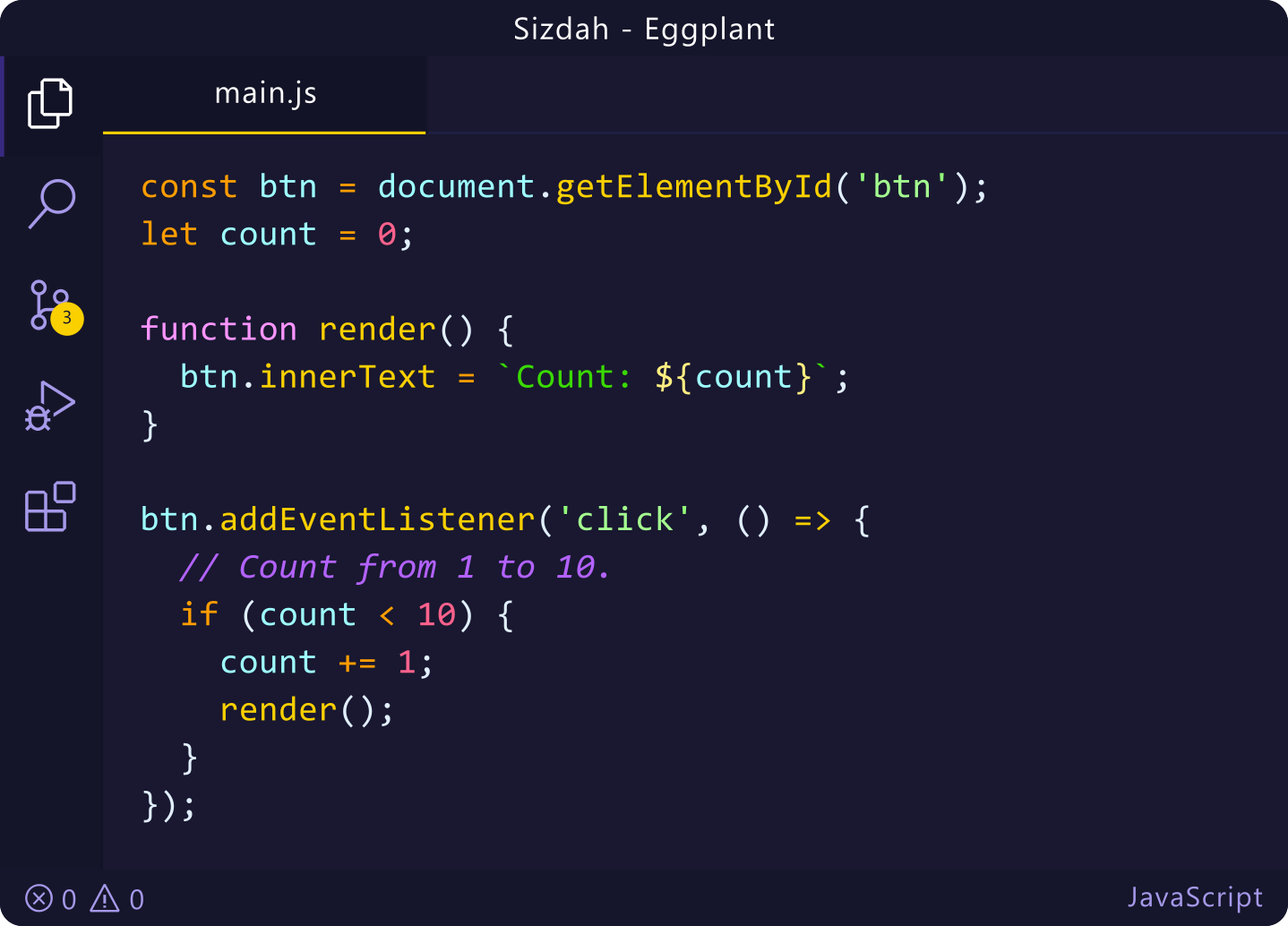
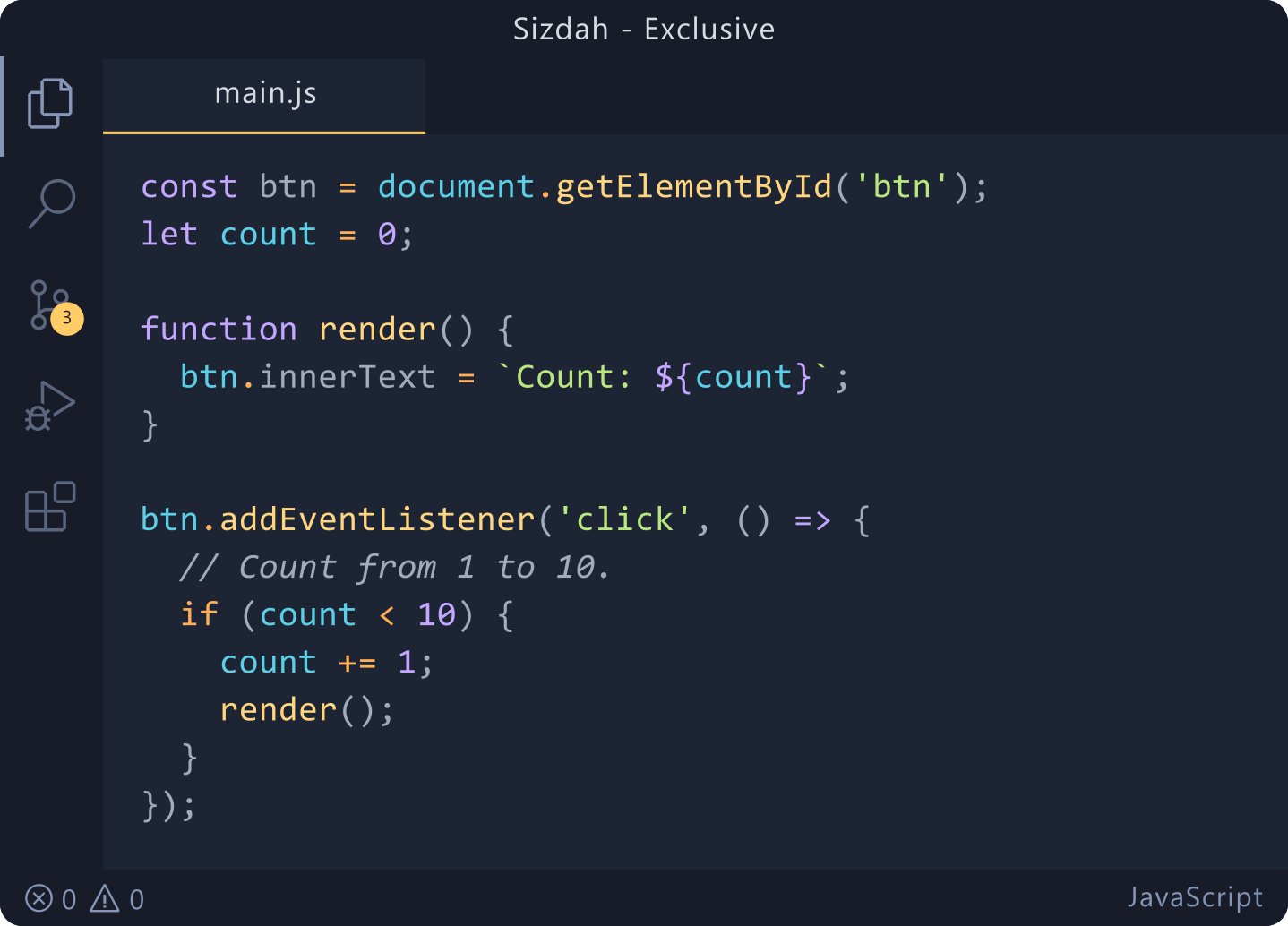
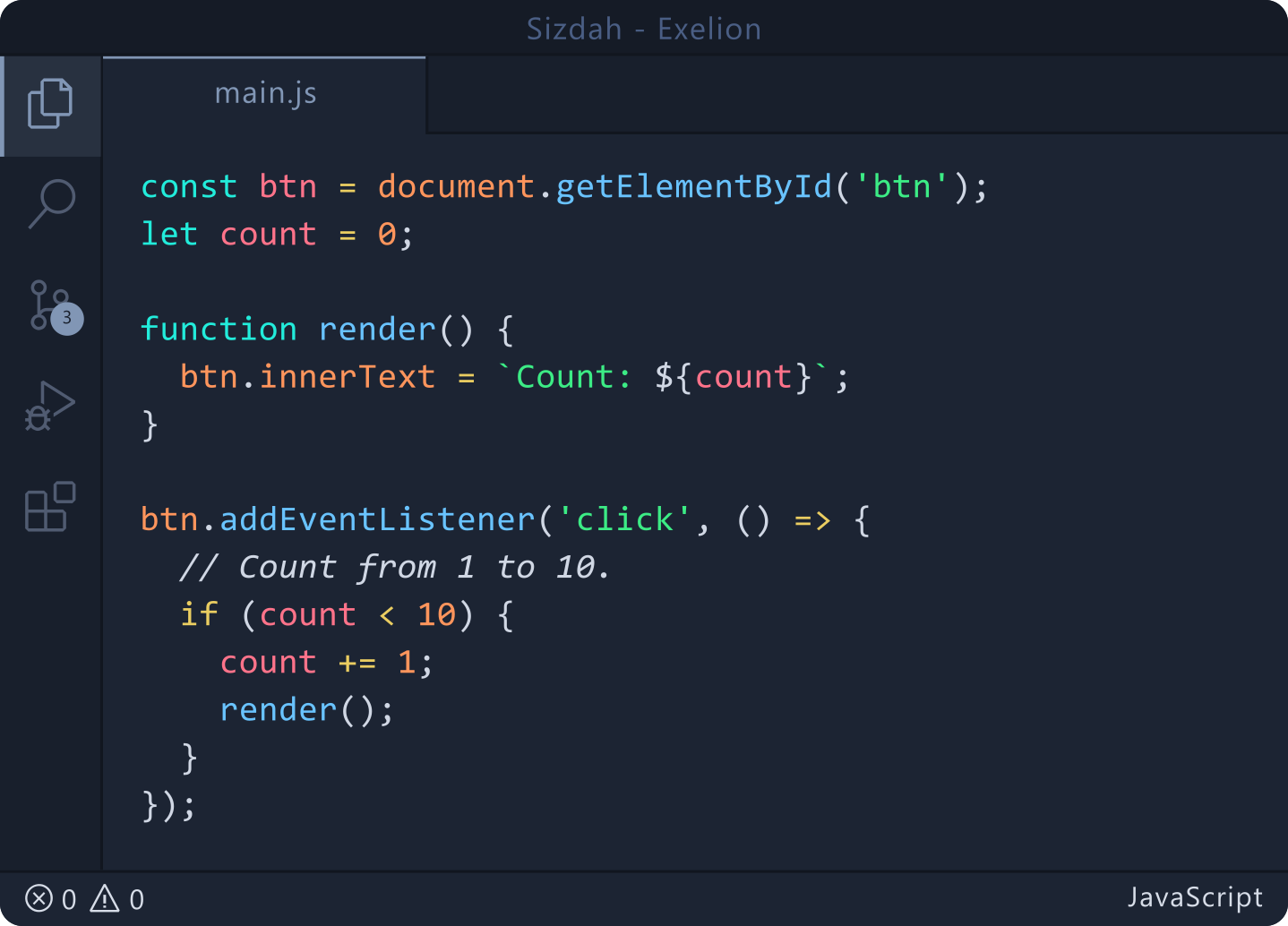
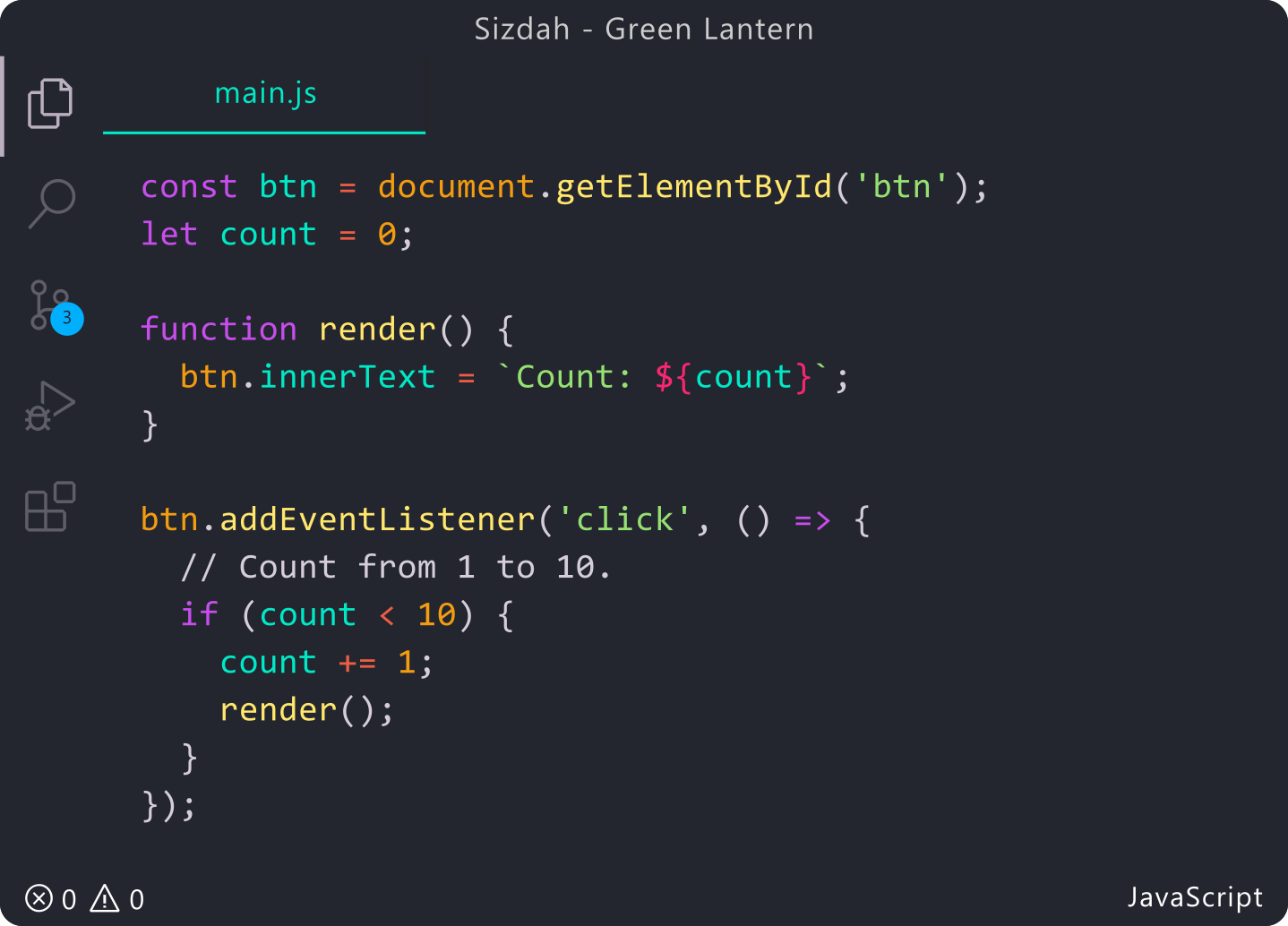
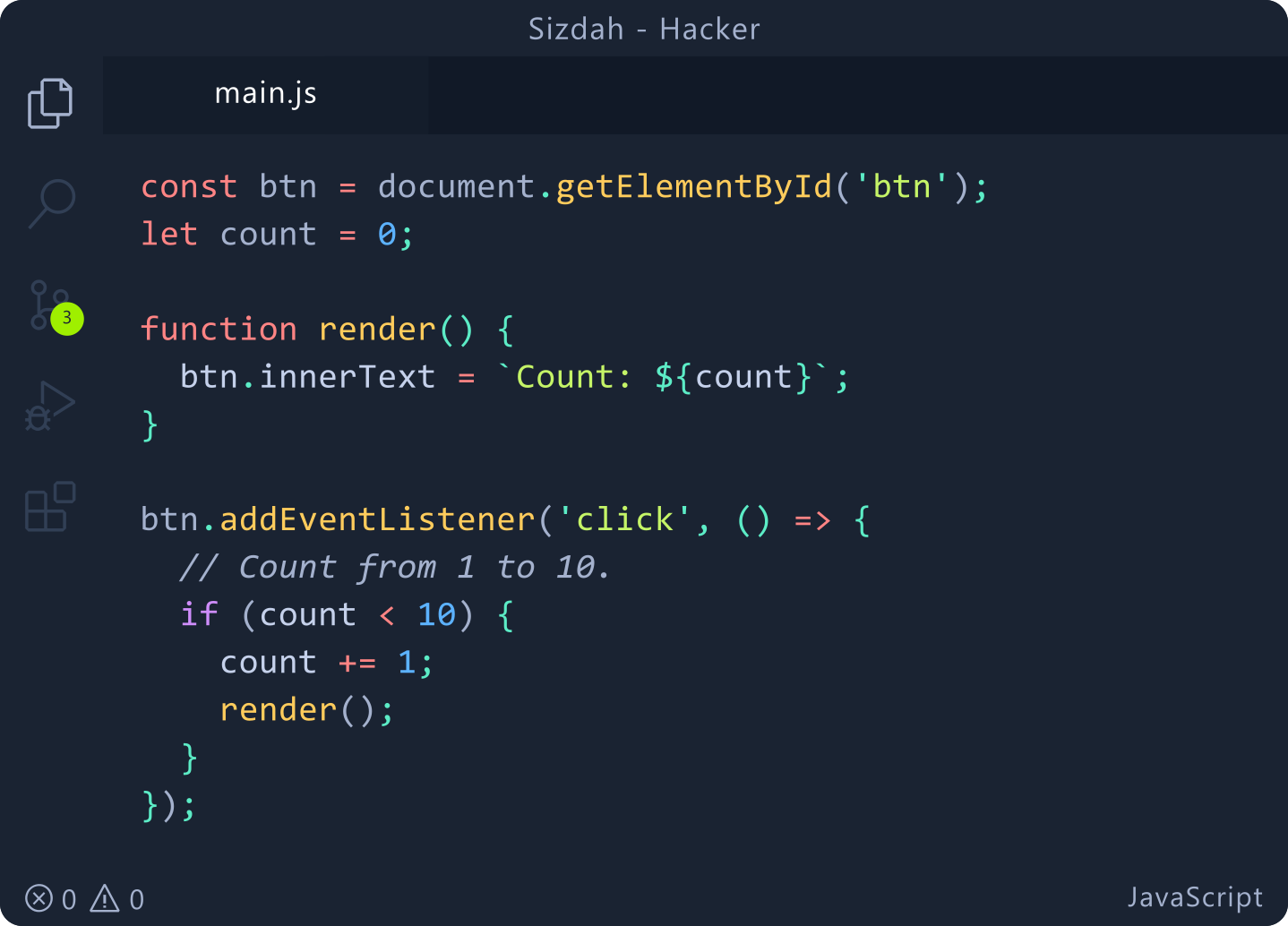
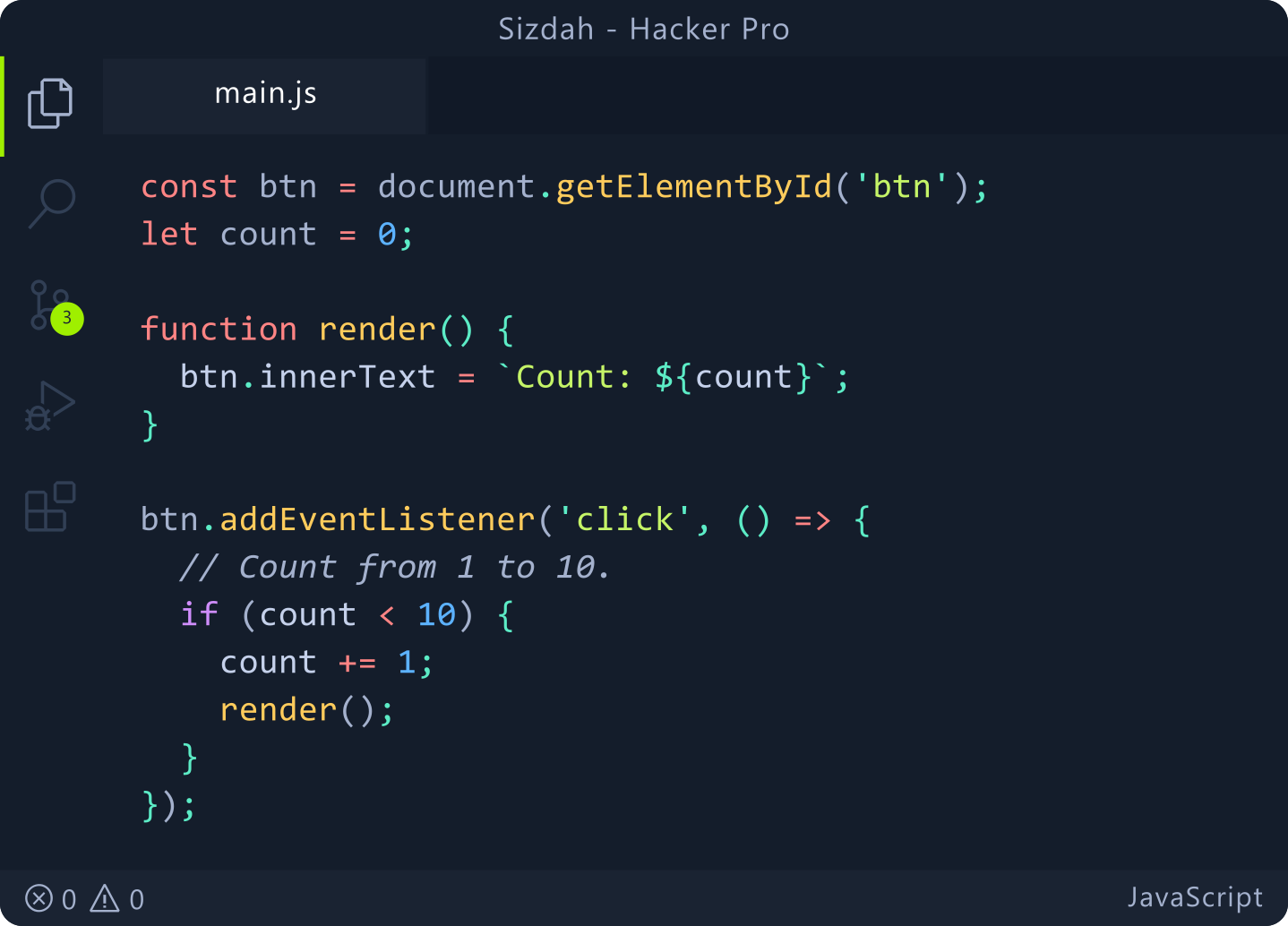
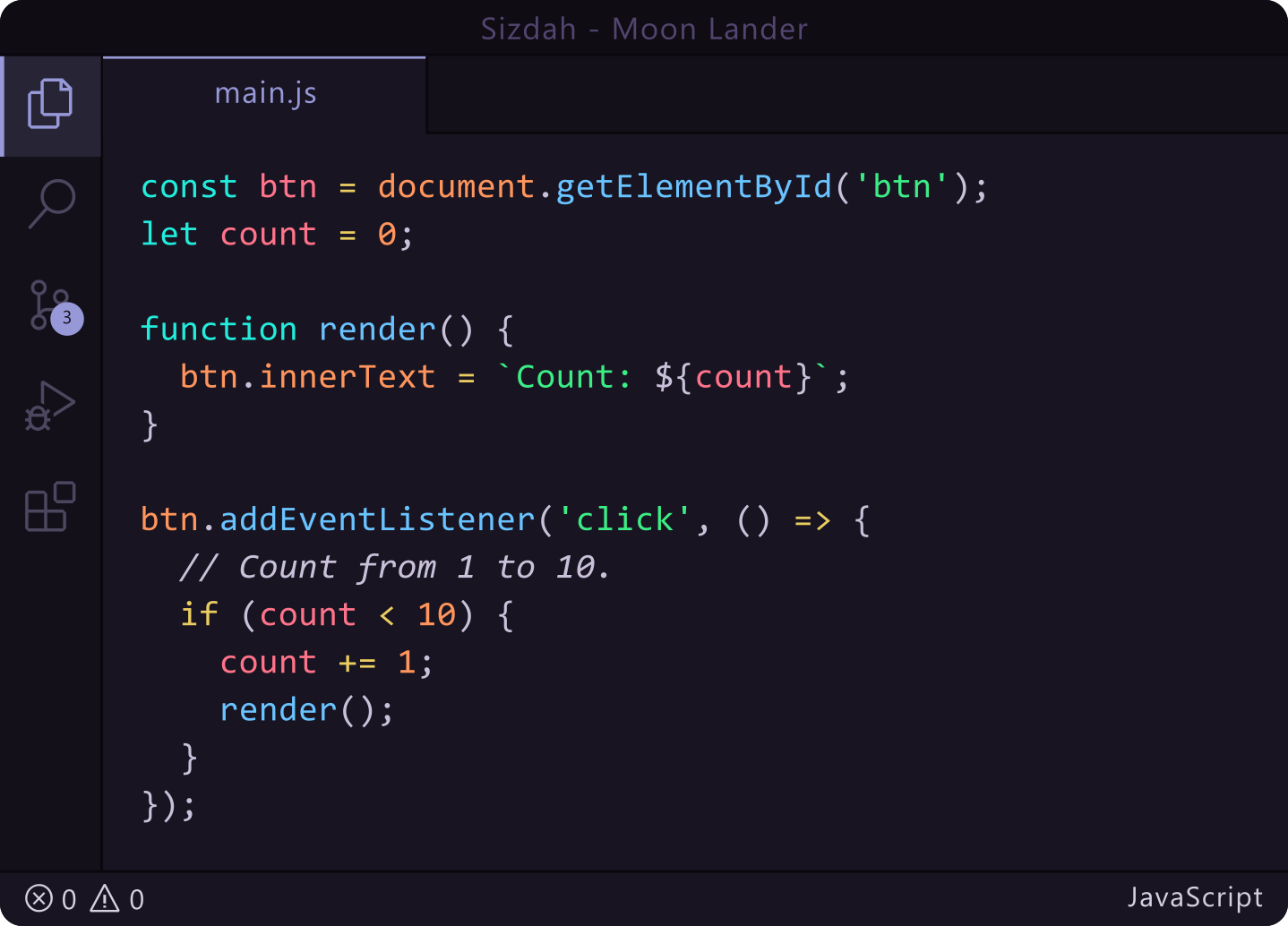
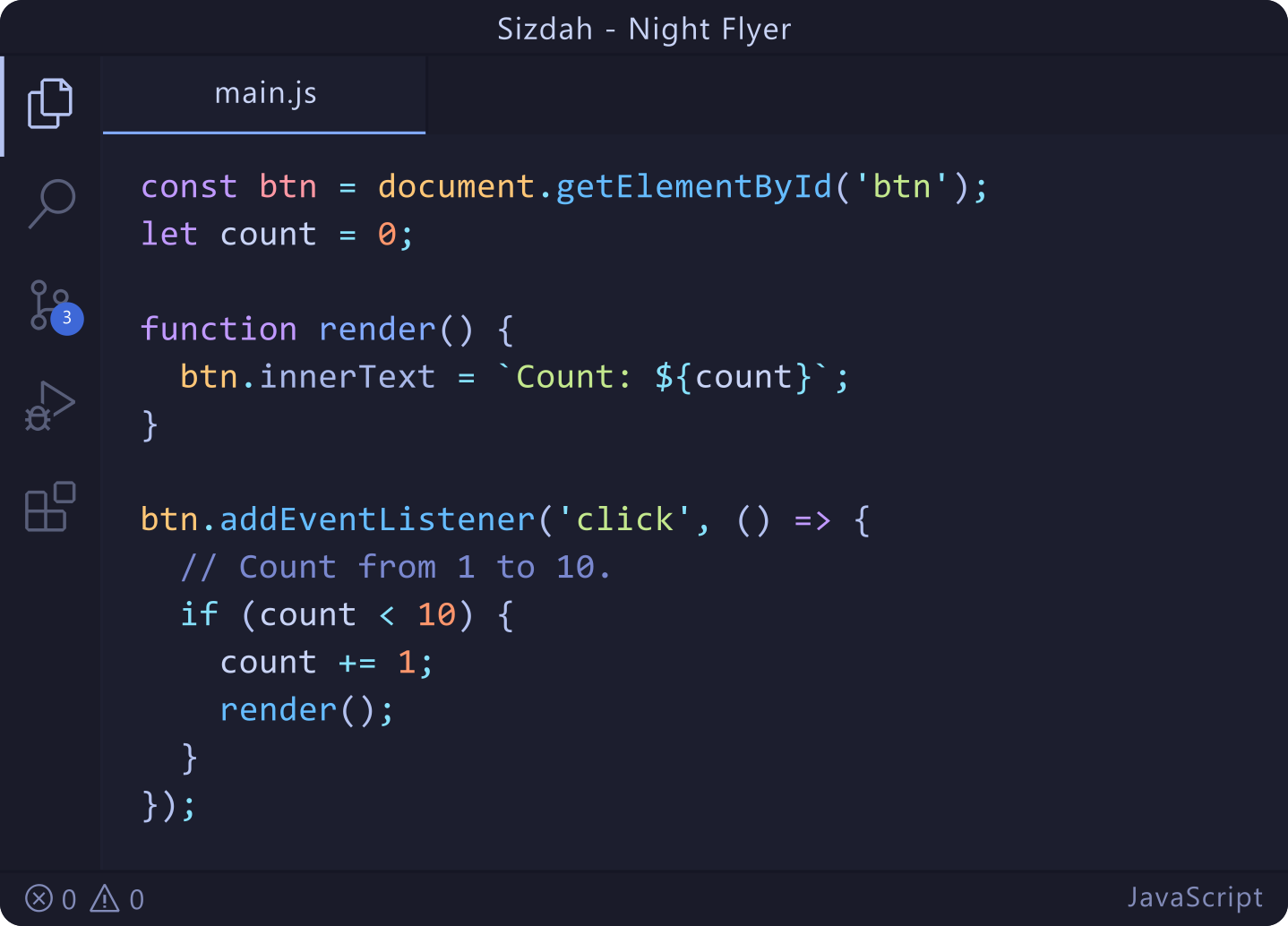
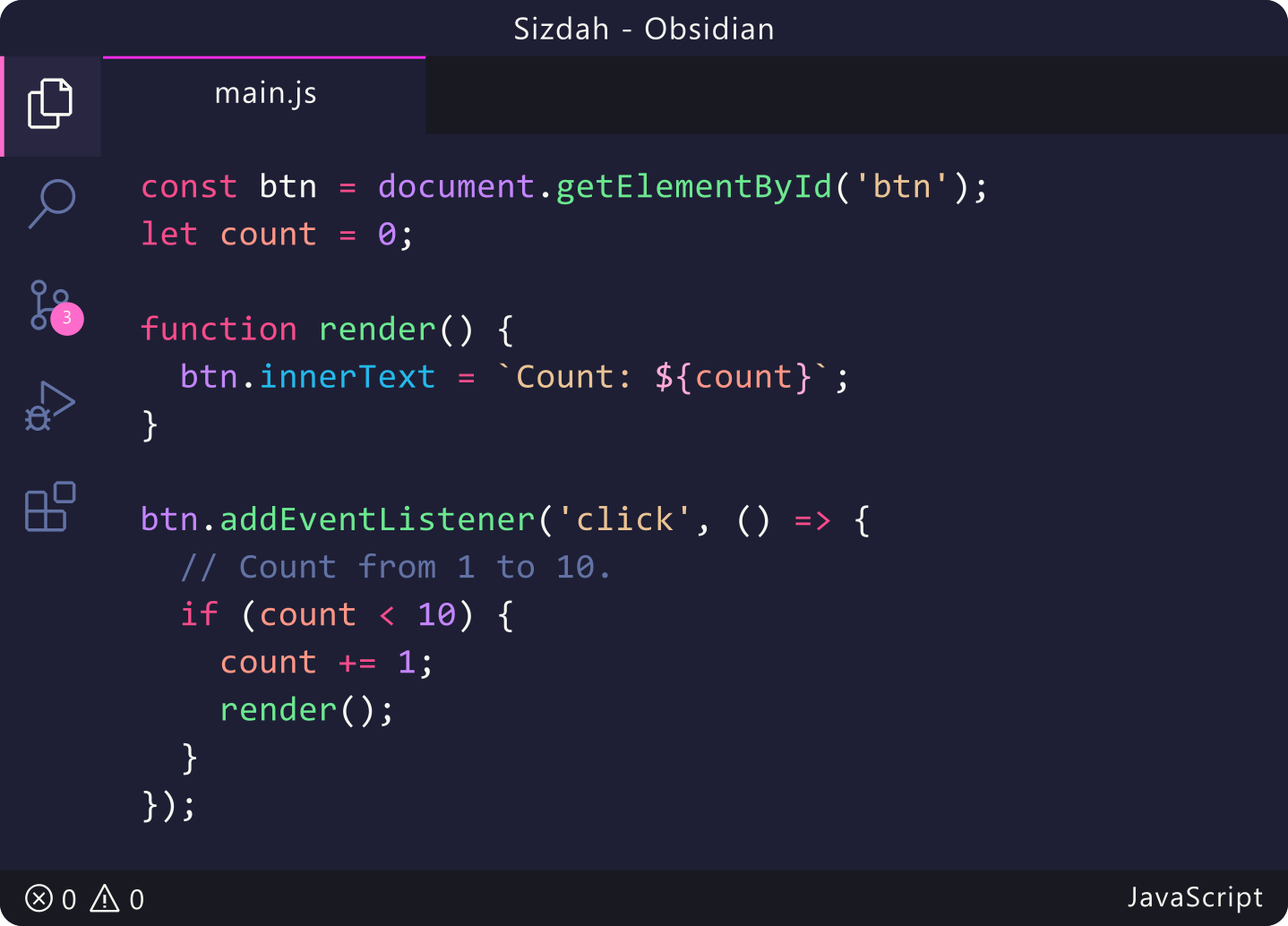
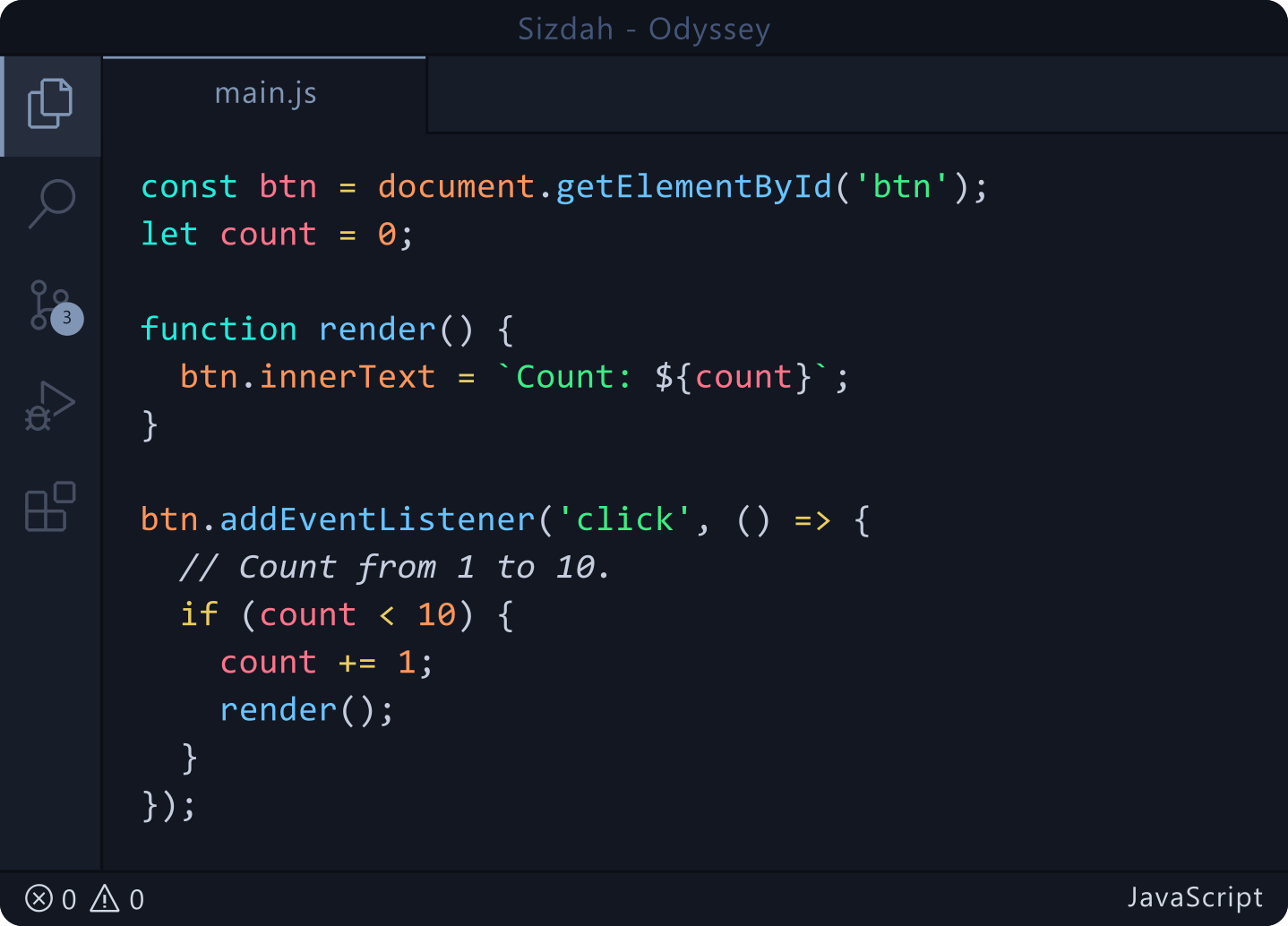
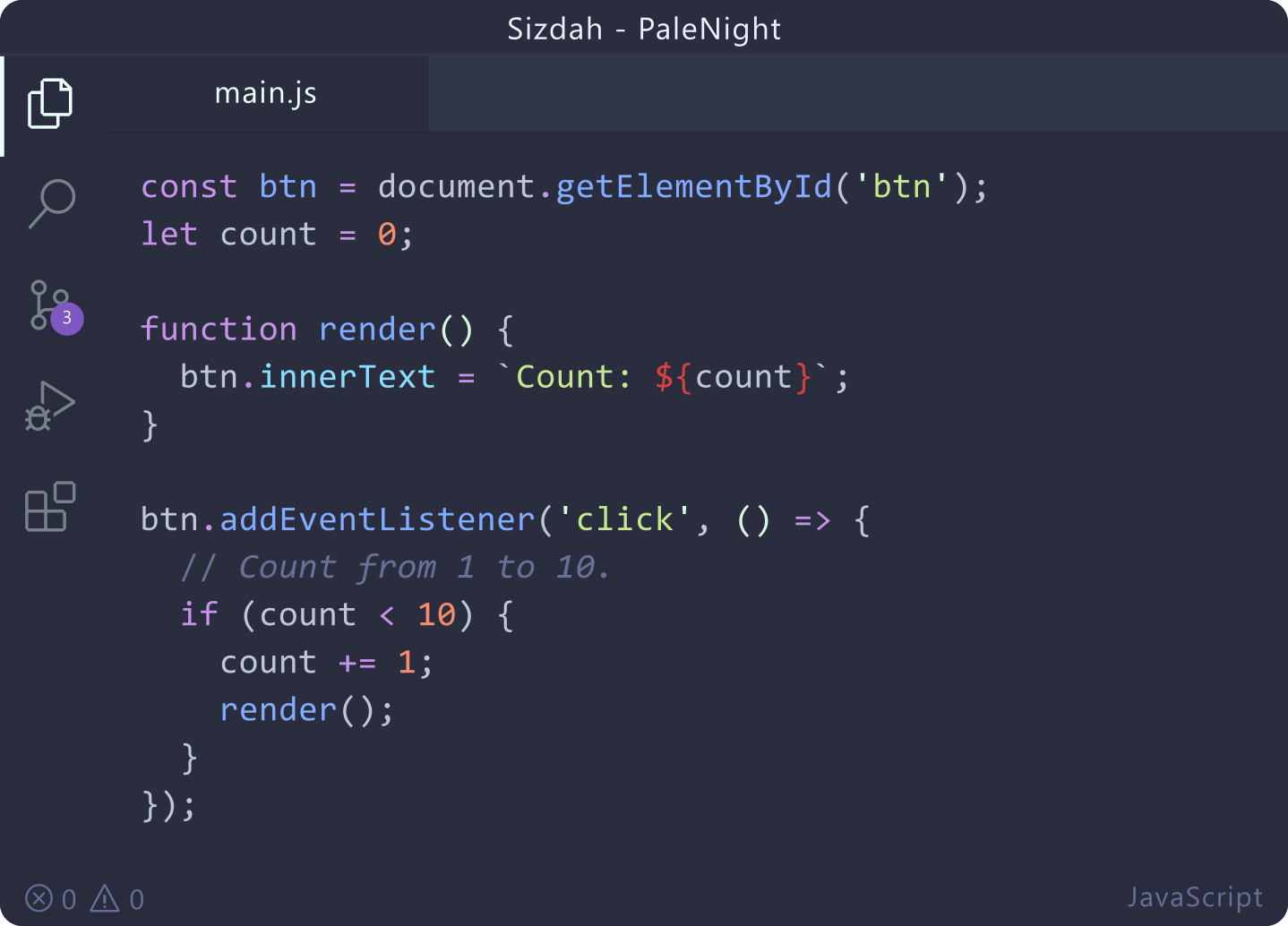
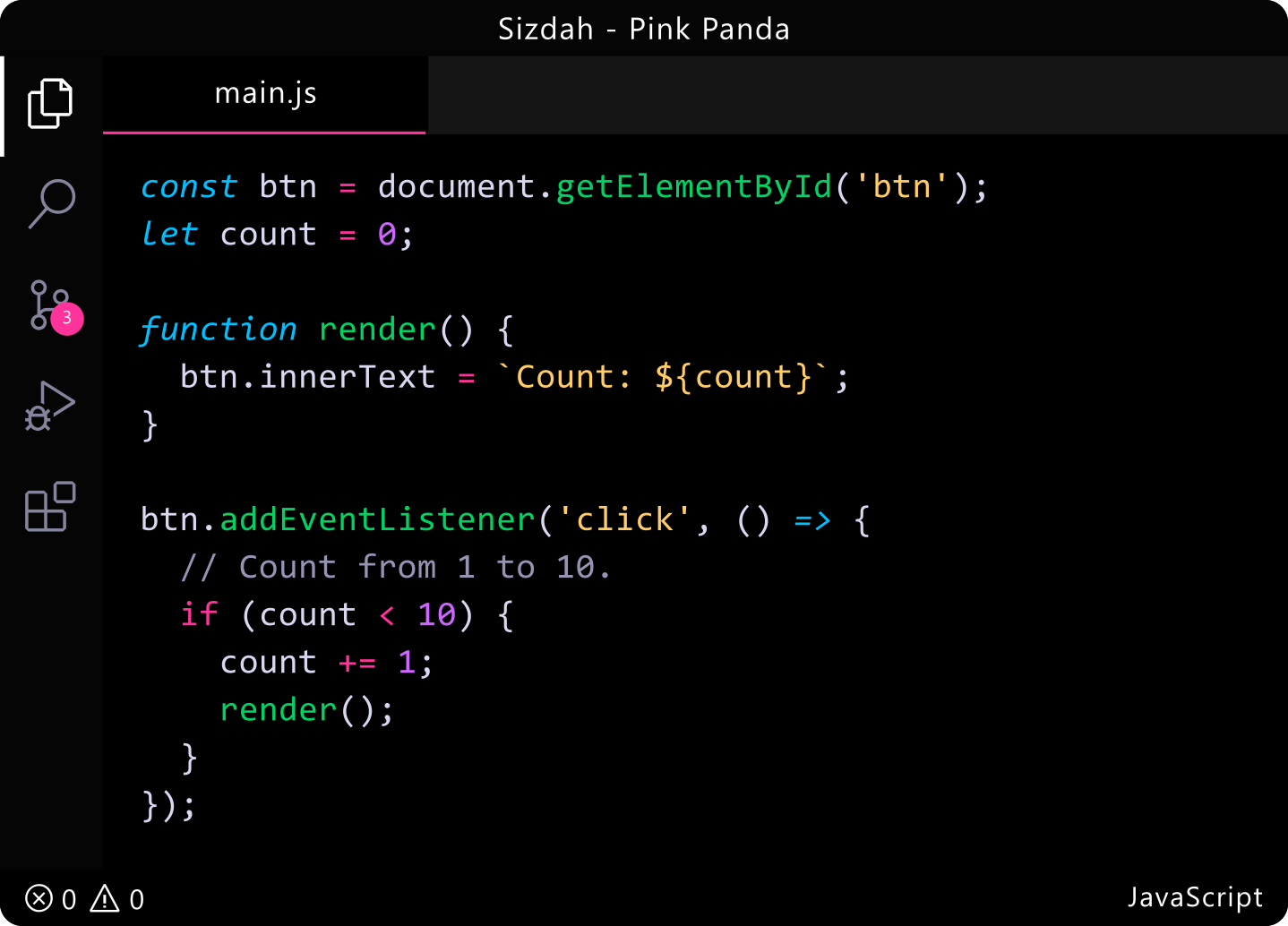
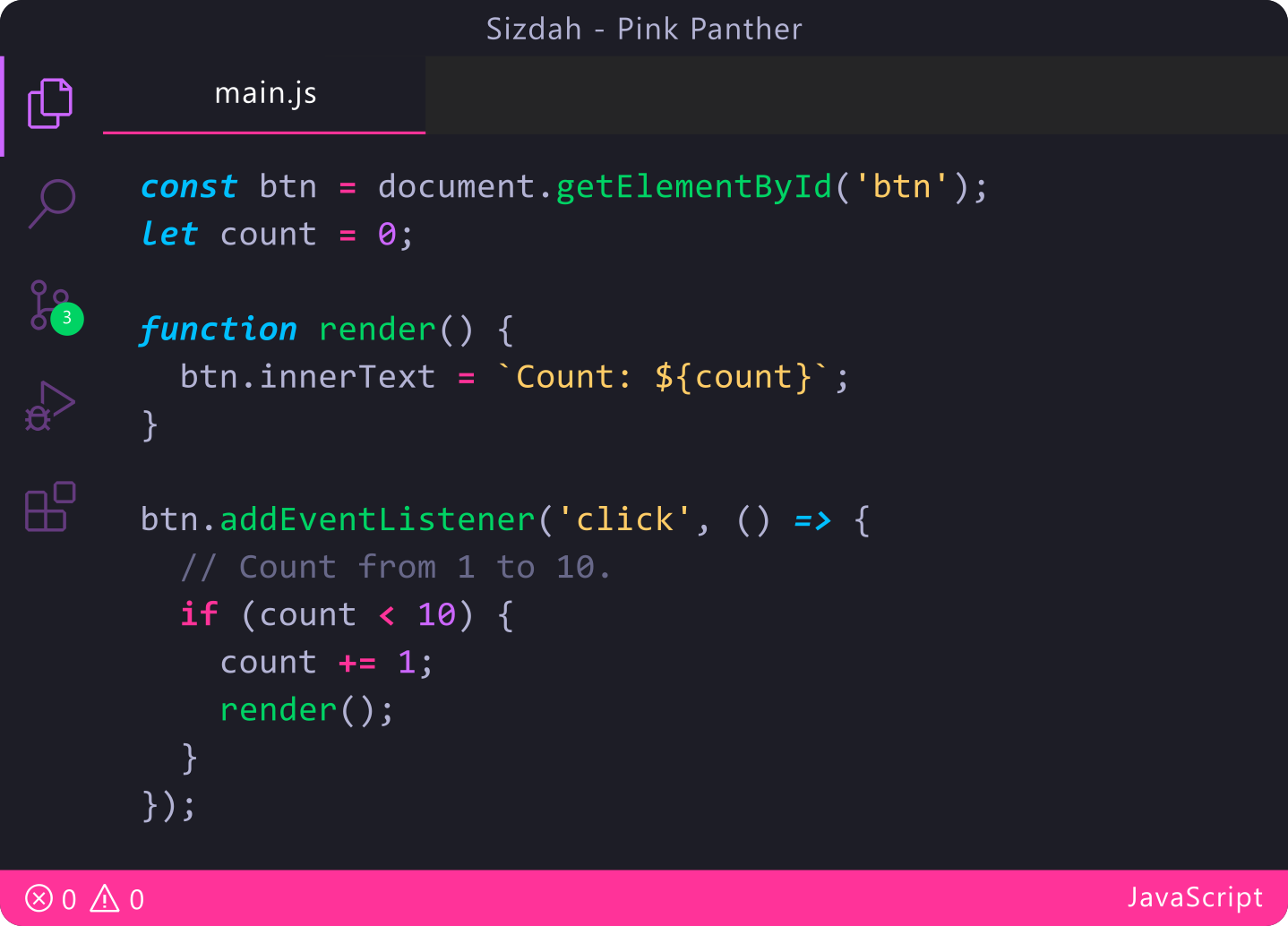
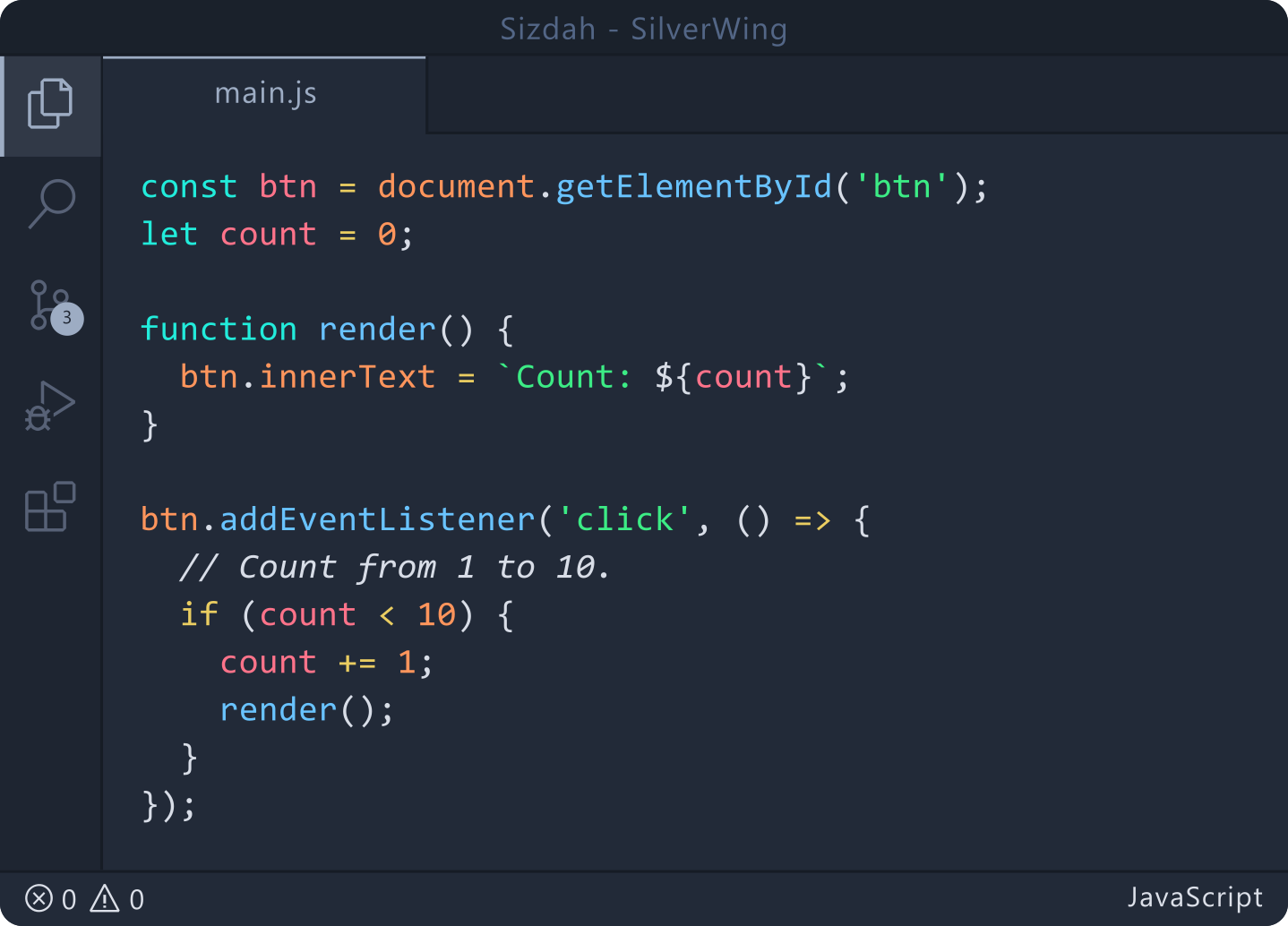
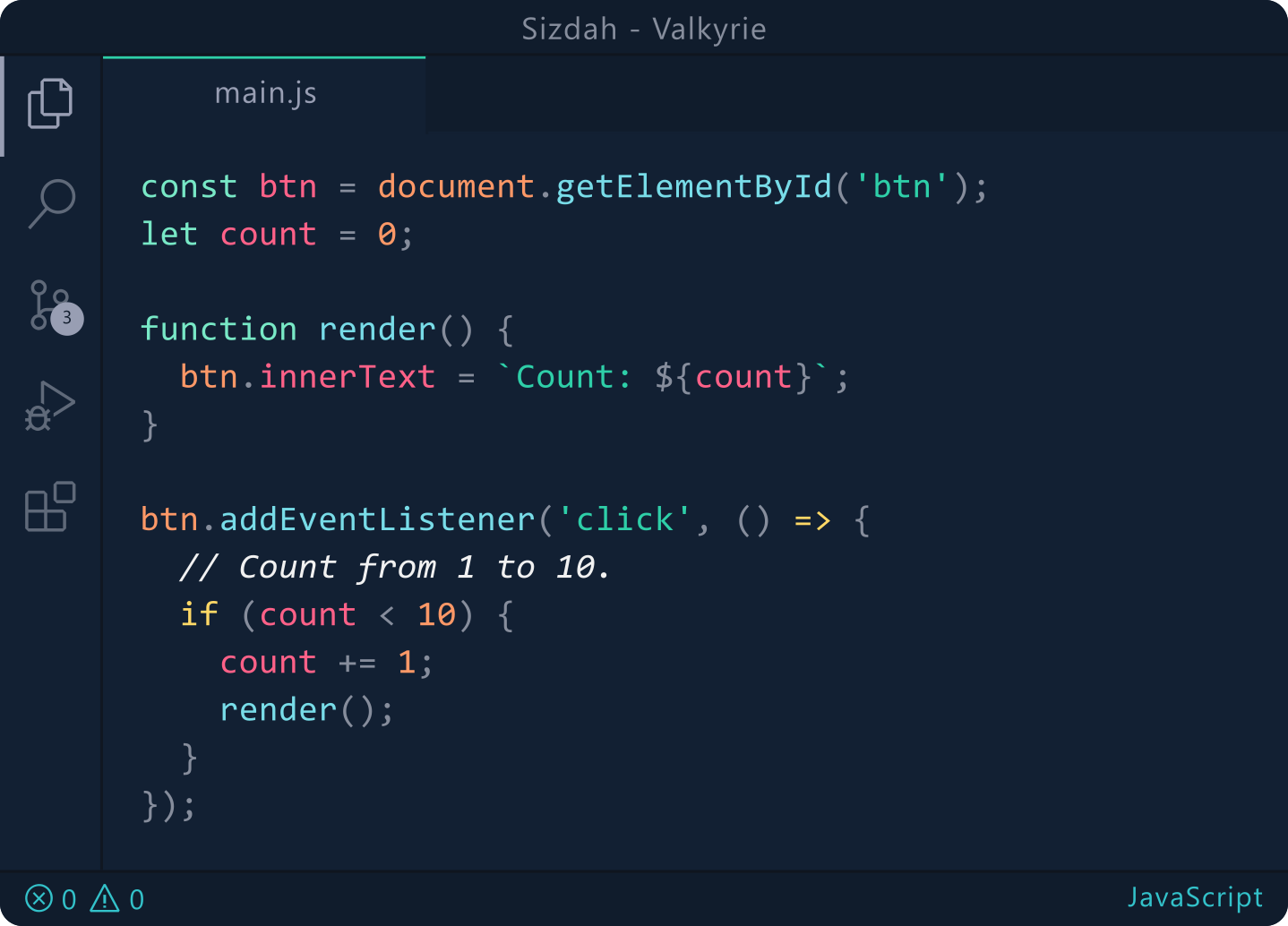
Features
- Dark Theme: Aesthetic and eye-friendly dark theme suitable for long coding sessions.
- Multiple Themes: Includes various sub-themes like DreamFyre, Eggplant, and more.
- Readability: Designed to enhance code readability and reduce eye strain.
- Customizable: Easily switch between different themes to match your mood or environment.
Installation
Method 1: VS Code Marketplace
- Open Visual Studio Code
- Click on the Extensions icon in the sidebar (or press
Ctrl+Shift+X) - Search for "Sizdah Theme Collection" or use ID:
AkonMHasib.sizdah - Click Install
Method 2: Quick Install
- Launch VS Code
- Press
Ctrl+Pto open Quick Open - Paste the following command:
ext install AkonMHasib.sizdah
Method 3: VS Code Marketplace Website
- Visit Sizdah Theme Collection on VS Code Marketplace
- Click "Install"
- Allow VS Code to launch and install the theme
Theme Activation
- Press
Ctrl+Shift+P(Command Palette) - Type "Color Theme"
- Select "Preferences: Color Theme"
- Choose any Sizdah theme variant from the list
Quick Theme Switch
- Use
Ctrl+K Ctrl+Tto quickly open the theme selector - Browse through available Sizdah themes using arrow keys
- Press Enter to apply the selected theme
Customization
For Italic Fonts
Add to your settings.json:
"editor.tokenColorCustomizations": {
  "textMateRules": [
    {
      "scope": [
        "comment",
        "keyword",
        "storage",
        "variable.language"
      ],
      "settings": {
        "fontStyle": "italic"
      }
    }
  ]
}
Author
- Name: Akon M Hasib
- GitHub: HasibX2000
- Publisher: AkonMHasib
- Version: 0.0.5
Feedback and Contributions
- 🐛 Report issues on GitHub
- ⭐ Star us on GitHub
- 💡 Request features via GitHub Issues
License
MIT License - feel free to use in your personal and commercial projects.
Enjoy coding with Sizdah Theme Collection! 🚀