Smart Flutter Build Runner is a premium, lightweight, and modern VS Code extension designed to simplify Dart and Flutter code-generation tasks (build_runner). It provides a dedicated sidebar view with live status indicators, quick command trigger buttons, instant file-level compilation, and automatic FVM detection.
⚡ Key Features
- 📂 Auto-detect Packages: Scans your workspace for any package containing
pubspec.yamlwithbuild_runnerconfigured (perfect for monorepos or multi-package workspaces). - 🚀 Dynamic Status Indicators: Real-time animated icons showing if a package task is
idle,building(blue spinning loader),watching(green broadcasting status), orfailed(red warning icon). - ⚡ Build Current File: Compile only the active Dart file using
--build-filterto save massive amounts of time (triggered via editor title button, context menus, or hotkeys). - 🔔 Toast Notifications & Actions: Displays toast alerts upon completion:
- Success Toast: Shown for one-shot builds.
- Interactive Failure Toast: Shows error warnings with "Show Terminal" (focuses console) and "Retry" (re-runs task) buttons.
- ⚙️ Smart FVM Auto-detection: Automatically checks if a package uses FVM (checks for local
.fvmfolder) and prefixes command runs withfvm, falling back gracefully to global configurations. - 🧹 Quick Clean Commands: Easily run
cleanor combinedclean && buildcommands from the sidebar.
⌨️ Keyboard Shortcuts
Speed up your workflow using default hotkeys when editing any Dart file:
| Action | macOS | Windows / Linux |
|---|---|---|
| Build Current File | Cmd + Option + B |
Ctrl + Alt + B |
📸 Visual Guides
Here is how the extension looks in action:
1. Sidebar Panel & Status Icons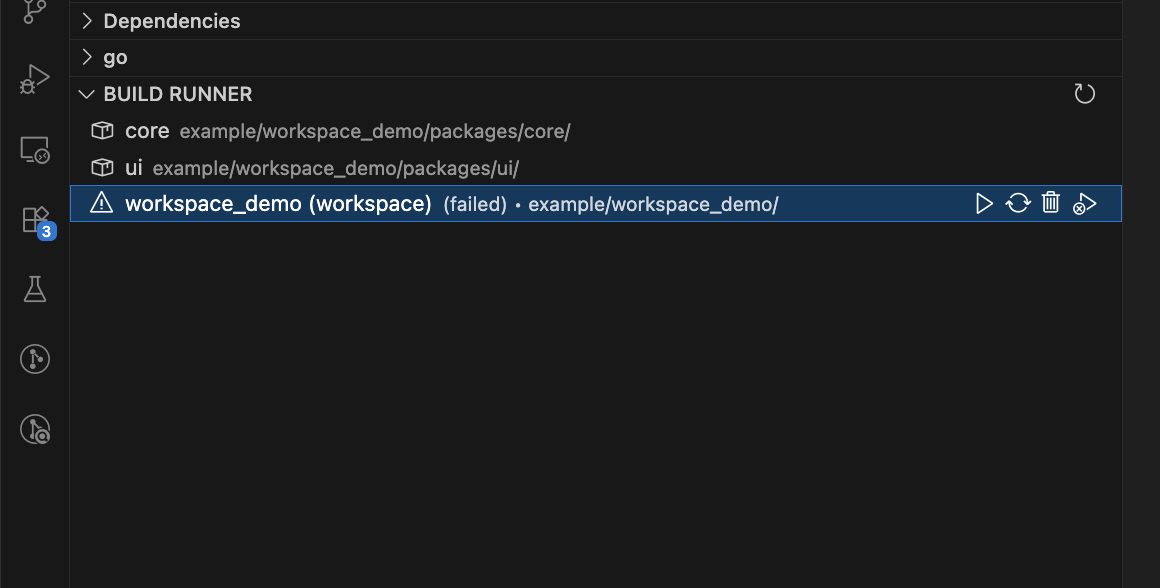
|
2. Editor Title Action (Zap Button)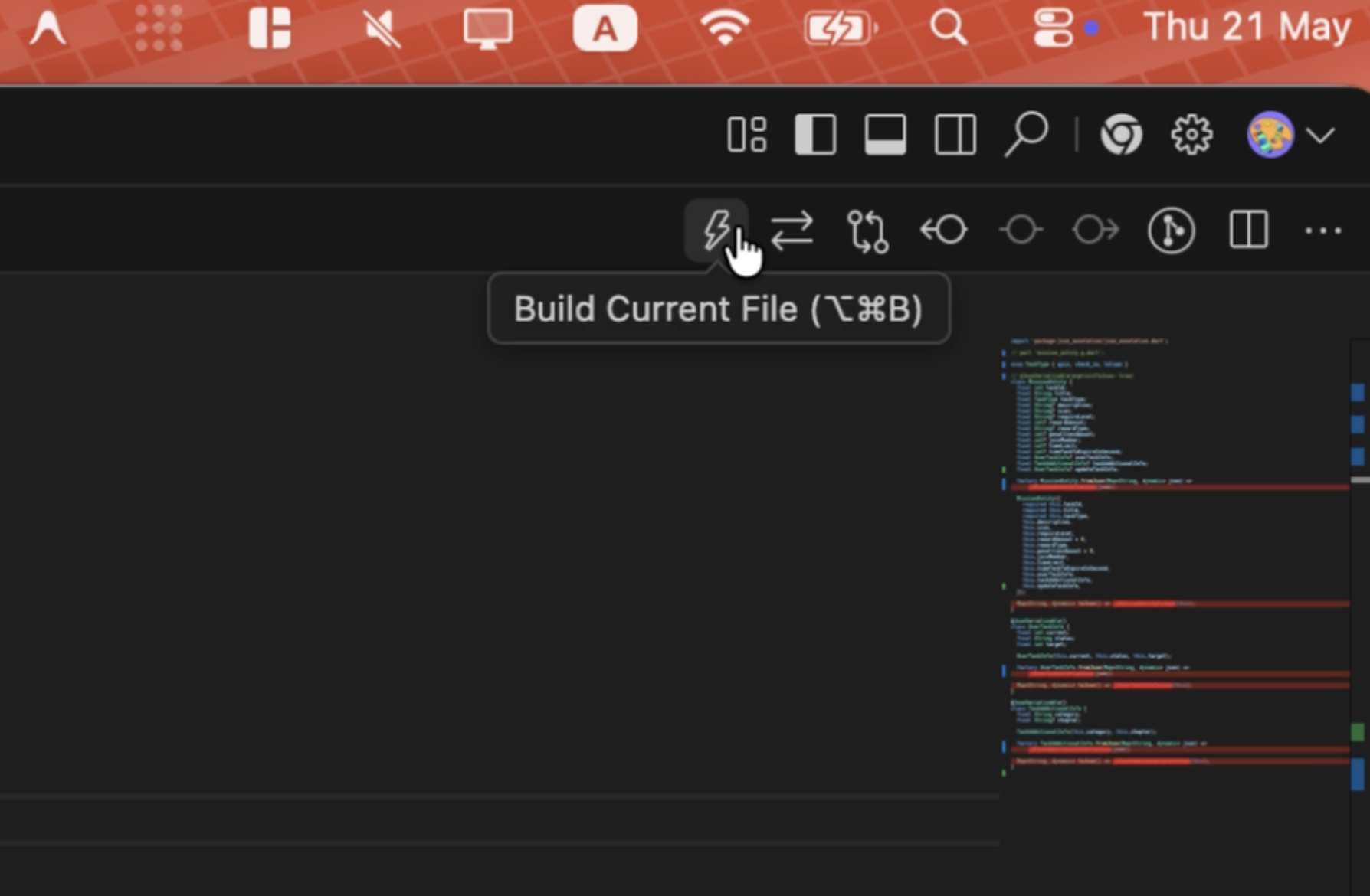
|
3. Editor Context Menu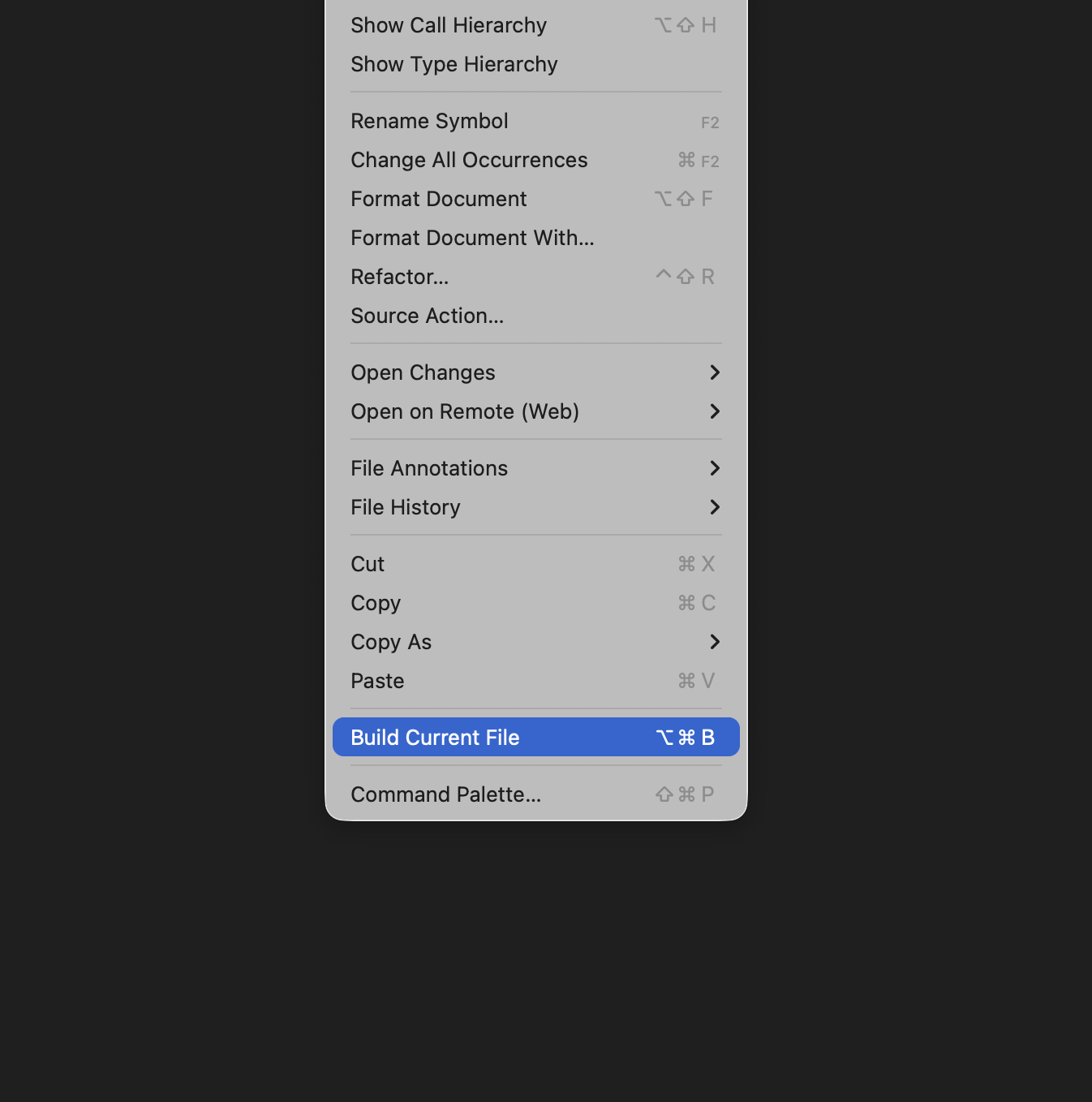
|
4. Build Toast Notification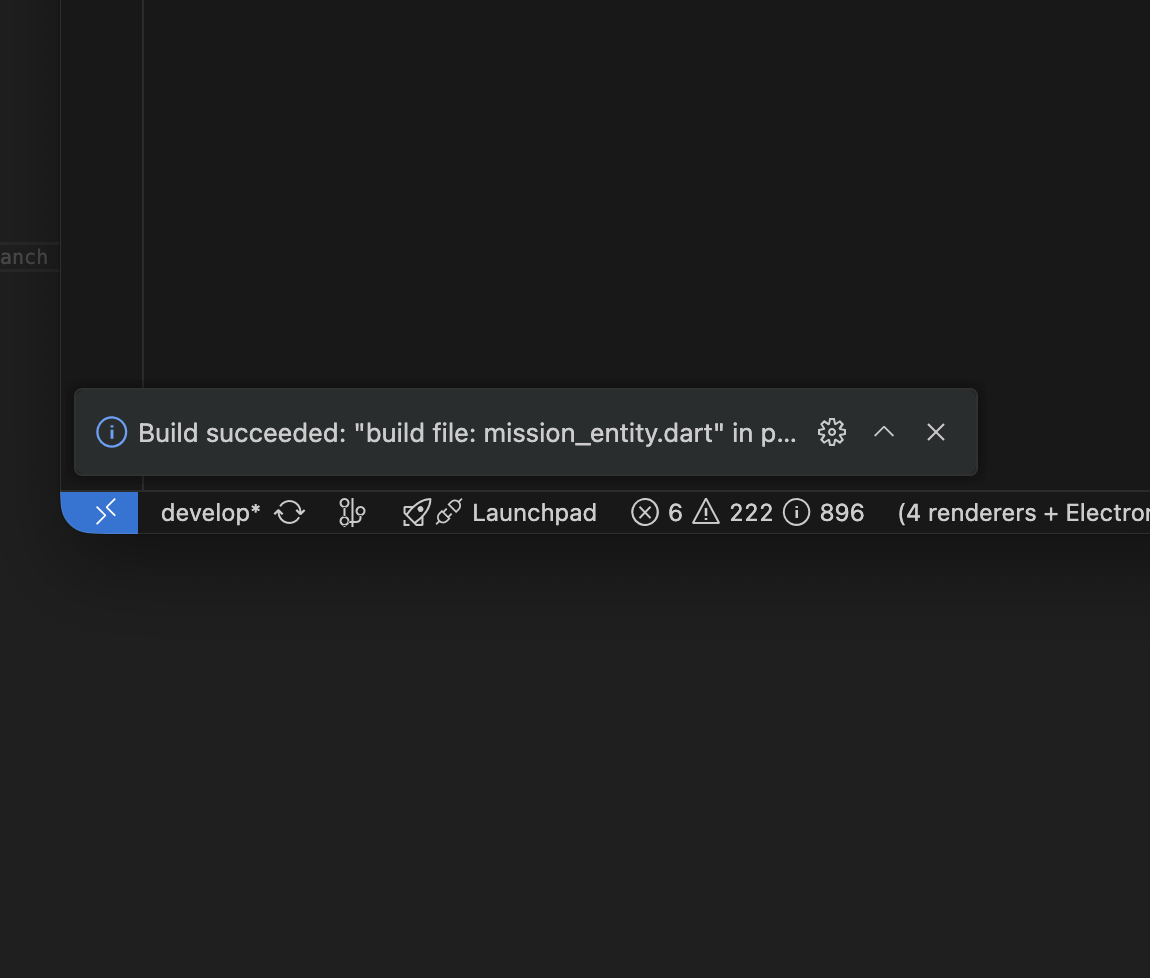
|
⚙️ Extension Settings
This extension contributes the following settings:
smart_build_runner.fvm: Force using FVM globally for all packages (boolean, default:false).smart_build_runner.excludes: Glob patterns to exclude specific directories from workspace scans (array of strings, default:[]).smart_build_runner.args: Additional arguments appended to build and watch tasks (string, default:"--delete-conflicting-outputs").
📦 Installation & Setup
- Open your VS Code editor.
- Search for Smart Flutter Build Runner in the Extension marketplace and install it.
- Once installed, if your workspace contains Flutter/Dart projects with
build_runnerin theirpubspec.yaml, the BUILD RUNNER panel will automatically appear in the Explorer sidebar view.
🤝 Credits & Feedback
- Inspired by the original vscode-build-runner by xiankq.
- Developed with ❤️ by hadesptit. Feel free to open issues or pull requests on GitHub.