A tool to let you edit your CV through a UI instead of a CLI.
Documentation and extra information can be found in https://rcv-vscode.ferj.dev
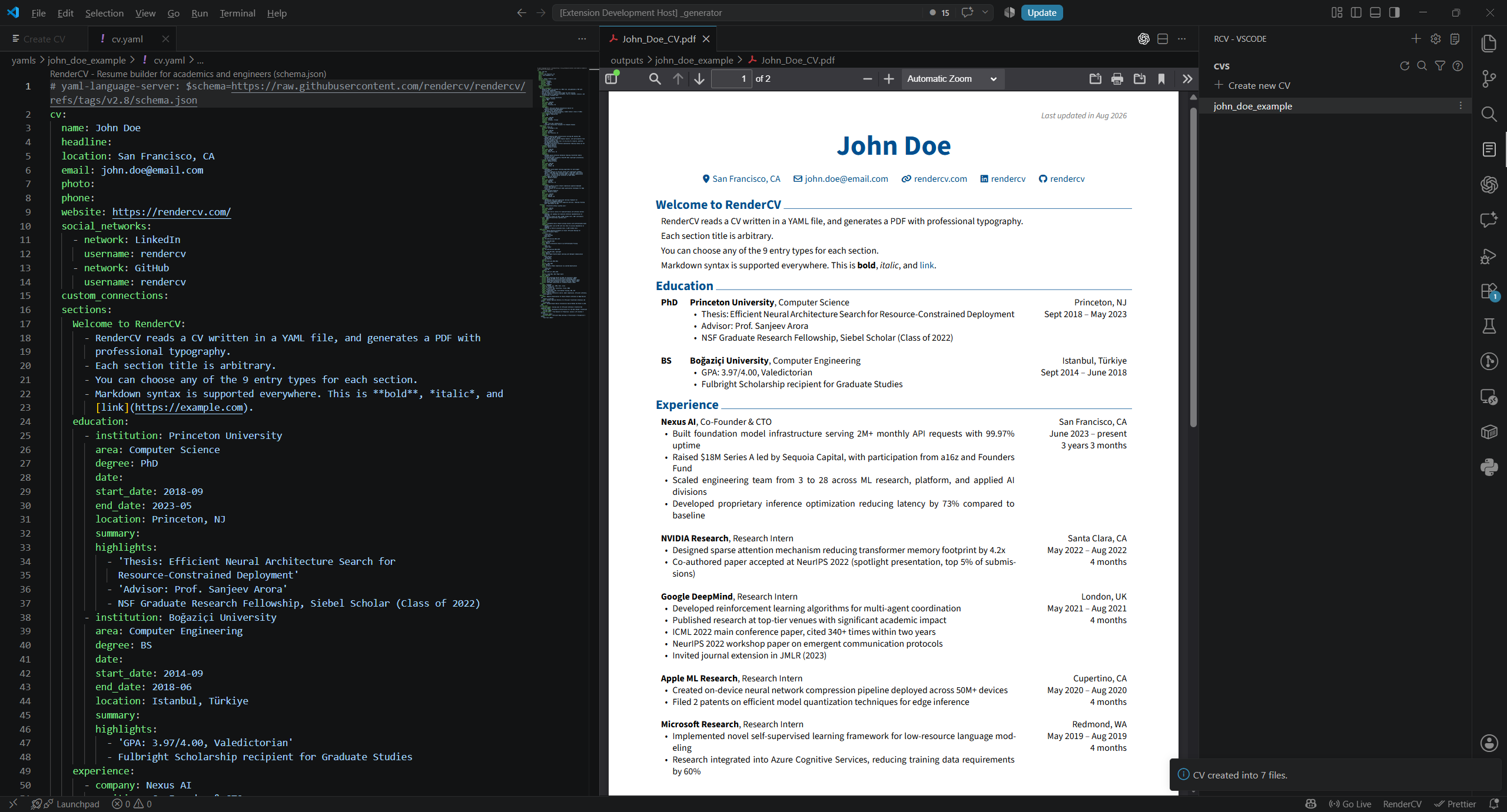
Features
- Create CV through a UI (with full CLI options)
- CV creation wizard
- Automatically open side-to-side view for editor + preview
- Automatic re-rendering on change/save detection
- Global + Local settings for each CV
- Self file management, worry only about your YAML edition and PDF copy result
- Easy CV cloning with simple alternating themes and configurations
- VSCode cohesion for a familiar workflow
Requirements
Really needed
- Python 3.12 or above
- A PDF viewer
- Recommended: vscode-pdf by tomoki1207
Optional
- A YAML formatter/viewer for better experience
- Recommended: YAML by Red Hat
Extension Settings
This extension contributes the following settings:
-
rendercv-vscode.autoRenderCooldown: Time (in milliseconds) to wait after a file change before automatically re-rendering the CV. Default:400. -
rendercv-vscode.autoRenderType: Controls when the CV is rendered.auto(default): Automatically detect file changes and re-render after the configured cooldown.on-save: Re-render only when a file is saved.on-click: Re-render only when the preview button is clicked.
-
rendercv-vscode.defaultOutputPath: Default folder where generated CVs are saved. Leave empty to use the RenderCV default. -
rendercv-vscode.defaultTheme: Default theme to use when creating new CVs. Available options:classic(default)moderncvsb2nov
-
rendercv-vscode.renderCVCliPath: Path to the RenderCV CLI executable. If RenderCV is installed globally, this can be left empty. The setup wizard will attempt to detect installations from global, virtual environment, oruvsetups automatically. -
rendercv-vscode.CVYamlFilesFolder: Folder containing your RenderCV YAML files. Default:yamls.
Known Issues
- Auto Render Type "auto" makes it difficult to update YAML files in real time.
Release Notes
0.5.0
Initial release, big hopes.
- Create CV through a UI (with full CLI options)
- CV creation wizard
- Automatically open side-to-side view for editor + preview
- Automatic re-rendering on change/save detection
- Global + Local settings for each CV
- Self file management, worry only about your YAML edition and PDF copy result
- Easy CV cloning with simple alternating themes and configurations
- VSCode cohesion for a familiar workflow