Claude Code and Codex headroom in your VS Code/Cursor status bar.
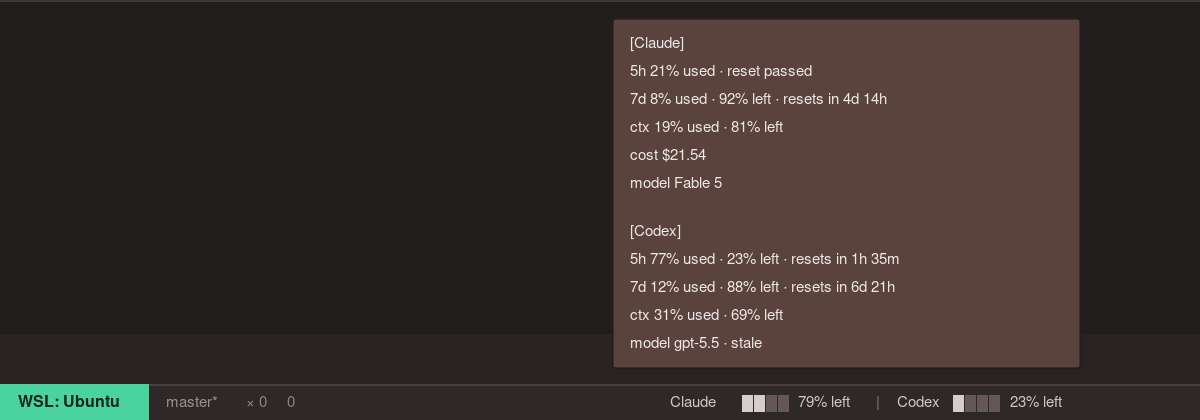
Headroom shows how much room you have before Claude Code or Codex limits get in the way. It works in VS Code and Cursor, including sessions started from extension UI, terminal TUI, or CLI.
What it shows
- Claude and Codex side by side
- 5-hour, weekly, and context-window headroom
- Reset times, model, session, and credit details on hover
- A compact dashboard for checking both tools
Requirements
- VS Code 1.85+ or Cursor
- Claude Code and/or Codex installed and signed in
- Node.js available on your PATH
Commands
| Command | Action |
|---|---|
| Headroom: Open Dashboard | Usage details |
| Headroom: Refresh | Re-read bridge files |
| Headroom: Install Bridge Scripts | Repair the local bridge scripts |
Privacy
Headroom runs locally. It does not read prompts, transcripts, API keys, or credentials.
License
MIT