Open, view and edit .csv and .tsv files as an editable grid inside VS Code,
with first-class encoding support and a persistent save history you can
diff and roll back to.
Features
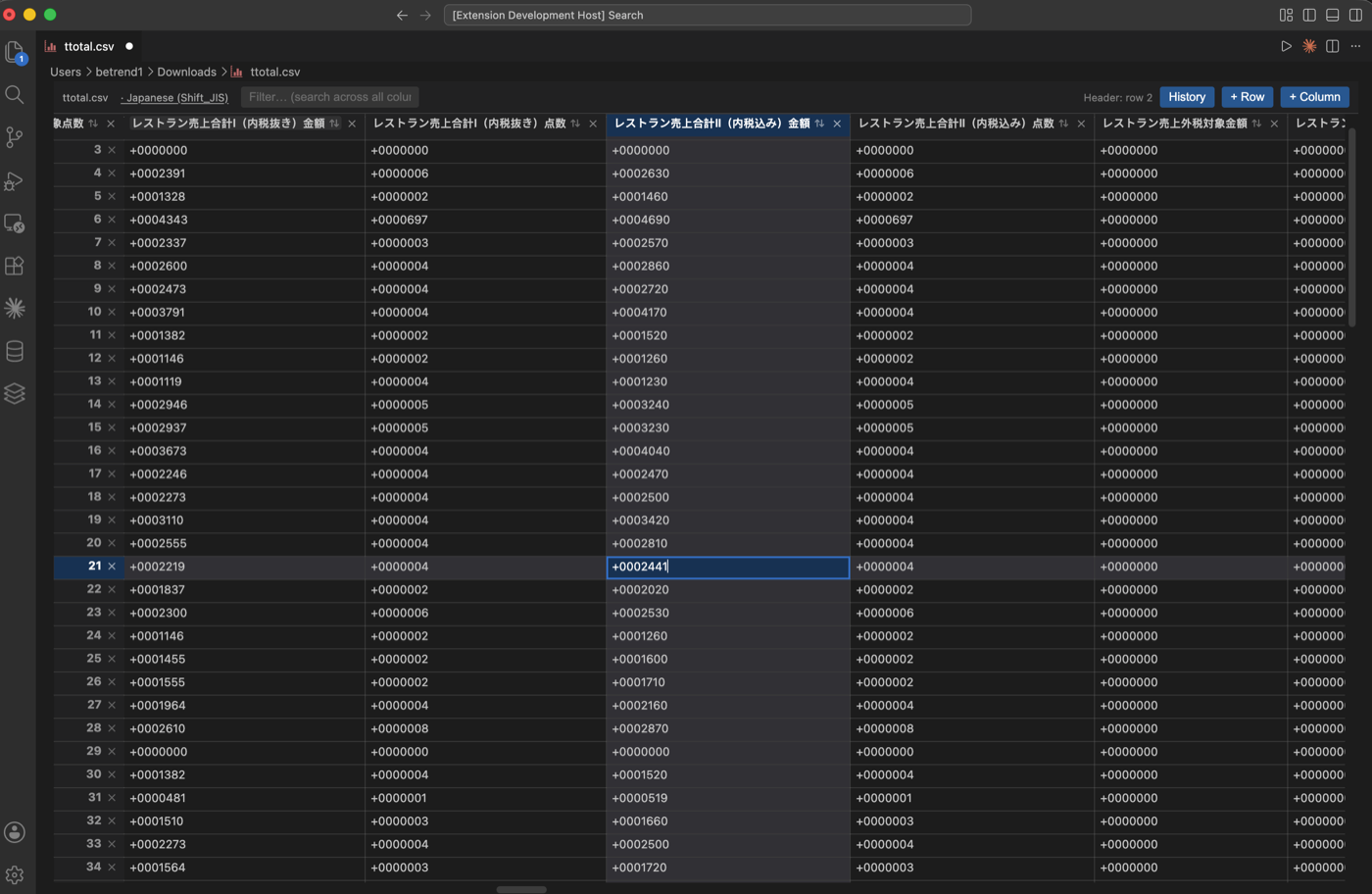
Edit as a grid
- Opens CSV/TSV files in a spreadsheet-like grid — no external tools.
- Inline cell editing; add or remove rows and columns.
- Full undo/redo through the standard
Cmd/Ctrl+Z/Cmd/Ctrl+Shift+Z.
Pick your encoding
Auto-detects the encoding from the byte-order mark on open, and lets you reopen or save with any of these via the clickable encoding label in the toolbar:
- UTF-8, UTF-8 with BOM
- UTF-16 LE, UTF-16 BE
- Shift_JIS, EUC-JP
- Windows-1252, Latin-1 (ISO-8859-1)
- GBK, Big5, EUC-KR
- Windows-1258 (Vietnamese)
Search, sort and headers
Cmd/Ctrl+Fsearch across every cell with match highlighting and navigation.- Automatic header-row detection, keeping any metadata preamble above the table.
- Three-state column sort (ascending → descending → original). Sorting is view-only — it never reorders the data written back to disk.
- Excel-style row and column highlighting for the selected cell.
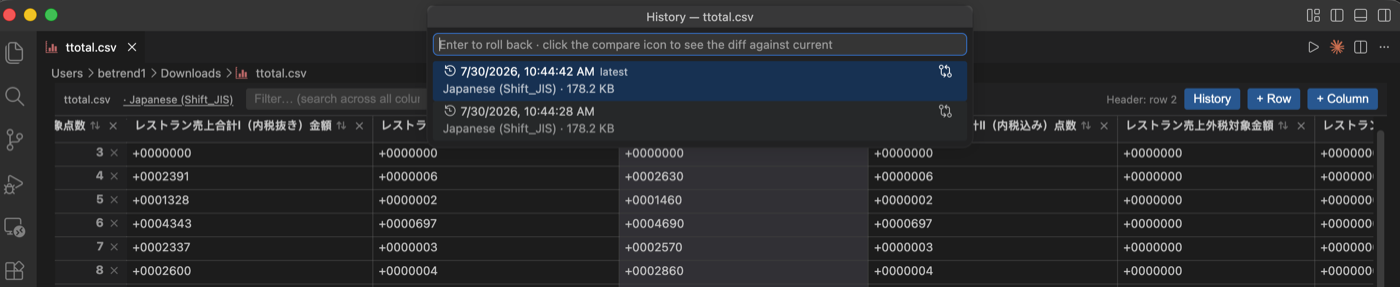
History and diff
- Every save is captured as a version (the last 50 are kept), stored in the extension's global storage — not as stray files next to your CSV.
- Open the History panel from the toolbar to browse past versions.
- Compare any version with the current content in a side-by-side table diff that highlights added, removed and changed rows.
- Roll back to a version as unsaved changes, so you review before overwriting.
Usage
- Open any
.csvor.tsvfile — it opens in the grid editor by default. To switch an already-open file, use View: Reopen Editor With… and pick CSV Table Editor. - Click a cell to edit. Use the toolbar buttons to add rows/columns.
- Click the encoding label in the toolbar to reopen or save with a different encoding.
- Click History to view, diff, or roll back to a previous save.
- Press
Cmd/Ctrl+Sto save.
Requirements
No additional setup. Encoding conversion is handled by the bundled
iconv-lite library.
Known limitations
- Sorting and header detection are heuristic; a header can be one row off on unusual files.
- The table diff compares serialized CSV text, so purely formatting-level differences (quoting style) may show as changes.
- History is keyed by file path — renaming or moving a file starts a fresh history.