Describe software systems by what they mean.
Declarative Capability Language (DCL) is a language for modelling software systems through capabilities, intents, outcomes, rules, effects, events, policies, lifecycles, and contexts. This extension brings DCL authoring, compiler-backed feedback, semantic navigation, and architecture graphs into VS Code.
- Website: https://russelleast.github.io/Capability-Language/
- Documentation: https://russelleast.github.io/Capability-Language/docs
- Examples: https://russelleast.github.io/Capability-Language/examples
- GitHub repository: https://github.com/russelleast/Capability-Language
- Issues: https://github.com/russelleast/Capability-Language/issues
Version
- Extension version:
1.1.0 - Supported DCL language versions:
1.0,1.1
The extension is available on the VS Code Marketplace and can also be downloaded from the DCL website. It bundles DCL Compiler 1.1.0 and provides version-aware diagnostics, completion, hover, highlighting, summaries, and graphs for DCL Language 1.0 and 1.1.
Screenshots
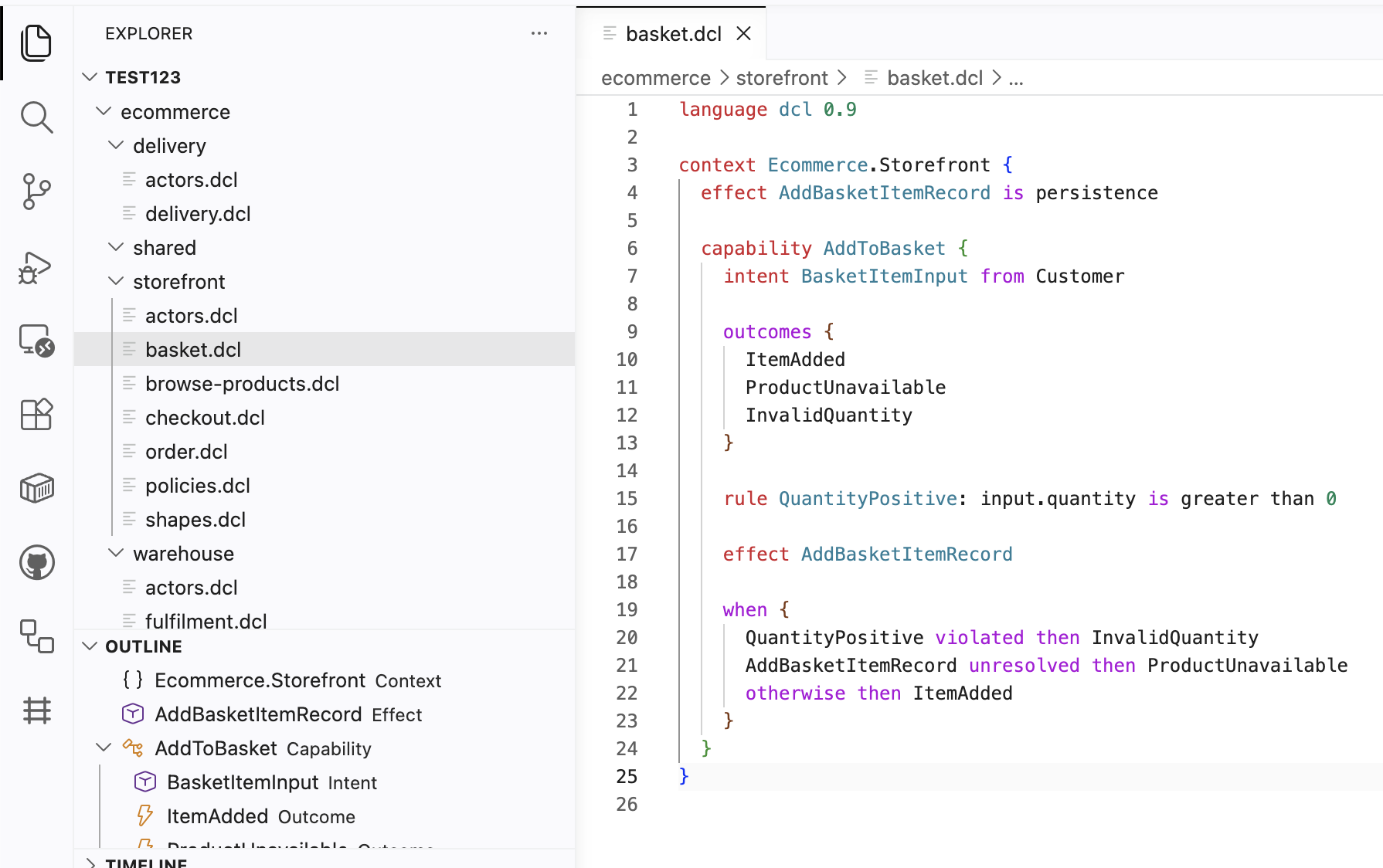
DCL authoring with syntax highlighting, hover help, and compiler diagnostics:
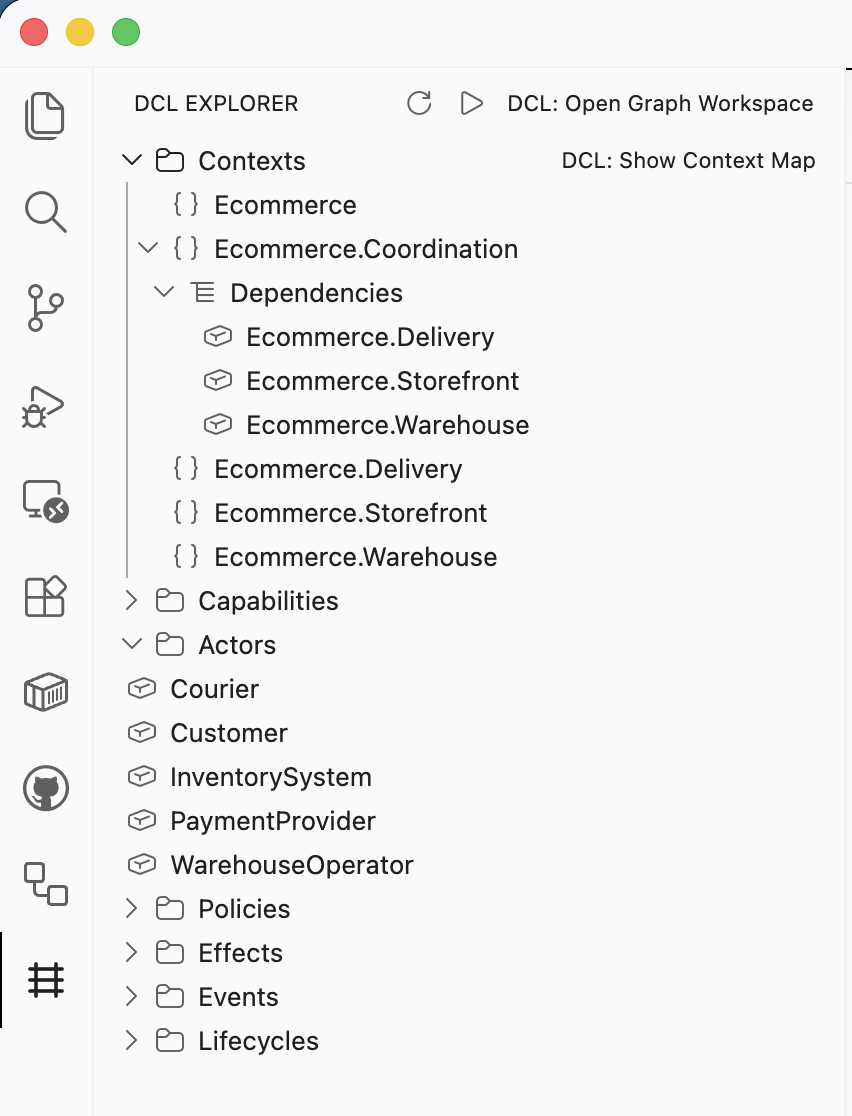
DCL Explorer for contexts, capabilities, and events:
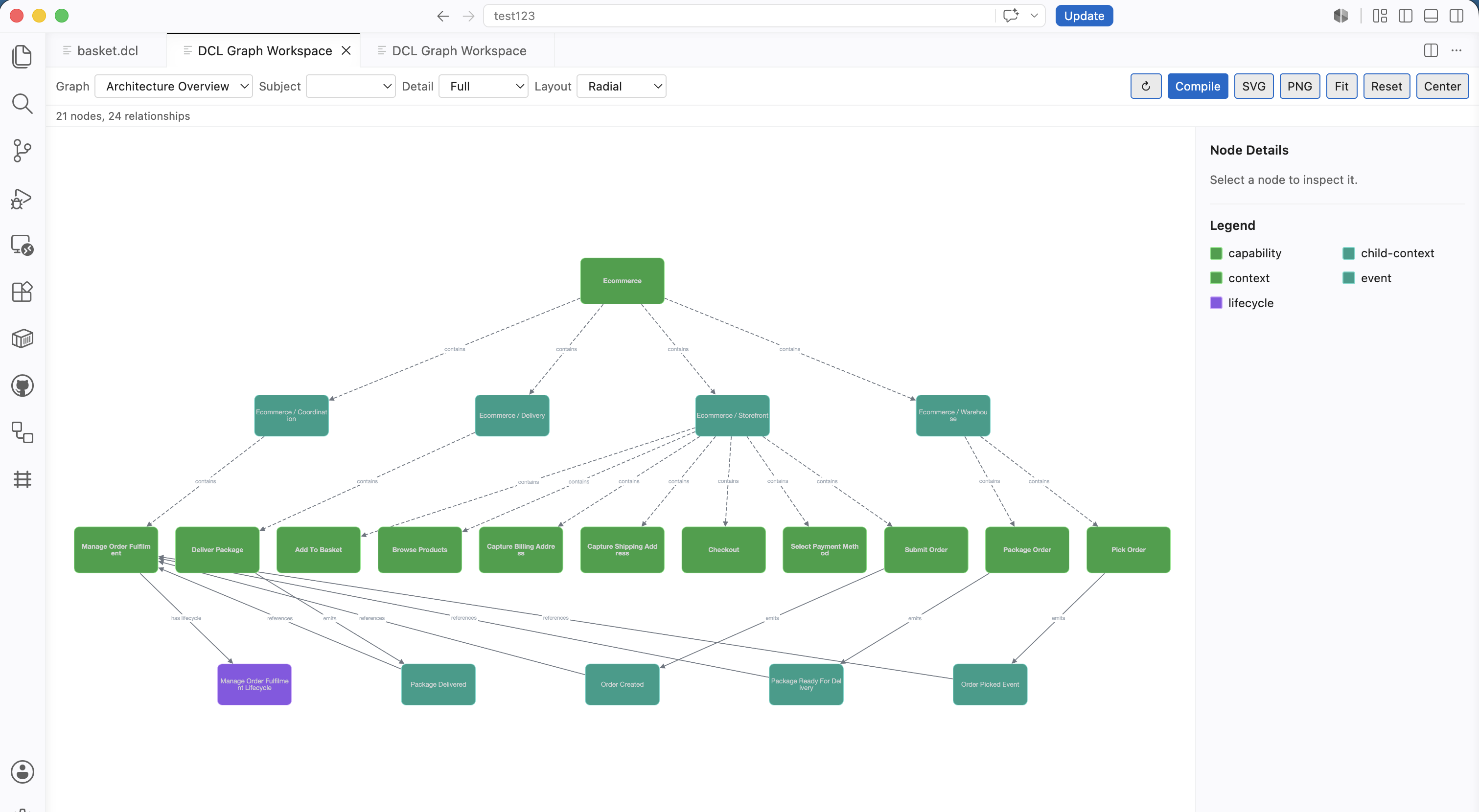
Graph Workspace with Architecture Overview:
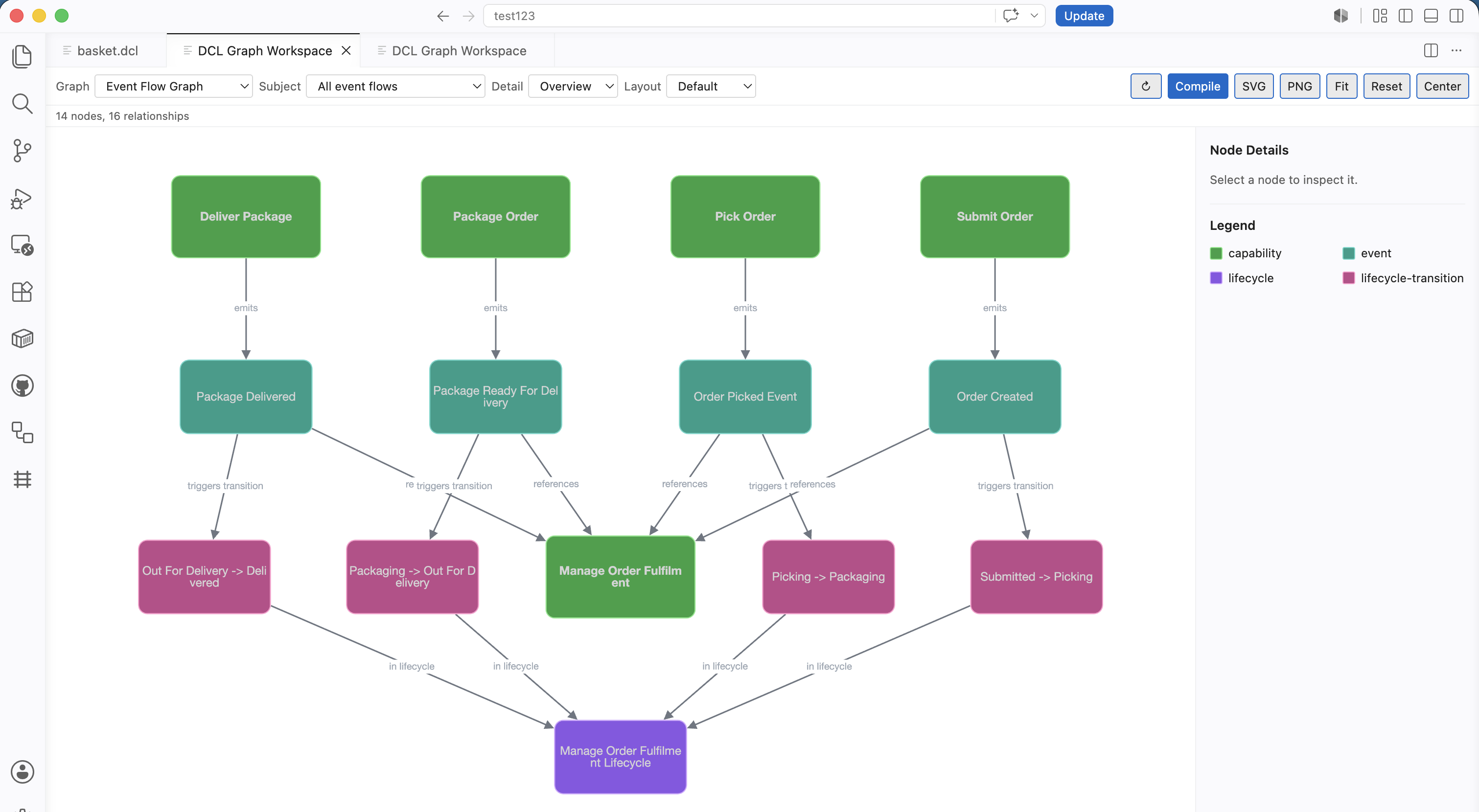
Event Flow and Lifecycle graph views:
Features
Authoring
- Syntax highlighting for
.dclfiles - Snippets for common DCL declarations
- Hover help for core DCL concepts
- Compiler-backed formatting
- Compiler-backed diagnostics in VS Code Problems
Navigation
- DCL Explorer Activity Bar view
- Outline view support through the bundled language server
- Workspace Symbols
- Go To Definition
- Find References
- Source-to-graph and graph-to-source navigation where compiler source locations are available
Architecture Visualisation
- Architecture Overview
- Capability Graph
- Capability Map
- Capability Influence Graph
- Cause and Effect Graph
- Lifecycle Graph
- Event Flow Graph
- Context Map
- SVG and PNG graph export
The Capability Map shows declared capabilities grouped by DCL context. It is a business responsibility map, not an implementation, dependency, runtime, service, or infrastructure diagram. Contexts are shown as labelled containers, capabilities are shown as tiles, and badges indicate available semantic metadata such as lifecycle, effects, events, policies, and compiler analysis warnings.
The Capability Influence Graph shows explicit compiler-derived semantic influence between capabilities. It does not show all dependencies, shared ownership, similarity, or implementation coupling. Thicker arrows indicate stronger explicit semantic influence from compiler-derived evidence such as lifecycle supervision, event-triggered transitions, effect targets, policy constraints, explicit capability references, or concrete context dependency references. It does not infer influence from naming, folder layout, shared actors, or context proximity.
The cause-and-effect graph shows how intents, rules, policies, effects and outcomes are causally connected. Entry edges such as intent starts capability are shown for orientation, but outcomes, events, and lifecycle movement are only connected when causation is explicit in source or compiler IR.
Language Intelligence
- Bundled DCL compiler
- Bundled DCL language server
- Semantic source index for compiler-backed navigation
- Semantic summary for Explorer and graph views
Quick Start
- Install the DCL extension in VS Code.
- Open a folder containing
.dclfiles. - Open a
.dclfile. - Run
DCL: Compile Workspacefrom the Command Palette. - Open the DCL Explorer from the Activity Bar.
- Run
DCL: Open Graph Workspaceto explore architecture graphs.
Commands
DCL: Compile WorkspaceDCL: Compile Current FileDCL: Open Graph WorkspaceDCL: Show Architecture OverviewDCL: Show Capability GraphDCL: Show Capability MapDCL: Show Capability Influence GraphDCL: Show Cause and Effect GraphDCL: Show Lifecycle GraphDCL: Show Event Flow GraphDCL: Show Context MapDCL: Navigate SymbolDCL: Find Related ElementsDCL: Show Compiler InfoDCL: Show Language Server StatusDCL: Export Current Graph
Settings
dcl.compileOnSaveMode
Controls compile-on-save for .dcl files. The default is workspace.
workspace: compile all workspace.dclfiles togetherfile: compile only the saved.dclfileoff: disable compile-on-save
dcl.compilerPath
Optional path to a custom DCL compiler executable. Leave empty to use the bundled compiler for supported platforms, falling back to dcl on PATH.
dcl.languageServer.enabled
Enables the bundled DCL language server for compiler-backed diagnostics, document symbols, workspace symbols, definition navigation, and find references. Disabled by default.
dcl.languageServer.path
Optional path to a custom dcl-lsp executable. Leave empty to use the bundled language server for supported platforms, falling back to dcl-lsp on PATH.
dcl.languageServer.trace
Controls language server protocol logging. Use off for normal use, or messages / verbose when debugging language server traffic.
dcl.graph.followSourceSelection
When enabled, moving the cursor inside compiler-known DCL semantic items focuses the matching node in the open Graph Workspace.
dcl.graph.autoRevealFromSource
When enabled, source cursor movement can reveal the Graph Workspace from a DCL editor. Disabled by default.
Bundled Compiler And Language Server
The extension includes the DCL compiler and DCL language server for supported macOS, Linux, and Windows platforms.
Use dcl.compilerPath or dcl.languageServer.path only when you need to run a custom local build or a separately installed executable.
Known Limitations
- DCL v1.0 defines the stable language core; advanced tooling and compiler analysis may continue to evolve.
- Graphs and navigation use compiler-provided semantic data; unavailable relationships are not inferred by the extension.
Feedback And Issues
Please report issues at https://github.com/russelleast/Capability-Language/issues.
License
Apache-2.0