Install from the VS Code Marketplace
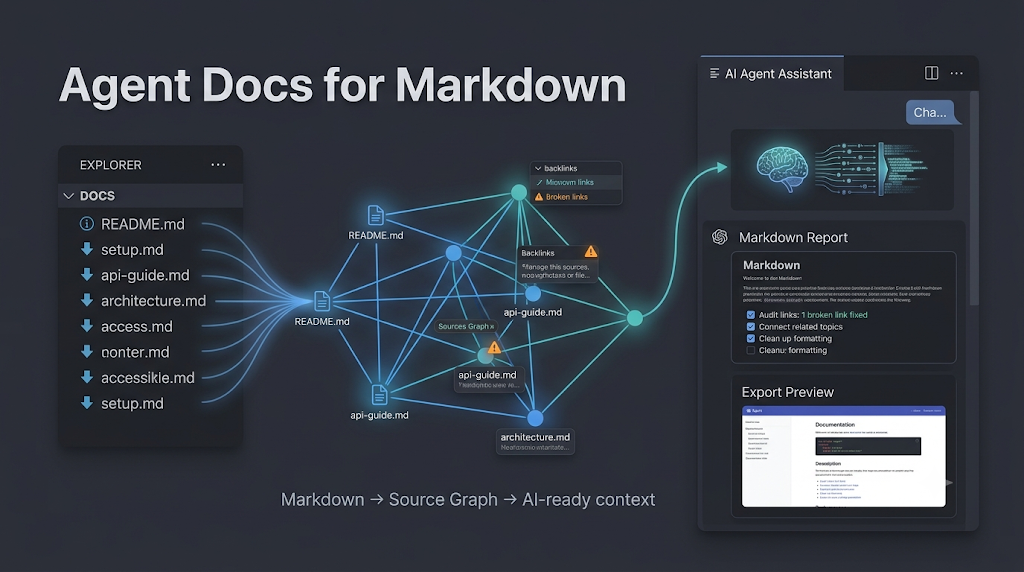
Turn a Markdown workspace into an AI-readable source graph.
Agent Docs for Markdown is a VS Code extension for local Markdown knowledge bases. It gives you a document browser, styled preview/export, Source Graph navigation, Workspace Cleanup Audit, and bundled AI-agent skills that help Claude, Codex, Agents, Gemini, or Cursor work from grounded Markdown evidence.
Source Graph Focus And Hop
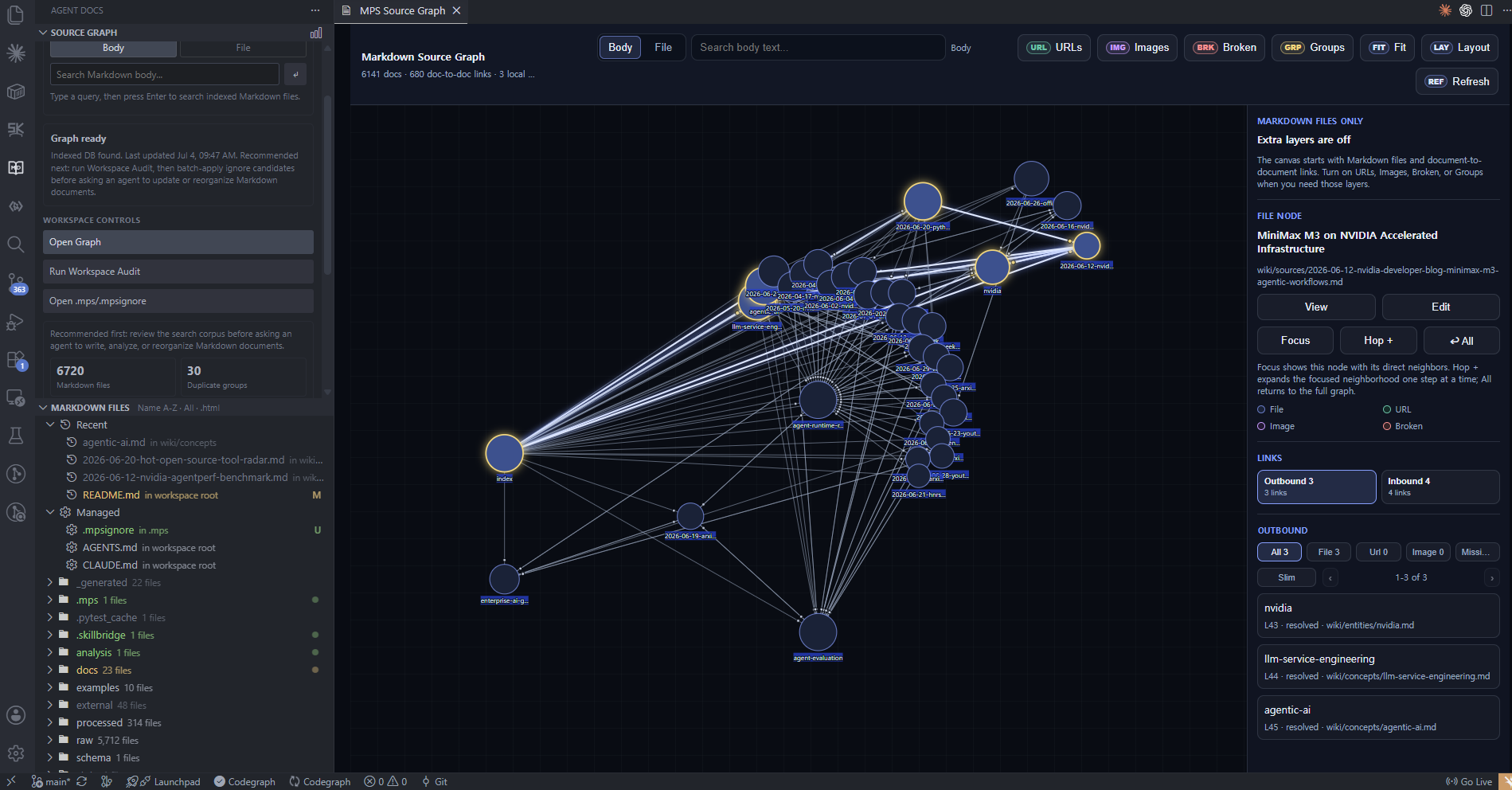
Use Source Graph when the workspace is too large for manual search.
Focusshows the selected document and its direct neighbors.Hop +expands from the currently selected branch node while keeping the existing focus graph.Allreturns to the full graph.URLs,Images, andBrokenadd optional evidence layers only when you need them.Groupsshows folder-level regions.
Clean The Workspace Before Agent Work
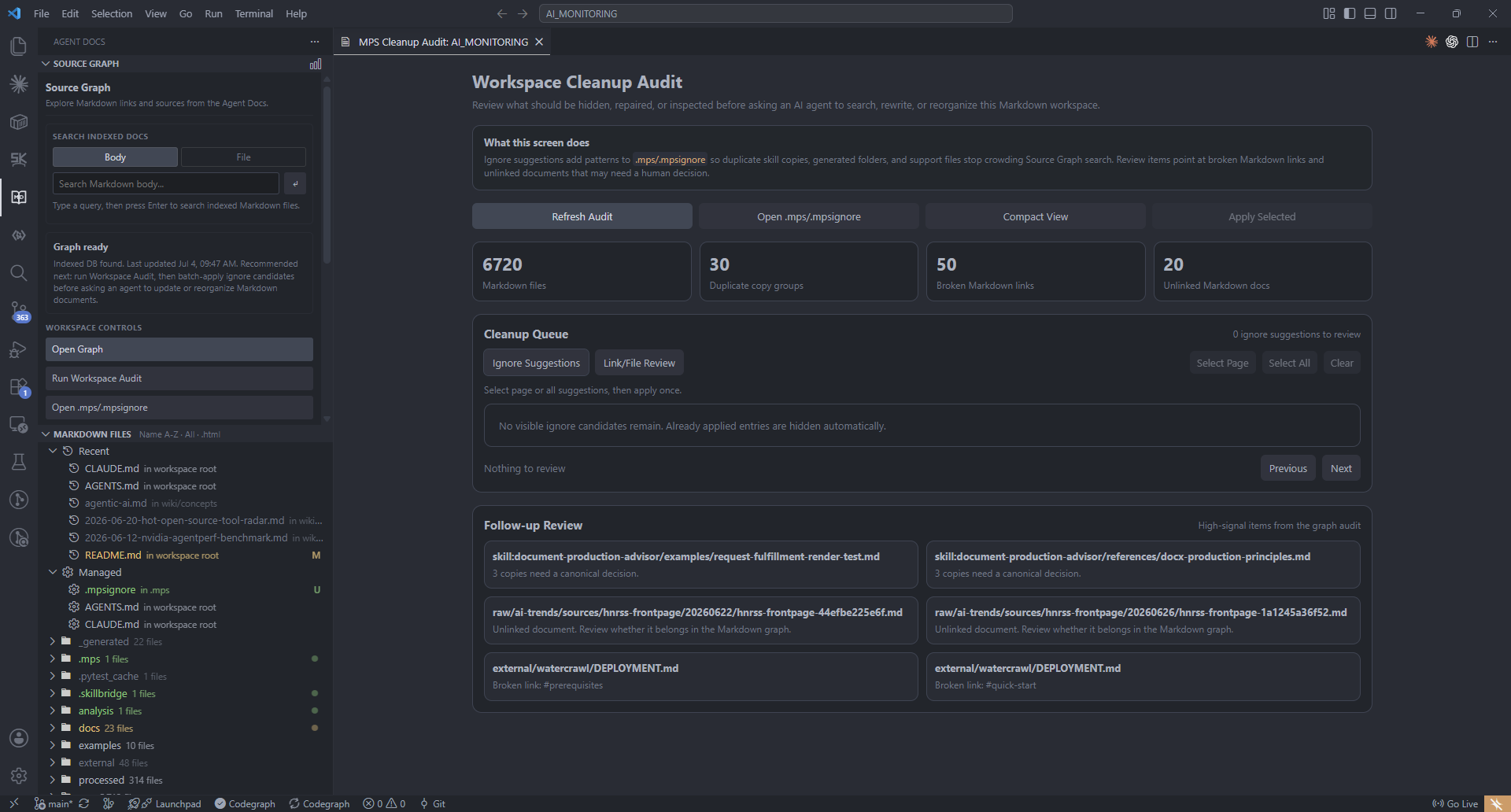
Workspace Cleanup Audit reviews the corpus before you ask an agent to search, rewrite, or reorganize documents.
- ignore suggestions for
.mps/.mpsignore - duplicate skill copies
- broken Markdown links
- unlinked documents
- page/all selection and batch apply
- compact mode for narrow VS Code panels
Core Extension Features
- Agent Docs Activity Bar with Markdown file browser and Source Graph launcher.
Agent Docs: Previewfor styled Markdown preview inside VS Code.- Auto-refresh on Markdown save.
- Outline navigation, Stack/Slides view, Fit and zoom controls.
Agent Docs: Export Styled HTMLwith Complete HTML, Blog Paste HTML, and Content Fragment targets.Agent Docs: Open Source Graphfor local document graph navigation.Agent Docs: Install or Export Skillsfor bundled agent skills..mps/source-graph.sqlitelocal graph index..mps/.mpsignoreshared by Source Graph and Agent Docs File Browser.- Works with Markdown files outside the current workspace through the bundled CLI.
Install The Skill Router For Your Agent
Run:
Agent Docs: Install or Export Skills
Choose:
Install recommended Manager + Writer skills
Then select the agent folders you want to update. The extension can update .claude/skills, .agents/skills, .codex/skills, .gemini/skills, and .cursor/skills. Missing folders are created automatically.
This normal setup installs two user-facing skill folders: markdown-manager for Markdown search, Source Graph cleanup, link repair, context packaging, and update planning; and markdown-writer for reports, decks, polished Markdown, and render/export checks. Detailed writing, deck, production, and HTML rendering references live inside markdown-writer/references, so no extra writing skill folders are required.
How To Use The Skill In Your Agent
After installation, start the agent request with the matching skill. Use /markdown-manager for graph/search/cleanup work and /markdown-writer for writing/rendering work. If your agent UI does not support slash commands, write Use markdown-manager or Use markdown-writer in the prompt.
You can describe the task naturally. The manager handles corpus intelligence; the writer handles reader-facing documents.
If you are not sure what to ask, ask the manager to teach the workflow first:
Use markdown-manager.

I am new to Agent Docs. Explain how to use Source Graph and the bundled skills in this workspace.
Tell me when to use markdown-manager, when to use markdown-writer, and give me copy-paste prompts.
/markdown-manager 이 문서와 연결된 관련 문서까지 찾아서 업데이트 범위를 알려줘.
Use markdown-manager.

Before editing this Markdown workspace, find broken links, orphan docs, duplicate generated content, and .mpsignore candidates.
/markdown-writer 이 리서치 노트를 8페이지 임원 보고서 형태의 Markdown으로 재구성하고 렌더 체크까지 해줘.
Use markdown-writer to turn @brief.md into a polished Agent Docs report with evidence, better structure, and an export-readiness checklist.
Built-In Skill Router And Example Questions
| Skill | Use it for | Ask your agent |
|---|---|---|
markdown-manager |
Markdown search, graph cleanup, links, update impact, canonical docs, context packages | Use markdown-manager to gather Source Graph evidence and return the next action. |
markdown-writer |
reports, briefs, tutorials, deck-ready Markdown, visual structure, render/export checks | Use markdown-writer to turn @brief.md into a polished Agent Docs report and verify the rendered output. |
Internal Routes Used By markdown-manager
| Route | Use it for | Ask your agent |
|---|---|---|
markdown-workspace-search |
grounded answers from local Markdown | Use markdown-workspace-search to find what this workspace says about agent evaluation. Include paths, headings, backlinks, and related documents. |
markdown-graph-triage |
whole-corpus health review | Use markdown-graph-triage to audit this Markdown workspace for entry docs, orphan docs, noisy folders, duplicate skill copies, and weak graph structure. |
markdown-ignore-advisor |
.mpsignore decisions |
Use markdown-ignore-advisor to recommend which folders should be excluded from Source Graph and explain why. |
markdown-context-packager |
pre-writing context bundles | Use markdown-context-packager for "agent runtime reliability". Package the docs, headings, backlinks, URLs, and conflicts I should read first. |
markdown-update-planner |
impact planning before edits | Use markdown-update-planner before editing wiki/concepts/agentic-ai.md. Which linked or related docs should be reviewed together? |
markdown-canonicalizer |
choosing the primary source | Use markdown-canonicalizer to choose the canonical Markdown page for MCP tooling. Identify merge, archive, redirect, or keep-separate candidates. |
markdown-link-repair |
broken links and weak backlinks | Use markdown-link-repair to find broken internal links, stale URLs, and backlink gaps. Prioritize fixes by Source Graph impact. |
markdown-writer |
writing, presentation-style Markdown, deck-ready structure, export readiness, render QA | Use markdown-writer to convert this research note into an executive report and verify the rendered HTML output. |
install-diagnostics |
missing local setup | Use install-diagnostics to check Node, npm, CLI, PATH, and environment setup for Agent Docs workflows. |
Strong Prompt For Graph-Grounded Work
Use markdown-manager.

Goal: update wiki/concepts/agentic-ai.md without drifting from related docs.
Return:
- files to read first
- why each file matters
- backlinks and outbound links to check
- update plan
- risks or conflicts
Do not edit until the plan is clear.
Strong Prompt For Writing
Use markdown-writer.

Turn @brief.md into a polished Agent Docs for Markdown report.
Audience: technical leadership
Tone: concise, evidence-led
Output: Markdown only
Include:
- frontmatter with title, theme, intent, and appearance
- clear sections with short headings
- tables or feature grids only where they improve scanning
- final export-readiness checklist
Source Graph Setup
- Open a Markdown workspace.
- Open the Agent Docs sidebar.
- Use
Open Graphor runAgent Docs: Open Source Graph. - If the graph has not been initialized, run
Agent Docs: Initialize Source Graph;Start Graph will build the first indexat.mps/source-graph.sqlite. - Use the sidebar
Run Workspace Auditflow to review cleanup candidates and batch-apply ignore suggestions withApply Selected. - Install bundled skills.
- Ask an agent to use the relevant skill.
The graph DB is local:
.mps/source-graph.sqlite
The canonical ignore file is:
.mps/.mpsignore
When markdown-manager routes to Markdown search, use the bundled script inside the installed skill folder. This example uses Codex; replace .codex with .claude, .agents, .gemini, or .cursor if that is where you installed the skill:
node .codex/skills/markdown-manager/scripts/source-graph.mjs search --root . --query "topic" --include-links --links-depth 1 --include-headings
Ask the agent to summarize Path, Title, Why it matters, Heading evidence, Link evidence, and Next action. Use Agent Docs: Edit Source Ignore when .mpsignore patterns need review.
HTML Export Targets
Run:
Agent Docs: Export Styled HTML
| Target | Use for |
|---|---|
| Complete HTML File | a finished local HTML file with viewer controls |
| Blog Paste HTML | Tistory, WordPress, Velog, or other article editors |
| Content Fragment | external systems that already provide their own shell |
Settings
markdownAgentDocs.autoOnSavedefaulttruemarkdownAgentDocs.cursorSyncOnSavedefaulttruemarkdownAgentDocs.nodePathdefault"node"markdownAgentDocs.cliScriptPathdefault"scripts/md-to-html.mjs"markdownAgentDocs.preferredViewModedefault"stack"markdownAgentDocs.languagedefault"en"markdownAgentDocs.extraArgsdefault["--standalone"]
Package VSIX
npm install
npm run build
npm run package:vsix
Install the local package:
code --install-extension .\markdown-agent-docs-0.1.67.vsix
For full operations and troubleshooting, see EXTENSION_GUIDE.md.