A VS Code auxiliary-sidebar client for pi, built on pi's RPC protocol. It keeps the agent process in the extension host and renders the conversation in a theme-aware Webview.
Source: https://github.com/dairycode/pi-agent-sidebar
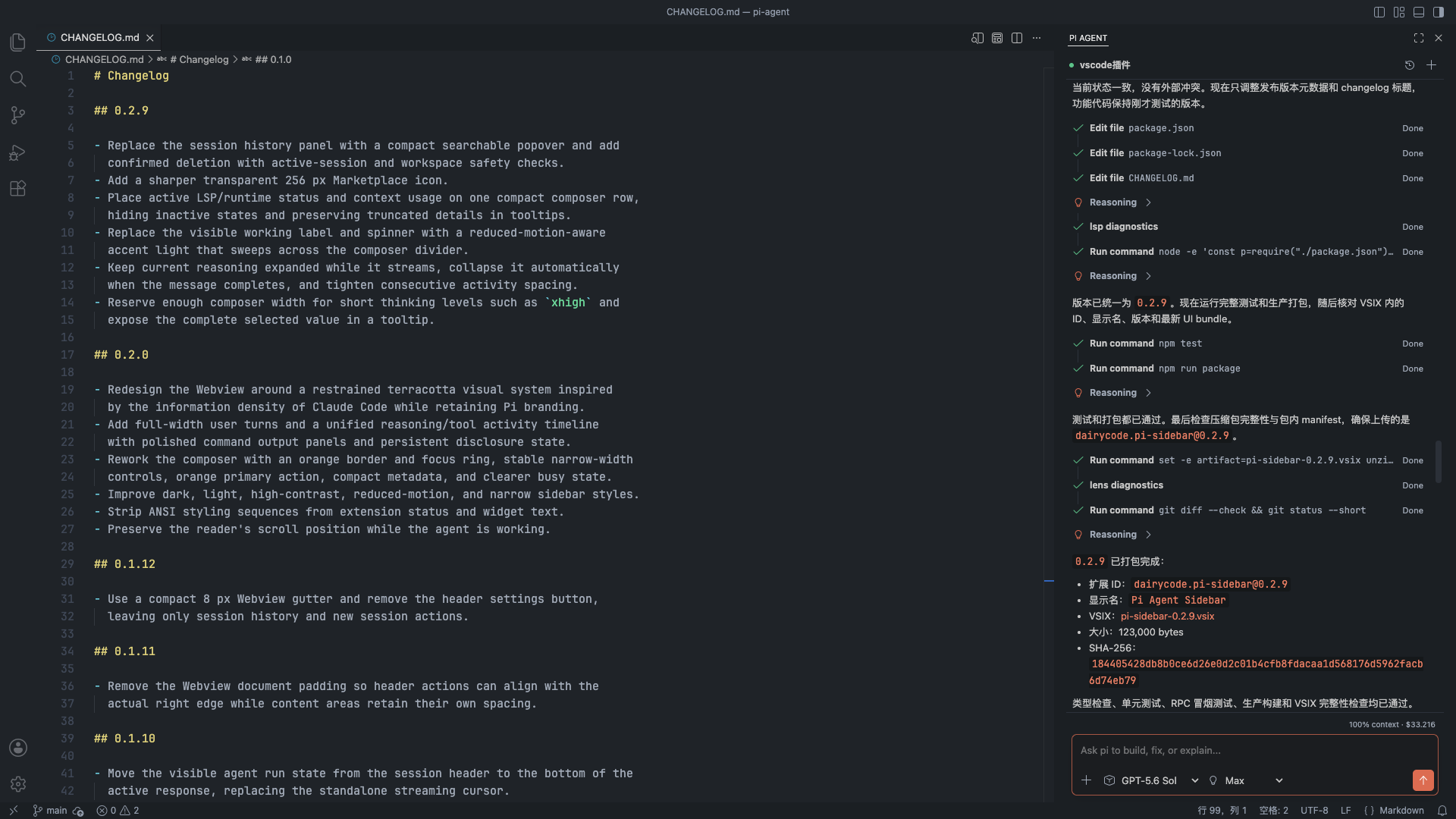
Preview
Features
- Streaming conversation — renders pi's text, reasoning, and tool execution live in the auxiliary sidebar, fully themed to the VS Code color scheme
- Session management — persistent session history with search, switching, new sessions, delete, and rename; the last session in the workspace is restored automatically after a VS Code reload
- Model and thinking level — switch among configured models and supported thinking levels from themed pickers in the composer
- Conversation control — queue follow-up prompts while pi is working, or abort the active run; transient provider errors (overload, rate limit, 5xx, interrupted streams) are retried automatically
- Attachments — attach project files by path and paste clipboard images to send to the model
- Code references — select code and press
Cmd+Esc/Ctrl+Escto insert an inline@path#linereference at the caret, then jump back to the source withCmd/Ctrl-click orF12 - Editor integration — a right-click
Pi Agentsubmenu explains the selection, refactors it, generates tests, explains reported problems, or explains the whole file, plus aFix with Piquick fix for the diagnostic under the cursor - Slash commands — type
/in the composer to browse pi's extension commands, prompt templates, and skills, grouped by source with live filtering - Tool timeline — tool calls run inline with file-edit diffs rendered as
added, removed, and context lines;
path/file.ts:42references in responses open the file at that line - Commands — rename the current session, export a session to HTML, start a new session, restart the runtime, and inspect logs from the command palette
- Status bar — shows the runtime phase and the active model
- Native dialogs — pi extension prompts and trusted-domain confirmation are surfaced with native VS Code UI
- Security — gated on Workspace Trust, reads strict JSONL, sanitizes Markdown before rendering, and ships a restrictive CSP
Editor Selection Shortcut
Select code in the editor, then press Cmd+Esc on macOS or Ctrl+Esc on
Windows and Linux. Pi Agent opens, focuses the composer, and inserts an
accent-colored inline reference such as @src/file.ts#10-14 at the caret while
retaining the exact selected text as code context. Delete the reference text
to detach it. To
reopen the source, Cmd/Ctrl-click the marker or place the caret inside it
and press F12. With no editor selection, the shortcut only focuses the
composer.
Other AI extensions may use the same shortcut. Reassign Pi Agent: Focus Input with Selection in VS Code's Keyboard Shortcuts editor when needed.
Requirements
- VS Code 1.129 or newer
pi0.81.0 or newer installed and authenticated- A trusted workspace folder
Install pi if needed:
npm install -g --ignore-scripts @earendil-works/pi-coding-agent
pi
/login
If VS Code cannot find pi, set piAgentSidebar.binaryPath to an absolute
path such as /opt/homebrew/bin/pi.
piAgentSidebar.sessionDirectory accepts an absolute path or a path relative
to the active workspace folder; the same resolved directory is used for pi's
session storage and the sidebar's history, rename, and deletion.
Security Model
Pi's default coding tools can read, edit, and execute files with the extension
host user's permissions. This extension does not sandbox pi. It remains
disabled in untrusted workspaces, runs the configured binary without a shell,
and only passes --approve for project-local pi resources after VS Code has
established workspace trust.
Session files are managed by pi under ~/.pi/agent/sessions. They can contain
source code, tool output, and other sensitive conversation data.