Say goodbye to 'textBox1' and 'button2'. This extension completely automates WinForms control naming by analyzing nearby text context, turning generic names into clean, professional, production-ready identifiers — instantly.
Download · Website · Get a License
Stop Writing Control Names. Write Code.
Fluent Namer automatically renames WinForms controls using their
surrounding context, replacing generic names like button1 and
textBox3 with meaningful, professional identifiers.
Instead of wasting time renaming controls manually, focus on building your application.
Why Fluent Namer?
✔ Intelligent automatic control naming ✔ Context-aware naming engine ✔ Supports third-party WinForms controls ✔ Fully customizable prefixes ✔ Rename entire forms in one click ✔ Persistent rename history ✔ Manual rename protection ✔ Full Undo / Redo support ✔ Built for professional WinForms development
See It In Action
Fluent Namer understands every type of control — not just simple ones.
Placeholder Pairing — matches placeholder text to controls with
no visible label at all, generating accurate names even in the
trickiest cases.

Labels — reads the text directly and generates a matching name.

Buttons — analyzes captions to produce action-based names.

TextBoxes — pairs with nearby labels to generate accurate,
meaningful names automatically.

GroupBoxes — understands containers based on what's inside them.

PictureBoxes — even controls without text get meaningful names
based on surrounding context.

One consistent naming engine, across every control type you actually use.
License Activation
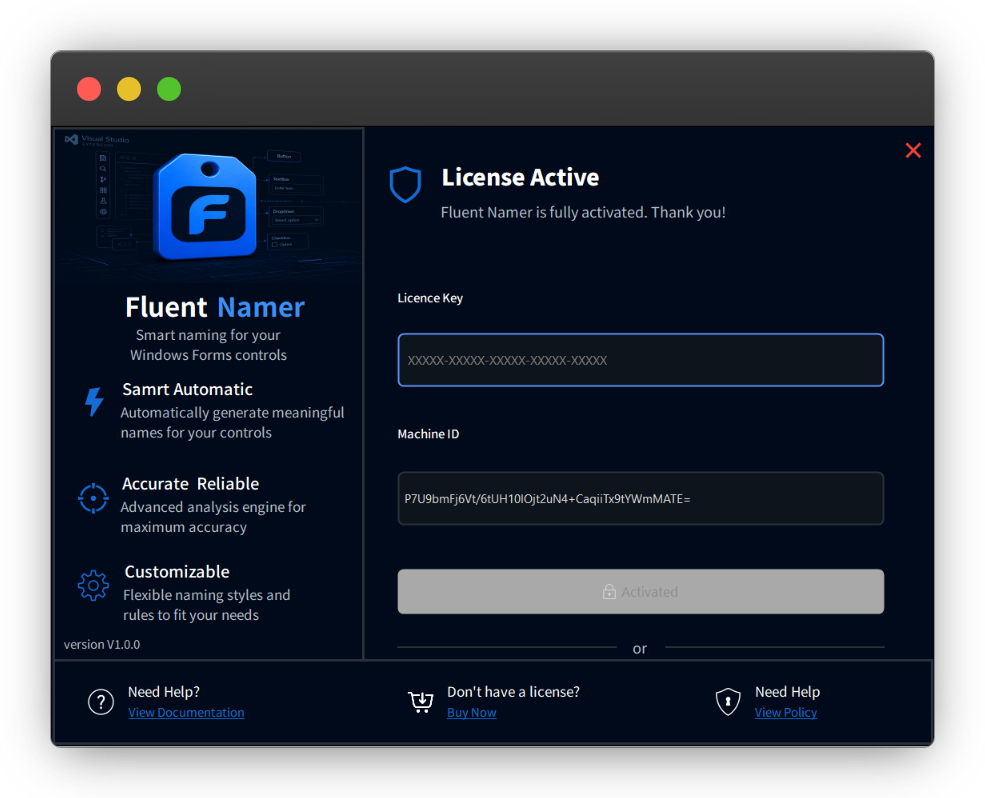
Activate your license in seconds and unlock the full version after the free trial.
Customize Naming Prefixes
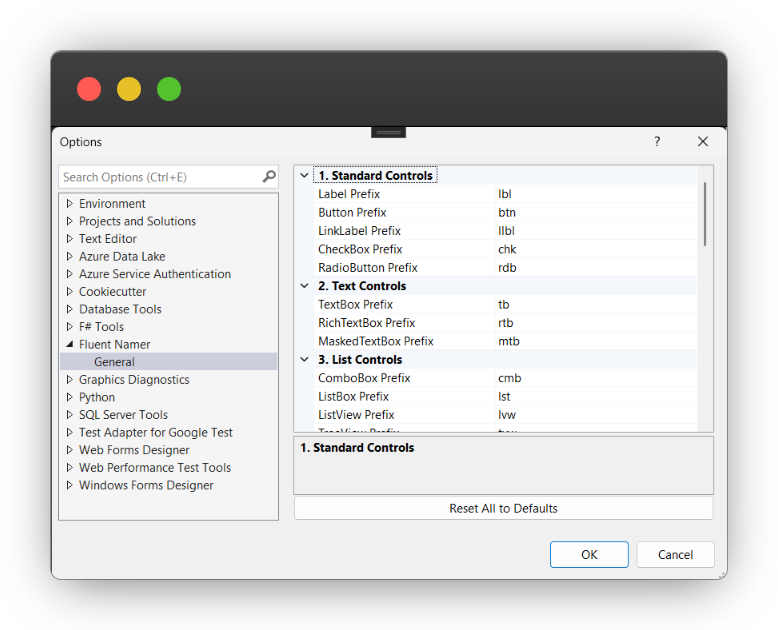
Prefer txtName instead of tbName? Change every control prefix
directly from the settings page. No code changes required.
Rename History
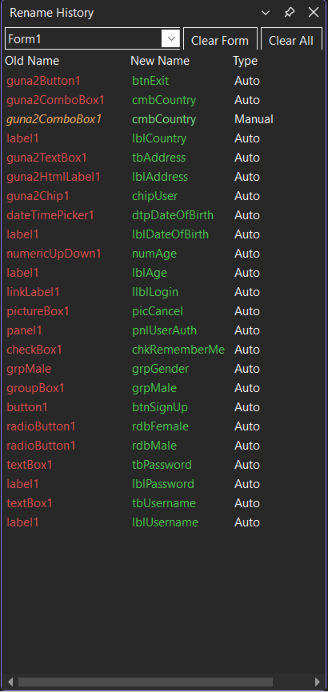
Every rename is stored permanently. Review previous changes, distinguish between automatic and manual renames, and keep complete control over your project.
What Makes Fluent Namer Different?
Unlike simple rename tools, Fluent Namer actually understands your form. It analyzes:
- Label text
- Button captions
- Placeholder text
- Images
- Menu items
- Container contents
- Semantic relationships
- Third-party controls
...to generate names developers would actually write.
Supported Controls
Fluent Namer supports:
- Standard WinForms controls
- Guna UI
- DevExpress
- Telerik
- Syncfusion
- Infragistics
- ComponentOne
...and many more.
Rename Everything
One click. Entire form renamed.
No more:
button1
textBox17
label42
Instead you'll get:
btnLogin
tbUserName
lblPassword
Built For Real Projects
Whether you're working on:
- Enterprise WinForms applications
- Legacy projects
- Business software
- Internal tools
Fluent Namer keeps every Designer.cs file clean, readable, and maintainable.
Free 30-Day Trial
Every feature is available during the trial. No feature limitations. No credit card required. Try Fluent Namer on your own projects before purchasing.
Pricing
One-time purchase. No subscriptions. Lifetime updates included.
| Plan | Devices | Price |
|---|---|---|
| Single Developer | 1 | $14.99 |
| Team | 5 | $49.99 |
| Enterprise | 20 | $149.99 |
Start Writing Better Code Today
Install Fluent Namer and let naming become automatic.
🔗 Website: https://croval.me
🛒 Get a license: Get a License
📧 Support: [email protected]
Fluent Namer is built by Croval, an independent software studio building tools that remove friction from everyday development.