
Claude Code with full access to Visual Studio. A chat pane, a terminal, and an agent that can drive the IDE itself: build the solution, read the errors, step the debugger, follow references through the symbol graph, run the tests.
Around 50 MCP tools, in process — so the agent reads the live state Visual Studio already holds, not the files on disk.
Visual Studio 2022 and 2026. Free, GPL-3.0.
What the agent can actually do
| Build | build and rebuild, with the errors handed straight back |
| Diagnostics | errors and warnings from the live language service, including the ones an edit just introduced |
| Debugger | breakpoints, stepping, locals, call stack |
| Tests | discovery and runs |
| Navigation | go to definition, find references, symbol search |
| Editor | active document, selection, open files |
| Solution | projects, structure, references |
The chat panel and the diff viewer are the easy part. Compiler diagnostics are not: they live in a
structured model behind the Error List, not as text in a buffer. Reaching them means going through
Visual Studio's own APIs — which is what these tools do, via Roslyn's per-document language
services and EnvDTE rather than a C#-only path, so they keep working in C++, F# and TypeScript.
Before you start
This extension needs the Claude Code CLI installed separately — it drives it, and cannot work without it:
winget install Anthropic.ClaudeCode
# or: npm install -g @anthropic-ai/claude-code
Other platforms and methods are in Anthropic's setup guide. If it is missing, the pane says so and links you there instead of failing silently.
Then open View → cv4vs Agents → Claude. The IDE tools are wired up automatically — nothing to
configure, no API key, no separate billing: it drives your own claude.exe, with whatever account
you are already signed in with.
It is not a fork of the CLI. The binary is never bundled, and version differences are handled by feature detection rather than by pinning a version.
Two panes, one session
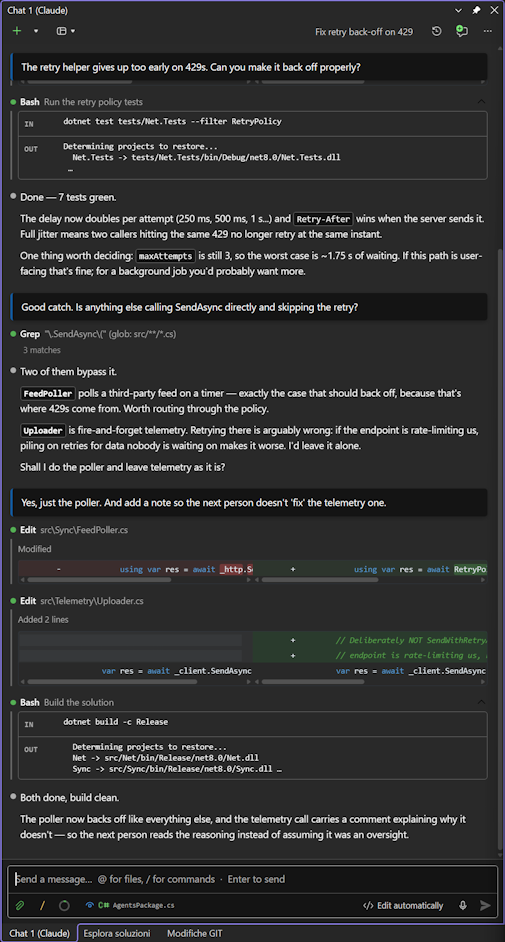
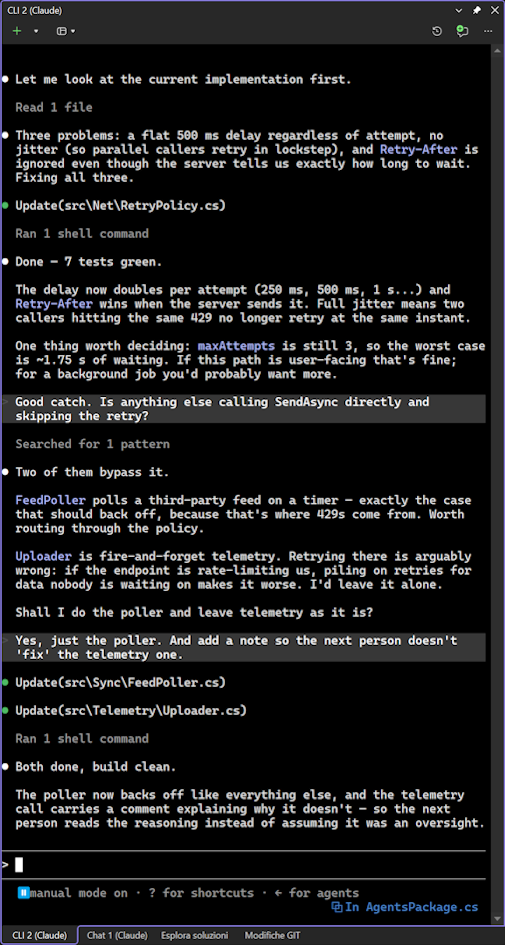
Chat — streaming replies, thinking blocks, collapsible tool output, inline diffs, clickable file
references (ClientEvents.cs:208 opens the file at that line), image attachments, and a composer with
slash commands, an @ file picker and prompt history. Any reply can be read aloud.
Under the message box, a row for the turn itself: thinking, effort, model and permission mode, each a click away. Which model is answering, and what it may do without asking, are the two things that change a turn the most — they belong in sight, not three levels down a menu.
CLI — the real claude.exe in an embedded terminal, connected to the IDE over the same channel
the official VS Code extension uses.
Both read the same session store, so a conversation started in one opens in the other — or in VS Code. Not one or the other: both, on the same conversation. Panes can run on different working directories at the same time.
Built for long sessions
Nothing is built, read or started until you look at it. The chat holds nothing in memory — the transcript is read from the session file on demand, newest page first, older pages as you scroll, and heavy blocks (images, sub-agent transcripts, full diffs) only when you open them. Services, the MCP server and the panes themselves start on first use, not on solution load.
A long session opens as quickly as an empty one.
Context and cost, visible
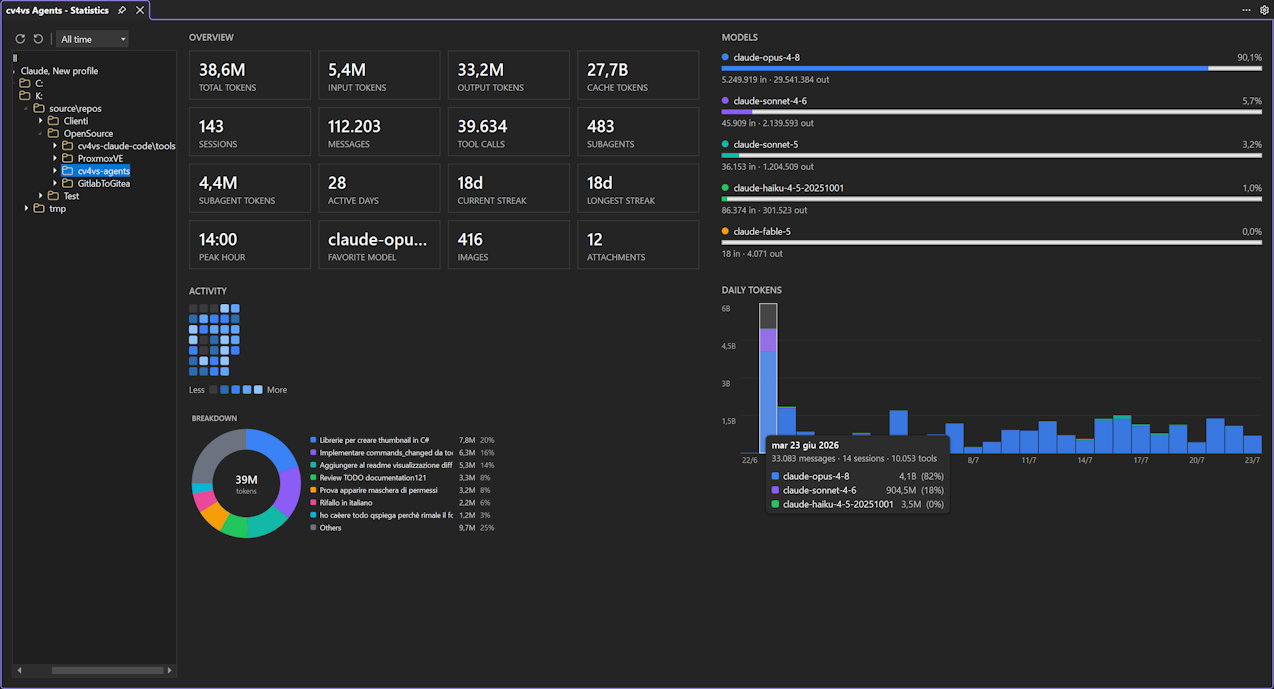
A live gauge in the composer shows how full the context window is, and a full-window Statistics tab aggregates token usage and cost from your local session files: a navigable tree (All → Profile → Folder → Project → Days/Sessions) drives summary tiles, a GitHub-style activity heatmap and per-day/per-model charts.
A companion Usage tab shows each profile's live plan and rate-limit windows, and a Context usage tab breaks down how any historical session fills the model's context window.
All aggregated locally. No telemetry.
Sub-agents and plugins
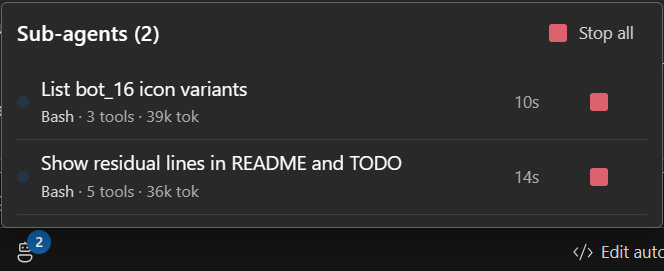
When Claude fans out to sub-agents, the chat usually just sits there on a spinner. Here they get their own panel: how many are alive, what each one is doing right now, how long it has been at it, and a Stop button next to every one of them. Their tool calls stay grouped under the agent that made them.
A plugin manager covers the rest of the CLI's ecosystem — Installed, Available and Marketplaces tabs: install, enable or disable, add a marketplace, without leaving the IDE.
Profiles
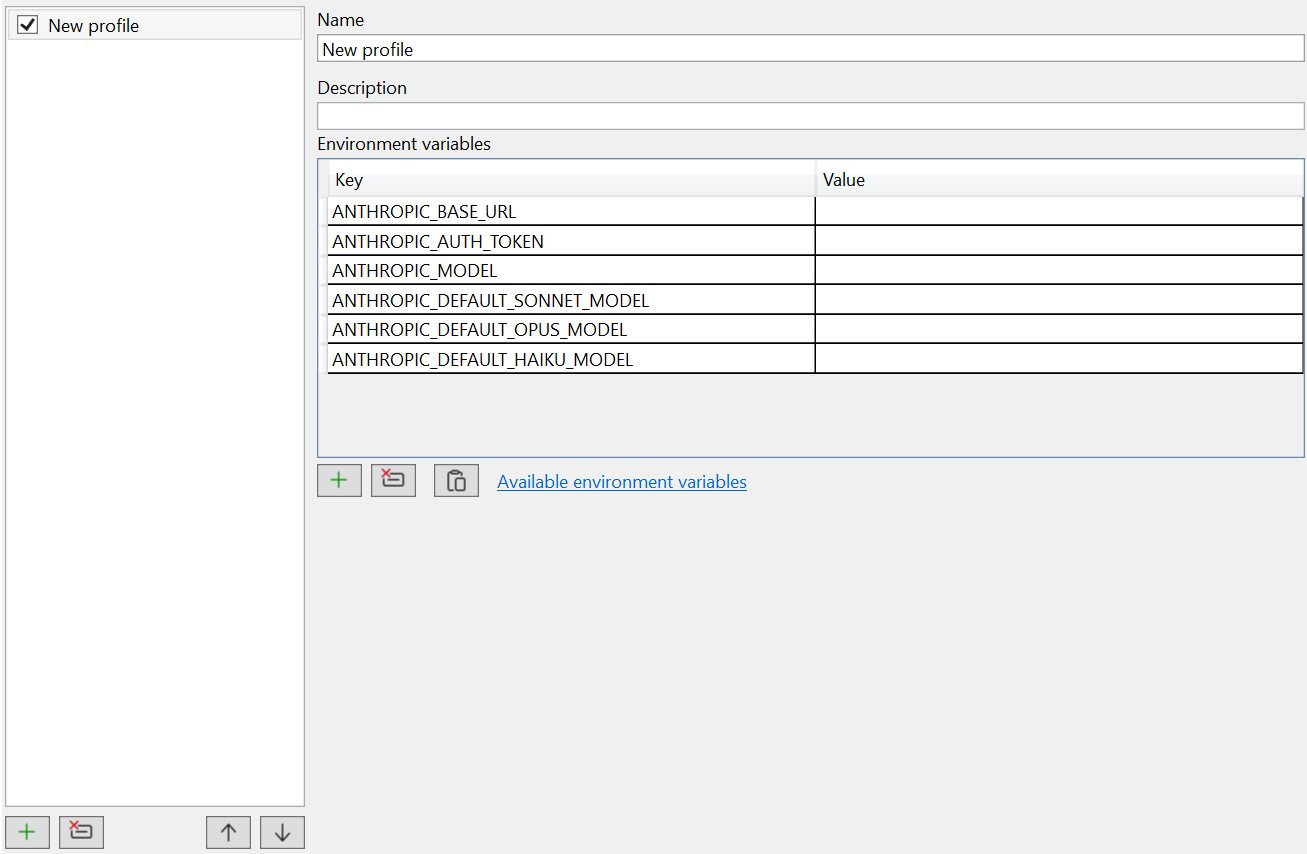
Each pane can run against a different configuration: working directory, model, permission mode and environment. That includes any Anthropic-compatible endpoint — native Claude, GLM/z.ai, or your own host — so one pane can run on a different provider while another stays on your usual account, and your global settings are never touched. The IDE tools work the same either way.
If you came here from the Claude Code issue tracker
The things people keep asking for, and where they are:
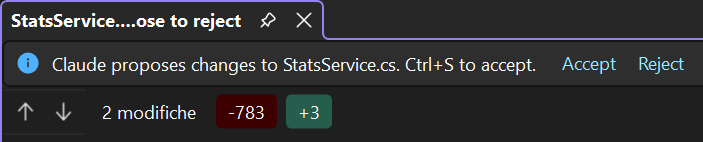
| Native diff review inside VS, not a terminal text stream | inline in the chat, click to open the file at the line |
| Build errors passed to Claude automatically | the build tools return them as file/line/message |
| A dockable chat panel, not a detached terminal | a real tool window — and a CLI pane too, if you want both |
| Breakpoint and debug state visible to Claude | the debugger tools: breakpoints, stepping, locals, call stack |
| Crash dumps, profiling, VS diagnostic tools | not yet — open an issue if you need it |
| Works with a Max subscription | it drives your own claude.exe, so whatever you are signed in with |
| Visual Studio 2022 | supported, not just 2026 |
Requirements
| Visual Studio | 2022 or 2026 (17.0+) — Community, Professional or Enterprise |
| Claude Code CLI | installed separately, see above |
Documentation and support
Full documentation, including MCP tools, options, sub-agents and architecture, is on GitHub.
Problems in claude.exe itself belong to
the CLI's own tracker — this extension drives
the CLI, it does not ship it.
Credits and legal
Artwork by filocorsa.
GPL-3.0-only — Copyright Corsinvest Srl. Made in Italy 🇮🇹
Claude and Claude Code are trademarks of Anthropic, PBC. Visual Studio is a trademark of Microsoft Corporation. This is an independent extension by Corsinvest Srl, not affiliated with or endorsed by either company; the names are used only to describe what it works with.