
Mistral Models extension for seamless integration with Copilot Chat
Mistral AI • Mistral API Docs • Get Mistral API Key
Based on selfagency/mistral-models-vscode, which was based on OEvortex/vscode-mistral-copilot-chat (now discontinued). Substantially rewritten.
What is this?
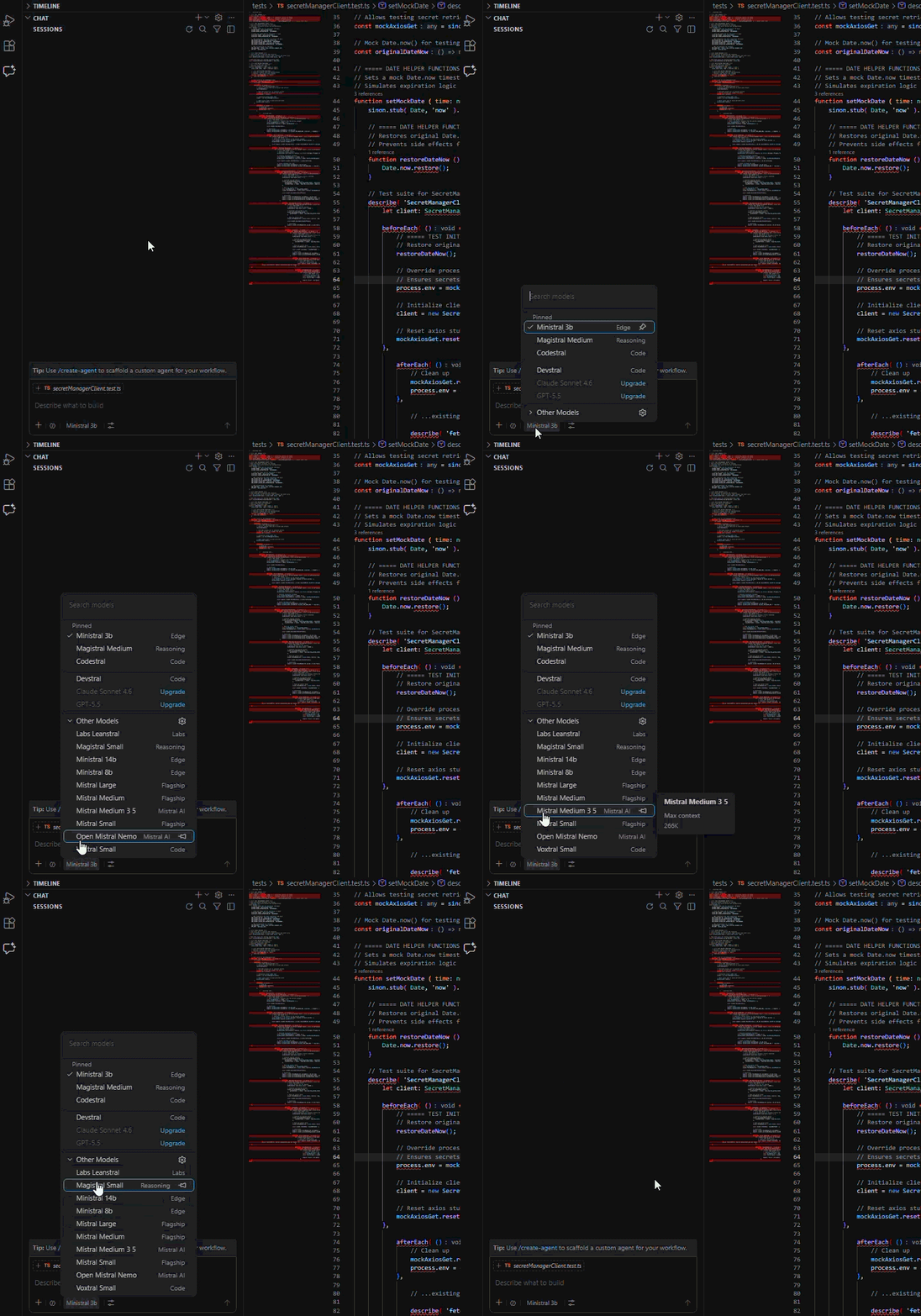
Model Selection
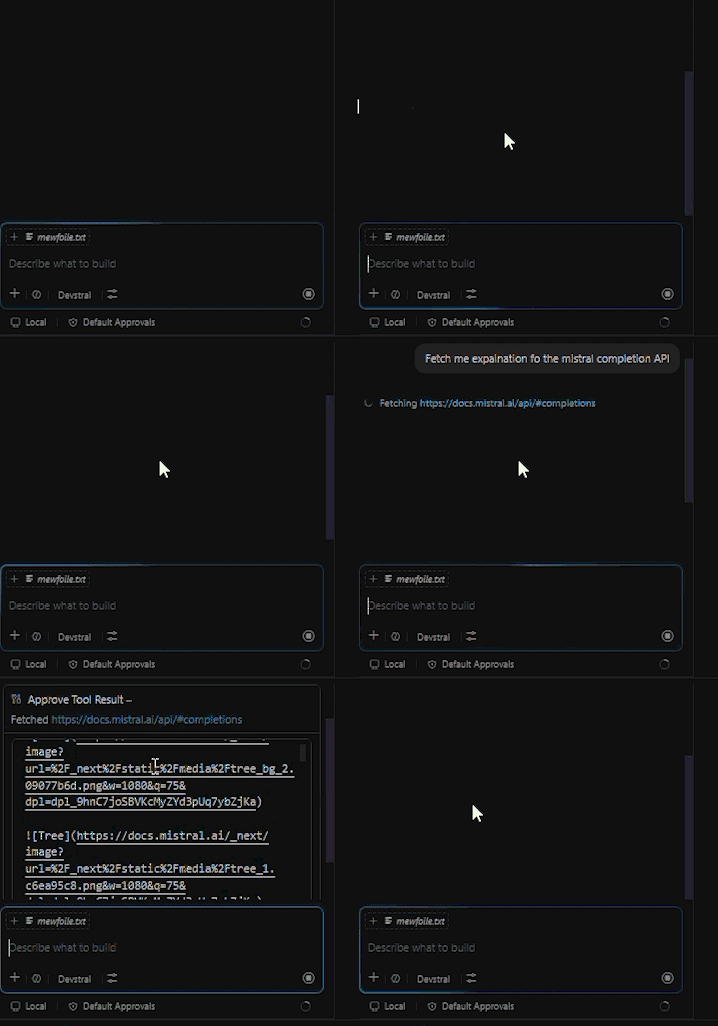
Tooling Integration
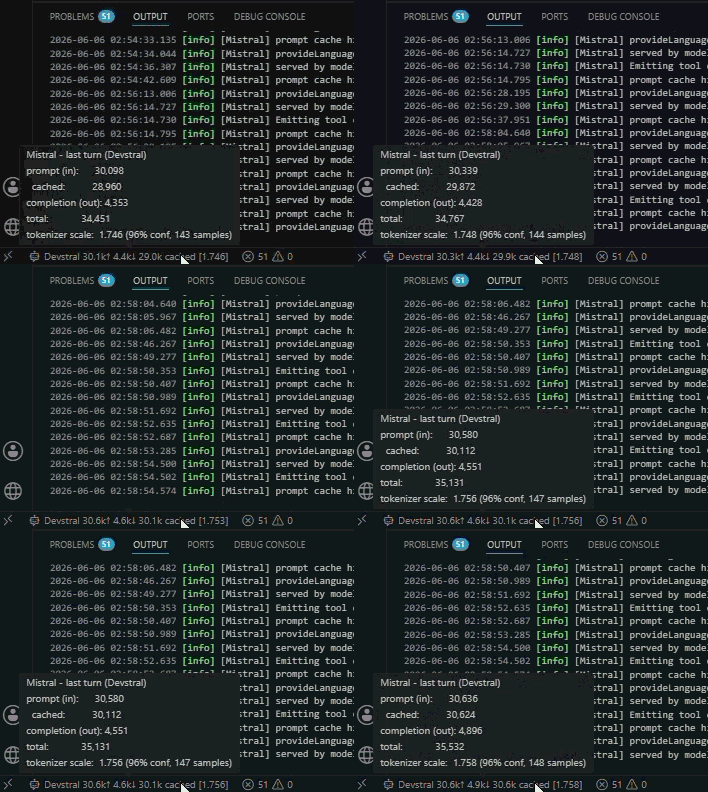
Real-time Data Display
Why?
The idea is great. Implementation lacked elements I wanted, so I polished and reworked the codebase into modular, thoroughly tested, and maintainable architecture. Big thanks for the idea and inspiration to selfagency and OEvortex.
Need more?
Open an issue for any feature you want which i will evaluate on a case by case basis. I will try to keep the extension as simple as possible, and as feature-perfect to the Copilot Chat experience as possible, but i am open to suggestions.
Features
- All Mistral Models - Dynamic Mistral model fetching
- Model Picker - Sensible UI for selecting Mistral models in Copilot Chat
- Tool Calling - Full function call support for the model through the Copilot API
- Full Copilot Chat Compatibility - Seamless integration with existing Copilot Chat conversations
Requirements
- VS Code 1.109.0 or higher
- GitHub Copilot Chat extension installed
- A valid Mistral AI API key
Installation
- Install from VS Code Marketplace (or install the
.vsixfile) - Open Command Palette (
Ctrl+Shift+P/Cmd+Shift+P) - Run:
Mistral: Manage API Key - Enter your API key from console.mistral.ai
Getting Your API Key
- Go to Mistral AI Console
- Sign up or log in with your account
- Navigate to API Keys section
- Click Create new key
- Copy the key and paste it into VS Code when prompted
Development
Development streamlined to work with following tools:
- Prettier
- ESLint
- Vitest
- Bun
Prerequisites
Build
bun install
bun run compile        # type-check + lint + bundle
bun run watch          # parallel watch for type-check and bundle
Testing
bun run test           # unit tests (Vitest)
bun run test:coverage  # unit tests with coverage
bun run test:extension # VS Code integration tests
Debugging
Open the project in VS Code and press F5 to launch the Extension Development Host with the extension loaded.
Disclaimer
This extension is not affiliated with, endorsed by, or associated with Mistral AI or Microsoft. "Mistral" is a trademark of Mistral AI. "Copilot" is a trademark of Microsoft. All trademarks are property of their respective owners.
License
MIT License - See LICENSE for details.
This extension bundles third-party open-source packages. See THIRD-PARTY-NOTICES.md for their licenses and attributions.