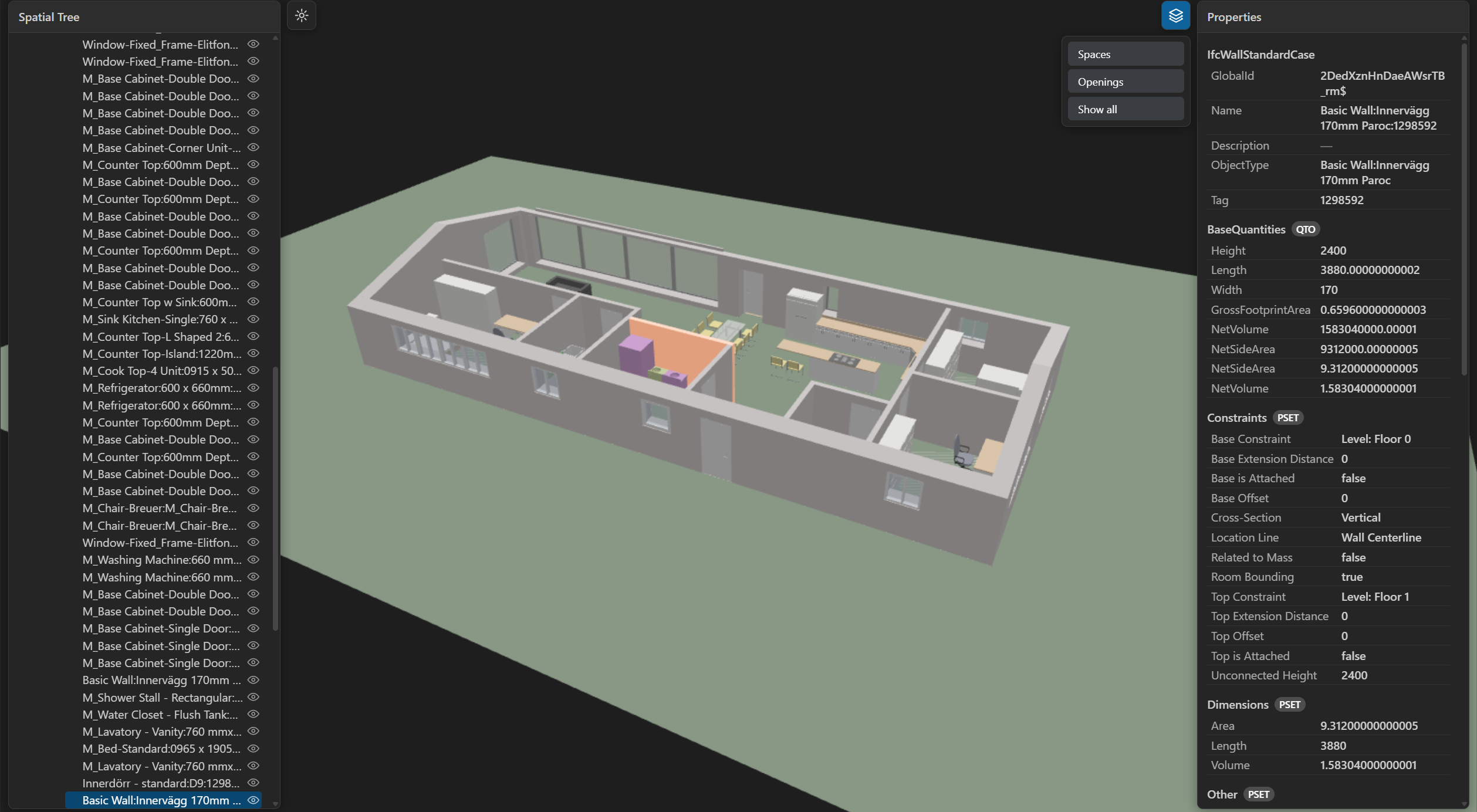
Open .ifc building models in a real 3D viewer inside VS Code. Orbit the
model, browse the spatial tree, click to select elements, and read their
properties and property sets. Built for large files: parsing runs in a
worker, geometry streams in progressively, and rendering is GPU-batched.
Features
| Feature | Description |
|---|---|
| 3D viewport | Orbit, pan, zoom, fit-to-model, and fit-to-element. |
| Large models | Worker parsing and progressive streaming keep the UI responsive; GPU instancing and frustum culling keep frame rates high. |
| Spatial tree | Project, Site, Building, Storey, and elements, expanded lazily. Click to select. |
| Selection | Click in 3D to highlight, reveal in the tree, and show properties. |
| Properties | Direct attributes plus every property set and quantity set with values. |
| Visibility | Hide, isolate, show all, per-node toggles, and a layers menu for spaces and openings. |
| Theme | Follows your VS Code light or dark theme. |
| Statistics | Entity counts by class, file size, and load phase timings. |
| Performance HUD | Press P for live render time, draw calls, and the load timeline. |
| Robust errors | Corrupt or oversized files show a readable in-view error card, never a blank tab. |
Usage
Open any .ifc file and the IFC Viewer editor opens automatically.
| Input | Action |
|---|---|
| Left-drag | Orbit |
| Right-drag or middle-drag | Pan |
| Wheel | Zoom |
F |
Fit the model to the view |
| Double-click | Fit to the clicked element |
H |
Hide the selection |
I |
Isolate the selection |
A |
Show all |
P |
Toggle the performance HUD |
Esc |
Clear the selection |
Commands: IFC Viewer: Reset View and IFC Viewer: Show Statistics.
What it is not (yet)
The viewer is read-only. There is no editing, measurement, clipping plane, 2D or section drawing, BCF, multi-model federation, IFC5 or ifcx, or WebGPU support yet. These are tracked for later releases.
Credits and licenses
Extension code is licensed under MIT. Built on web-ifc (MPL-2.0) and Three.js (MIT).