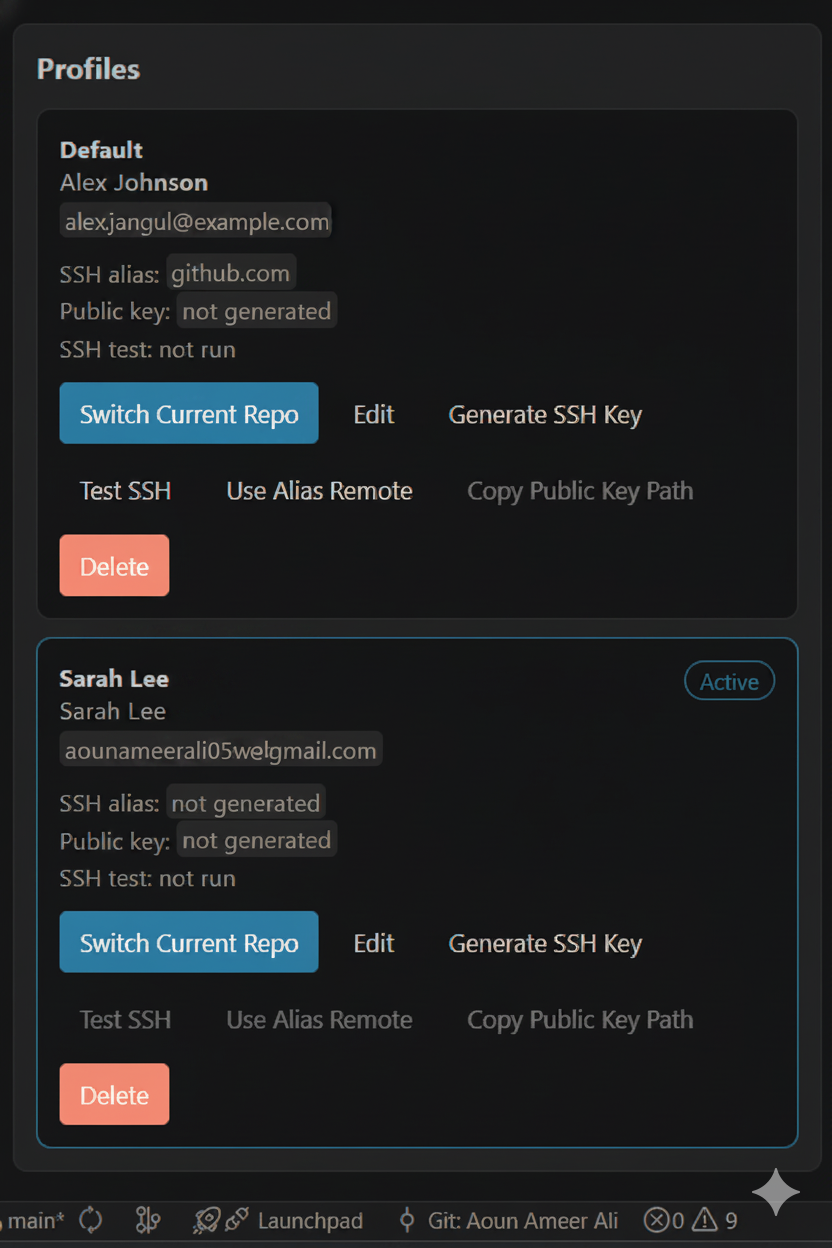
Switch Git author identities per repository from a VS Code sidebar.
Features
- Add, edit, delete, and switch Git author profiles.
- Apply
user.nameanduser.emailto the current repository with local Git config. - Remember the assigned profile per repository and auto-apply it when the repo opens.
- Show safety warnings when the current repo identity does not match the assigned profile.
- Generate GitHub SSH keys and SSH config aliases without storing private keys.
- Test GitHub SSH login for a profile alias.
- Convert GitHub remotes to a selected SSH alias, restore normal
github.comremotes, and copy remote URLs. - Import the current repo identity as a saved profile.
- Show global Git identity next to the current repository identity.
Use this extension only for Git identities and GitHub accounts you are authorized to use.
Commands
Git Identity: Open DashboardGit Identity: Quick Switch ProfileGit Identity: Add ProfileGit Identity: Switch ProfileGit Identity: Show Current ProfileGit Identity: Generate SSH KeyGit Identity: Open GitHub SSH Settings
Private SSH keys remain in ~/.ssh and are never stored by the extension.