Earn while your AI agent thinks.



Awaitful shows a single, tasteful sponsored line during the seconds your AI coding agent spends "thinking", and shares the revenue with you. No pop-ups, no tracking of your work, no clutter. One line, only while you are already waiting. It is a quiet way to turn unavoidable wait time into passive income.
How it works
When your coding agent (such as Claude Code) is working, there is a short wait. Awaitful fills exactly that moment with one sponsored line, then gets out of the way the instant the agent is done. Advertisers bid for that attention in a live auction, and a share of what they pay goes to you. You are billed nothing. You earn.
What leaves your machine
This is the part that matters, so it comes first. Awaitful is built so that your code, prompts, files, and agent output never leave your machine. The client only detects:
- that an agent is currently thinking, and
- for how long.
That is the whole of it. What crosses the network is a device token plus coarse, opt-in signals. Awaitful never reads, uploads, or inspects your source, your prompts, or the agent's responses. The exact list of what is sent is published in PRIVACY.md, and this extension is open source, so you can verify every line yourself.
Surfaces
Awaitful can present its one line wherever fits your setup. You pick one in the panel, and the same account and earnings follow you across all of them.
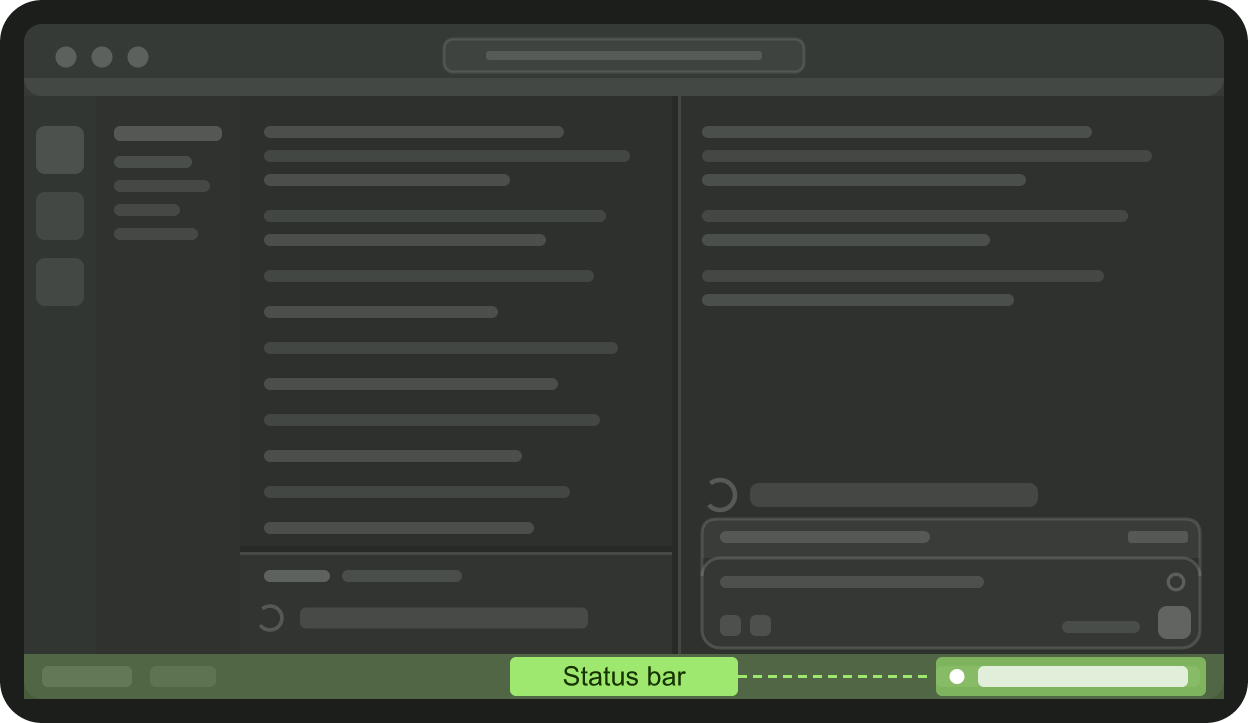
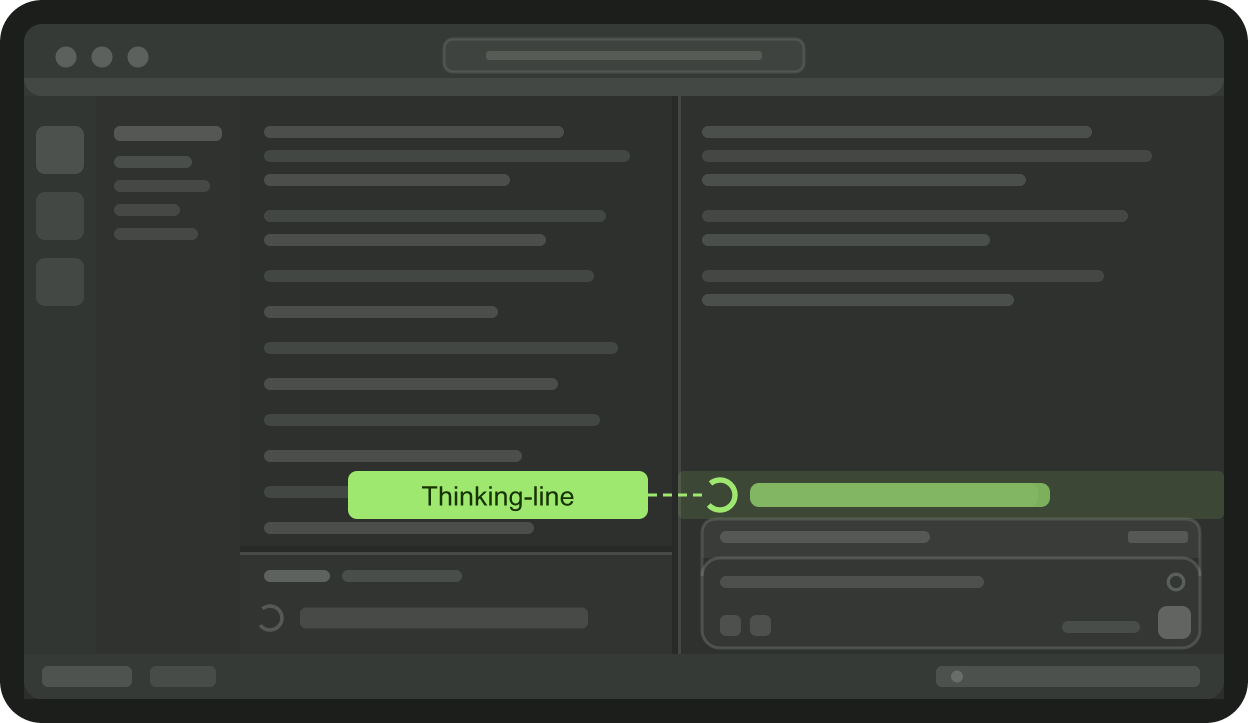
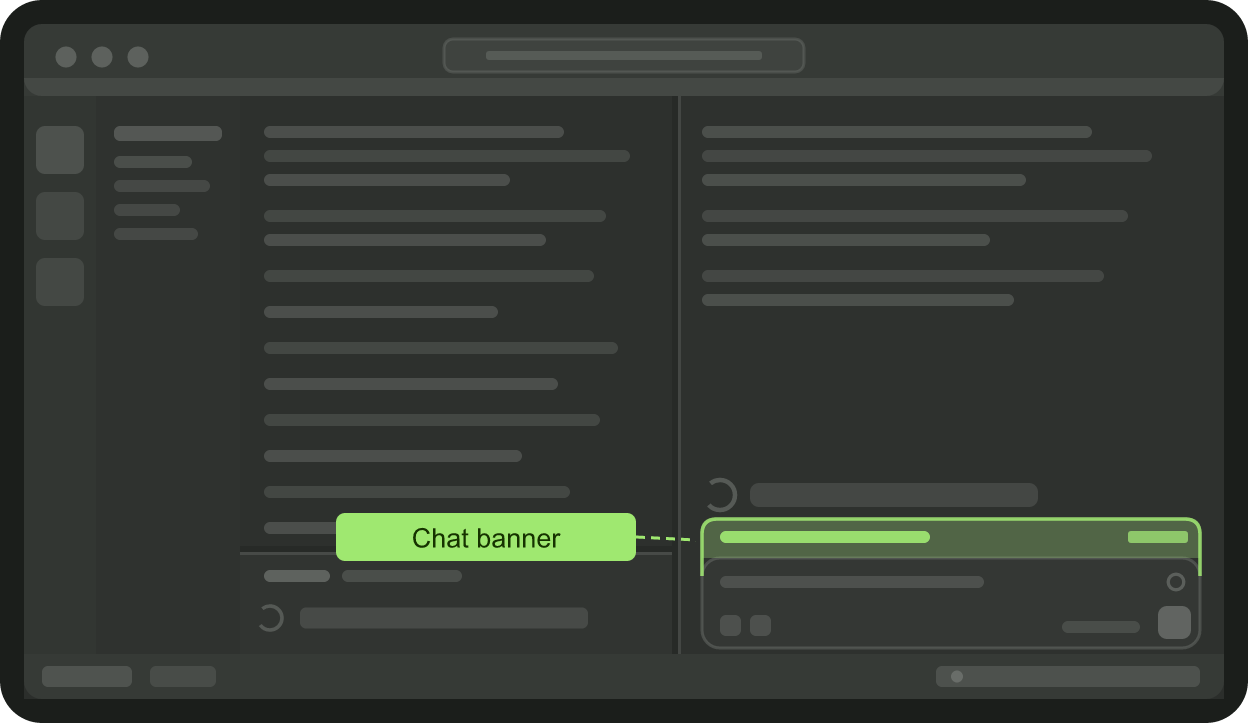
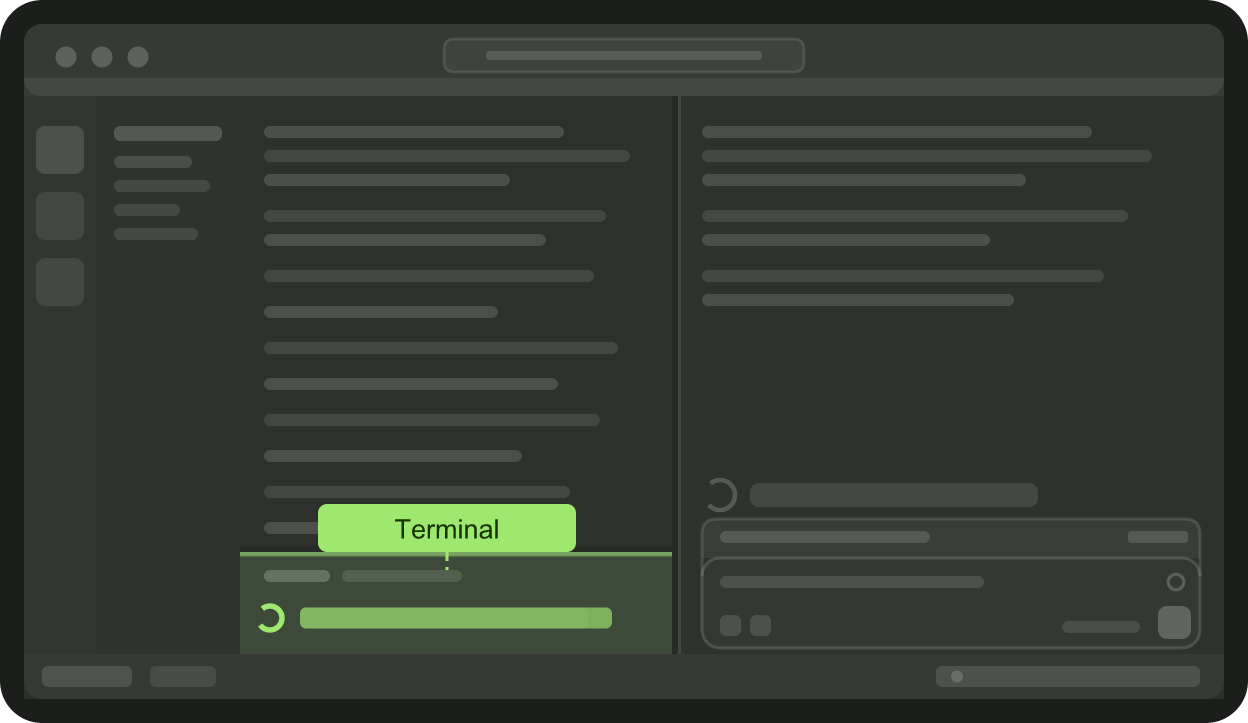
The extension fails safe. If it cannot place a line cleanly it shows nothing, falls back to the status bar, and tells you why. Other extensions can modify the same Claude Code files; when one does, Awaitful stops rather than stack a second change on top, names the tool where it can, and offers to put back Claude Code's original.
Getting started
- Install Awaitful: one command with
npx awaitful(it finds your editor), or from the VS Code Marketplace or Open VSX for Cursor, Devin, and VSCodium. - Open the Awaitful panel and choose "Link this machine".
- Approve the link in your browser (email, Google, or GitHub).
- That is all. Awaitful runs quietly and earns while you work.
Your earnings
Your dashboard shows impressions, clicks, click-through rate, a per-surface breakdown, your earning streak, and progress toward your next payout. An impression only counts when the sponsored line was genuinely visible while the agent was actually thinking, never before.
Open source and auditable
The client that runs on your machine is public and read-only at github.com/Awaitful/awaitful. Read it, build it, and confirm it does exactly what this page says. Trust should be verifiable, not asked for.
Configuration
awaitful.apiBaseUrl- Override the Awaitful server URL. Leave blank to use the default. Useful for local development.
Commands
Open the Command Palette and search "Awaitful":
- Open Panel
- Sign In / Sign Out
- Resume Earning / Pause Earning
- Open Dashboard
- About
License
Licensed under the MIT License.
Awaitful is a product of Awaitful LLC.