One comfortable, recognizable appearance across editors, projects, terminals, and teams.
Nine contrast-audited themes, matching file and product icons, Tune 2 comfort controls,
and local-first project awareness for VS Code-compatible editors and JetBrains IDEs.
auralislab.dev — VS Code Marketplace — Open VSX — JetBrains Marketplace — Documentation
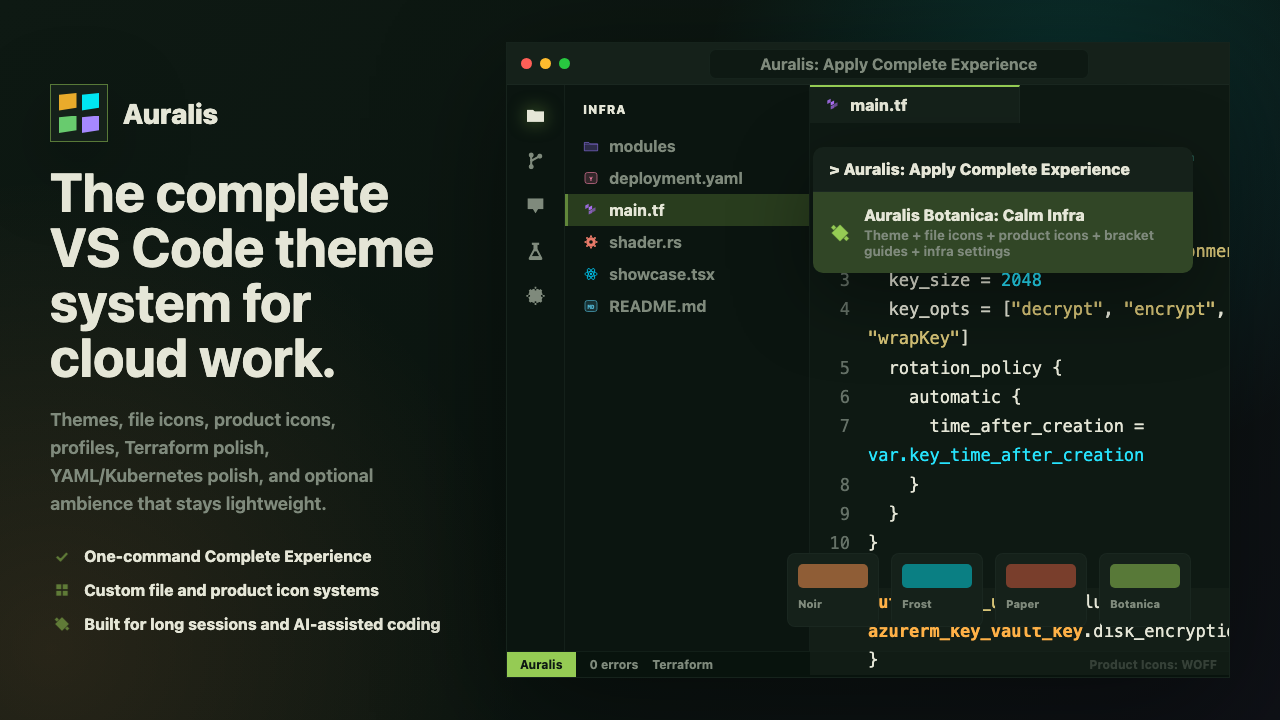
Installing changes nothing until you ask. Adaptive features are explicit, local, and ownership-aware;Auralis: Reset Auralis Settings restores unchanged Auralis writes while later manual edits win.
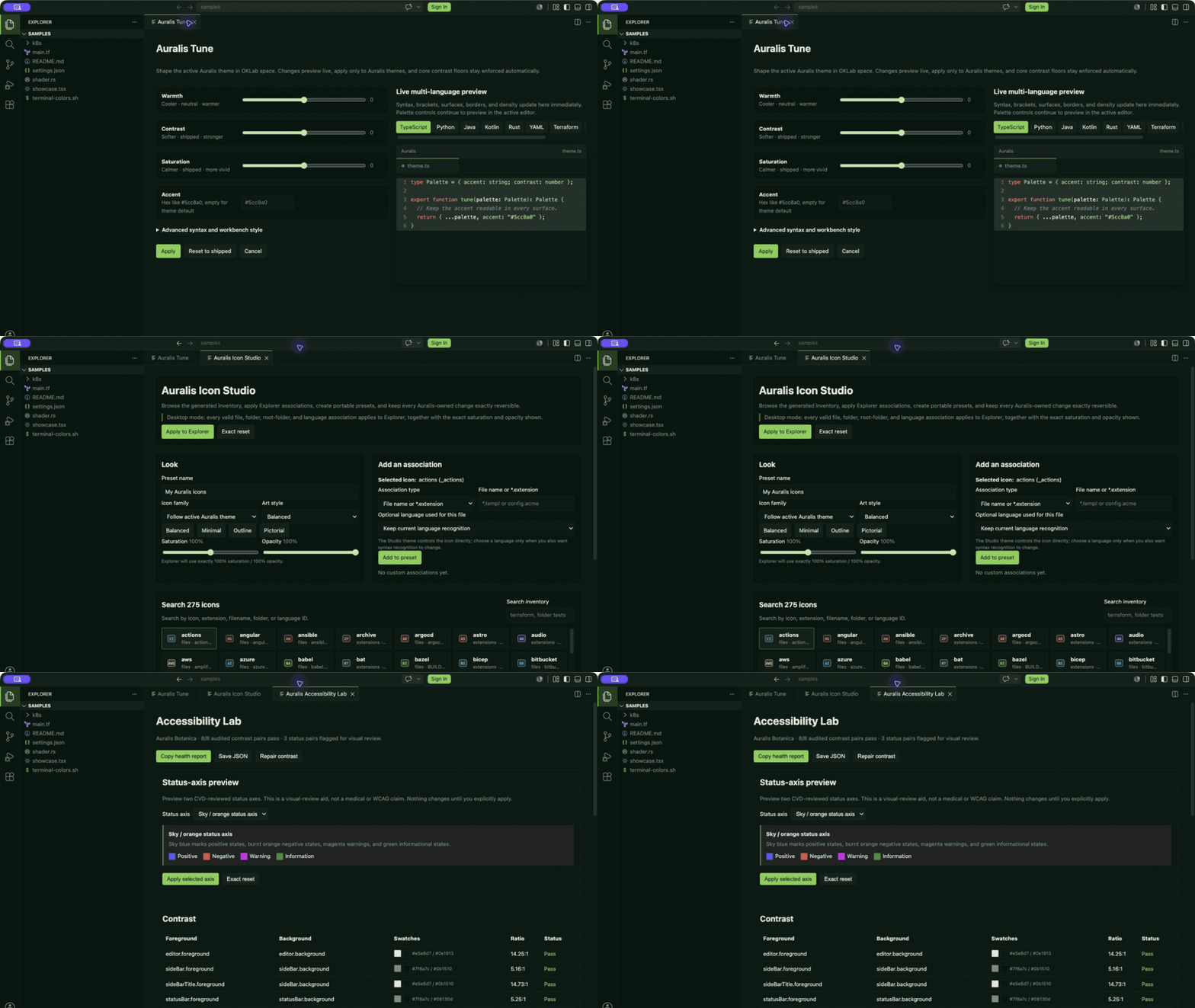
Make the Editor Fit the Work
Auralis is designed around five jobs, not a wall of settings:
- Choose a look — move between nine stable variants without relearning the visual meaning of syntax, diagnostics, source control, tests, or diffs.
- Tune comfort — Tune 2 adds typography, variable emphasis, surface, border, bracket, and density controls to the existing perceptual color engine.
- Keep the system consistent — desktop Icon Studio applies exact visual controls and file, folder, root, and language associations through one safe, extension-owned Explorer theme; web hosts retain four generated fallbacks. Terminal export carries the palette into six terminal environments.
- Know where you are — one restrained Auralis status entry can identify project and production context from local, read-only signals.
- Review and restore safely — Accessibility Lab, Review Sessions, copied diagnostics, shared profiles, and exact reset stay user-initiated.
Shared .auralis/profile.json files use a versioned, editor-neutral schema, so
teams can recommend the same variant, comfort, style, and guard rules in VS Code
and the optional Auralis Companion for JetBrains. Applying a repository profile
always requires consent.
Proof, Not Promises
- 9 contrast-audited variants, including true high-contrast and colorblind-safe options.
- 200+ automated checks, visual baselines, package audits, and activation, memory, and bundle-size budgets.
- No passive telemetry and no required account or network service for the appearance system.
- Small, lazy runtime: themes and icons are declarative; commands and optional local tools activate after VS Code startup and carry automated performance budgets.
- Desktop and web compatible, with Open VSX/fork QA and stable color keys for GitLens, Error Lens, and GitHub Pull Requests where those extensions expose them.
- Exact reset for Auralis-owned settings, with newer manual choices left alone.
The Variants
Every theme below is generated from one OKLch color engine and audited for WCAG contrast on every release — the same code sample, the same terminal, nine different moods. Click any card for the full-resolution view.
|
Noir Cinematic dark. Jewel-tone syntax. 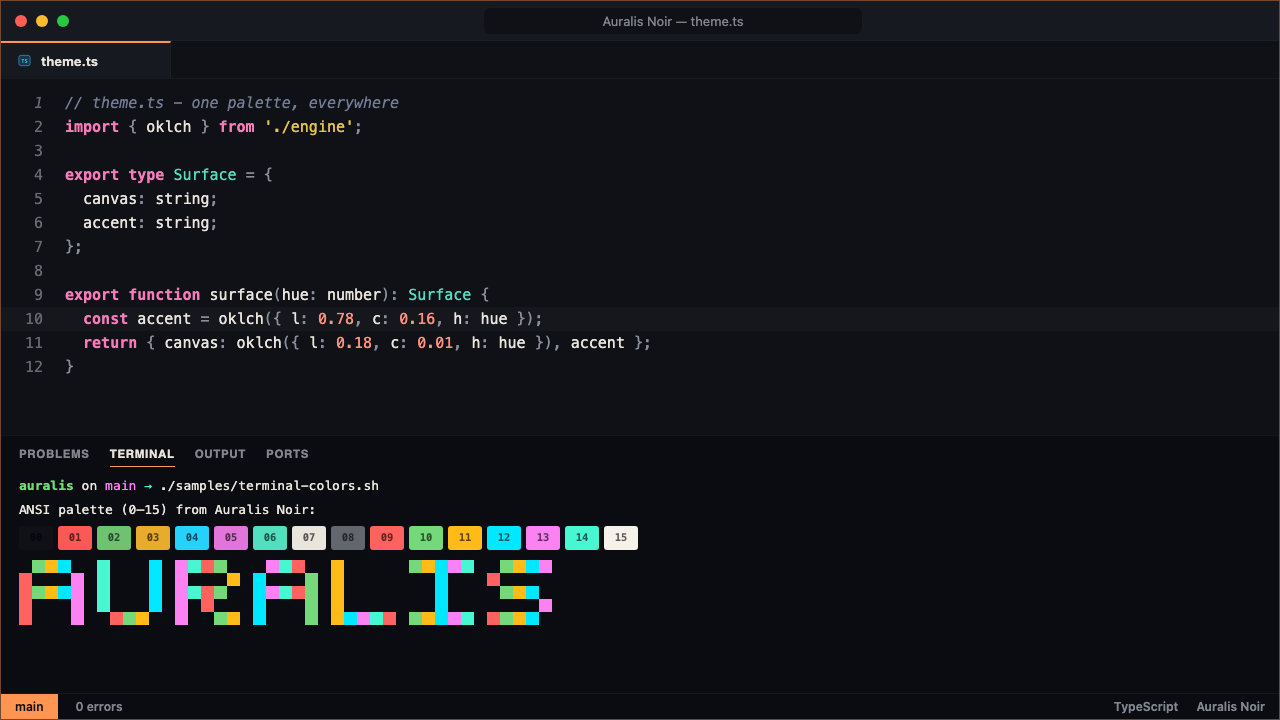
|
Frost Glass and neon. Cold and luminous. 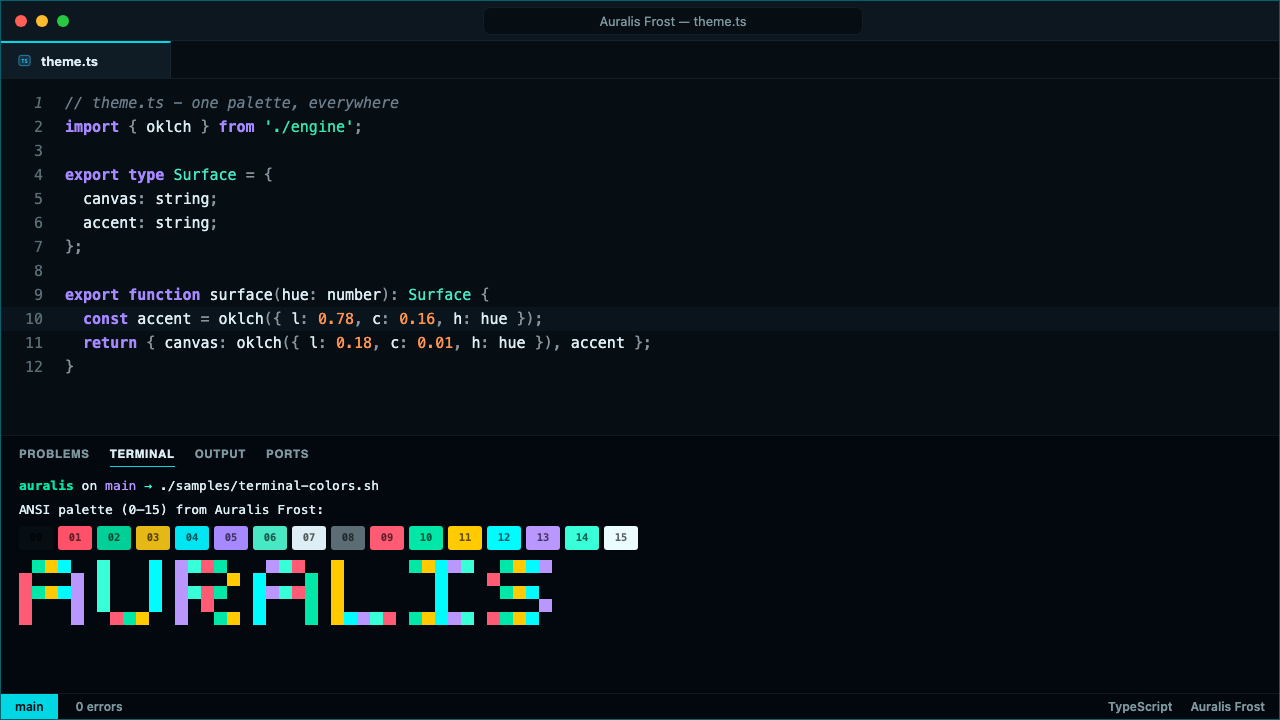
|
Paper Warm light for daylight work. 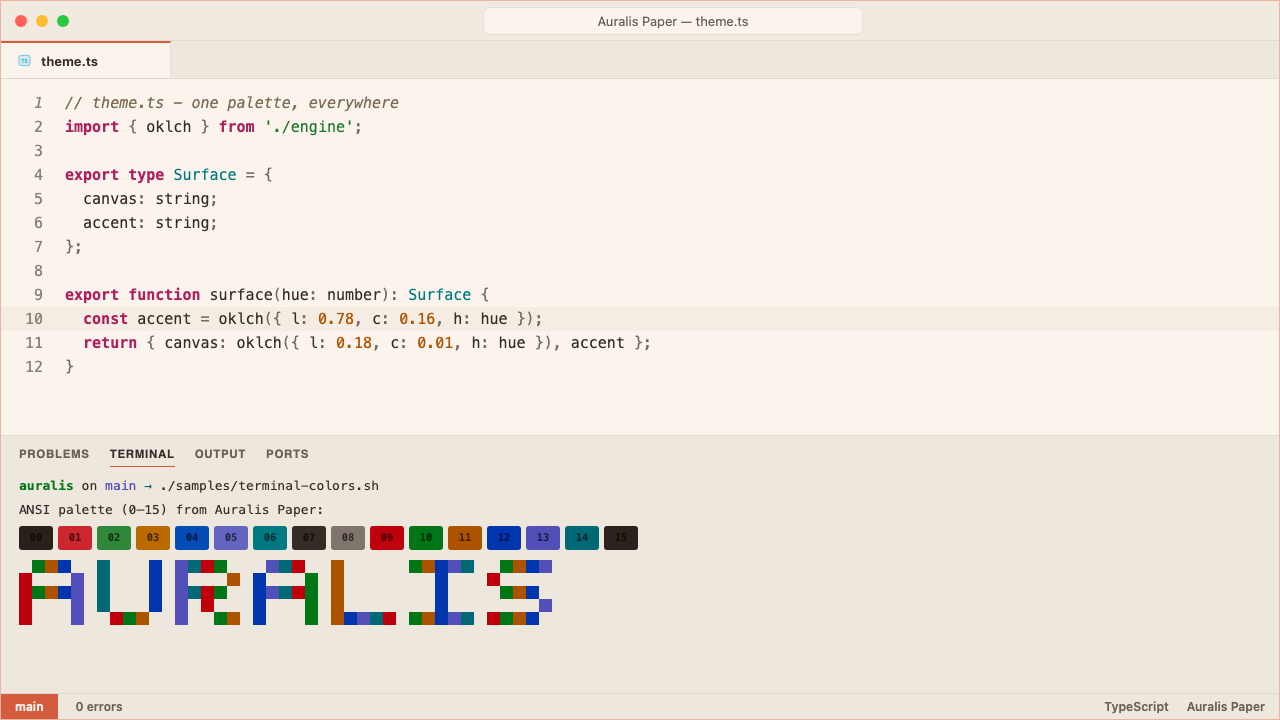
|
|
Botanica A quiet forest at dusk. Organic, alive. 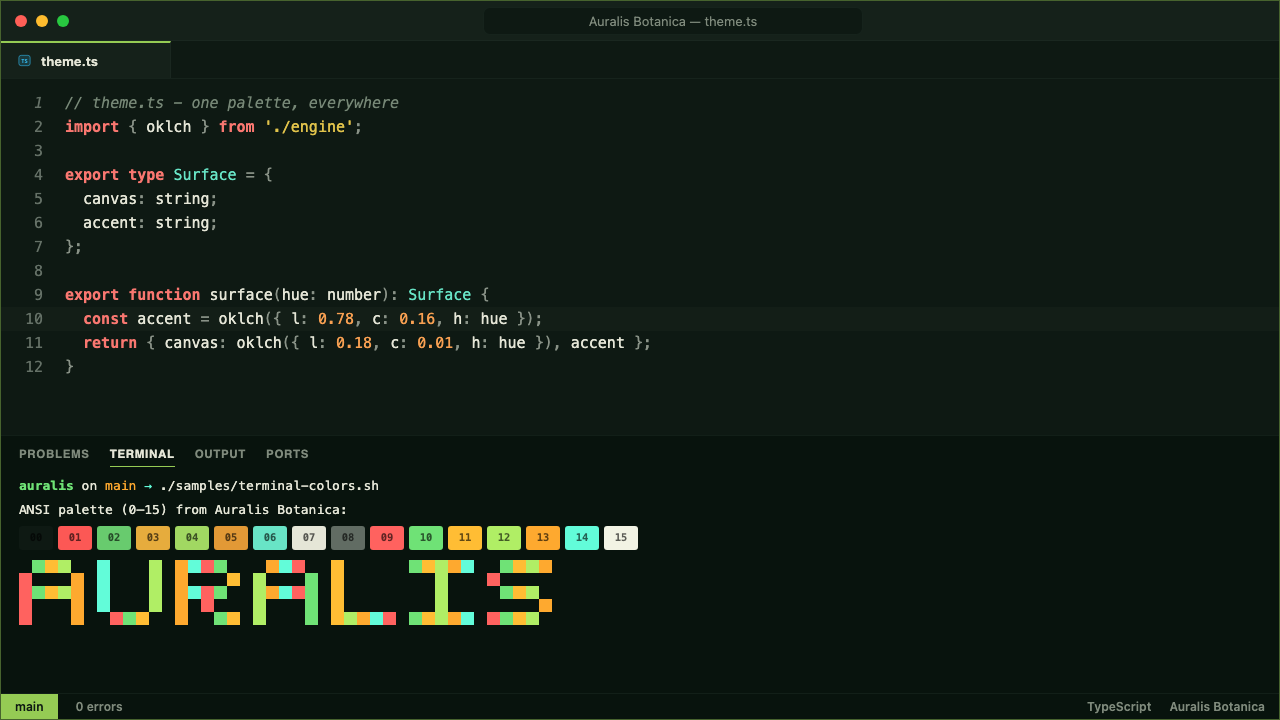
|
Void True-black OLED. Pixels off, colors on. 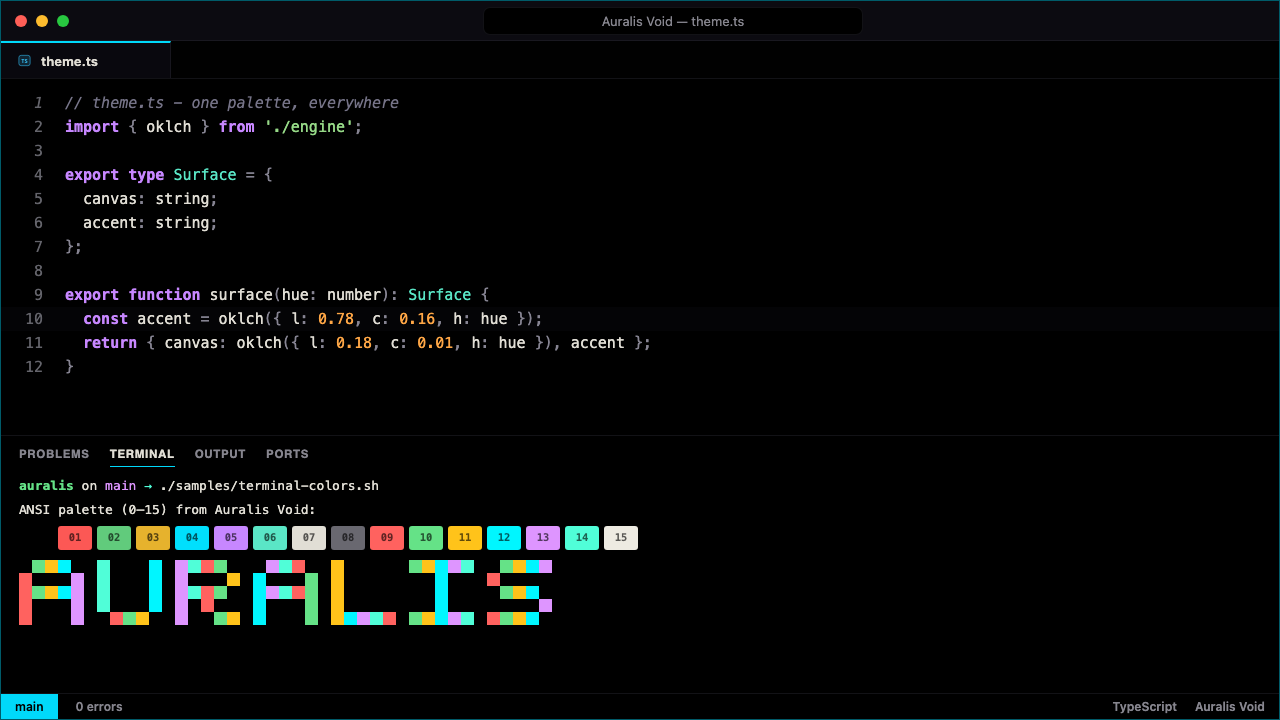
|
Dimmed Lower glare for late-night work. 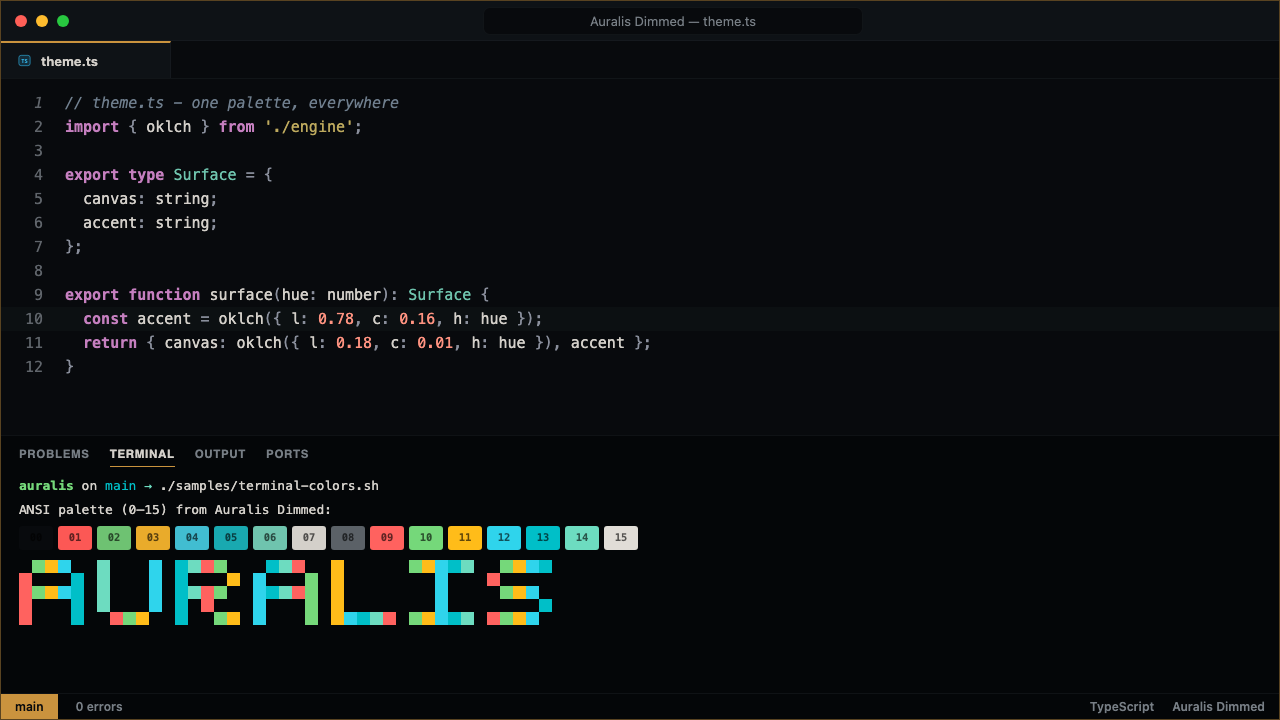
|
|
Noir High Contrast True hc-black for review and debugging.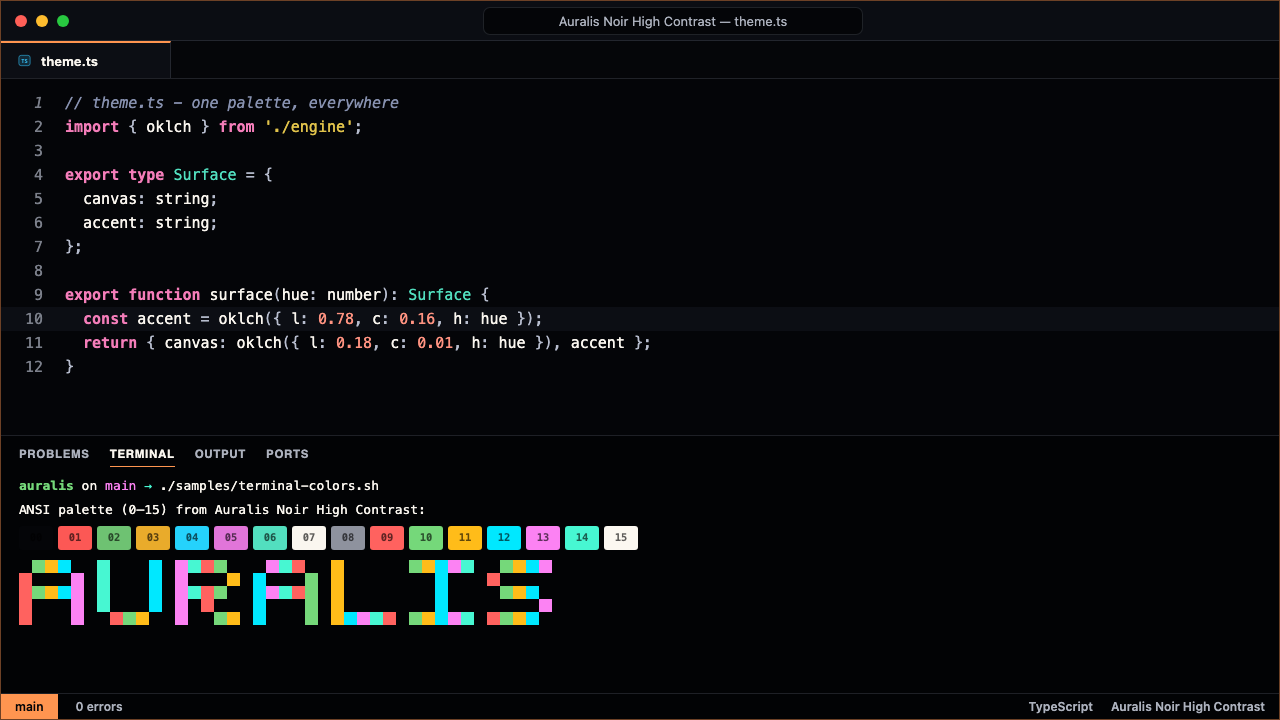
|
Paper High Contrast True hc-light for daylight and projectors.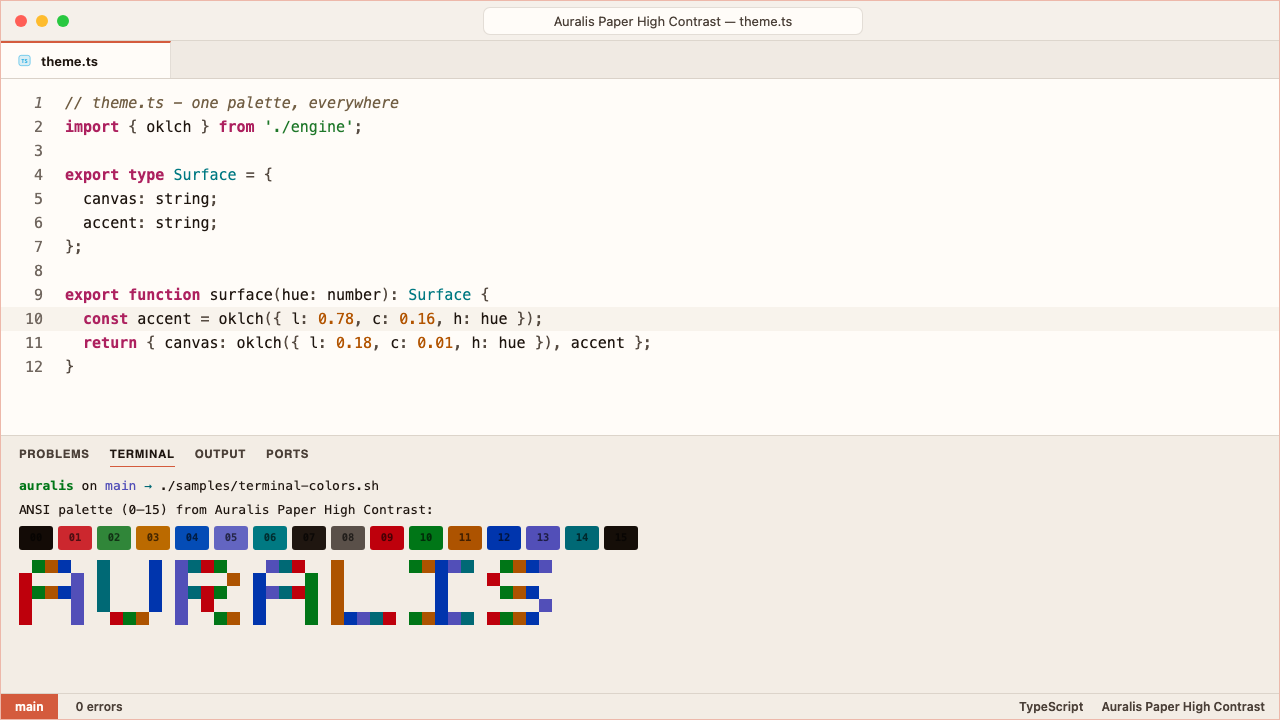
|
Frost Colorblind Status on a blue/orange axis, not red/green. 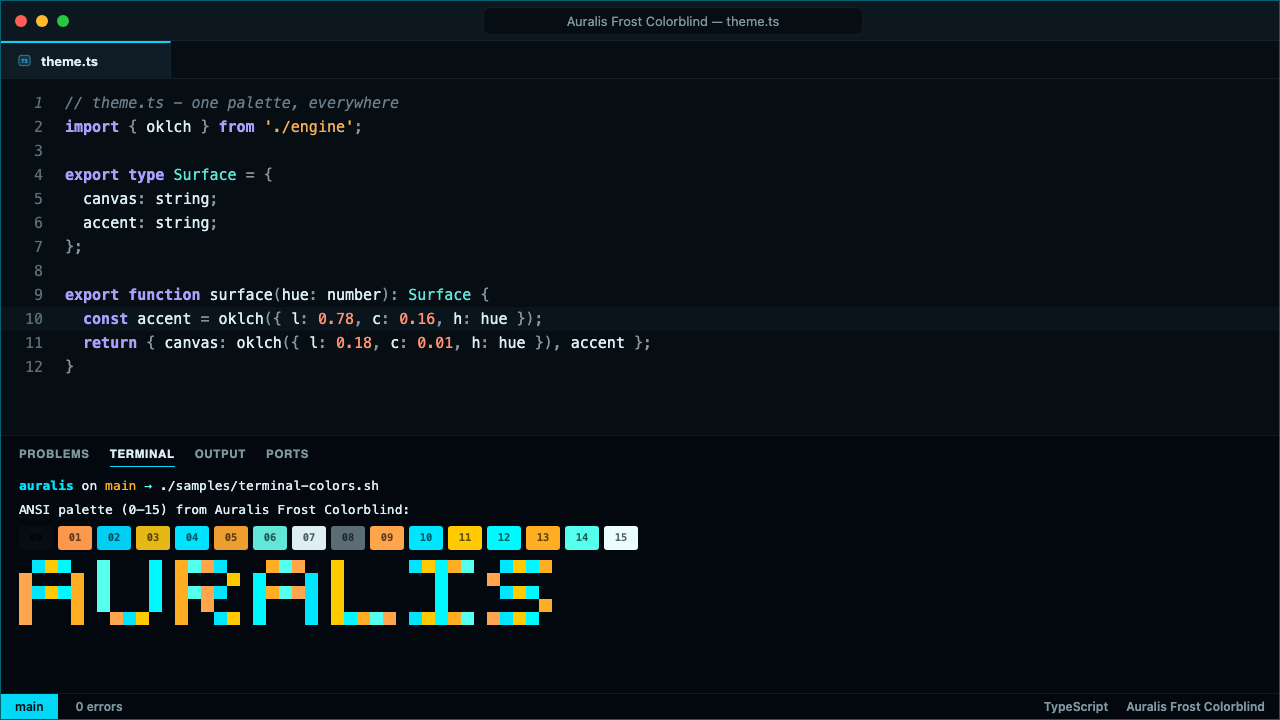
|
Icons That Match
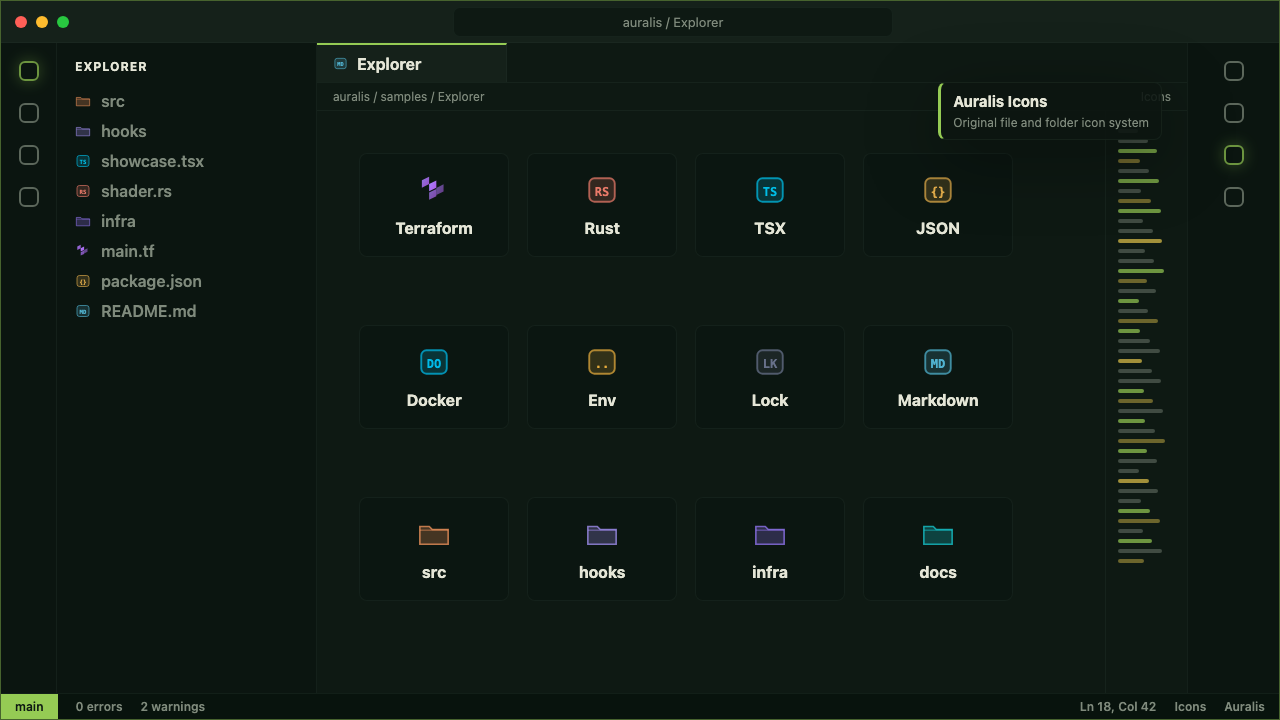
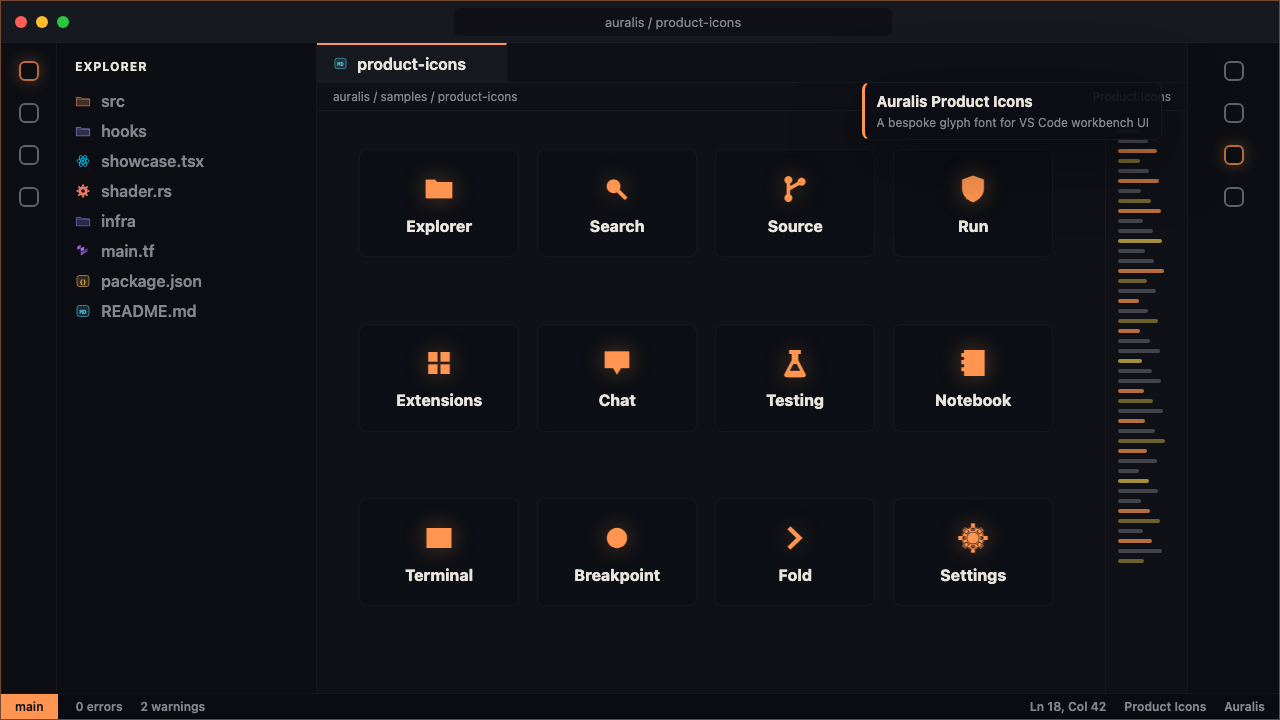
Nearly 400 file icons — with hand-drawn glyphs for Docker, Python, React, Kubernetes, git, Rust, and more — plus a bespoke product icon font that restyles VS Code's own workbench glyphs. Both follow the active theme.
Built In, Not Bolted On
Everything is local-first: no passive telemetry, no required service, and a small runtime that loads lazily after startup. Themes and icons remain native, declarative VS Code contributions.
- Auralis Tune 2 — warmth, contrast, saturation, and accent controls plus advanced typography, variable emphasis, workbench surface, border, bracket, and density choices. WCAG floors are re-enforced live. Guide →
- Icon Studio — search the shipped inventory; apply exact saturation, opacity, file, folder, project-root, and language associations on desktop; and carry portable presets to the web-safe shipped appearances. Guide →
- Accessibility Lab — inspect active-theme contrast and diagnostic, git, test, diff, bracket, and terminal status separation under approximate CVD simulations; preview and exactly apply two reviewed status axes; copy or save the audit. Guide →
- Export Terminal Theme — one command carries your palette to iTerm2, Windows Terminal, Alacritty, WezTerm, Ghostty, or Warp. Guide →
- Environment Guard — the workbench warns you when kubectl, Terraform, or git points at production, using one status entry, repo-specific literal labels, and an optional one-time alert. Guide →
- Rhythm — themes that follow your day: Paper at noon, Noir at midnight. Guide →
- Shared profiles — commit a versioned
.auralis/profile.jsonand your team can adopt the same tuned environment in VS Code and JetBrains, always by consent. Guide → - Review Sessions — snapshot your setup, review in high contrast, restore exactly, see what you touched. Guide →
The JetBrains Marketplace carries the standalone, near-zero-runtime Auralis Theme with the same nine palettes, editor schemes, icon substitutions, and Islands-aware surfaces. Behavioral features live in the separate optional Companion rather than adding runtime weight to the theme bundle.
Spread the Word
Shipping with Auralis? Put the badge on your README.

[](https://marketplace.visualstudio.com/items?itemName=auralis-labs.auralis-theme-system)

[](https://marketplace.visualstudio.com/items?itemName=auralis-labs.auralis-theme-system)
Need Support?
Bugs, questions, and requests live on the
Auralis support hub.
Offline documentation ships inside the extension — run
Auralis: Open Documentation.
When you choose to share something, Auralis can copy sanitized diagnostics, prefill a visual bug, icon, or language-coverage request, or open the review page for the registry you installed from. Nothing is submitted automatically and Auralis never shows recurring feedback prompts.
A short, honest review tells other developers what to expect and tells us what to fix next — before anything about the product changes shape:
- Review on the VS Code Marketplace
- Review on Open VSX (VSCodium, code-server, Gitpod, and other forks)
- Review on JetBrains Marketplace
If something is broken, an issue on the
support hub reaches
us fastest — Auralis: Report a Visual Theme Bug prefills one for you.
About the Name
Auralis comes from the aurora — light that appears exactly where the night is darkest — joined to the Latin suffix -alis: "belonging to." Light that belongs to you. Every Auralis theme is built on that idea: color that works with the dark instead of fighting it, tuned to stay beautiful for as long as you're working.
Copyright © Bertrand Mbanwi · Auralis. All rights reserved.
auralislab.dev · Support · Privacy · Security