English | 日本語
Turn VS Code into a focused audio inspection desk. Audio Wandas Analyzer lets you open audio files, compare takes on one timeline, zoom into waveform detail, inspect spectrograms and cursor-time spectra, and export the evidence you need without switching tools.
Screenshot
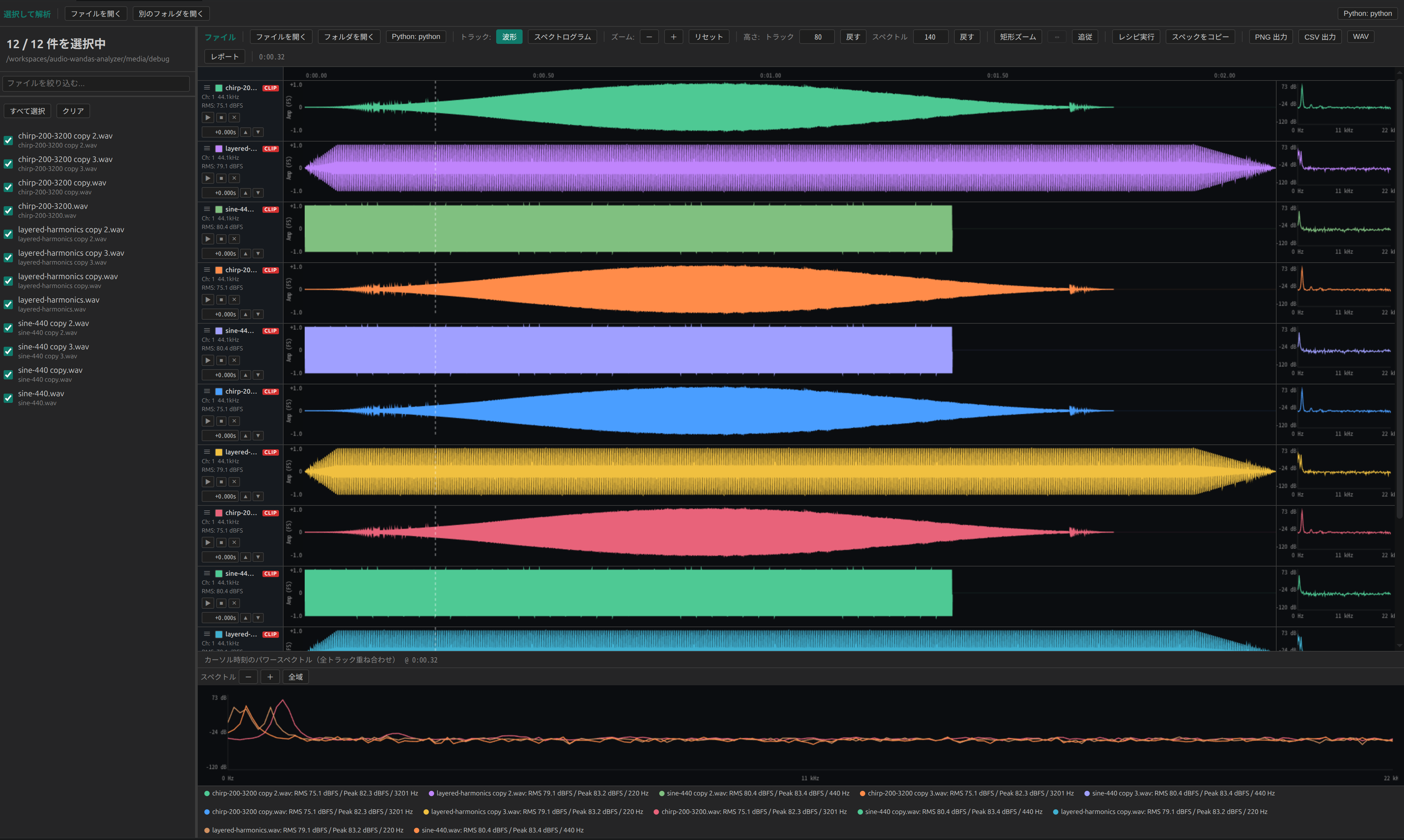
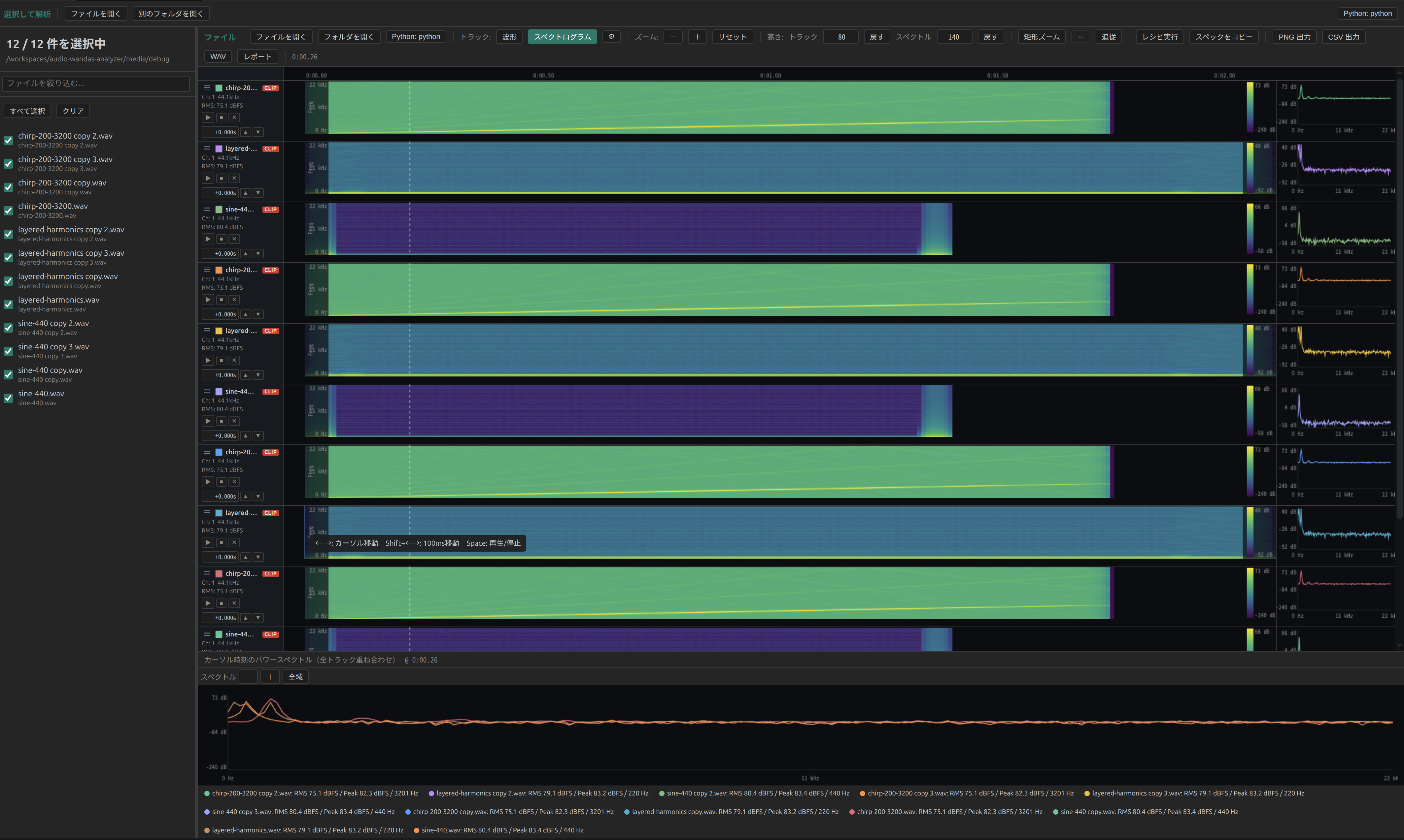
Why Use It
Audio comparison often means bouncing between a DAW, a notebook, a file browser, and a plotting script. This extension keeps that loop inside VS Code:
- Line up multiple recordings and check timing differences at a glance
- Move between waveform, spectrogram, and power spectrum views without reloading files
- Zoom into a range and fetch high-resolution waveform data only for what is visible
- Listen, mute, loop, and nudge tracks while you inspect them
- Export images, CSV spectrum data, loop audio, or a Markdown-friendly report for handoff
- Run bundled or custom wandas recipes for deeper analysis
Supported formats: WAV / FLAC / OGG / AIFF / AIF / SND
The UI follows VS Code's display language. Japanese is used for ja*; all other languages fall back to English.
A Good Fit For
- Comparing model outputs, recorded takes, renders, or before/after processing results
- Checking noise, frequency balance, transients, silence, clipping, and alignment
- Reviewing a folder of audio assets without leaving your editor
- Capturing visual and numeric evidence for issues, reports, notebooks, or pull requests
Quick Start
1. Install Python 3.11+
python3 --version
2. Install the Python audio dependencies
A virtual environment is recommended:
python3 -m venv .venv
source .venv/bin/activate
pip install "wandas[psychoacoustic]>=0.7.2,<0.8.0" "numpy>=2.0.2" "scipy>=1.13" "soundfile>=0.12"
3. Select the Python environment in VS Code
Open the Command Palette and run:
Audio Analyzer: Select Python Environment
Choose the virtual environment folder, for example /path/to/your/.venv. You can also set audioWandasAnalyzer.pythonCommand manually in Settings. Both venv folders and direct Python executable paths are accepted.
Opening Audio
| Method | Action |
|---|---|
| Command Palette | Run Audio Analyzer: Analyze File or Folder |
| Explorer context menu | Right-click an audio file or folder, then choose Analyze with Audio Analyzer |
| Activity Bar | Open the Audio Analyzer view and select files or a folder |
| Drag and drop | Drop audio files or folders onto the Audio Analyzer sidebar view |
When you open a folder, supported audio files appear in a tree. Check a file to add it to the comparison panel; uncheck it to remove that track.
Working In The Panel
- Compare: view tracks on one shared timeline and switch each row between waveform and spectrogram
- Zoom: use the toolbar
+ / - / 0buttons, keyboard shortcuts, or the mouse wheel over a plot - Inspect: click a waveform, spectrogram, or spectrum panel to move the cursor and update spectra
- Loop: drag on the waveform to create a loop region; clear it with a click
- Listen: use the per-track play button; mute tracks with
M - Align: nudge track offsets with the
▲ / ▼controls or double-click the offset value to reset it - Tune spectrograms: open the gear popover to change FFT size, hop length, window function, dB range, and max frequency
- Get help: press
?inside the panel to see keyboard shortcuts
Exports And Recipes
The comparison toolbar includes export actions for everyday handoff work:
| Action | Output |
|---|---|
| Export PNG | Current visible tracks as an image |
| Export CSV | Spectrum data at the current cursor position |
| Export WAV | Audio from the selected loop region |
| Export Report | Markdown / notebook-ready analysis report |
| Run recipe | A wandas recipe result rendered in VS Code |
Settings
| Key | Default | Description |
|---|---|---|
audioWandasAnalyzer.pythonCommand |
python3 |
Python environment folder or executable used for the backend |
audioWandasAnalyzer.cacheMemoryMb |
1024 |
Maximum audio cache size used by the persistent Python waveform backend |
audioWandasAnalyzer.debugFilePath |
media/debug |
Default path for Audio Analyzer: Analyze Debug Path |
Troubleshooting
- Python interpreter was not found: select the venv that has
wandasinstalled, or updateaudioWandasAnalyzer.pythonCommand. - Analysis failed: open Output: Audio Wandas Analyzer and check the Python error. Confirm
wandas,numpy, andsoundfileare installed in the selected environment. - A file does not load: confirm the extension is one of WAV, FLAC, OGG, AIFF, AIF, or SND. MP3 and M4A are not supported yet.
- Large files feel slow: zoomed waveform requests are fetched only for the visible range. For spectrogram-heavy work, try a smaller FFT size or hop length.
Links
- VS Code Marketplace: Audio Wandas Analyzer
- Repository: https://github.com/kasahart/audio-wandas-analyzer
- Backend library: wandas
- Developer guide: docs/developer-guide.md
- Issues and feature requests: GitHub Issues