Executable architecture governance for developers.
Architecture guardrails for AI-native software development.
ArchPilot helps teams validate architecture, enforce rules, detect drift, and keep AI-assisted development aligned with clean, scalable system design through deterministic local checks and CI workflows.
Your AI writes code. ArchPilot protects architecture.
Local-first. Deterministic. CI-ready. No cloud scan required.
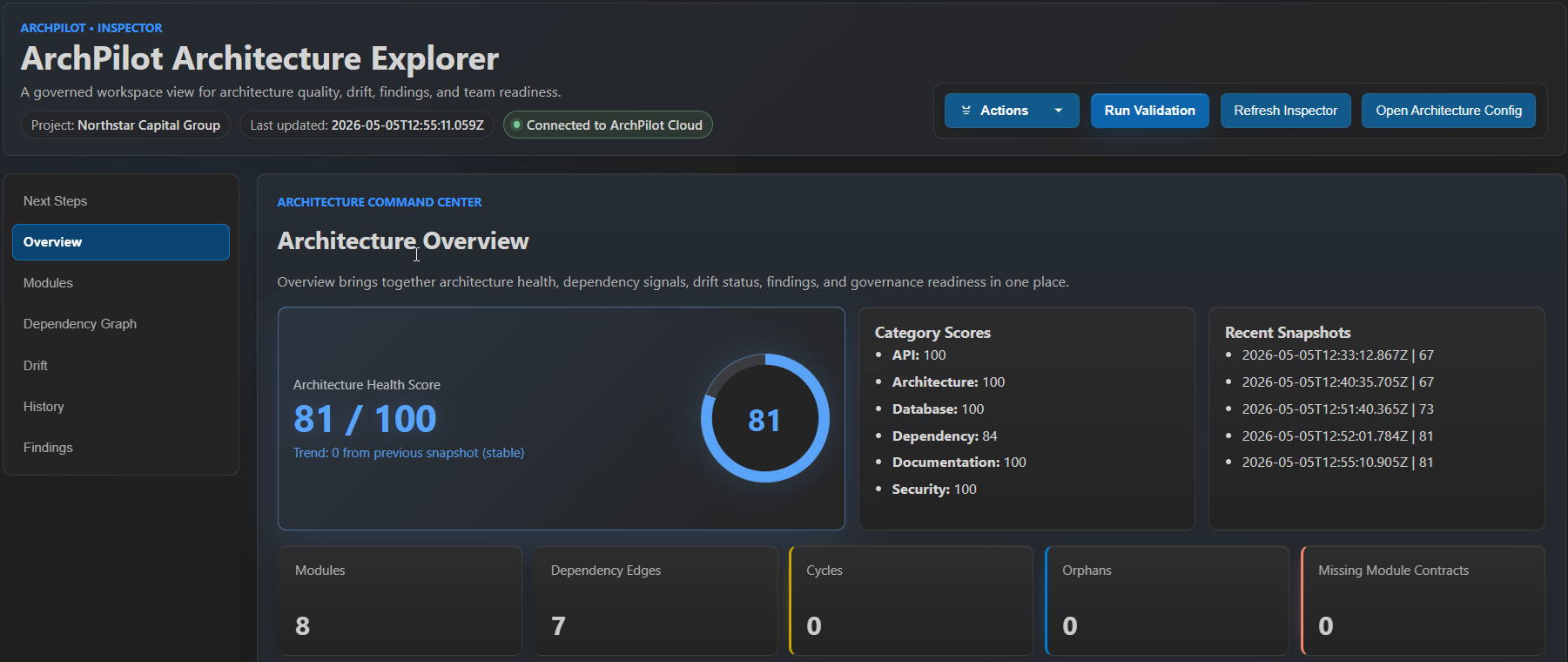
Smart Init -> Generate missing config and contracts -> Validate, from first scan to architecture health score in minutes.
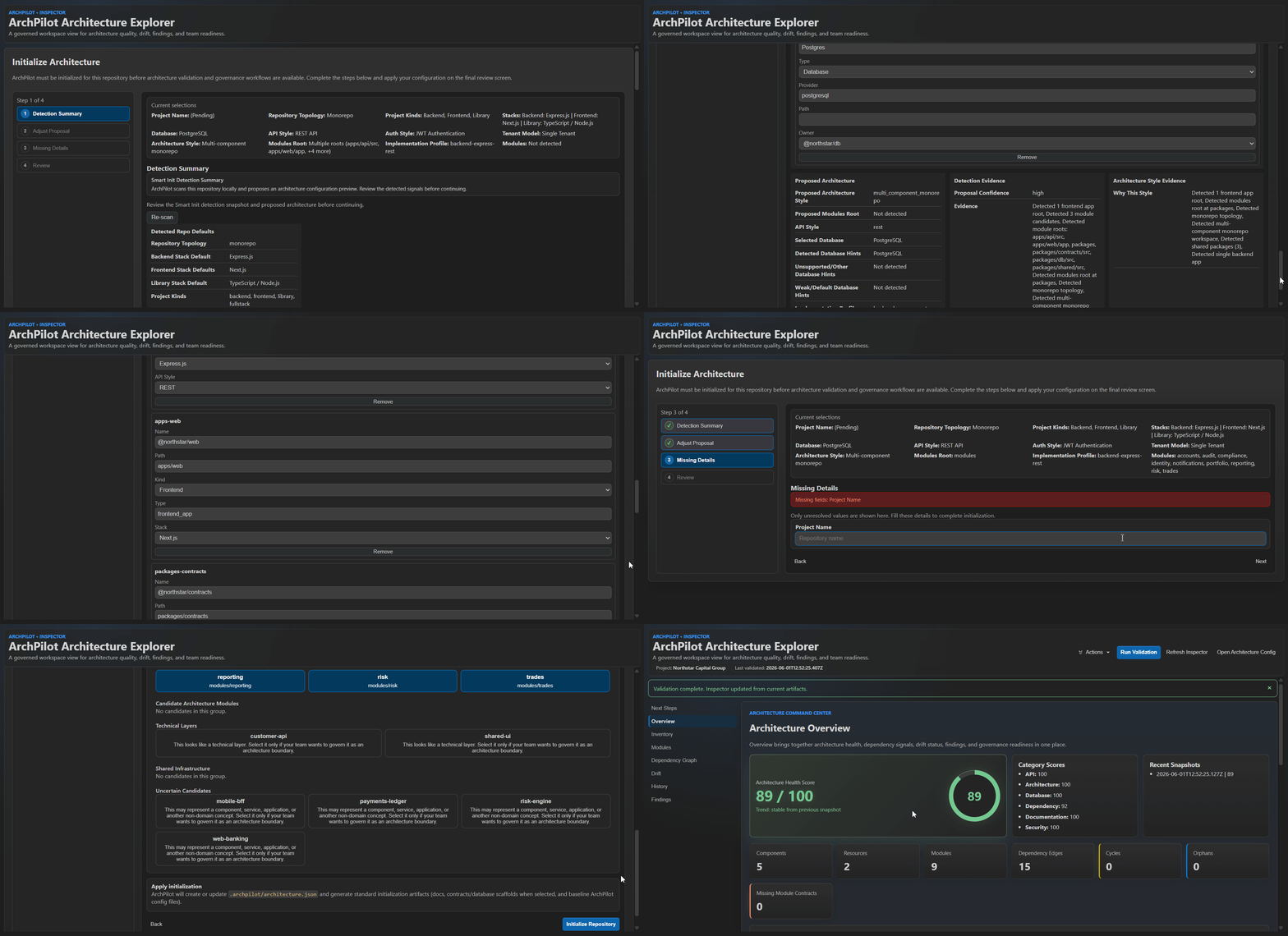
ArchPilot runs locally or in CI. Results are deterministic, your source code never leaves your machine, and architecture governance becomes part of everyday development.
What ArchPilot does
- Validates architecture across modern application stacks
- Prevents architectural drift in AI-assisted development
- Enforces module boundaries and dependency governance
- Surfaces architecture insights directly in VS Code
- Integrates with CI for continuous validation
- Produces actionable reports developers can fix immediately
ArchPilot turns architecture from documentation and tribal knowledge into executable governance that runs continuously.
Supported Stacks
ArchPilot provides deterministic architecture validation across modern application stacks using framework-aware analysis and explicit architectural evidence.
Backend
Framework-aware validation
- Spring / Spring Boot
- NestJS
- Express.js
- FastAPI
- Laravel
- ASP.NET
- Go
Language-aware validation
- Java
- Node.js / TypeScript
- PHP
- Python
Framework detection
- Kotlin
- Django
- Flask
- Ruby on Rails
Frontend
- React
- Next.js
- Angular
- Vue
Infrastructure Context
- Terraform
- Ansible
Infrastructure repositories are detected as part of repository architecture discovery. Full architecture validation currently focuses on application stacks.
ArchPilot automatically detects supported stacks from repository evidence including framework markers, dependency metadata, manifests, project layout, source structure, and framework-specific constructs.
Validation remains deterministic and framework-aware. When evidence is ambiguous, ArchPilot intentionally prefers conservative findings over speculative analysis.
Deterministic by Design
ArchPilot intentionally avoids speculative code analysis.
Findings are produced from explicit architectural evidence such as:
- Framework annotations and decorators
- Dependency relationships
- Route and API definitions
- Authorization constructs
- Transaction boundaries
- ORM and query APIs
- Event and messaging infrastructure
- Architecture configuration and contracts
When evidence is ambiguous, ArchPilot prefers not to report a finding rather than generating false positives.
Why teams trust ArchPilot
- Local-first - validation runs on your machine or CI
- Deterministic - same code produces the same result
- Built for AI-era development - keep fast-moving code aligned with architecture
- No cloud scan required - no remote code analysis
- Architecture as code - rules and structure live in your repository
- Actionable feedback - clear explanations and fix suggestions
- CI-ready - enforce architecture standards automatically
ArchPilot works alongside GitHub Copilot, Claude Code, Codex, Cursor, and other AI coding tools by continuously validating architectural boundaries before architectural drift becomes technical debt.
Quick Start
- Install the extension
- Open Command Palette (
Ctrl/Cmd + Shift + P) - Run ArchPilot: Open Architecture Inspector
- Run Smart Init to bootstrap your architecture
- Run validation
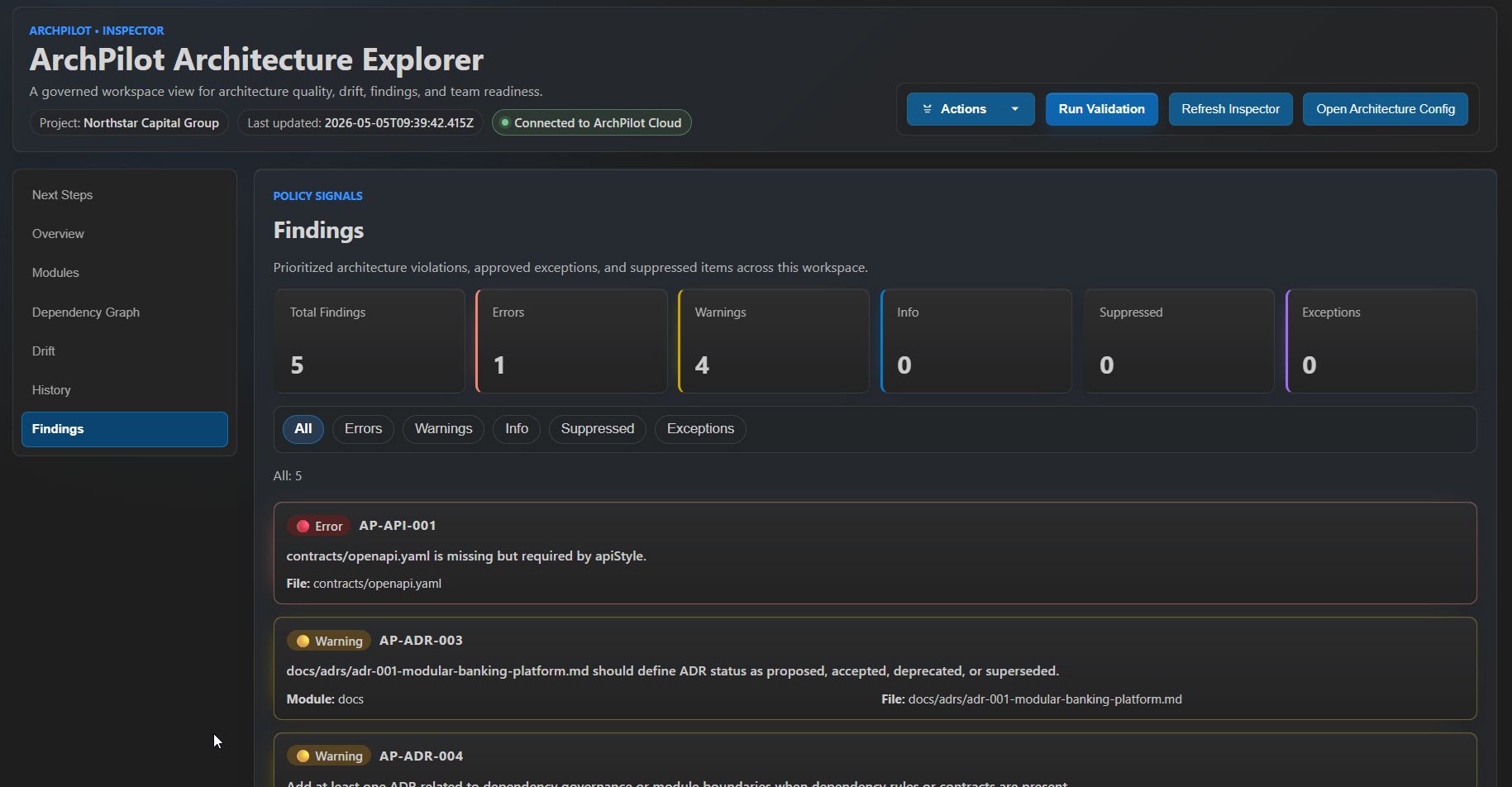
- Review findings, score, drift, and recommendations
After validation, source-located ArchPilot architecture violations appear in VS Code Problems. The ArchPilot > Diagnostics: Mode setting controls whether Problems shows New regressions only (default), All findings, or Off. A filled gutter flag marks a newly introduced architecture regression, while an outline flag marks an existing architecture finding when All findings mode is enabled. Diagnostic severity remains visible through VS Code's native error, warning, and information treatment. ArchPilot automatically creates the initial governance baseline after the first successful full local validation, so existing architecture debt does not overwhelm everyday development. Future validations can focus on findings introduced after that baseline.
When your team intentionally accepts the current architecture findings as the new regression reference, use Actions -> Refresh Governance Baseline in the Inspector or run archpilot baseline refresh.
Use Actions -> Review Architecture Model to review newly discovered architecture module candidates. ArchPilot analyzes high-confidence discovered modules before they are added to the governed architecture model, and accepting a module is explicit; validation never automatically rewrites .archpilot/architecture.json.
Example Validation Output
ArchPilot Architecture Review

Result: FAIL
Errors: 2   Warnings: 1
Score: 82 / 100

Fix Suggestions
---------------
AP-API-001
Suggestion: Create missing OpenAPI specification file
ArchPilot explains what failed, why it failed, and what to do next.
CLI
archpilot init
archpilot validate
archpilot validate --ci
archpilot review pr
archpilot review generate
archpilot governance upload
archpilot cloud status
archpilot cloud connect
Works great for
- AI-assisted software development
- Modular monoliths
- Service-oriented systems
- Monorepos
- Modern backend frameworks
- Frontend applications
- Teams adopting architecture governance in CI/CD
- Engineering organizations that want measurable architecture quality
Learn More
Website: https://archpilot.org
Explore documentation, Cloud governance workflows, and CI integration guides.
License
Proprietary