Language support for ArchLang — a typed language for describing system architecture as text. Modules, interfaces, processes, labels, and diffs in one versioned source.
Features
- Syntax highlighting for
.archand.archspacefiles. - Diagnostics on save and as you type — unknown types, missing required labels, broken references, malformed processes.
- Go to Definition, Find References, Hover, Rename, Autocomplete for modules, interfaces, types, and labels.
- Format on save — canonical indentation enforced by the language server.
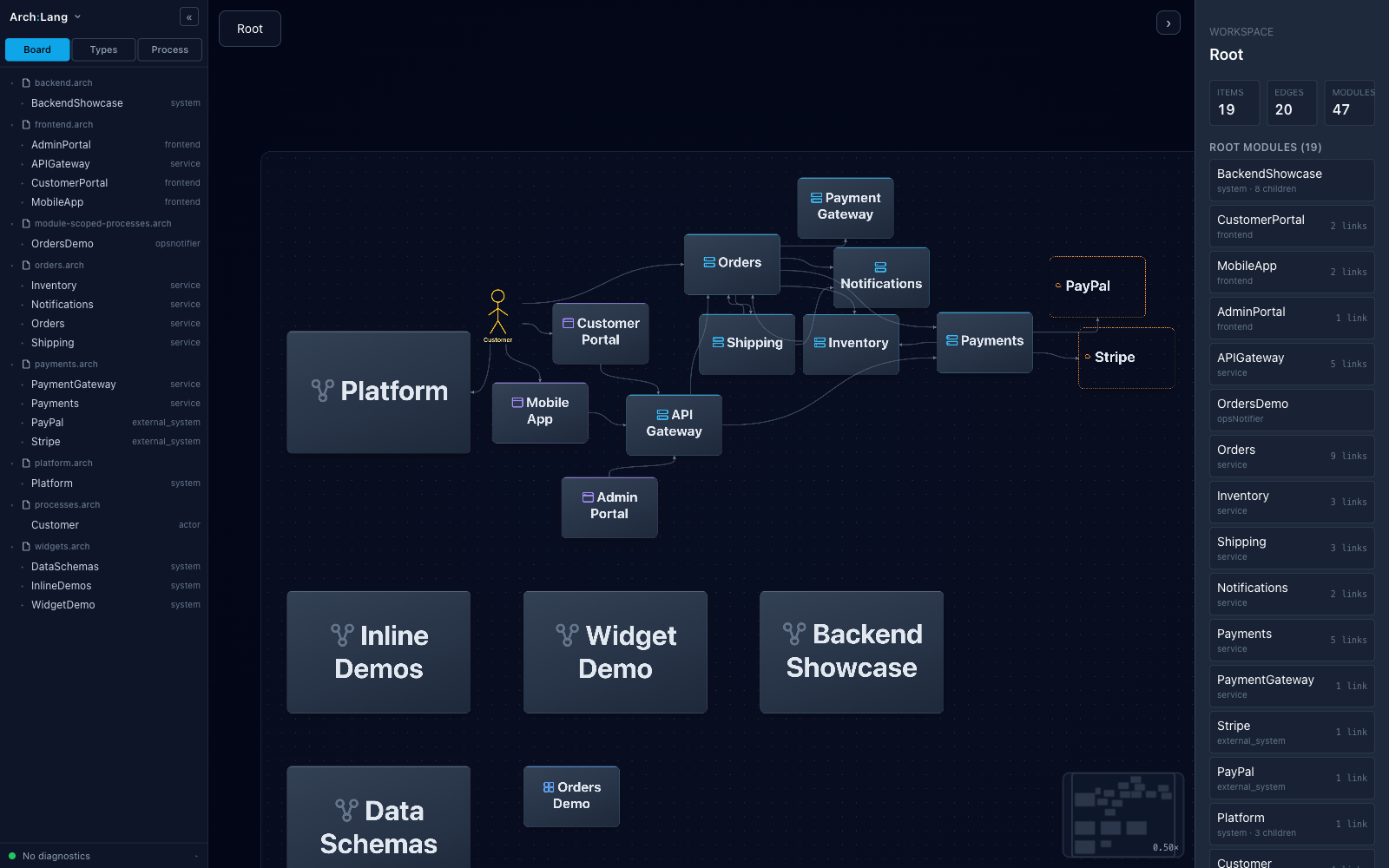
- Live diagram preview in a side panel — boots a local server bundled with the extension, renders the workspace as an interactive diagram.
Quick start
- Install the extension.
- Open a folder containing a
package.archspacemanifest and one or more.archfiles. - Open any
.archfile. The status bar shows an Arch Preview button — click it to open the live diagram.
Keyboard shortcut: Cmd+Shift+V (Ctrl+Shift+V on Linux/Windows)
toggles the preview panel.
Commands (via the Command Palette):
ArchLang: Open PreviewArchLang: Close PreviewArchLang: Toggle PreviewArchLang: Restart Preview ServerArchLang: Restart Language Server
Requirements
None. The extension reuses VS Code's bundled Node.js runtime to run the preview server — you do not need Node installed on your system.
If you prefer a specific Node binary (older VS Code builds, custom
forks, etc.), set archlang.nodePath in Settings.
Settings
| Setting | Default | What it does |
|---|---|---|
archlang.preview.autoOpen |
false |
Open the preview panel as soon as the first .arch file is opened. |
archlang.preview.openExternal |
false |
Use the system browser instead of the in-editor webview. |
archlang.nodePath |
"" |
Override the Node binary used to run the preview server. Blank reuses VS Code's bundled Node. |
archlang.trace.server |
off |
Trace LSP messages — off, messages, or verbose. |
Resources
- Website: https://archlang.dev
- Book / documentation: https://archlang.dev/docs/language/book/00-foreword/
- Live online viewer: https://archlang.dev/viewer/
License
MIT.