Browse, reopen, pin, color and icon every Claude Code chat — from a sidebar. Close idle tabs to free RAM.


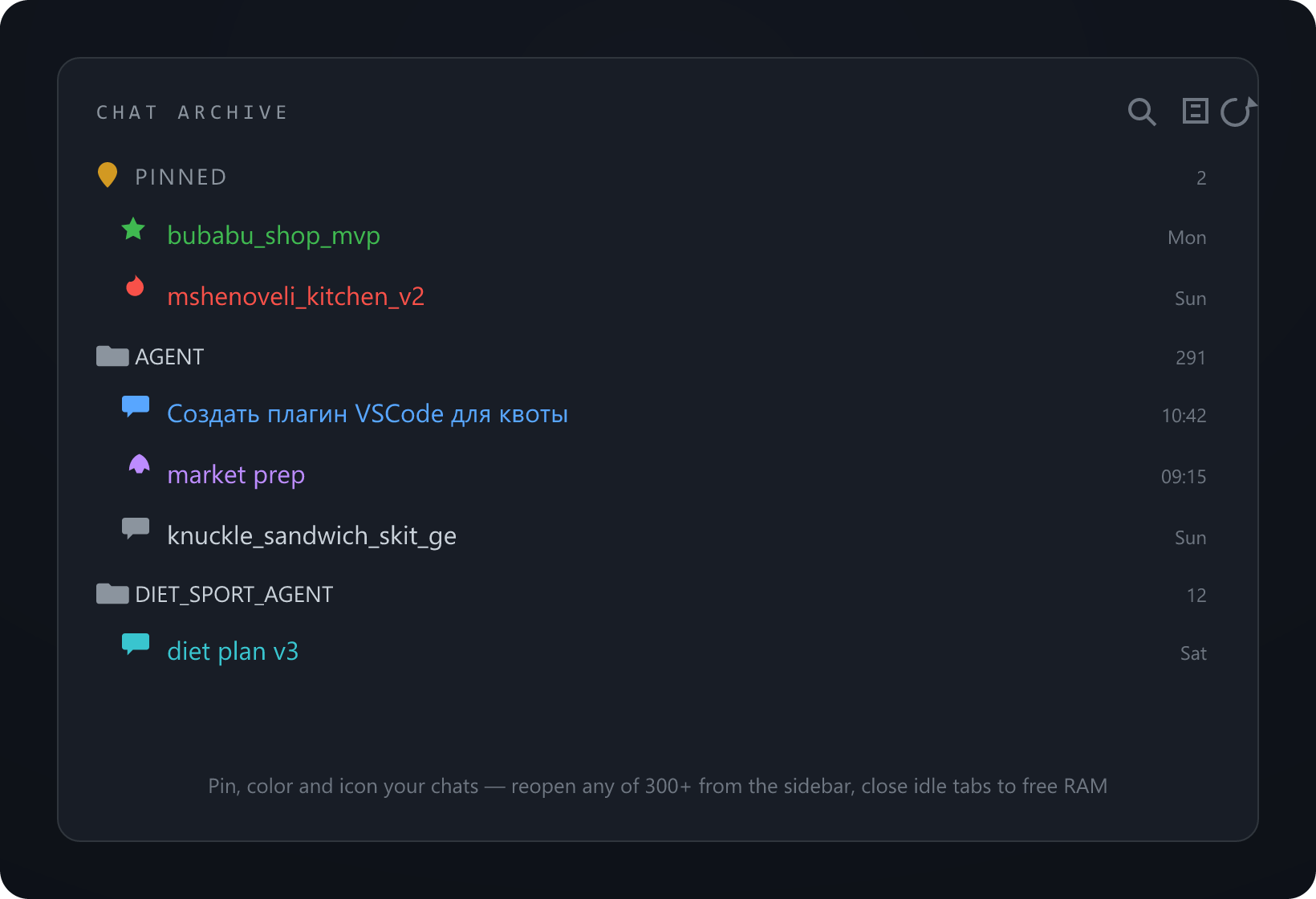
Claude Code already saves every chat as a transcript in ~/.claude/projects. This extension turns those into a browsable archive so you can keep just a few chats open (RAM) and jump back to any of the others on demand.
Features
- 🗂 Sidebar archive — every chat, grouped by repo, newest first, labeled by its title. Click to open.
- 🔁 Reopen anything — opens the exact chat by session id (via Claude's own deep link), even one closed long ago.
- ✏️ Rename any chat to a custom name (local override, never edits Claude's transcript; original stays in the tooltip).
- 📌 Pin favourites to a group on top (persists across reloads).
- ↕️ Reorder pinned chats — drag, or "Move to top" / "Move to position..." to set an exact spot (first, fifth, anything). The order is saved.
- 🎨 Color & icon each chat — one click sets a custom icon and a color so you can tell them apart at a glance.
- 🔍 Quick-pick search —
Search & Open a Chat, type by title or repo. - 🧹 Close Idle Chat Tabs — closes every chat tab except the active/pinned ones to free RAM; they stay in the archive.
How it works
Pure local: reads ~/.claude/projects/**/*.jsonl (cached by mtime) for titles, repos and dates. Opening a chat calls Claude Code's vscode://anthropic.claude-code/open?session=<id> deep link. No network, no telemetry.
Use
- Open the Chat Archive view in the activity bar (left).
- Hover a chat: ✏️ rename · 📌 pin · 🎨 set icon & color. Right-click for
Rename chat/Move to top/Move to position.../Set icon/Set color/Reset to default. - Reorder: drag a pinned chat up or down, or right-click,
Move to position...and type the spot (1 = top). - Toolbar (view title): 🔍 search · ✖ close idle tabs · ⟳ refresh.
Settings
chatArchive.claudeConfigDir— override~/.claude.
Install
From the Marketplace (search “Claude Chat Archive”) or:
ext install andrewaltair.chat-archive
Or grab the .vsix from Releases → Extensions → ⋯ → Install from VSIX….
License
MIT © Andrew Altair