View and replay AI session recordings directly in VS Code — no browser required.
What it does
When you use the AI Flight Recorder SDK to record AI sessions, it saves them as .flight files. This extension opens those files as a rich interactive viewer inside VS Code.
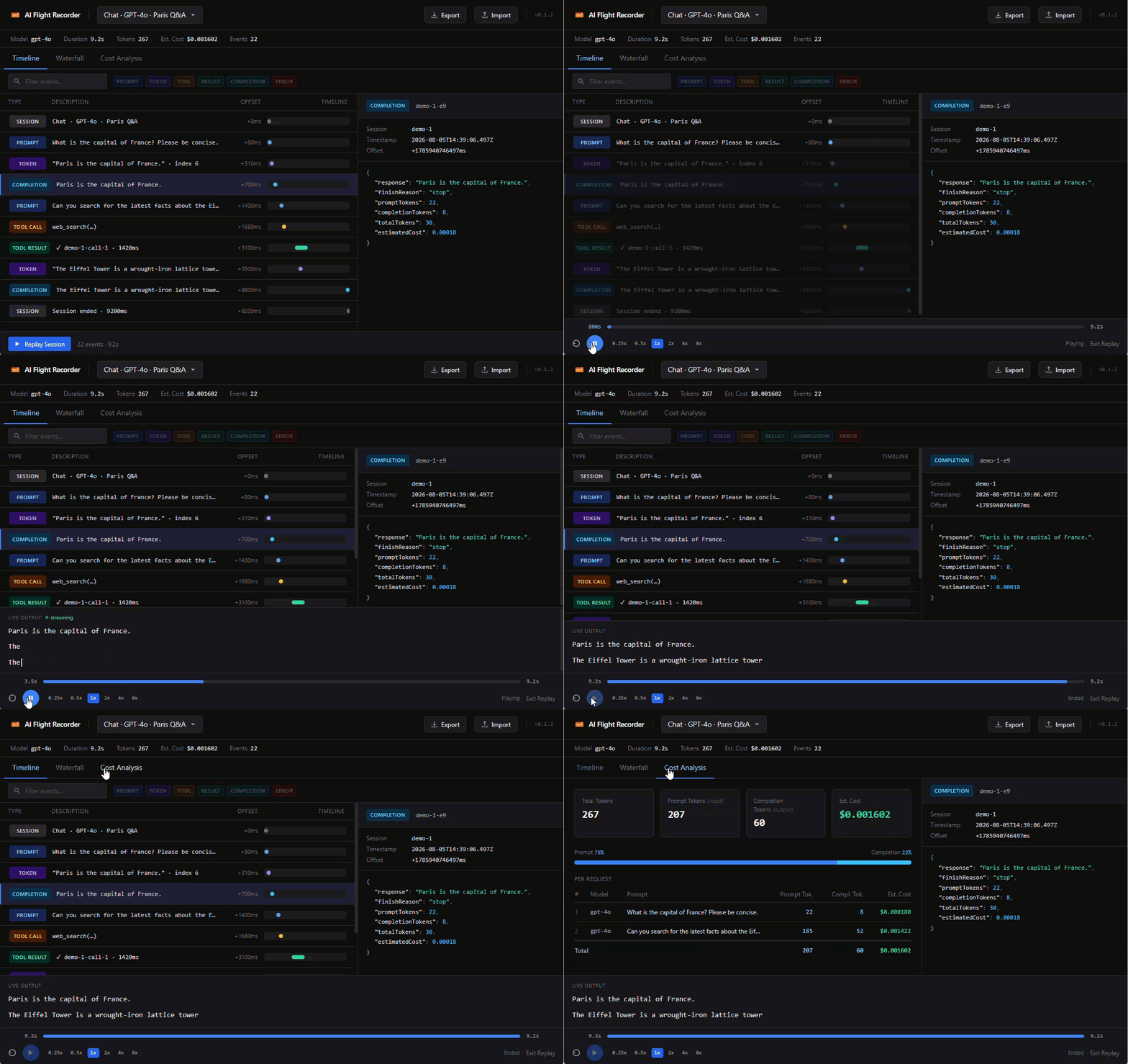
Features
- Session overview — label, duration, event count, token usage, and estimated cost at a glance
- Full event log — every prompt, token, tool call, completion, and error in order
- Color-coded event types — instantly distinguish prompts, completions, tool calls, and errors
- JSON inspector — click any event row to expand the full structured payload
- Zero setup — just open a
.flightfile
Try it now
Download weather-assistant.flight — a sample recording with a tool call, streaming tokens, and a completion — and open it in VS Code to see the viewer immediately.
Getting started
Install the SDK in your project:
npm install @ai-flight-recorder/sdk
Record a session with the FileTransport:
import { FlightRecorder } from "@ai-flight-recorder/sdk";
import { FileTransport } from "@ai-flight-recorder/sdk/node";

const fr = new FlightRecorder({
  transport: new FileTransport("./recordings"),
});

fr.startSession({ label: "my-session" });
// ... your AI calls ...
fr.endSession();
// Saves ./recordings/<sessionId>.flight
Open the .flight file in VS Code — it opens automatically in the Flight Recorder viewer.
Supported providers
The SDK supports OpenAI, Anthropic, and Google Gemini out of the box. See the SDK documentation for adapter usage.
Links
License
MIT