


The fastest way to unlock everything Claude Code can do.
Stop editing JSON files by hand. Stop hunting for slash command syntax. Stop copy-pasting MCP configs from GitHub READMEs. Claude Deck gives you a one-click control panel - right inside VS Code - to install Skills, wire up MCP servers, configure Hooks, and manage Memory in seconds.
Why Claude Deck?
Out of the box, Claude Code is powerful. But unlocking that power means digging through docs, manually editing settings.json, and figuring out where to drop .md files. Claude Deck eliminates all of that friction:
- One click to install a skill like
/refactor,/explain, or/security-review - One click to add an MCP server - filesystem, GitHub, Postgres, Puppeteer, and more
- One click to activate a hook - auto-format, run tests, get Slack alerts on task completion
- Zero config files touched - Claude Deck writes everything for you
Features
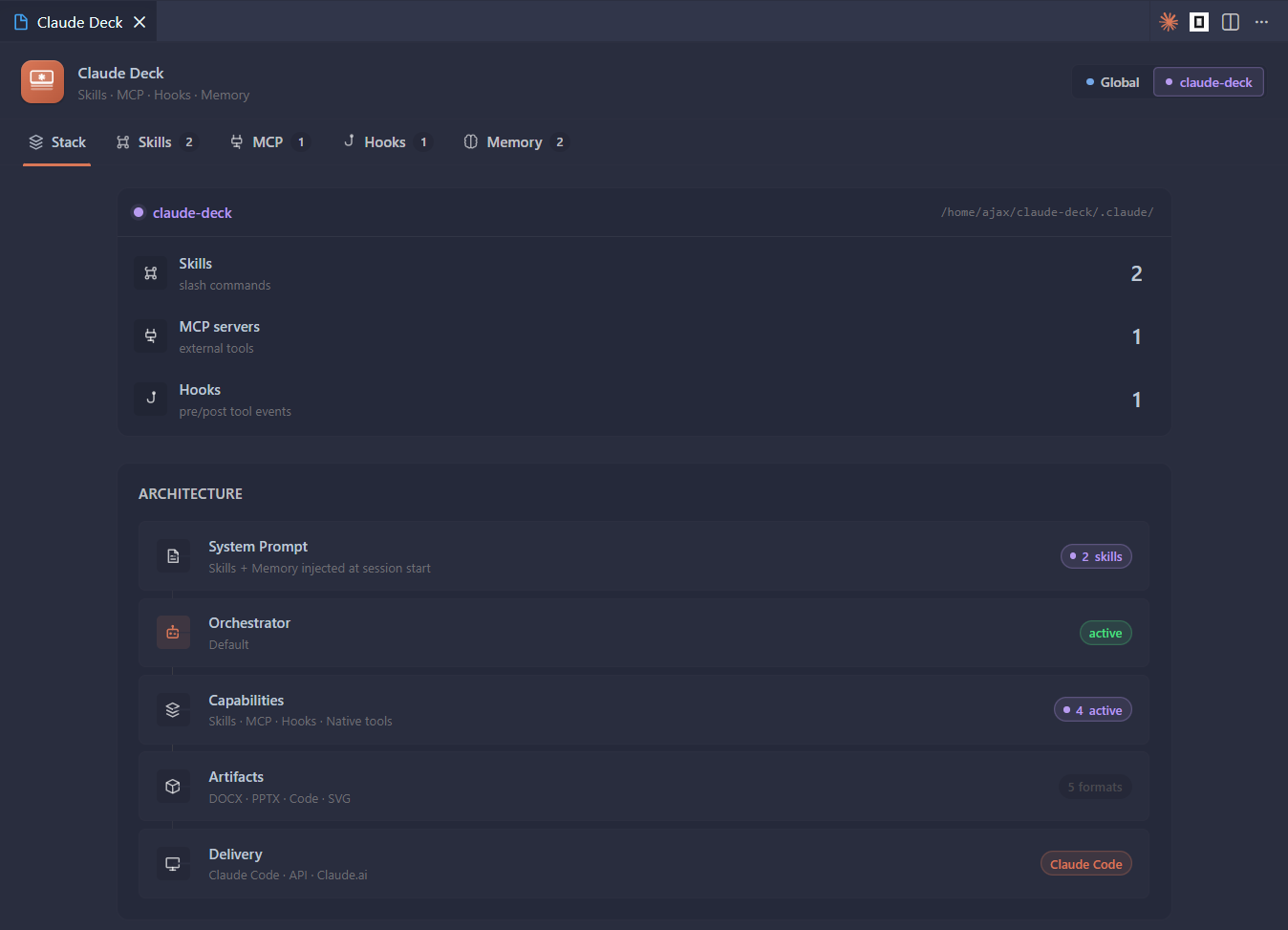
Stack - Your Claude at a Glance
A live dashboard showing your entire Claude Code setup: active model, installed skills, connected MCP servers, active hooks, and memory files - global and per-project. Know exactly what Claude has access to before you start a session.
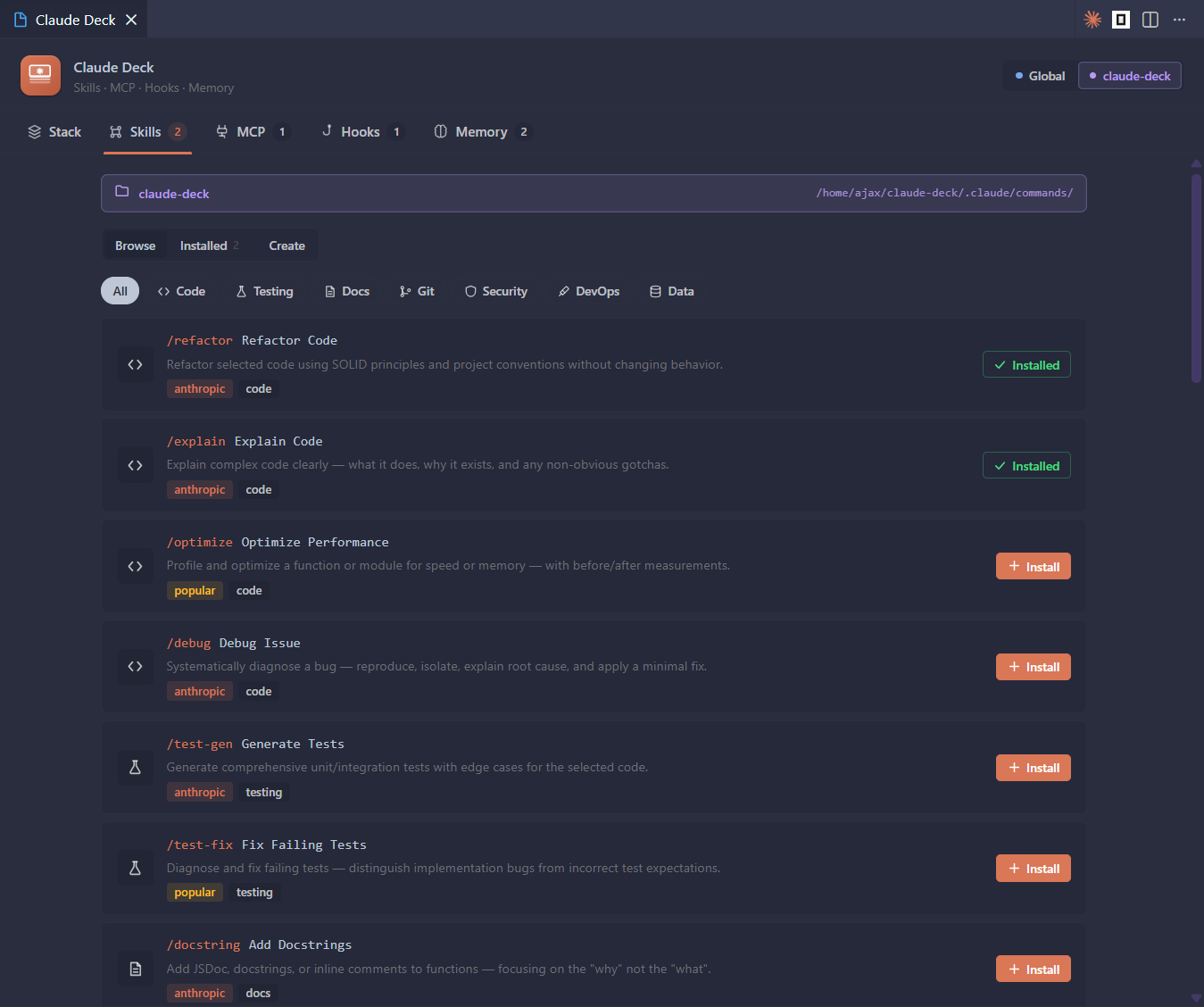
Skills - One-Click Slash Commands
Browse a curated library of slash commands and install them instantly into your global or project scope. Get /refactor, /debug, /explain, /security-review, /test, and more - or create your own from built-in templates. Skills are just markdown files, so they're portable and version-controllable.
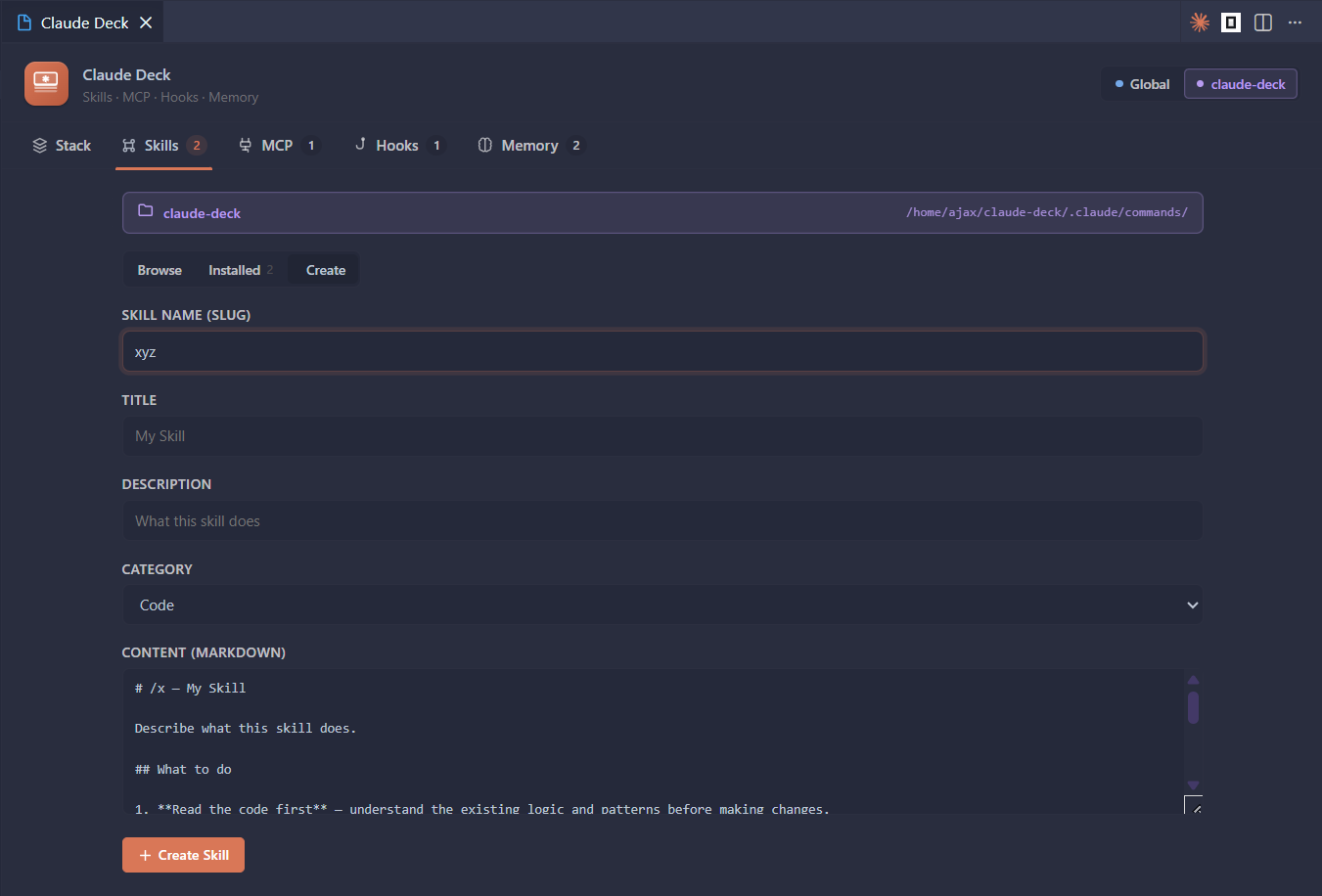
Create a custom skill from a template in seconds:
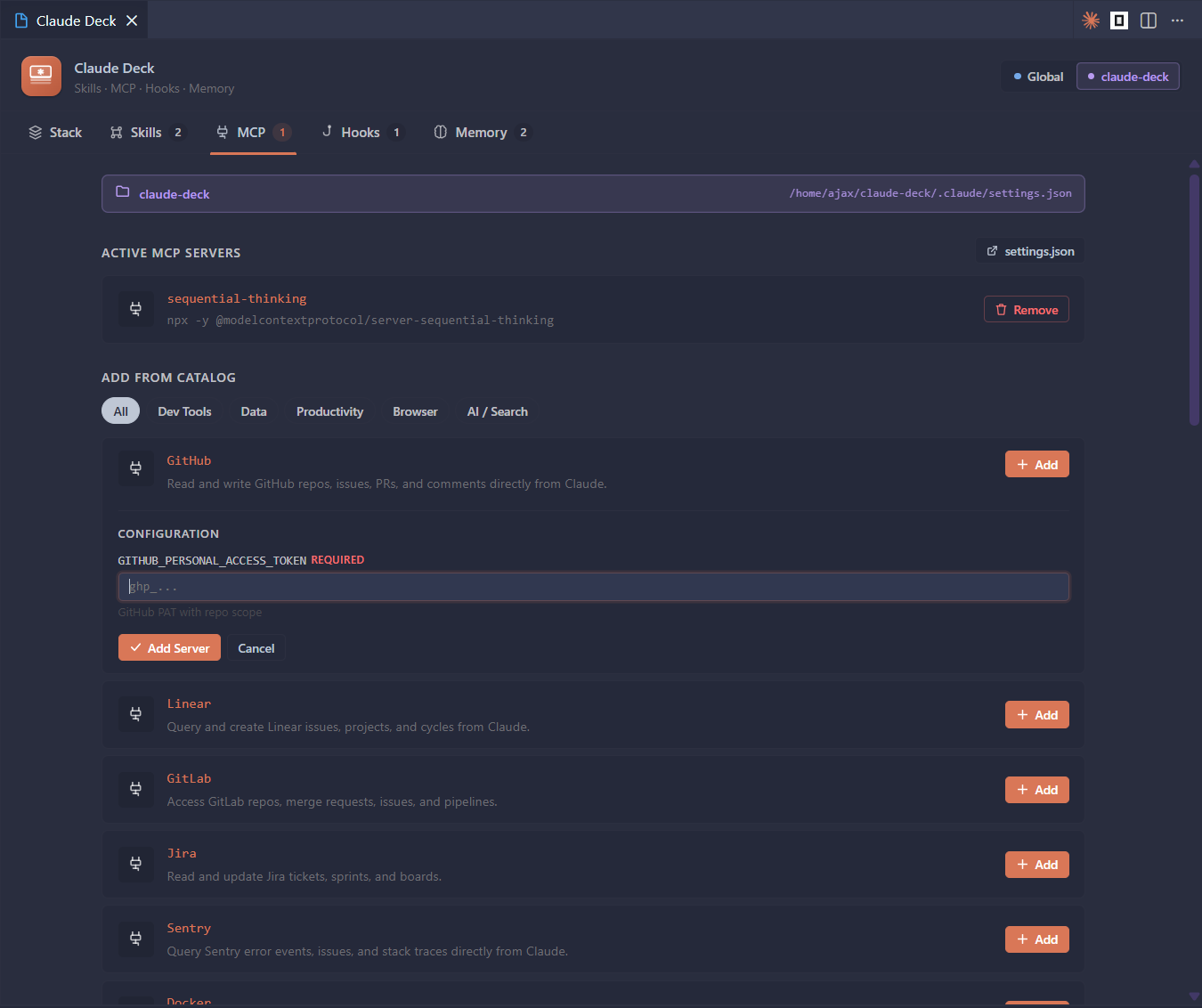
MCP Servers - Plug In New Capabilities Instantly
Add powerful Model Context Protocol servers from a built-in catalog - all with one click. Need Claude to read files? Browse GitHub? Query a database? Control a browser? It's one click away. Servers that need API keys or connection strings show an inline config form - no manual JSON editing required.
Hooks - Automate Your Entire Workflow
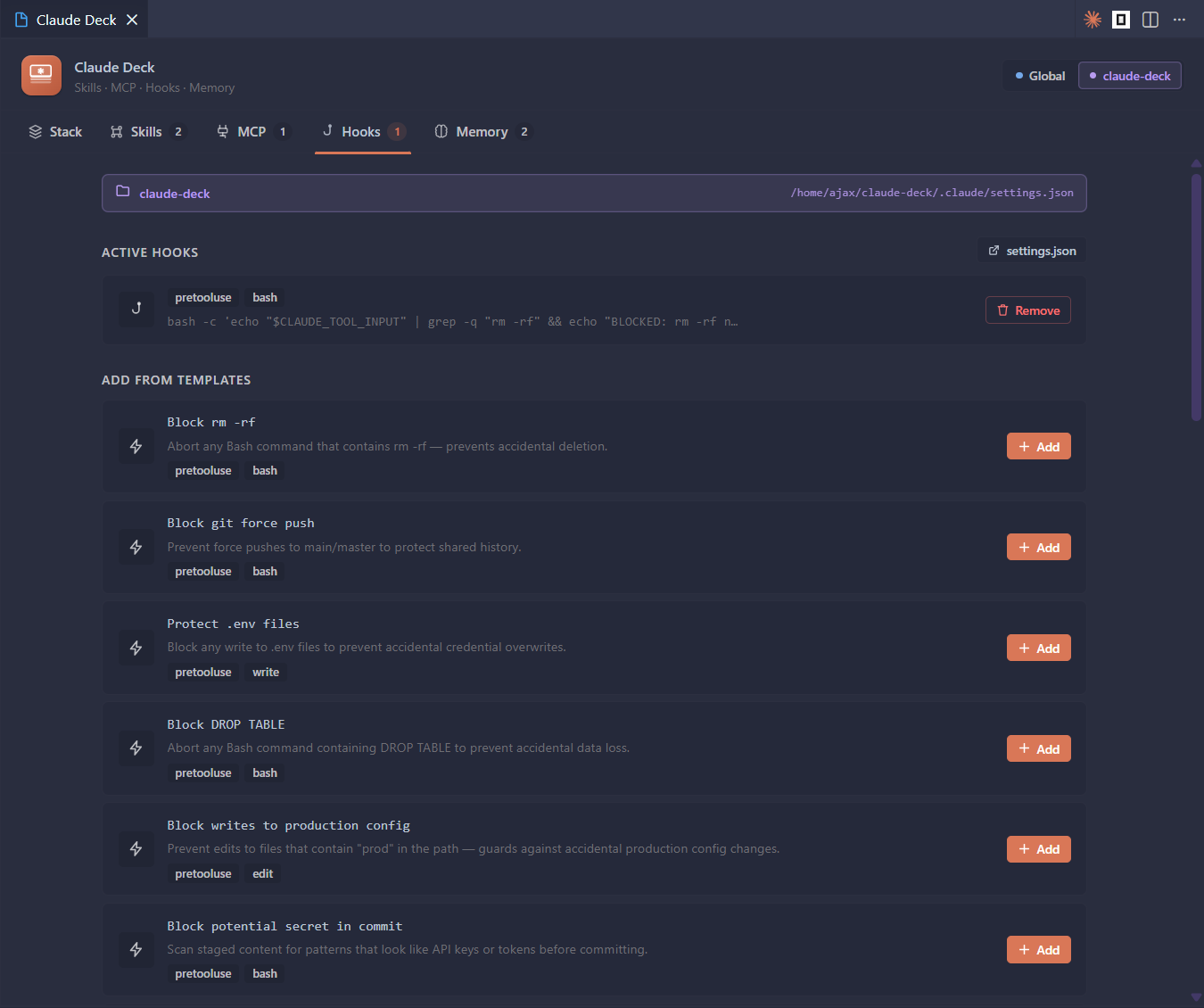
Install pre-built lifecycle hooks that trigger before or after Claude tool calls. Ship with safety guards that block dangerous commands, code quality runners that auto-lint after edits, desktop notifications when long tasks finish, and workflow helpers that fit your team's process. All managed in settings.json - written for you automatically.
Memory - See What Claude Remembers
Browse and edit every memory file that gets injected into Claude's context - CLAUDE.md files, project memories, and global memories. Know exactly what Claude knows about you and your codebase.
Getting Started
- Install from the VS Code Marketplace or run:
ext install Ajax1029.claude-deck - Click the Claude Deck icon in the Activity Bar
- Install a skill, add an MCP server, or activate a hook - all in one click
That's it.
Usage
- Sidebar - live counts of your skills, MCPs, hooks, and memory files at a glance; click any row to jump straight to that tab
- Full panel -
Ctrl+Shift+P→ Claude: Claude Deck for the complete control center - Scope toggle - switch between Global (all projects) and Project (this workspace only) at any time
Scope
Every feature supports two scopes:
| Scope | Location | When it applies |
|---|---|---|
| Global | ~/.claude/ |
Every Claude Code session, everywhere |
| Project | <workspace>/.claude/ |
Only when Claude runs in this workspace |
Requirements
- VS Code 1.85+
- Claude Code CLI installed
Release Notes
See CHANGELOG.md for version history.