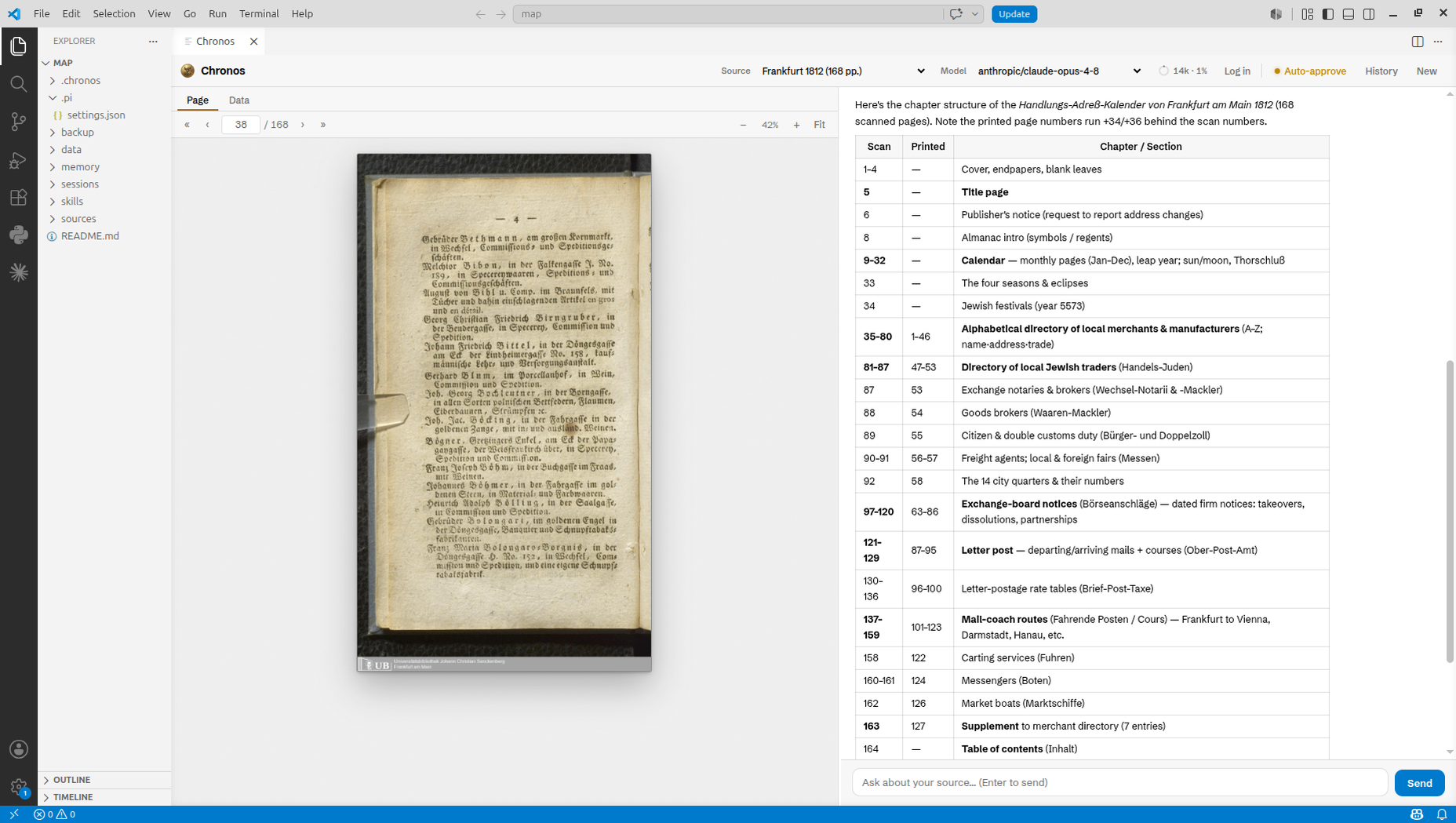
An AI agent that collaborates with historians to extract structured datasets from scanned primary sources, adapt to heterogeneous documents, and accumulate domain knowledge across sessions. Chronos pairs a document-analysis agent with a VS Code page viewer and chat so you can read scanned pages, extract structured data, and build up knowledge about your archival sources.
Prerequisites
- VS Code v1.110+
- Node.js v18+ — required by the underlying
piagent the extension installs on first run - An API key for an AI provider with a vision-capable model (Anthropic, Google, OpenAI, …) — you connect it from the panel on first run
Installation
Install Chronos — The AI Historian from the Extensions view, then run any Chronos command from the Command Palette (Ctrl+Shift+P). The first run checks for pi (the agent framework Chronos runs on) and the Chronos pi-package, and offers to install both in a terminal — no manual setup required.
Getting started
- Chronos: Init Workspace — open an empty folder and run this to create the workspace structure.
- Chronos: Import Sources — add PDFs, images (PNG/JPG/TIFF/BMP), or text files. PDFs are converted to page images; imports are crash-safe and resumable.
- Chronos: Start Agent Session — open the page viewer + chat. Click Log in in the header (or run Chronos: Connect AI Provider) to connect a provider — sign in with a Claude Pro/Max subscription (OAuth) or paste an API key for any provider — then begin extracting data.
Documentation
Full docs, tool reference, and the source live in the repository: https://github.com/ai-historian/chronos
- README — install and getting started
- DOCS — tools, skills, memory, bounding-box cropping
- Releases · Issues
License
MIT