Skip repetitive coding and syntax typing using fast AI-powered prompts directly inside VS Code.
Built on Groq + Llama 3.3 70B — the fastest AI inference on the planet.
Your AI pair programmer, living directly inside VS Code.
💡 Why?
Voice Coding Assistant is built for speed.
Instead of opening ChatGPT or searching syntax online, generate code instantly inside your editor using a single shortcut. No context switching. No re-explaining. No broken flow.
🎯 Best For
- React components and hooks
- Tailwind UI snippets
- Boilerplate generation
- Syntax help in unfamiliar languages
- Refactoring selected code
- Repetitive coding tasks
⚡ How Fast Is It?
| Tool | Avg Response |
|---|---|
| ChatGPT | ~4–8 seconds |
| GitHub Copilot | ~2–3 seconds |
| Voice Coding Assistant | ~0.5–1 second |
Groq's LPU inference makes this feel like autocomplete, not an API call.
✨ Features
- Describe in plain English — no special syntax, just say what you want
- Context-aware — reads your current file, language, and selected code automatically
- Zero markdown — raw, clean code only, no backticks or explanations
- Style matching — matches your indentation, naming conventions, and framework
- Framework detection — auto-detects React, Tailwind, TypeScript, Next.js, Python
- One shortcut —
Ctrl + Alt + Vfrom anywhere in the editor
📦 Installation
- Download the
.vsixfile from Releases - Open VS Code
- Press
Ctrl + Shift + P→ typeInstall from VSIX - Select the downloaded file
- Press
Ctrl + Alt + V— it will ask for your Groq API key once - Get your free key at console.groq.com
🔒 Your API key is stored locally in VS Code's secure storage. Never shared with anyone except Groq's API.
🎯 Usage
Press Ctrl + Alt + V anywhere in your editor, type your request:
Generate new code:
Create a responsive navbar using Tailwind CSS
Create an Express route for JWT authentication
Add a dark mode toggle using useState
Edit existing code:
Fix the bug in the selected code
Refactor this to use async/await
Add TypeScript types to this component
Optimize this function
💡 Pro Tips
- Select code first → Assistant edits only that selection
- No selection → Assistant generates new code at cursor
- Use clear action words:
fix,refactor,add,create,optimize,complete - More specific = better output:
"Create a login form with email, password, and remember me checkbox using Tailwind"beats"Create a login form"
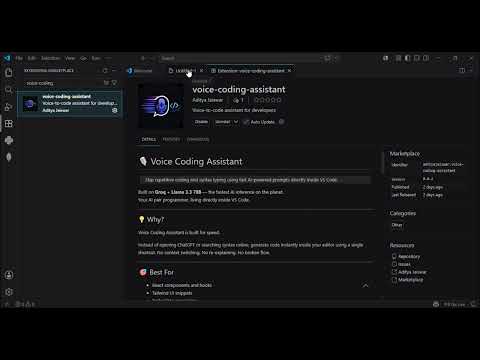
Demo Video
🛠️ Tech Stack
| Layer | Technology |
|---|---|
| Platform | VS Code Extension API |
| AI Model | Llama 3.3 70B |
| Inference Engine | Groq API |
| Language | JavaScript |
🗺️ Roadmap
- Natural language → code generation
- Context-aware prompting
- Language and framework detection
- Selected code editing
- 🎙️ Voice input — speech recognition (v2)
- Multi-file context
- Chat sidebar panel
- Custom prompt templates
- Local model support (Ollama)
🤝 Contributing
MVP is in active development. Found a bug or have a feature idea?
Open an issue or submit a PR — contributions welcome.
📄 License
MIT