BackLens helps you understand backend codebases as an interactive call graph directly inside VS Code.
It analyzes your project locally, builds a graph, and lets you inspect callers/callees, hotspots, and dependencies, then jump back to source in one click.

Why BackLens
BackLens is built for engineers who need to quickly answer architecture questions in unfamiliar code:
- What calls this method?
- Where does this class fan out?
- Which nodes are hottest in this project?
- How do I navigate from architecture view back to code?
Instead of tracing call flows manually across many files, you can explore them visually and navigate instantly.
Features
- Auto project detection
- One-click folder analysis from Explorer
- Interactive graph view with search and node inspection
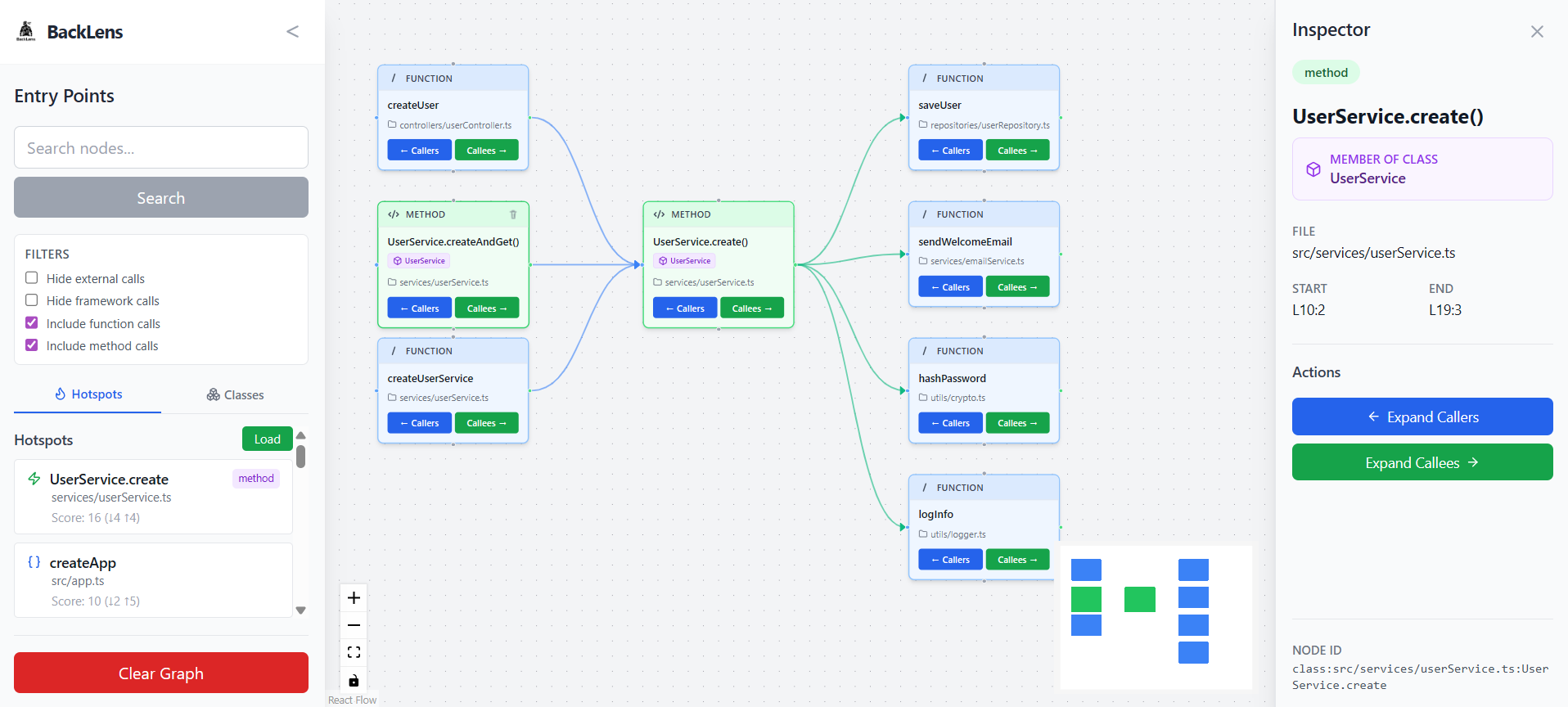
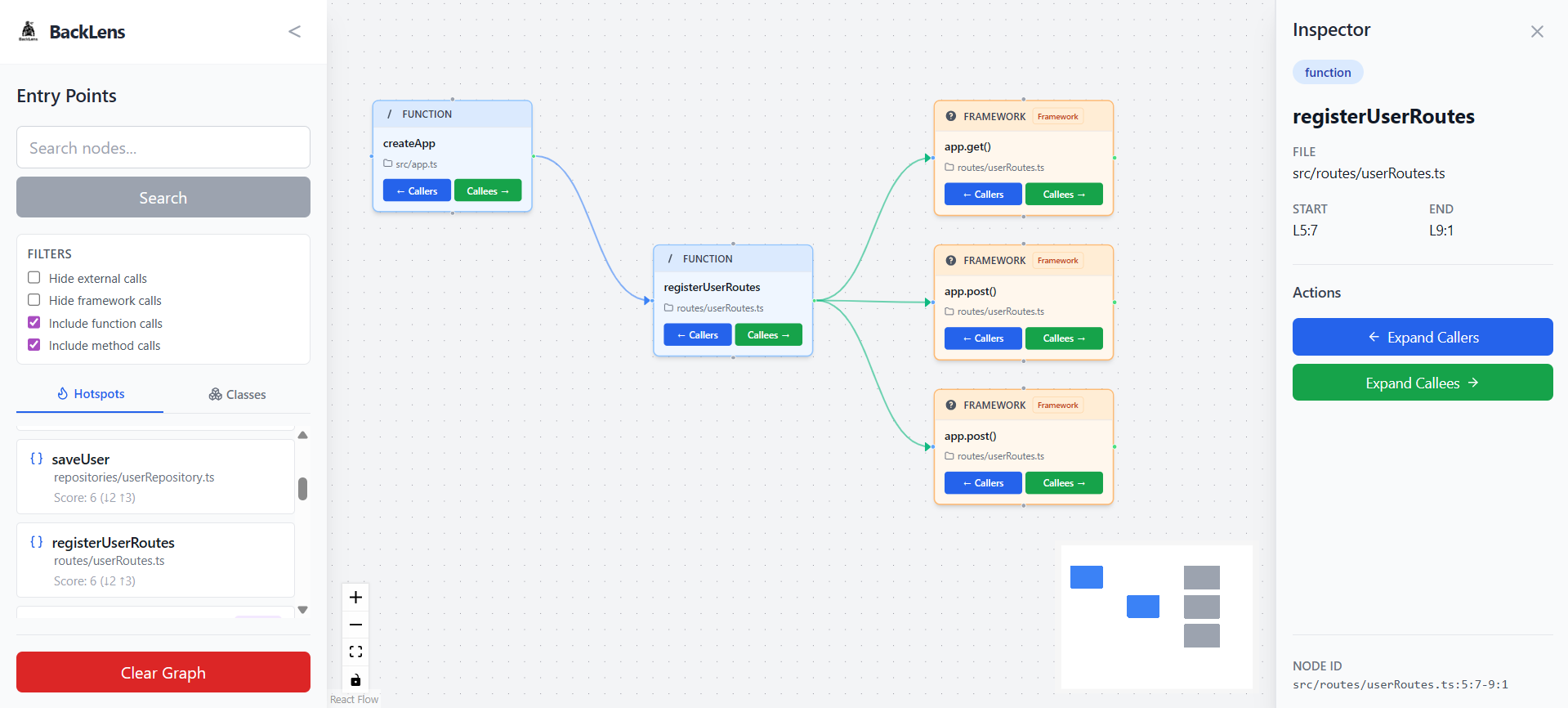
- Caller/callee expansion for call flow exploration
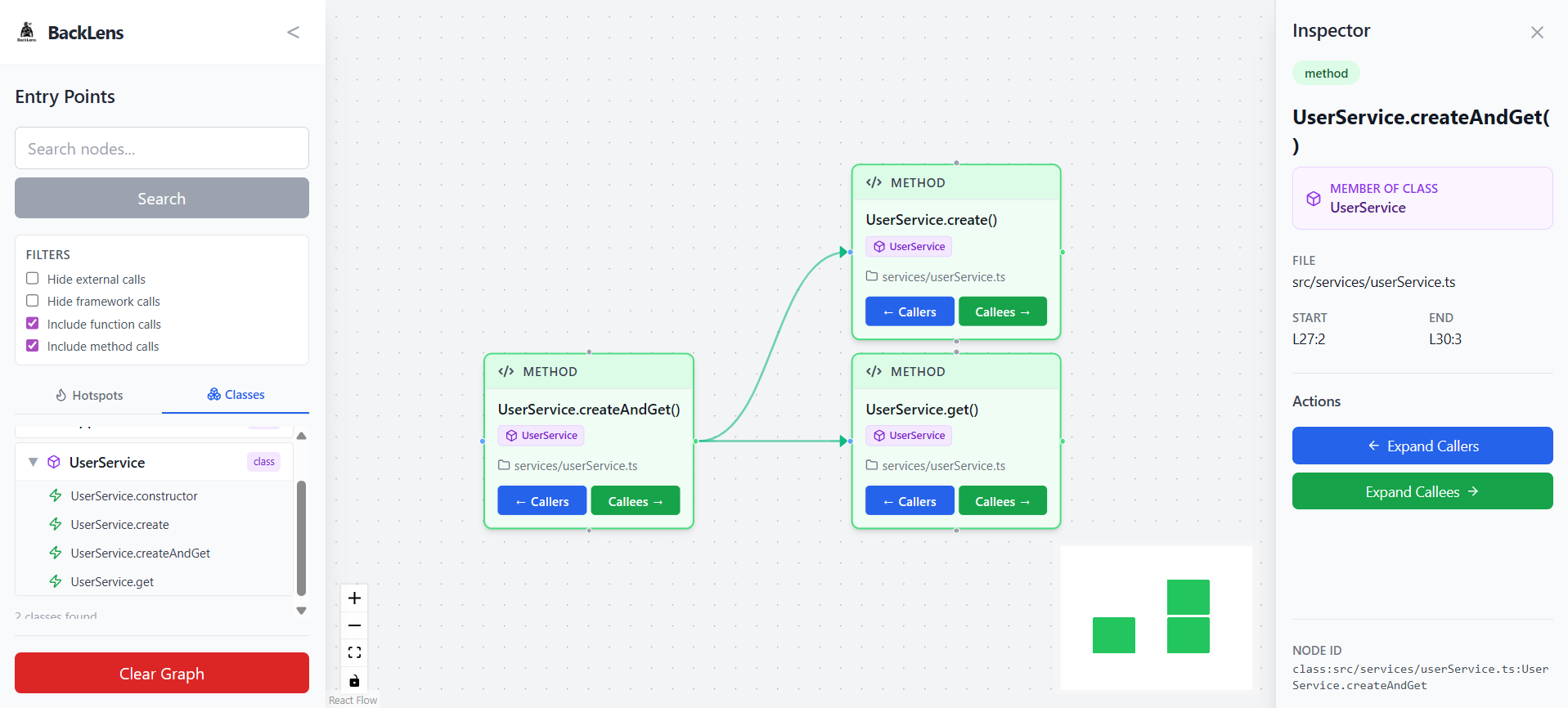
- Hotspot and class/method exploration
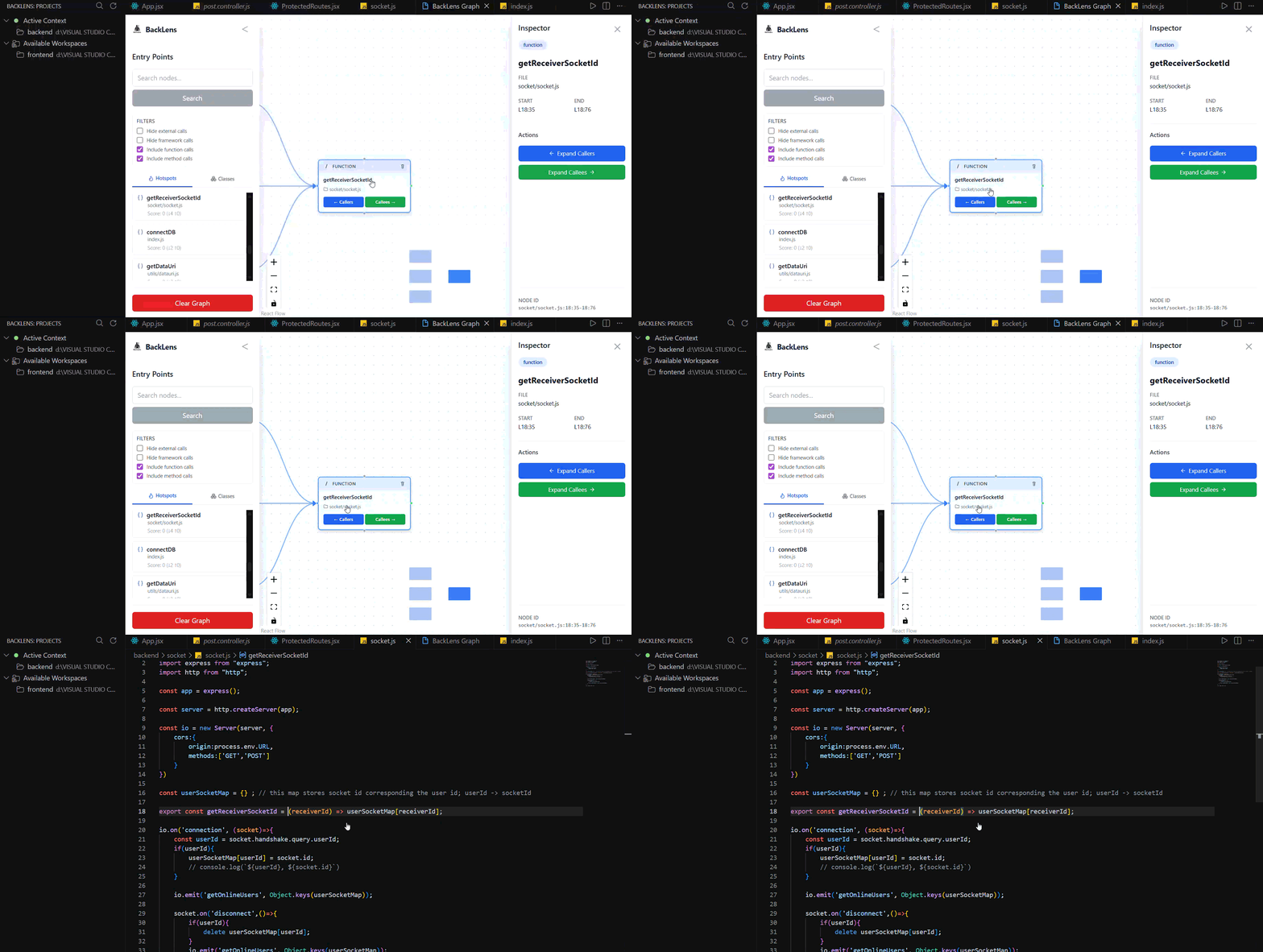
- Double Click Go-to-source code navigation from graph nodes
- Re-analysis, refresh, and close project actions from the BackLens view
Demo / Screenshots
Current UI snapshots:
Hotspots and Method Expansion
Class Hierarchy and Inspector
Framework Call Graph View
Go-to-Source Navigation
Commands
BackLens: Analyze Folder(backlens.analyzeFolder)BackLens: Re-analyze Folder(backlens.reanalyzeFolder)BackLens: Show Graph(backlens.showGraph)BackLens: Refresh(backlens.refreshExplorer)BackLens: Close Project(backlens.closeProject)BackLens: Go to Source(backlens.goToNode)
Quick Start
- Open a workspace folder in VS Code.
- Right-click your target folder in Explorer and run
BackLens: Analyze Folder. - Run
BackLens: Show Graph(or clickView Graphafter analysis). - Search, inspect callers/callees, and use
BackLens: Go to Sourceto jump to code.
Requirements
- VS Code
^1.108.1 - A local folder/workspace containing source code
Supported Scope
Current strongest support:
- JavaScript
- TypeScript
- JSX/TSX parsing support
Current focus:
- Backend-oriented JS/TS repositories
BackLens does not currently claim first-class analysis support for Python, Go, or Rust.
Usage
- Analyze a folder with
BackLens: Analyze Folder. - Open the graph with
BackLens: Show Graph. - Explore nodes with search, hotspot views, and caller/callee expansion.
- Jump to implementation using
BackLens: Go to Source. - Use the BackLens activity view to re-analyze, refresh, or close a project.
Local-First Privacy
BackLens runs analysis locally in your environment and stores graph data locally.
- No cloud account is required.
- No external service is required for extension mode.
Extension Settings
This extension currently does not contribute custom settings via contributes.configuration.
Known Limitations
- Static analysis has expected limits around dynamic runtime behavior.
- Framework-specific runtime magic may appear as unresolved or external.
- Current language support is strongest for JS/TS ecosystems.
Known Issues
- Test coverage is still minimal and focused on scaffold-level extension tests.
Release Notes
See CHANGELOG.md for release history.
Contributing
Contributions are welcome.
- Repository: github.com/adeebkhans/backlens
License
BackLens is open source under AGPL-3.0-only.
- Full license text: ../LICENSE
- Project notices: ../NOTICE
- Trademark policy: ../TRADEMARK.md