



Generate beautiful, production-level architecture diagrams instantly from a dedicated VS Code Sidebar.
Super fast. Works with 100% FREE AI models (Groq & Gemini) — No Copilot needed.
🖼️ Beautiful Diagram Styles
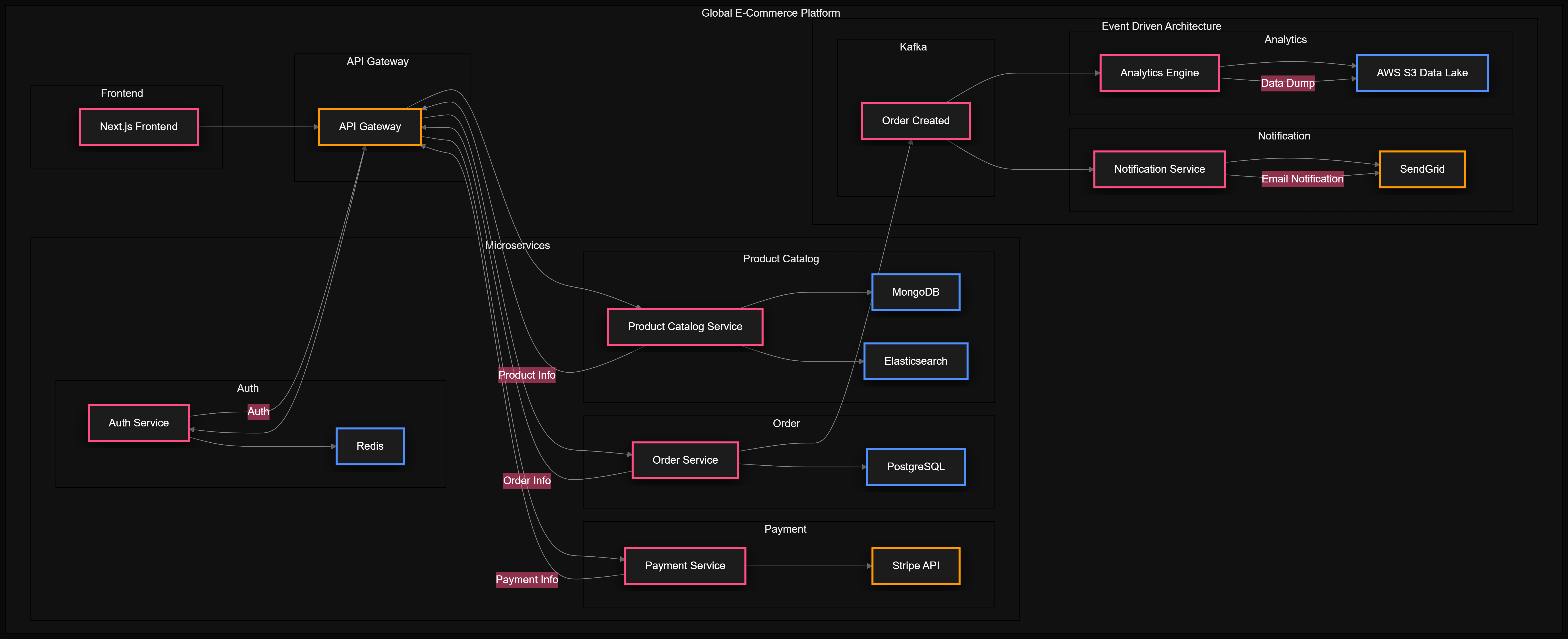
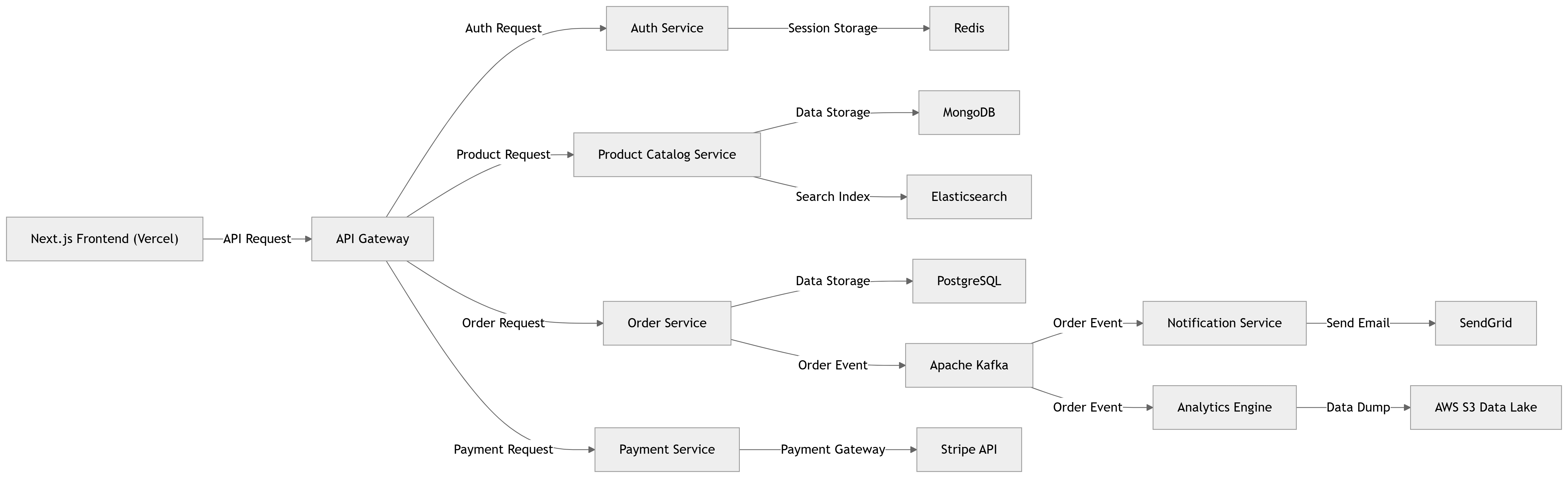
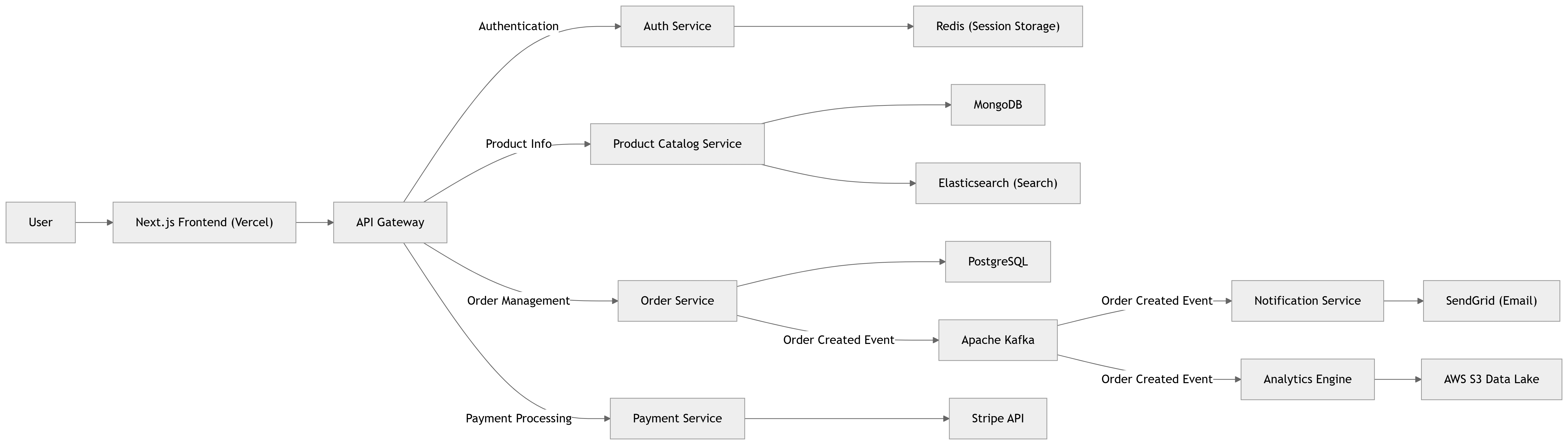
Diagram Weaver supports three distinct visual aesthetics. Pick the one that fits your project!
🎨 Eraser.io Style (Beautiful Modern)
🔷 Mermaid Classic
📐 Draw.io Export Mode
⚡ Why Diagram Weaver?
| Feature | Diagram Weaver | Web Tools |
|---|---|---|
| Works completely inside VS Code | ✅ | ❌ |
| 100% Free AI Generation | ✅ | ❌ |
| Auto-scans your workspace | ✅ | ❌ |
| Dedicated Sidebar UI | ✅ | ❌ |
| Ultra-fast (1–3 seconds with Groq) | ✅ | ❌ |
| Export PNG, SVG, Mermaid, Draw.io | ✅ | ✅ |
🛠️ The Setup (100% Free & Easy)
Diagram Weaver supports 3 powerful AI providers.
🥇 Option 1: Groq API (Highly Recommended)
Groq uses advanced Llama models running on specialized hardware. It is mind-blowingly fast (1-3 seconds) and completely free.
- Go to 👉 console.groq.com/keys
- Sign in with Google and click "Create API Key"
- Paste it into the Diagram Weaver Sidebar!
🥈 Option 2: Gemini API (Alternative Free)
Google's Gemini 1.5 Flash model is also free. Get a key at aistudio.google.com.
🥉 Option 3: GitHub Copilot
If you already pay for GitHub Copilot Chat, Diagram Weaver can hook directly into it! No keys required.
🚀 How to Use
Using Diagram Weaver is incredibly intuitive with the new sidebar:
🌟 Auto-Scan Your Project (Zero Prompting)
Want a diagram but don't want to type anything?
- Open the Diagram Weaver Sidebar (the icon on the left panel).
- Click "Auto-Scan Project" at the bottom.
- Diagram Weaver instantly reads your files and draws your exact architecture!
✍️ Custom Prompt Mode
Know exactly what you want?
- Open the Diagram Weaver Sidebar.
- Select your Diagram Style (e.g., Eraser.io style).
- Type a prompt like: "Draw a React frontend talking to a Node backend with MongoDB"
- Click Generate Diagram and watch it appear instantly.
💬 Copilot Chat Integration
If you prefer chat, you can still talk to Diagram Weaver directly in the Copilot Chat panel!
@diagram draw a microservices architecture with AWS@diagram /explainProject(scans your whole workspace)@diagram /fromSelection(diagrams the code you highlighted)@diagram /generateDocs(dumps the diagram into an ARCHITECTURE.md file)
💾 Exporting Your Work
Once your diagram is generated, you have 4 single-click export options:
- Export SVG: For pixel-perfect infinite scaling.
- Export PNG: For sending on Slack/Discord.
- Export Mermaid: For saving the raw code to Github Markdown.
- Export Draw.io: For opening in Draw.io to manually edit the boxes and arrows later!
🤝 Open Source
Diagram Weaver is completely free and open source. Enjoy crafting beautiful architectures directly in your editor!