Pure UI over claude-standby:
a status bar item and a small action menu for the workspace's auto-resume
task. All reads come from ~/.claude/auto-resume/state.json; all writes go
through the claude-standby terminal CLI. The extension never spawns
or parses Claude Code itself.
Features
- Onboarding / setup — first run opens a setup checklist (terminal CLI installed · Claude Code detected · state file healthy) with an inline Install action; once the CLI is present it hands off to the dashboard. Reachable later via the header "Setup" link.
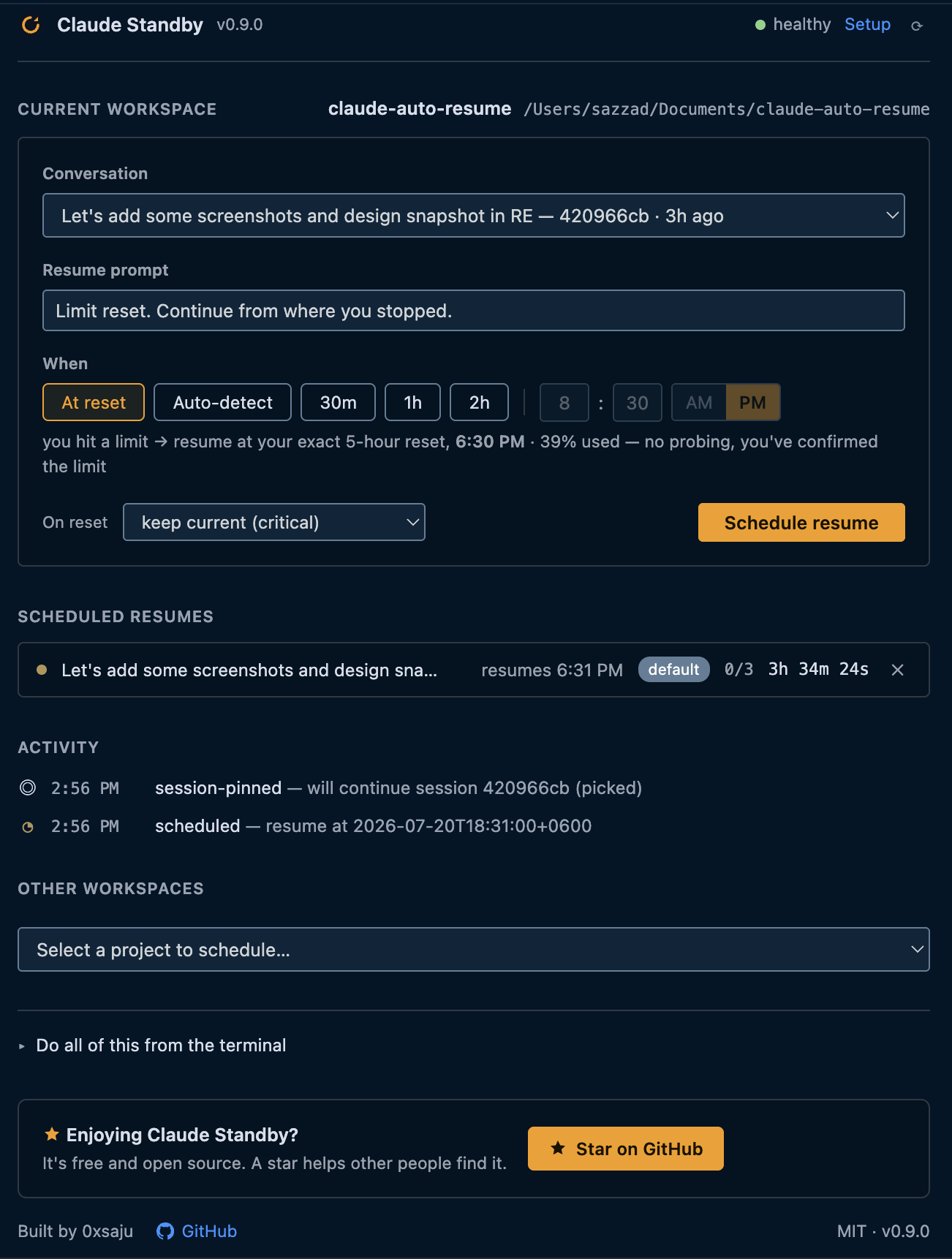
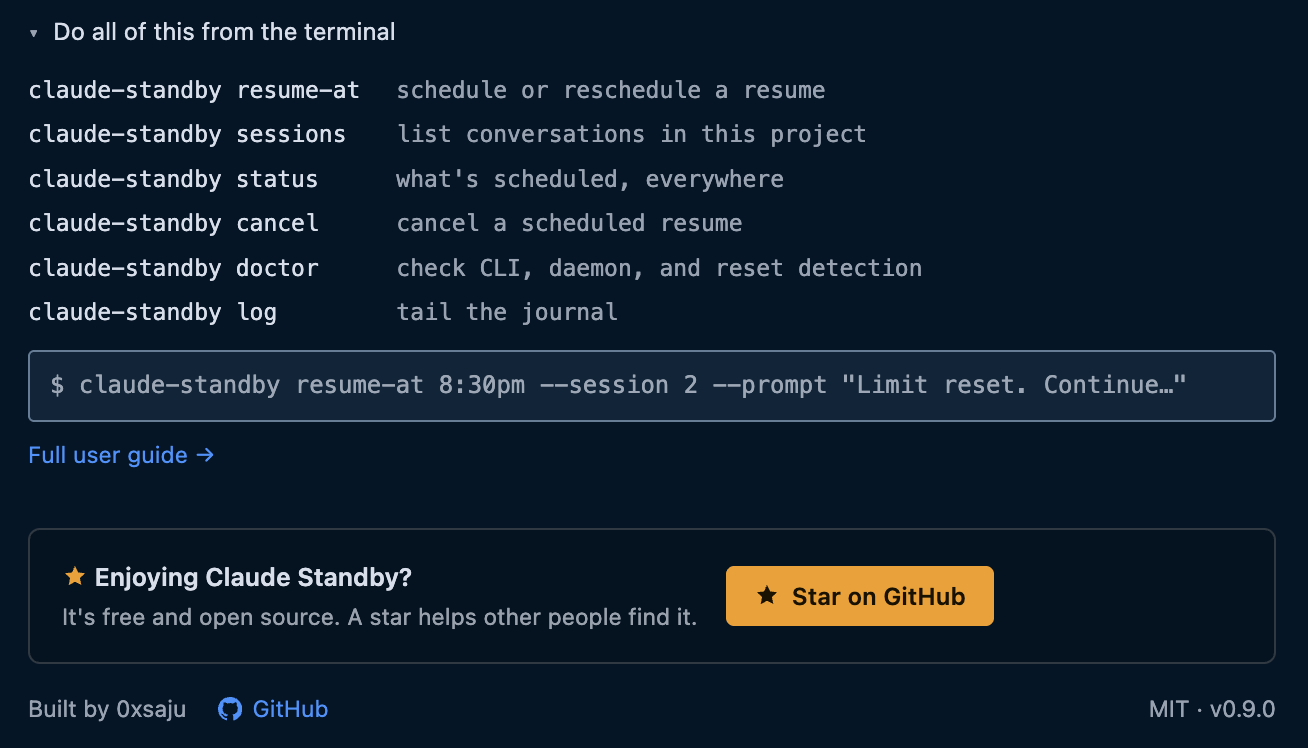
- Full-page dashboard — clicking the activity-bar logo opens the dashboard as an editor tab: a schedule composer for the current workspace (which conversation to continue, a resume prompt prefilled to the default, an AM/PM time picker plus At reset / Auto-detect / 30m / 1h / 2h, importance tier), a list of scheduled resumes with live countdowns, an Other-workspaces picker that opens the same composer for any project, an activity timeline, a collapsible CLI reference, and an About row.
- Exact reset time — when your live usage data is available locally
(streamed to Claude Code's status line), the dashboard and status bar show
the real reset moment and usage (
resets 6:00 PM · 54% used) instead of a guess, and auto-detect schedules to it. Works with zero setup when a cache already exists; otherwiseclaude-standby setup-statuslineadds a tiny sensor. The resume fires a short safety buffer after the reset, not on the exact instant. - Status bar — the tool's live state for the open workspace
(
waiting · resumes 8:30 PM,armed · resets 6:00 PM,resuming…,done,failed, …). Hovering shows a rich tool-status card (resume time, pinned session, attempts, Open-dashboard / Cancel), and flags a resume interrupted by a dead daemon. Refreshed on state-file changes plus a 5-second fallback poll. - Menu / commands — Schedule Resume, Show Status, Cancel Task, Open Log, Install Terminal Tool, Check for CLI Update.
- Keeps the CLI current — a quiet once-a-day check compares your
installed
claude-standbyagainst the latest release; when a newer one ships, a notification offers a one-click Update (it runs the CLI's ownupdate, a download-validate-swap). Silent when offline or up to date; you can also trigger it from the menu ("Check for CLI update") anytime. - About links — set
claudeStandby.author.github/.linkedin/.buyMeACoffeein settings; each link shows only when its URL is set.
Requirements
- VS Code 1.85+
- The
claude-standbyterminal tool (the extension offers to install it on first activation). Auto-detected from PATH or~/.local/bin; override with theclaudeStandby.cliPathsetting.
Install
- From the Marketplace — search "Claude Standby" in the Extensions
view, or install the packaged
.vsixvia "Extensions: Install from VSIX…". The extension drives theclaude-standbyterminal tool, so install that too (the extension offers to on first run, or run the one-line installer from the main repo).
Running from source
- Open this folder (
vscode-extension/) in VS Code. - Press F5 (Run Extension) — an Extension Development Host window opens with the cockpit active.
- Open any workspace folder in that window; the
Standbystatus bar item appears bottom-left.
To package a .vsix: npx @vscode/vsce package.
Design
See the main repo's docs/ARCHITECTURE.md (Cockpit section) and
docs/DECISIONS.md D21. Deliberately no bundler, no dependencies, plain
JavaScript — this is a thin shell and should stay one.